

Manual of product Aspire E14 ES1-411
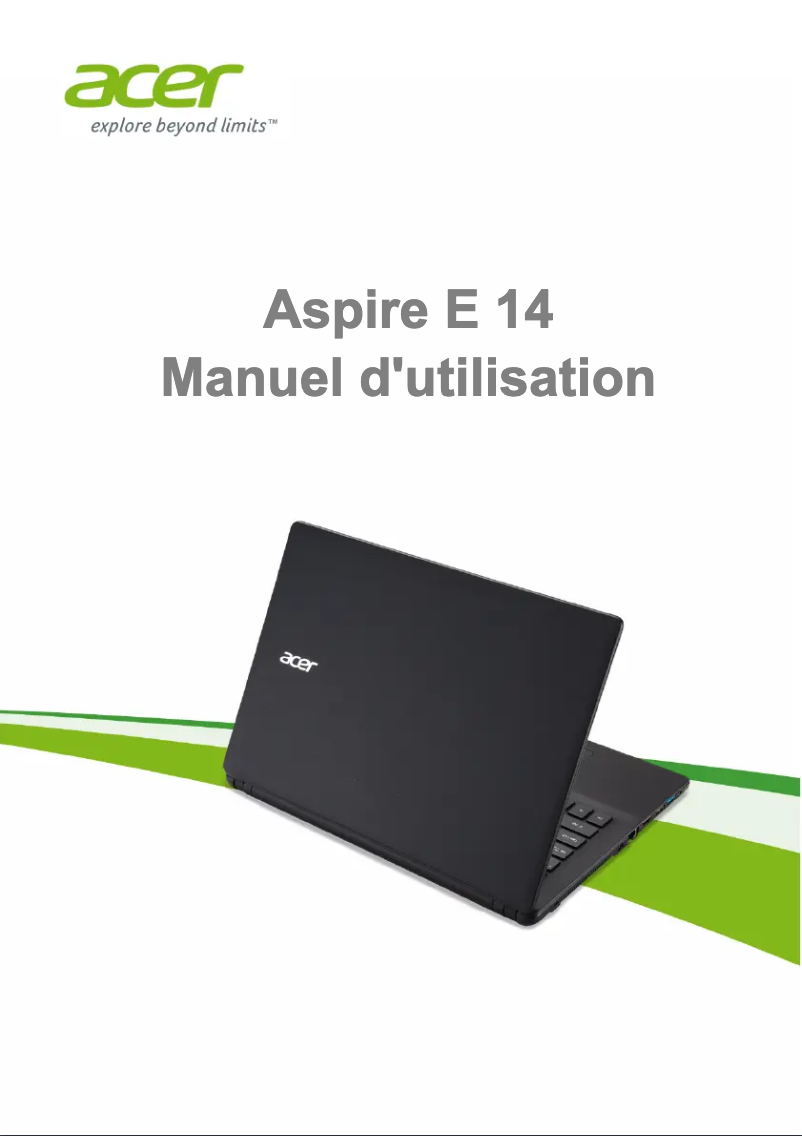
Editorial note
The Acer Aspire E14 ES1-411 positions itself as a reliable laptop, ideal for users looking for a performing device for everyday tasks such as web browsing, word processing, and multimedia. The Acer brand is known for its quality and technological innovations, which translates into a pleasant user experience, enhanced by an ergonomic design and a user-friendly interface. However, this model has some limitations. Its performance may be insufficient for resource-intensive applications, such as video games or video editing. Additionally, battery life is average, which can be problematic for users who are often on the go. The display quality is also modest, with a screen that may lack brightness and contrast in well-lit environments. Finally, the plastic construction materials can give an impression of fragility, and the number of available ports is limited, thus restricting connectivity with modern peripherals. In terms of ratings, the user experience scores an 85, highlighting the ease of use of the computer. Performance is rated at 70, indicating suitability for everyday tasks but limitations for more intensive uses. The design is rated at 75, while the value for money is considered good at 80, especially for users looking for an entry-level device. The features, on the other hand, receive a score of 65, due to the lack of modern ports. In summary, the Acer Aspire E14 ES1-411 is a wise choice for those with basic computing needs, but it may not be suitable for users seeking high performance or advanced connectivity.Score details
User experience
The user experience is very positive thanks to a user-friendly interface and ergonomic design, making it easy to use.
Performance
The performance is optimal for everyday tasks, but may be limited for resource-intensive applications.
Battery life
The battery life is average, which can be a problem for users on the go who require prolonged use.
Design
The design is ergonomic, but the plastic materials can give a feeling of fragility.
Value for money
The value for money is good, especially for users looking for a laptop for common tasks.
Features
The features are adequate, but the lack of modern ports may restrict connectivity with recent devices.
Advantages
Reliability and innovations of the Acer brand
Optimal performance for daily tasks
User-friendly interface and ergonomic design
User manual included for ease of use
Convenient portability for students and professionals
Disadvantages
Limited performance for heavy tasks
Insufficient battery life
Dim and low-contrast screen
Fragile plastic materials
Limited connectivity ports
Technical Specifications Aspire E14 ES1-411
General Information
-
ModelASPIRE E14 ES1-411
-
Brand
-
Category
-
Type
-
SKU865886
-
MPN865886
Frequently Asked Questions
What factors influence download speed on the Internet?
What are the dimensions of my laptop screen?
What does the acronym HDMI mean?
What is the best method to clean my laptop?
How can I clean my laptop keyboard?
What is Bluetooth?
Why won't my laptop turn on?
How do I connect my laptop to Wi-Fi?
How do I take a screenshot on my Acer Aspire E14 ES1-411?
What should I do if my Acer Aspire E14 ES1-411 is slow?
Is the manual for the Acer Aspire E14 ES1-411 available in French?
Similar products


More product categories from brand Acer
Computers and accessories Acer
Phones Acer
Other Acer
Home appliances Acer
Audio Acer
Interior Acer
More product types from brand Acer





Presentation of product Aspire E14 ES1-411 specifications from brand Acer
General Information
The laptop Acer Aspire E14 ES1-411 is a creation of the brand Acer, known for its reliable and innovative products in the world of technology. This model is designed to provide adequate performance for everyday tasks, such as browsing the Internet, word processing, and multimedia, while ensuring a smooth and pleasant user experience.
With an ergonomic design and a user-friendly interface, the Acer Aspire E14 ES1-411 makes it easy to handle, making it particularly suitable for students and professionals on the go. Additionally, it comes with a user manual that helps discover its various features without difficulty.
Technical Specifications
This model, while performing well for common uses, has certain limitations. It may struggle when running software that requires significant resources, such as video games or video editing applications. Furthermore, its battery life is considered average, which can be an issue for users who need prolonged use without recharging.
In terms of display quality, the screen may seem modest, sometimes lacking brightness and contrast, which could affect the viewing experience in well-lit environments. Moreover, the plastic construction, while lightweight, may give an impression of fragility and does not necessarily correspond to high-end quality. Finally, the number and type of available ports may be limited, thus restricting connectivity with newer devices.


