

Manual of product Aspire E17 E5-774G
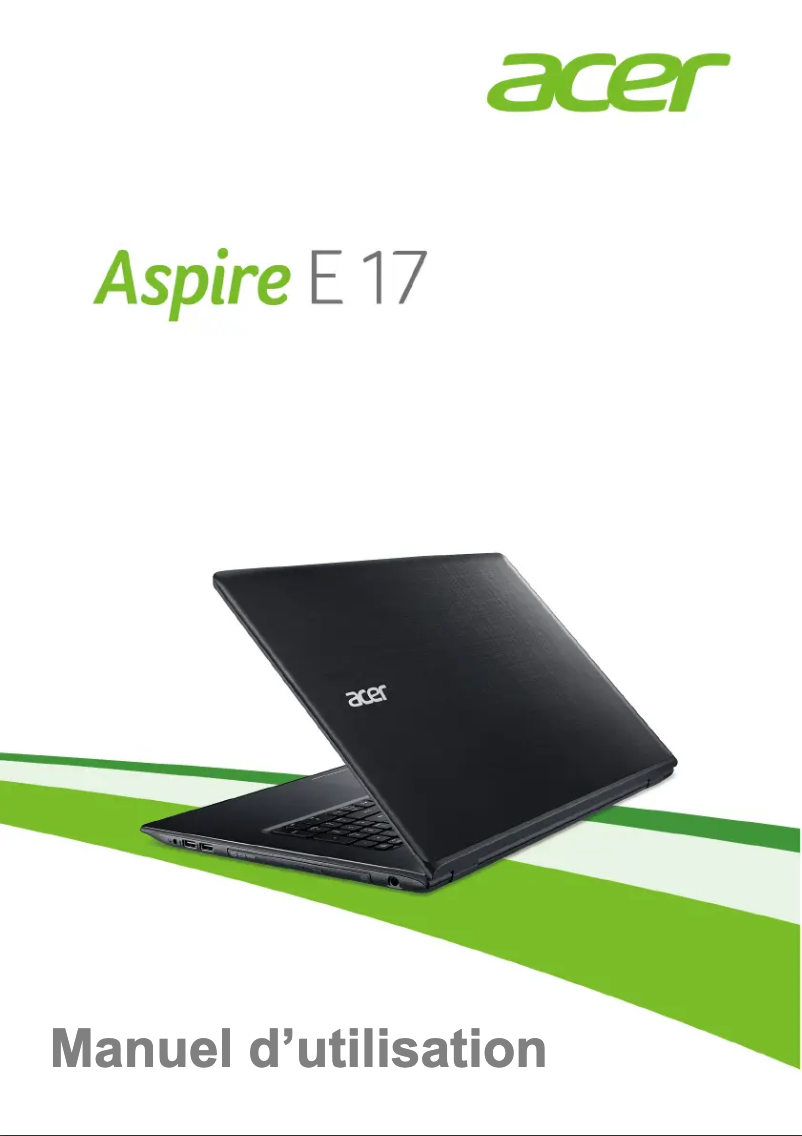
Editorial note
The Acer Aspire E17 E5-774G stands out for its optimal performance, making this laptop an ideal choice for multitasking users and those with demanding application needs. The Acer brand is known for its quality and innovation, thus ensuring a reliable and enjoyable user experience. Additionally, the model comes with a user manual, which makes it easy to get started, even for novices. However, some drawbacks must be taken into account. Its weight may be a disadvantage for those who prioritize lightness and portability. The battery life is limited, necessitating frequent recharges for users on the go. Furthermore, the screen has limited viewing angles, which can detract from the visual experience in group settings. The graphics performance, while adequate for everyday use, is not ideal for recent video games or resource-intensive applications. Finally, the cooling system, although effective, can be noisy under heavy loads, thus disturbing users in quiet environments. In summary, the Acer Aspire E17 E5-774G is a high-performing and well-designed laptop, but it has some limitations in terms of portability and battery life that could influence some users.Score details
User experience
The user experience is enhanced by advanced technical features, allowing for smooth and pleasant navigation on a daily basis.
Performance
The performance is optimal, making this laptop ideal for multitasking and demanding applications.
Battery life
The battery life may not be sufficient for prolonged use without recharging, which can be a drawback for mobile users.
Design
The design is functional, combining aesthetics and practicality, making it a stylish and easy-to-carry laptop.
weight
The weight can be a disadvantage for those looking for a lightweight and easy-to-carry device.
graphics
The graphics performance is suitable for everyday tasks, but may not be adequate for recent video games or heavy graphic applications.
Support
The availability of a user manual makes it easier to get started, even for novice users.
noise
The cooling system can be noisy under heavy loads, which may disturb the user in a quiet environment.
Advantages
High performance for multitasking
Recognized brand for its quality
Smooth and enjoyable navigation
User manual included for convenience
Elegant and practical design
Disadvantages
High weight for easy transport
Insufficient battery life
Limited viewing angles
Mediocre graphics performance for gaming
Noisy cooling system under load
Technical Specifications Aspire E17 E5-774G
General Information
-
ModelASPIRE E17 E5-774G
-
Brand
-
Category
-
Type
-
SKU865866
-
MPN865866
Frequently Asked Questions
What factors influence download speed on the Internet?
What are the measurements of my laptop screen?
What does the acronym HDMI stand for?
What is the best method to clean my laptop?
How can I clean my laptop keyboard?
What is Bluetooth?
Why won't my laptop turn on?
How do I connect to a Wi-Fi network?
My Acer Aspire E17 E5-774G laptop has low brightness, how can I adjust it?
How can I eject a CD/DVD from the Acer Aspire E17 E5-774G laptop?
My laptop battery drains quickly, are there ways to improve its lifespan?
Is the manual for the Acer Aspire E17 E5-774G available in French?
Similar products


More product categories from brand Acer
Computers and accessories Acer
Phones Acer
Other Acer
Home appliances Acer
Audio Acer
Interior Acer
More product types from brand Acer





Presentation of product Aspire E17 E5-774G specifications from brand Acer
General Information
The Acer Aspire E17 E5-774G laptop is a model from the Acer brand, known for its commitment to quality and innovation in the technology sector. This model is specifically designed to deliver robust performance, making multitasking and demanding applications more accessible. With its advanced technical features, it promises an optimized user experience, ideal for everyday use.
Advantages
Among the strengths of the Acer Aspire E17 E5-774G, we note:
- Optimal performance: This model is designed to efficiently handle multiple tasks and resource-intensive applications.
- Brand trust: Acer is an established brand, synonymous with reliability and user satisfaction.
- Enhanced user experience: Thanks to its technical configuration, this laptop allows for smooth and enjoyable navigation.
- User manual included: A practical guide is provided to assist with setup, even for technology novices.
- Functional design: Its design combines elegance and practicality, making the laptop both aesthetically pleasing and easy to transport.
Disadvantages
However, the Acer Aspire E17 E5-774G also has some limitations:
- Weight: Its weight may be a disadvantage for those looking for a lightweight and easily portable laptop.
- Battery life: The battery life may not be sufficient for prolonged use, requiring frequent recharges for users on the go.
- Screen viewing angles: The screen may have limited viewing angles, which could detract from the visual experience in a group setting.
- Graphics performance: While adequate for everyday use, the graphics performance may not meet the demands of recent games or heavy applications.
- Cooling system: The fan may become noisy under heavy load, which can disturb the user in a quiet environment.


