Thumbnail of product Aspire E17 ES1-732 from brand Acer
Logo of brand Acer

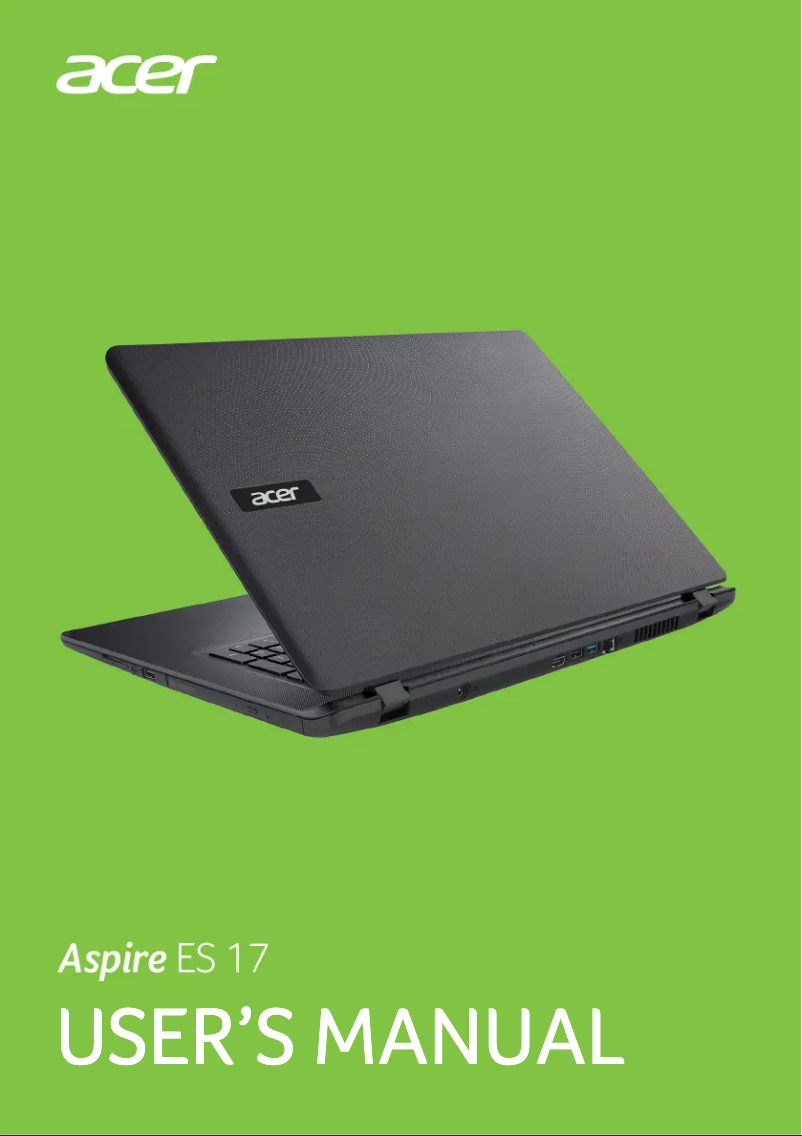
Laptop Acer Aspire E17 ES1-732

The Acer Aspire E17 ES1-732 laptop is an ideal choice for those looking for a reliable and high-performing machine. Manufactured by the Acer brand, known for its quality and innovation, this model is designed to provide an optimal user experience.

With its 17-inch screen, the Acer Aspire E17 ES1-732 allows for comfortable viewing, whether for work or entertainment. This model is perfect for daily use, whether for browsing the internet, word processing, or watching multimedia content.

A user manual is also available, making it easier to get to grips with the device and access all its features. In summary, the Acer Aspire E17 ES1-732 is a laptop that combines performance and ease of use, thus meeting the needs of a wide audience.

Manual of product Aspire E17 ES1-732
7 10

Editorial note

The Acer Aspire E17 ES1-732 stands out for its optimal performance, making this laptop suitable for both work and entertainment. With reliable technical features, it effectively meets the daily needs of users. The ergonomic design of the device also promotes a pleasant experience during long work sessions, although its design may seem a bit dated compared to other models on the market. However, there are some limitations to note. Its relatively high weight makes it a less portable choice, ideal for sedentary use rather than on-the-go. Additionally, the battery life is limited, requiring frequent recharges during prolonged use. The graphics performance is also insufficient for users looking to engage in gaming activities or demanding graphic work. Finally, the cooling system can generate noise that is disruptive in a quiet environment. Despite these drawbacks, the Acer Aspire E17 ES1-732 remains a wise choice in terms of value for money. The reputation of the Acer brand ensures solid quality and reliable after-sales service, thus reinforcing consumer confidence. Moreover, the accessibility of the user manual makes it easy to get accustomed to the device, making its use intuitive and enjoyable.

Score details

User experience

The ergonomic design of the Acer Aspire E17 ES1-732 promotes a better user experience during long work sessions, although the design may seem somewhat outdated.

Performance

The performance is reliable for everyday tasks, but the graphics performance may be insufficient for gaming or demanding graphic work.

Battery life

The battery life is limited, requiring frequent recharges during prolonged use.

Design

The design is functional but may seem less attractive compared to other competing models on the market.

Value for money

Acer is a recognized brand, offering solid quality and reliable after-sales service, making it a good choice in terms of value for money.

Usability

The accessibility of documents, such as the user manual, makes it easier to get started and use the device.

Robustness

The product is built robustly, but its relatively high weight may make it less portable.


Advantages

Reliable performance for work and entertainment

Ergonomic design for prolonged comfort

Recognized brand with reliable after-sales service

User manual included for easy handling

Versatile for work, studies, and leisure

Disadvantages

Slightly modern and unattractive design

High weight, less portable

Limited battery life

Insufficient graphics performance

Noisy cooling system

Technical Specifications Aspire E17 ES1-732

General Information

Frequently Asked Questions

What factors influence download speed on the Internet?
Download speed on the Internet is determined by the type of connection you are using. For example, with a 25 Mb/s connection, you should theoretically be able to download 25 MB per second. Q: What are the dimensions of my laptop screen? A: The size of your laptop is usually indicated in inches, knowing that one inch equals 2.54 centimeters. This measurement corresponds to the diagonal of the screen, which you can measure from the bottom left corner to the top right corner. Q: What does the acronym HDMI stand for? A: HDMI stands for High-Definition Multimedia Interface. An HDMI cable allows for the transfer of audio and video signals between different devices. Q: What is the best method to clean my laptop? A: Use a slightly damp cloth or a clean, soft cloth to remove fingerprints. For dust in hard-to-reach areas, compressed air is recommended. Q: How can I clean my keyboard? A: Turn the keyboard upside down and use a can of compressed air to remove dirt. You can also clean the keys with a damp cloth. Q: What is Bluetooth? A: Bluetooth allows for wireless data transmission between electronic devices via radio waves. Generally, the range of this connection can reach about ten meters. Q: My laptop won't turn on. What should I do? A: Check that the laptop is plugged in and that the battery is charged. If the laptop still doesn't turn on, hold the power button down for at least 10 seconds to force a restart. Q: How can I improve the performance of my slow Acer Aspire E17 ES1-732? A: Close unnecessary applications and browser tabs to free up resources. Also consider increasing the RAM or replacing the hard drive with an SSD for better performance. Regular disk cleanup and software updates can also be beneficial. Q: How do I connect my laptop to a Wi-Fi network? A: Click on the network icon in the taskbar and select your Wi-Fi network from the list. If necessary, enter the Wi-Fi password to connect. Also, make sure that Wi-Fi is enabled on your laptop using the dedicated button or the Fn + F3 keys. Q: What should I do if my laptop's touchpad is not working? A: Check that the touchpad is not disabled. Some models have a button to enable/disable it, usually near the touchpad. You can also try the keyboard shortcut Fn + F7 (or another F key with a touchpad icon). If the problem persists, restart your laptop or update the touchpad driver. Q: How do I connect my laptop to an external monitor? A: Use an appropriate cable, such as HDMI or VGA, to connect your laptop to the external monitor. Press the Windows key + P to access display options and select the desired display mode (such as duplicate, extend, or projector only). Make sure the external monitor is turned on and set to the correct input source. Q: Is there a manual in French for the Acer Aspire E17 ES1-732? A: Unfortunately, the manual for the Acer Aspire E17 ES1-732 is not available in French. It is only available in English.
Quelles sont les dimensions de l'écran de mon ordinateur portable ?
La taille de votre ordinateur portable est généralement indiquée en pouces, sachant qu'un pouce équivaut à 2,54 centimètres. Cette mesure correspond à la diagonale de l'écran, que vous pouvez mesurer du coin inférieur gauche au coin supérieur droit.
Que désigne l'acronyme HDMI ?
HDMI signifie High-Definition Multimedia Interface (interface multimédia haute définition). Un câble HDMI permet de transférer des signaux audio et vidéo entre différents appareils.
Quelle est la meilleure méthode pour nettoyer mon ordinateur portable ?
Utilisez un chiffon légèrement humide ou un chiffon propre et doux pour enlever les traces de doigts. Pour la poussière dans les zones difficiles d'accès, un air comprimé est recommandé.
Comment puis-je nettoyer mon clavier ?
Retournez le clavier et utilisez une bombe d'air comprimé pour enlever la saleté. Vous pouvez également nettoyer les touches avec un chiffon humide.
Qu'est-ce que le Bluetooth ?
Le Bluetooth permet une transmission de données sans fil entre appareils électroniques via des ondes radio. En général, la portée de cette connexion peut atteindre environ dix mètres.
Mon ordinateur portable ne s'allume pas. Que devrais-je faire ?
Vérifiez que l'ordinateur portable est bien branché et que la batterie est chargée. Si l'ordinateur ne s'allume toujours pas, maintenez le bouton d'alimentation enfoncé pendant au moins 10 secondes pour forcer un redémarrage.
Comment puis-je améliorer la performance de mon Acer Aspire E17 ES1-732 qui est lent ?
Fermez les applications et les onglets de navigateur inutiles pour libérer des ressources. Pensez également à augmenter la RAM ou à remplacer le disque dur par un SSD pour de meilleures performances. Un nettoyage régulier du disque et la mise à jour des logiciels peuvent aussi être bénéfiques.
Comment connecter mon ordinateur portable à un réseau Wi-Fi ?
Cliquez sur l'icône réseau dans la barre des tâches et sélectionnez votre réseau Wi-Fi dans la liste. Si nécessaire, entrez le mot de passe Wi-Fi pour vous connecter. Assurez-vous également que le Wi-Fi est activé sur votre ordinateur portable en utilisant le bouton dédié ou les touches Fn + F3.
Que faire si le pavé tactile de mon ordinateur portable ne fonctionne pas ?
Vérifiez que le pavé tactile n'est pas désactivé. Certains modèles ont un bouton pour l'activer/désactiver, généralement près du pavé tactile. Vous pouvez aussi essayer le raccourci clavier Fn + F7 (ou une autre touche F avec une icône de pavé tactile). Si le problème persiste, redémarrez votre ordinateur portable ou mettez à jour le pilote du pavé tactile.
Comment connecter mon ordinateur portable à un écran externe ?
Utilisez un câble approprié, comme HDMI ou VGA, pour relier votre ordinateur portable à l'écran externe. Appuyez sur la touche Windows + P pour accéder aux options d'affichage et sélectionnez le mode d'affichage souhaité (comme dupliquer, étendre ou projecteur uniquement). Assurez-vous que l'écran externe est allumé et réglé sur la source d'entrée correcte.
Existe-t-il un manuel en français pour l'Acer Aspire E17 ES1-732 ?
Malheureusement, le manuel de l'Acer Aspire E17 ES1-732 n'est pas disponible en français. Il n'existe qu'en anglais.

Similar products


Discover the technical sheet of Aspire E5-573G-7034 from Acer and its manuals...
Available manuals:
Discover the technical sheet of Aspire 3 Pro from Acer and its manuals...
Available manuals:
Discover the technical sheet of eMachines E720-343G25Mi from Acer and its manuals...
Available manuals:
Discover the technical sheet of Vaio PCG-QR20 from Sony and its manuals...
Available manuals:
Discover the technical sheet of Extensa 5635Z-452G32N from Acer and its manuals...
Available manuals:
Discover the technical sheet of Vaio VGN-FS295XP from Sony and its manuals...
Available manuals:
Discover the technical sheet of Vaio VGN-CR29XN from Sony and its manuals...
Available manuals:
Discover the technical sheet of Vaio VGN-FE39VP from Sony and its manuals...
Available manuals:
Discover the technical sheet of X500 from Toshiba and its manuals...
Available manuals:
Discover the technical sheet of Predator Helios 700 from Acer and its manuals...
Available manuals:
Discover the technical sheet of Vaio VGN-C2M from Sony and its manuals...
Available manuals:
Discover the technical sheet of Aspire One D150 from Acer and its manuals...
Available manuals:

Presentation of product Aspire E17 ES1-732 specifications from brand Acer

General Information

The Acer Aspire E17 ES1-732 represents a laptop from the Acer brand, known for its innovation and quality in the IT sector. This model is designed to offer reliable performance, suitable for both professional tasks and digital leisure, thus ensuring a satisfying user experience.

With its ergonomic design, the Acer Aspire E17 ES1-732 promotes optimal comfort of use, which is particularly appreciated during long work sessions. Additionally, the Acer brand provides quality after-sales service, reinforcing users' trust in its products.

This model comes with a user manual, facilitating handling and allowing for intuitive use right from the start. Its versatility makes it a wise choice for various uses, whether for work, study, or entertainment.

Advantages and Disadvantages

Advantages
  • Optimal performance: Ideal for daily tasks.
  • Ergonomic design: Comfortable use during long periods.
  • Recognized brand: Ensures quality and reliable after-sales service.
  • Accessibility of documents: Manual included to facilitate use.
  • Versatility: Suitable for various uses, from work to leisure.
Disadvantages
  • Design may appear less modern compared to some competitors.
  • Relatively high weight, limiting portability.
  • Limited battery life, requiring frequent recharges.
  • Insufficient graphics performance for gaming or intensive graphic work.
  • Cooling system may be noisy in quiet environments.
