

Manual of product Chromebook Tab 510
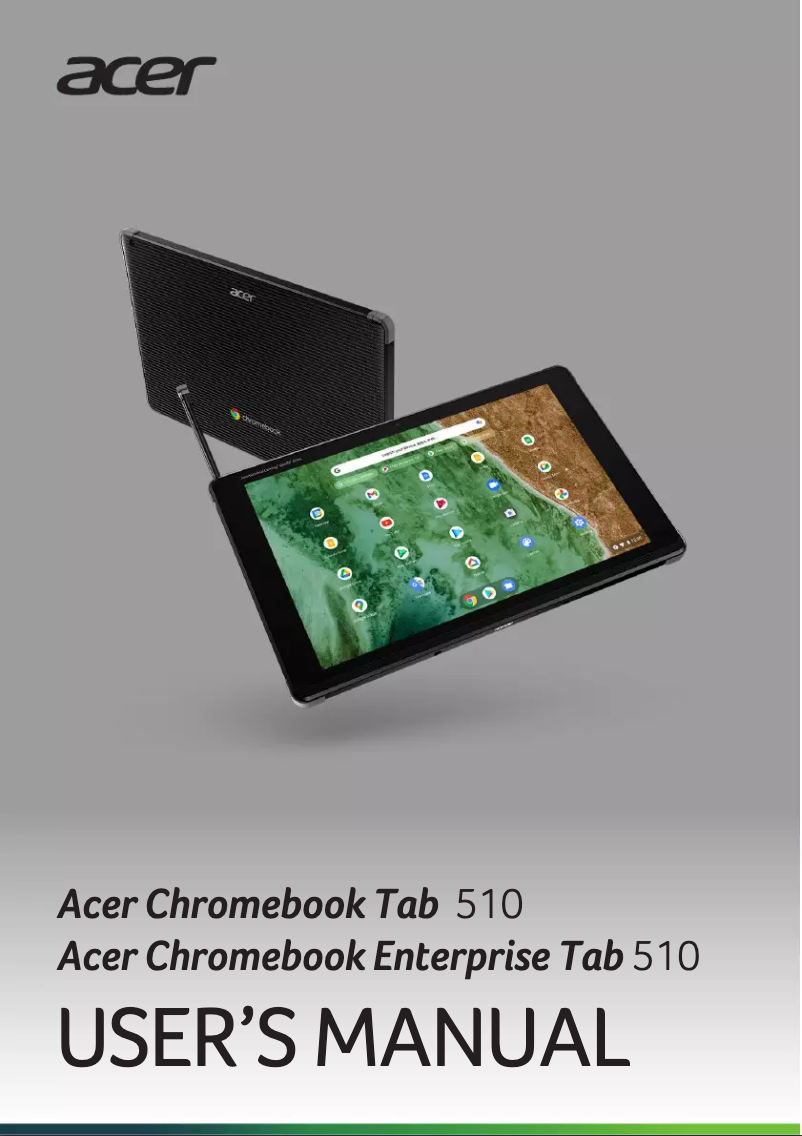
Editorial note
The Acer Chromebook Tab 510 stands out for its lightweight and compact design, making it easy to carry for on-the-go use. With an intuitive interface and fast navigation, this tablet provides an enhanced user experience, ideal for easily accessing online applications. Additionally, the model benefits from Acer's strong reputation for reliability and technological innovation. However, there are some limitations to consider. Performance may be insufficient when running heavy applications or during intensive multitasking, which could frustrate users with more demanding needs. Furthermore, the Chromebook Tab 510 heavily relies on a stable Internet connection to function optimally, which can be problematic for those working offline. Its storage capacity is also limited, restricting the amount of files and applications that can be kept on the device. Regarding battery life, although it is respectable under ideal conditions, its efficiency may decrease with heavy use. Despite these drawbacks, for an affordable price, the Chromebook Tab 510 offers good value for money, suitable for everyday tasks, and comes with a comprehensive user manual that makes it easy to get started.Score details
User experience
The user experience is enhanced by an intuitive interface and fast navigation, making it easy to access online applications.
Performance
Although designed for optimal performance, the Chromebook Tab 510 may show signs of slowness when running heavy applications or during intensive multitasking.
Battery life
Battery life is variable; it can be impressive under ideal conditions but decreases with heavy use.
Design
The lightweight and compact design of the device makes it easily portable, ideal for on-the-go use.
Value for money
For the price, the Chromebook Tab 510 offers good quality and performance suitable for everyday tasks.
Documentation
The included user manual is comprehensive and makes it easy to get started with the device.
Advantages
Smooth performance for work and leisure
Fast navigation and intuitive interface
Recognized reliability of the Acer brand
User guide for easy handling
Lightweight and easily portable design
Disadvantages
Limited performance for heavy applications
Requires a stable Internet connection
Restricted storage capacity
Limited application ecosystem
Battery life varies depending on usage
Technical Specifications Chromebook Tab 510
General Information
-
ModelCHROMEBOOK TAB 510
-
Brand
-
Category
-
Type
-
SKU1837569
-
MPN1837569
Frequently Asked Questions
What influences the download speed on the Internet?
What are the dimensions of my laptop screen?
What does the acronym HDMI stand for?
What is the best way to clean my laptop?
How can I clean my keyboard?
What is Bluetooth technology?
Is the manual for the Acer Chromebook Tab 510 available in French?
Similar products


More product categories from brand Acer
Computers and accessories Acer
Phones Acer
Other Acer
Home appliances Acer
Audio Acer
Interior Acer
More product types from brand Acer





Presentation of product Chromebook Tab 510 specifications from brand Acer
General Information
The Acer Chromebook Tab 510 is a device from the renowned brand Acer, known for its reliability and technological innovations in the electronics sector. This model, the Chromebook Tab 510, is designed to deliver optimal performance, making its use both efficient for professional tasks and enjoyable for leisure activities.
Advantages
Smooth performance: Thanks to its optimized design, the Acer Chromebook Tab 510 allows for seamless use, whether for work or entertainment.
Intuitive interface: This model offers quick and simple navigation, facilitating access to various applications and online content.
Quality reputation: As an Acer product, the Chromebook Tab 510 benefits from a strong reputation for reliability and innovation.
User manual included: A detailed guide accompanies the device, assisting with its handling and optimal use.
Lightweight and portable: With its compact and lightweight design, this device is ideal for on-the-go use, providing great flexibility.
Disadvantages
Limited performance for heavy applications: Although the Chromebook Tab 510 is efficient for daily tasks, it may struggle with demanding applications or during intensive multitasking.
Dependence on Internet connection: For optimal operation, this device requires a stable Internet connection, which can be a drawback for those needing to work offline.
Restricted storage capacity: Like many Chromebooks, the Tab 510 has limited internal storage capacity, restricting the number of files and applications that can be kept directly on the device.
Limited application ecosystem: Although the Google Play Store is expanding, some popular applications on other operating systems may not be compatible or optimized for Chrome OS.
Variable battery life: Battery life can be impressive under ideal conditions, but intensive use can significantly reduce this autonomy.


