

Manuals of product Spin 1

Editorial note
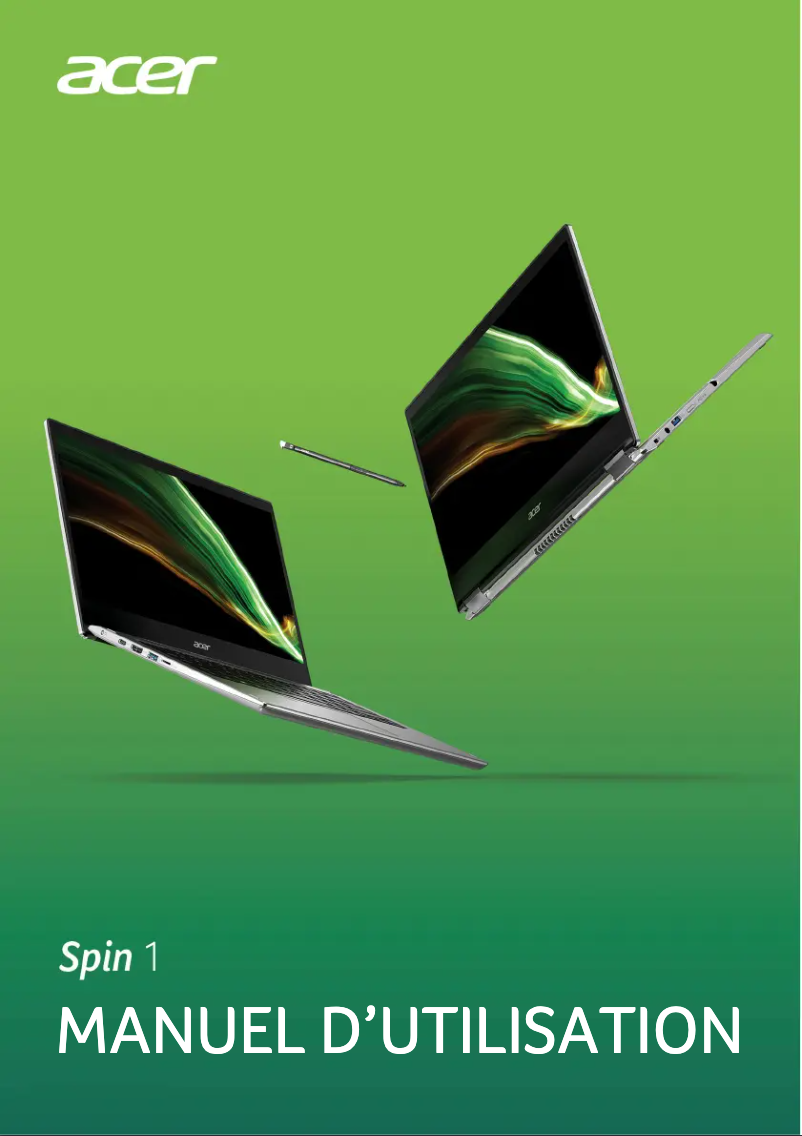
The Acer Spin 1 is a 2-in-1 hybrid laptop that stands out for its flexibility of use, allowing for easy switching between laptop mode and tablet mode. Its 11.6-inch Full HD touchscreen with LED backlighting provides an immersive visual experience and intuitive interaction, making it an ideal choice for users seeking versatility. Regarding performance, the Intel® Pentium® Silver quad-core processor ensures satisfactory performance for everyday tasks and multitasking. However, it may show its limits when executing demanding tasks such as video editing or gaming. Additionally, the 4 GB of internal memory may not be sufficient for users with high multitasking needs. In terms of battery life, the Acer Spin 1 proves to be very efficient, offering up to 12 hours of use, which is perfect for travel or extended use at home. Wireless connectivity is also a strong point, thanks to support for Wi-Fi 5 and Bluetooth, although the lack of USB Type-C ports limits compatibility with some modern peripherals. However, the 64 GB storage capacity can quickly become insufficient for those looking to keep many multimedia files. Furthermore, the front camera resolution of only 0.3 MP does not meet expectations for high-quality video calls, which may disappoint some users. Overall, the Acer Spin 1 offers good value for money in its category, but it is important for potential buyers to consider its limitations in terms of memory and storage.Score details
User experience
The 2-in-1 hybrid design of the Acer Spin 1 offers flexibility of use, allowing for easy switching between laptop mode and tablet mode. The 11.6-inch Full HD touchscreen with LED backlighting ensures an immersive visual experience and intuitive interaction.
Performance
The Intel® Pentium® Silver processor with four cores provides optimal performance for everyday tasks and multitasking, but may not be sufficient for demanding tasks like video editing.
Battery life
The battery offering up to 12 hours of autonomy is ideal for prolonged use without interruption, whether at home or on the go.
connectivity
The advanced wireless connectivity with Wi-Fi 5 and Bluetooth allows for a fast and reliable connection to various devices, although the lack of USB Type-C ports limits connectivity with some modern peripherals.
storage
The 64 GB storage capacity can quickly prove insufficient, especially for users who wish to store many media files.
camera
The front camera resolution of only 0.3 MP may not be sufficient for high-quality video calls, which may disappoint some users.
Value for money
The Acer Spin 1 offers good value for money in its category, but users with high multitasking needs may find the 4 GB of internal memory insufficient.
Advantages
Flexible and versatile 2-in-1 design
11.6-inch Full HD touchscreen
Battery life of up to 12 hours
Wi-Fi 5 and Bluetooth connectivity
High-performance Intel® Pentium® Silver processor
Disadvantages
4 GB of RAM insufficient for multitasking
No available USB Type-C ports
Mediocre 0.3 MP front camera
Limited 64 GB storage for multimedia
Underperforming Intel® Pentium® Silver processor
Technical Specifications Spin 1
General Information
-
ModelSPIN 1
-
Brand
-
Category
-
Type
-
SKU1097828
-
MPN1097828
Design
-
Product typeHybrid (2-in-1)
-
Product colorGray
-
FormatConvertible (foldable)
Screen
-
LED backlightingYes
-
Screen size11.6 "
-
LED backlightingYes
-
Image format16:9
-
Type HDFull HD
-
Screen resolution1920 x 1080 pixels
-
Type of panelIPS
Memory
-
Type of internal memoryLPDDR4-SDRAM
-
Maximum internal memory- GB
-
Internal memory4 GB
Storage support
-
Built-in memory card readerYes
-
Compatible memory cardsMicroSD (TransFlash), MicroSDXC
-
Total storage capacity64 GB
-
Storage mediaFlash
-
Total storage capacity64 GB
-
Optical readerNo
Camera
-
Front camera resolution (digital)0.3 MP
-
Front camera resolution640 x 480 pixels
-
Front cameraYes
Audio
-
Number of built-in speakers2
-
Built-in microphoneYes
Network
-
BluetoothYes
-
Mobile network connectionNo
-
Wifi standards802.11a, 802.11b, 802.11g, Wi-Fi 4 (802.11n), Wi-Fi 5 (802.11ac)
-
Wi-Fi standardWi-Fi 5 (802.11ac)
-
Mobile network connectionNo
Connectivity
-
Quantity of USB Type C 3.2 Gen 1 (3.1 Gen 1) ports0
-
Headset output1
-
Headset output1
-
Headset output1
-
Headset / microphone portYes
-
Charging port typeDC-in jack
-
Headset output1
Keyboard
-
Numeric keypadNo
-
Pointing deviceTouchpad
-
Keyboard languageGerman
-
Keyboard layoutQWERTZ
Representation / realization
-
AccelerometerYes
Weight and dimensions
-
Weight1250 g
-
Width290 mm
-
Height14.1 mm
-
Depth200 mm
Security
-
Fingerprint readerNo
-
Password protectionYes
-
Password protectionHDD
-
Supervisor
-
User
Battery
-
Number of battery cells2
-
Battery capacity4670 mAh
-
Battery capacity36 Wh
-
Battery technologyLithium Polymer (LiPo)
-
Maximum battery life12 h
Power
-
AC power adapter45 W
Processor
-
Processor familyIntel® Pentium® Silver
-
Number of processor threads4
-
Processor modelN5030
-
Processor cache memory4 MB
-
Processor frequency1.1 GHz
-
Processor manufacturerIntel
-
Processor lithography14 nm
-
Processor socket (processor receptacle)BGA 1090
-
Computer bus- GT/s
-
Number of processor threads4
-
Processor Turbo Frequency3.1 GHz
-
Version of PCI Express locations2.0
-
Processor operating modes64-bit
-
Tjunction105 °C
-
PCI Express Configurations1x4+1x2, 4x1, 2x1+1x2+1x2
-
Thermal envelope (TDP, Thermal Design Power)6 W
-
Processor code nameGemini Lake Refresh
-
Maximum number of PCI Express lanes6
Graphique
-
Integrated graphics cardYes
-
Graphics adapter model includedIntel® UHD Graphics 605
-
Dedicated graphics card adapterNo
-
Distinct graphics adapter modelUnavailable
-
Base frequency of integrated graphics card200 MHz
-
Frequency of integrated graphics card bursts750 MHz
-
Frequency of integrated graphics card bursts750 MHz
-
Number of execution units18
-
ID of the integrated graphics card0x3184
-
Maximum memory of integrated graphics card8 GB
-
Integrated graphics card DirectX version12.0
-
OpenGL version of integrated graphics card4.4
-
Integrated graphics adapter familyIntel® UHD Graphics
-
Integrated GPU manufacturerIntel
Software
-
Installed operating systemWindows 10 Home in S mode
-
Operating System Architecture64-bit
Packaging contents
-
Cables includedSector
Special features of the processor
-
Supported instruction setSSE4.2
-
Intel® Vitalization Technology (VT-x)Yes
-
The available built-in optionsNo
-
The available built-in optionsNo
-
The available built-in optionsNo
-
The available built-in optionsNo
-
Intel® Vitalization Technology (VT-x)Yes
-
Intel® Vitalization Technology (VT-x)Yes
-
Intel® Vitalization Technology (VT-x)Yes
-
Intel® Vitalization Technology (VT-x)Yes
-
Intel® Vitalization Technology (VT-x)Yes
-
Intel® Vitalization Technology (VT-x)Yes
-
CPU Configuration (max)1
-
Intel® Vitalization Technology (VT-x)Yes
-
The available built-in optionsNo
-
Intel® Vitalization Technology (VT-x)Yes
-
Intel® Vitalization Technology (VT-x)Yes
-
Intel® Vitalization Technology (VT-x)Yes
-
Intel® Vitalization Technology (VT-x)Yes
-
Intel® Vitalization Technology (VT-x)Yes
-
Intel® Vitalization Technology (VT-x)Yes
-
Intel® Vitalization Technology (VT-x)Yes
-
Processor packaging size25 x 24 mm
-
Processor ID ARK197308
Frequently Asked Questions
What factors influence download speed on the Internet?
What are the dimensions of my laptop screen?
What does the acronym HDMI stand for?
What is the best method to clean my laptop?
What is the best way to clean my keyboard?
What is Bluetooth?
What is the weight of the Acer Spin 1?
What is the screen size of the Acer Spin 1?
What is the height of the Acer Spin 1?
What is the resolution of the Acer Spin 1 screen?
What is the width of the Acer Spin 1?
What is the depth of the Acer Spin 1?
Why won't my laptop turn on when I press the power button?
How do I connect my laptop to a Wi-Fi network?
How do I adjust the brightness of my Acer Spin 1 screen?
What should I do if the touchpad on my Acer Spin 1 is not working?
How can I transfer files from my laptop to a USB drive?
Does the Acer Spin 1 have a touchscreen?
What is the display diagonal size of the Acer Spin 1?
Does the Acer Spin 1 have a built-in card reader?
How many speakers are integrated into the Acer Spin 1?
Does the Acer Spin 1 have USB Type-C ports?
Is the manual for the Acer Spin 1 available in French?
Similar products


More product categories from brand Acer
Computers and accessories Acer
Phones Acer
Other Acer
Home appliances Acer
Audio Acer
Interior Acer
More product types from brand Acer





Presentation of product Spin 1 specifications from brand Acer
General Information
The Acer Spin 1 is a hybrid laptop from the renowned brand Acer, known for its innovation and quality. The specific model, Spin 1 | NX.H67EV.008, offers optimal performance and an enhanced user experience. It is identifiable by its EAN code 4710886028505, ensuring traceability in distribution.
Design
The Spin 1 features a 2-in-1 hybrid design, perfect for switching between traditional laptop use and tablet mode. Its gray color gives it a modern and elegant aesthetic, while its bar format ensures practical use in various environments.
Display
Equipped with an 11.6-inch touchscreen, the Acer Spin 1 offers an immersive visual experience. With LED backlighting, visibility is improved even in low-light conditions. Its 16:9 aspect ratio and Full HD resolution of 1920 x 1080 pixels guarantee sharp images and vibrant colors thanks to an IPS panel.
Memory
The internal LPDDR4-SDRAM memory of the Acer Spin 1 is 4 GB, allowing for efficient storage of data and applications. While this capacity is sufficient for everyday use, it may be limited for users with high multitasking needs.
Storage Support
The Spin 1 features a built-in card reader, compatible with MicroSD and MicroSDXC, facilitating memory expansion. Its 64 GB flash memory provides good storage space for files, photos, and videos, although this may prove insufficient for users storing a lot of multimedia content.
Camera
The 0.3 MP front camera allows for video calls and selfies, although its resolution of 640 x 480 pixels may not meet expectations for high-quality videos.
Audio
The product is equipped with two built-in speakers, offering immersive sound quality. An integrated microphone allows for clear audio recordings, ideal for online communications.
Network
The Spin 1 supports Bluetooth connectivity for convenient wireless connections. It is compatible with Wi-Fi 5 (802.11ac), ensuring a fast and reliable connection, but does not have Ethernet/LAN ports or mobile network connectivity.
Connectivity
This model does not include USB Type-C ports, limiting some connectivity options. It has an HDMI port for connecting to multimedia devices and a USB 2.0 port, as well as a combo headphone/microphone port for practical use.
Keyboard
The keyboard does not have a numeric keypad but uses a touchpad for intuitive navigation. Its QWERTZ layout is optimized for smooth typing in German.
Weight and Dimensions
Weighing 1250 g, the Acer Spin 1 is lightweight and easy to carry. Its dimensions of 290 mm in width, 14.1 mm in height, and 200 mm in depth make it compact and suitable for mobile use.
Security
Although the Spin 1 does not have a fingerprint reader, it offers password protection, enhancing the security of user data.
Battery
The battery, with a capacity of 4670 mAh and a maximum of 12 hours of battery life, ensures prolonged use without interruption. Its nickel-metal hybrid (NiMH) technology guarantees optimal durability.
Processor
The Acer Spin 1 is powered by an Intel® Pentium® Silver N5030 processor, featuring 4 cores and a frequency of 1.1 GHz. While it performs well for everyday tasks, it may not be sufficient for more demanding applications.
Graphics
This model is equipped with an integrated Intel® UHD Graphics 605, providing adequate graphics performance for daily multimedia needs, without a dedicated graphics card.
Software
The Windows 10 Home in S mode operating system allows for a smooth user experience. Its 64-bit architecture optimizes resource management and overall performance.
Packaging Contents
The package includes a power cable, essential for proper device power supply.
Special Processor Features
The Spin 1 supports several security and performance technologies, such as Intel® Identity Protection and Intel® AES instructions, thereby enhancing security during online transactions and optimizing performance.


