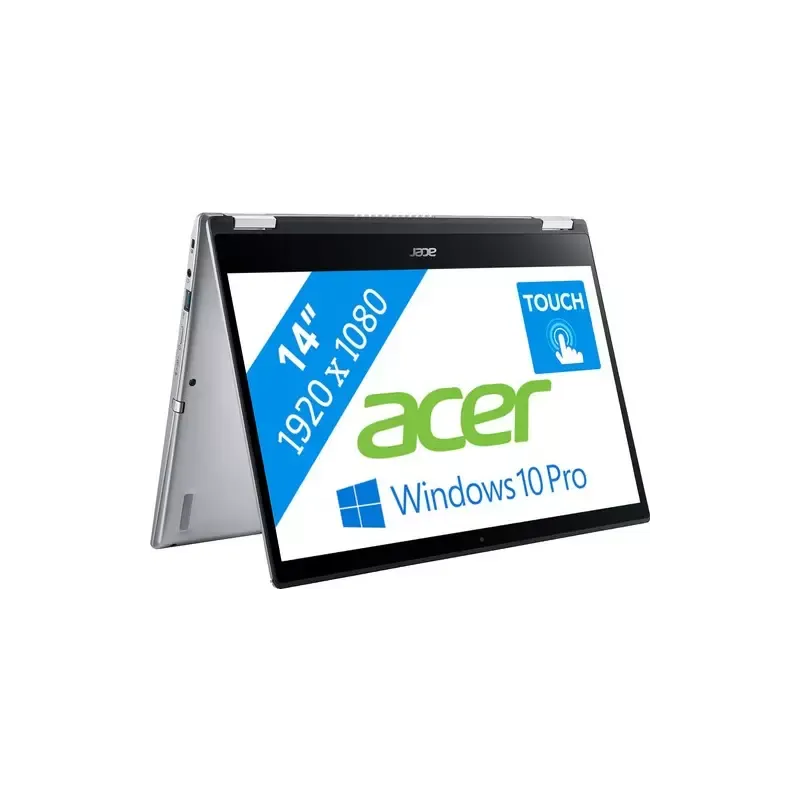

Manual of product Spin 3 Pro

Editorial note
The Acer Spin 3 Pro stands out for its optimal performance, making it an ideal choice for demanding users, whether for work or leisure. Its intuitive interface and practical features enhance the user experience, making daily navigation more enjoyable. Additionally, its convertible design offers appreciated versatility, allowing users to switch from a laptop to a tablet as needed. However, the model has some drawbacks. Its design may seem bulky compared to other thinner and lighter laptops on the market. The battery life, while adequate, may be shorter than that of some competitors, thus limiting prolonged use without recharging. Furthermore, the graphics performance is limited, which may not suit users looking to perform intensive graphic tasks or gaming. The cooling system can also be noisy when executing heavy tasks. Regarding support, Acer is a trusted brand, recognized for its quality and innovation, providing peace of mind to users in terms of durability and after-sales service. The included user manual is an additional asset, facilitating the onboarding and initial setup for new users. Overall, the Acer Spin 3 Pro is a versatile and high-performing laptop, although it has some limitations to consider based on each user's specific needs.Score details
User experience
The user experience is enhanced by an intuitive interface and practical features, making daily navigation easier.
Performance
Performance is optimal for demanding users, although graphics performance is limited for intensive tasks like gaming.
Battery life
Battery life is decent but lower than some competitors, which may restrict prolonged use without recharging.
Design
The design is convertible and versatile, but may seem bulky compared to other thinner and lighter models.
Support
Acer is a trusted brand, known for its innovation and quality, providing peace of mind regarding durability and technical support.
Documentation
The included user manual is detailed and facilitates onboarding and initial setup for new users.
Advantages
High performance for demanding users
Intuitive interface for easy use
Convertible design for flexible use
Reliable brand with technical support
User manual included for easy handling
Disadvantages
Bulky design compared to other models
Battery life lower than the competition
Limited graphics performance for gaming
Noisy cooling system under load
Possible slowdowns with multiple applications open
Technical Specifications Spin 3 Pro
General Information
-
ModelSPIN 3 PRO
-
Brand
-
Category
-
Type
-
SKU1297257
-
MPN1297257
Frequently Asked Questions
What factors affect download speed on the Internet?
What are the dimensions of my laptop screen?
What does the acronym HDMI stand for?
What is the best method to clean my laptop?
How can I clean my keyboard?
What is Bluetooth?
Is the manual for the Acer Spin 3 Pro available in French?
Similar products


More product categories from brand Acer
Computers and accessories Acer
Phones Acer
Other Acer
Home appliances Acer
Audio Acer
Interior Acer
More product types from brand Acer





Presentation of product Spin 3 Pro specifications from brand Acer
General Information
The Acer Spin 3 Pro laptop is an iconic model from the Acer brand, which is widely recognized for its commitment to innovation and quality in the technology sector. This model is designed to deliver high performance, ensuring an enriching user experience for both professionals and individuals.
Advantages
This device stands out for its versatility, thanks to a convertible design that allows for use in traditional laptop mode as well as tablet mode. This feature meets the varied needs of users, whether for work or leisure. Additionally, the intuitive interface of the Acer Spin 3 Pro makes daily navigation easier, making usage more enjoyable.
Furthermore, the reputation of the Acer brand provides users with peace of mind regarding the device's durability and the availability of reliable technical support. A user manual is also included with the laptop, allowing for quick familiarization and simplified initial setup for new users.
Disadvantages
Despite its many strengths, the Acer Spin 3 Pro has some disadvantages. Its design may seem slightly bulky compared to other thinner models available on the market. Moreover, while the battery life is acceptable, it may be shorter than that of some competitors, thus limiting prolonged use without recharging.
The graphical capabilities of this computer may also not meet the expectations of users with high demands for graphic performance, particularly for gaming or intensive graphic tasks. Additionally, the cooling system may generate noticeable noise when performing heavy tasks, which could be distracting in a quiet environment. Finally, the user interface may sometimes experience slowdowns, especially when multiple applications are open simultaneously.


