
Manual of product Iconia Tab W7
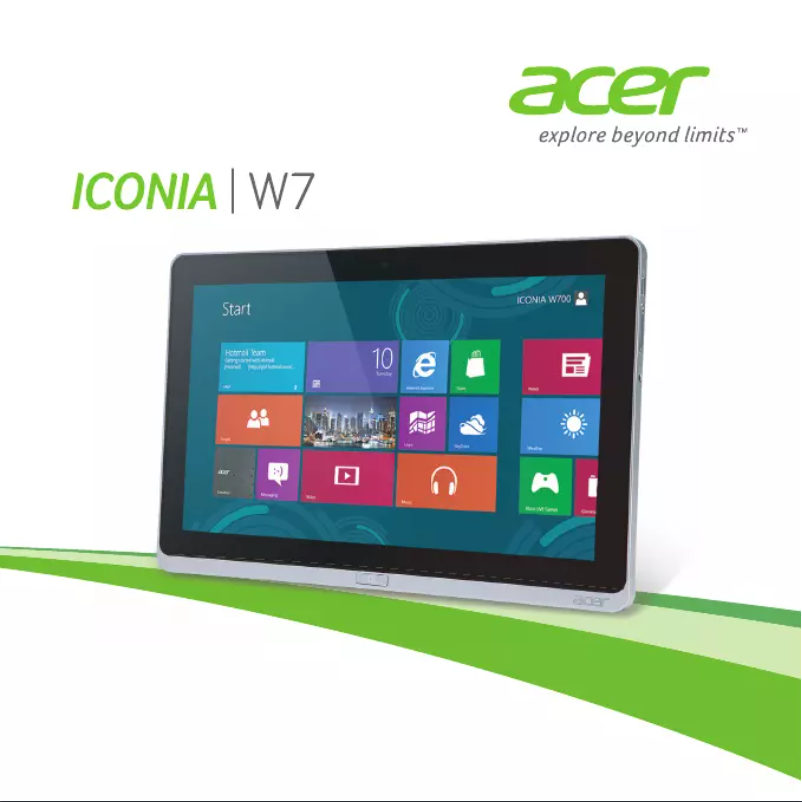
Editorial note
The Acer Iconia Tab W7 stands out for its optimal performance, made possible by Acer's advanced technology. This translates into smooth and efficient use for most applications, thus providing an enhanced user experience, facilitated by a modern interface. However, the Windows operating system, while effective, may not be as well-suited for touch use as other dedicated operating systems, which can hinder navigation. Regarding design, the Iconia Tab W7 features a modern and sleek aesthetic, combining practicality and style. However, its weight can make prolonged use less comfortable. Additionally, battery life is often deemed insufficient for intensive sessions, leading to frequent recharges. The value for money is fair, although limitations in software support and updates may raise concerns about long-term security and compatibility. In summary, the Acer Iconia Tab W7 is a device that meets expectations in terms of performance and design, but it has notable drawbacks related to its weight and battery life.Score details
User experience
The user experience is generally positive, with navigation facilitated by modern design. However, the Windows operating system may hinder touch usage.
Performance
Performance is optimal thanks to Acer's advanced technology, ensuring smooth and efficient use for most applications.
Battery life
Battery life is deemed insufficient for intensive use, requiring frequent recharges.
Design
The design is modern and sleek, offering both aesthetics and practicality, although the weight may make prolonged use less comfortable.
Value for money
The value for money is fair, but limitations in software support and updates may pose long-term issues.
Support
Software support and updates may be limited, which can affect long-term security and compatibility.
Advantages
Smooth and efficient performance
Simplified navigation and quick access
Elegant and practical design
Quick start with manual
Brand recognized for its quality
Disadvantages
Relatively heavy for prolonged use
Insufficient battery life for intensive use
Windows system less optimized for touch
Average quality screen in resolution and brightness
Limited software support and updates
Technical Specifications Iconia Tab W7
General Information
-
ModelICONIA TAB W7
-
Brand
-
Category
-
Type
-
SKU1125643
-
MPN1125643
Frequently Asked Questions
What factors influence download speed on the Internet?
What are the dimensions of my tablet's screen?
Is the manual for the Acer Iconia Tab W7 available in French?
Similar products


More product categories from brand Acer
Computers and accessories Acer
Phones Acer
Other Acer
Home appliances Acer
Audio Acer
Interior Acer
More product types from brand Acer





Presentation of product Iconia Tab W7 specifications from brand Acer
General Information
The Acer Iconia Tab W7 is a tablet designed by the Acer brand, known for its commitment to innovation and quality in the electronic technology sector. This model offers optimal performance, allowing for smooth and efficient use across a wide range of applications. Thanks to its user-friendly interface, the user experience is significantly enhanced, making navigation and access to essential features easier.
Advantages
Among the strengths of the Acer Iconia Tab W7, we find:
- Advanced performance: The integrated technology ensures fast and uninterrupted use.
- Modern design: Its sleek aesthetic combines practicality and visual appeal, ideal for everyday use.
- User manual included: This allows for quick and simplified handling of the product, even for new users.
- Brand reputation: Acer is synonymous with reliability and innovation, reassuring users about the quality of their devices.
Disadvantages
However, the Acer Iconia Tab W7 has some limitations:
- Relatively high weight: This tablet may feel heavy compared to other models on the market, which can make prolonged use less comfortable.
- Battery life: Often deemed insufficient for intensive use, it requires frequent recharges, which can be inconvenient.
- Windows operating system: While functional, it may not offer the same touch optimization as other systems specifically designed for tablets, thus impacting the overall experience.
- Screen quality: Although satisfactory, it may not meet current standards in terms of resolution and brightness, which can affect multimedia content viewing.
- Limited software support: The lack of updates can pose long-term security and compatibility issues.


