

Manual of product AD230
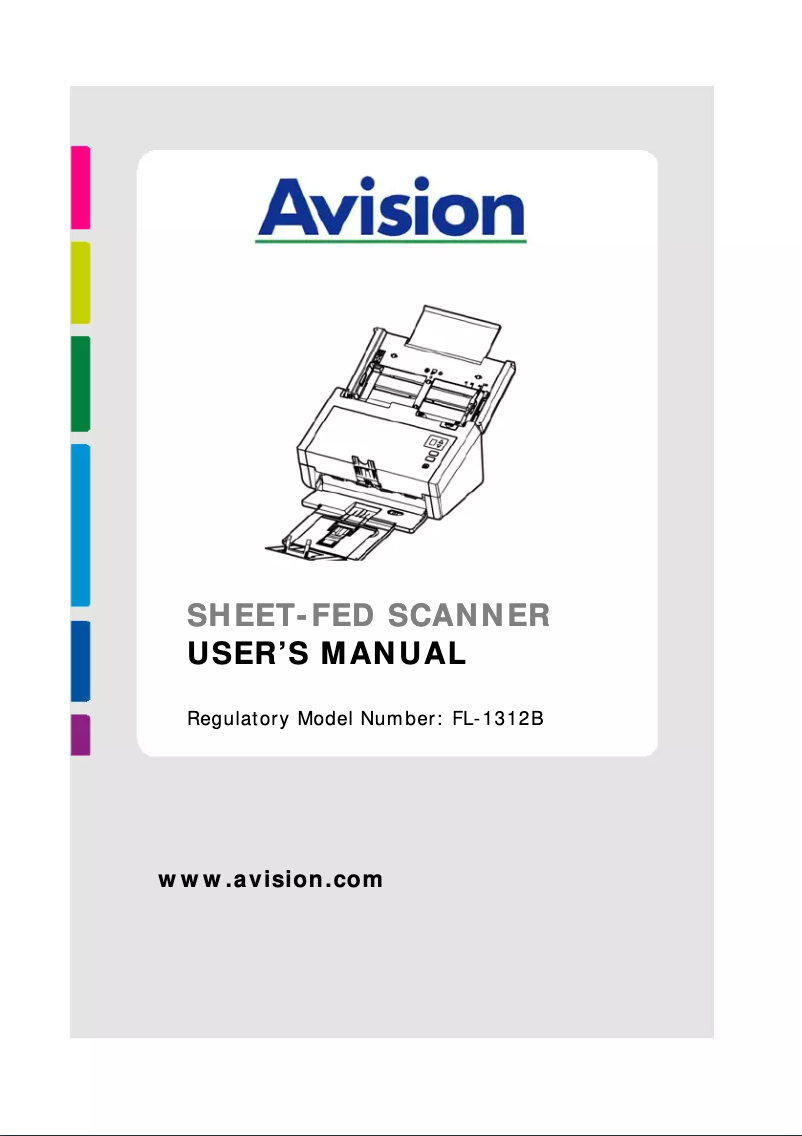
Technical Specifications AD230
General Information
-
ModelAD230
-
Brand
-
Category
-
Type
-
SKU767134
-
MPN767134
Digitization
-
Optical scanning resolution600 x 600 DPI
-
Output grayscale resolution8 bit
-
Output color display depth24 bit
-
Input color display depth48 bit
-
Double-sided scanningYes
-
Double-sided scanningYes
-
ADF scanning speed (color, A4)40 ppm
-
ADF duplex scanning speed (color, A4)80 ipm
-
ADF scanning speed (color, A4)40 ppm
-
ADF duplex scanning speed (color, A4)80 ipm
-
Film scanningNo
-
Maximum scanning area216 x 356 mm
Design
-
Type of scannerScanner ADF
-
Built-in screenYes
-
ScreenLCD
-
Product colorWhite
Representation / realization
-
Sensor typeCIS
-
Light sourceLED
-
Sound level of the scanner, in operation50 dB
-
Operating cycle per day (max)6000 pages
-
Scan toCloud
-
Scan driversISIS, TWAIN
-
Formats of scanned filesPDF
-
Button functionsScanning
Weight and dimensions
-
Width316 mm
-
Depth680 mm
-
Height239 mm
-
Weight3900 g
Connectivity
-
Standard interfacesUSB 2.0
-
USB portYes
-
USB Version2.0
Power
-
Electricity consumption (stop)0.33 W
-
Typical electricity consumption17 W
-
Type of power supplySector
-
Energy consumption (standby mode)2.6 W
Minimum system requirements
-
Support for the Windows operating systemWindows 10 Education
-
Minimal processorWindows 10 Education x64
-
Minimum RAMWindows 10 Enterprise
-
Windows 10 Enterprise x64
-
Windows 10 Home
-
Windows 10 Home x64
-
Windows 10 Pro
-
Windows 10 Pro x64
-
Windows 2000
-
Windows 2000 Professional
-
Windows 7 Enterprise
-
Windows 7 Enterprise x64
-
Windows 7 Home Basic
-
Windows 7 Home Basic x64
-
Windows 7 Home Premium
-
Windows 7 Home Premium x64
-
Windows 7 Professional
-
Windows 7 Professional x64
-
Windows 7 Starter
-
Windows 7 Starter x64
-
Windows 7 Ultimate
-
Windows 7 Ultimate x64
-
Windows 8
-
Windows 8 Enterprise
-
Windows 8 Enterprise x64
-
Windows 8 Pro
-
Windows 8 Pro x64
-
Windows 8 x64
-
Windows Vista Business
-
Windows Vista Business x64
-
Windows Vista Enterprise
-
Windows Vista Enterprise x64
-
Windows Vista Home Basic
-
Windows Vista Home Basic x64
-
Windows Vista Home Premium
-
Windows Vista Home Premium x64
-
Windows Vista Ultimate
-
Windows Vista Ultimate x64
-
Windows XP Home
-
Windows XP Home x64
-
Windows XP Professional
-
Windows XP Professional x64
-
Core 2 Duo
-
1000 Mo
Packaging contents
-
Provided softwareAVScan
-
Drivers includedButton Manager
-
Cables includedPaperPort SE 14
-
Drivers includedYes
-
AC
-
USB
-
Yes
Paper management
-
Minimum scanning area (automatic paper feed)50 x 50 mm
-
Maximum scanning area (automatic paper feed)216 x 356 mm
-
Thickness of supports (min)1.25 mm
-
Maximum sweep width242 mm
-
Maximum ISO A series paper sizeA4
-
Maximum sweep length3000 mm
-
Multi-power detectionYes
Input capacity
-
Automatic document feeder capacity80 sheets
Technical details
-
Maximum paper size242 x 356 mm
Environmental conditions
-
Operating temperature10 - 35 °C
-
Operating relative humidity (H-H)10 - 85 %
Similar products


More product categories from brand Avision
More product types from brand Avision


Presentation of product AD230 specifications from brand Avision
Generalities
The brand of the product Avision AD230 is Avision. This brand is known for its quality and innovation in the field of household appliances. The product model Avision AD230 is AD230 | 000-0805-02G. This model ensures optimal performance and an enhanced user experience.
Design
The type of scanner of the product Avision AD230 is a Scanner ADF. This type of scanner allows for fast and efficient scanning of multiple documents at once. The Avision AD230 screen contains LCD. This screen offers exceptional image quality for an immersive visual experience. The Avision AD230 has a built-in screen. This screen provides an immersive and convenient visual experience, making it easier to use the device. The color of the product Avision AD230 is Blanc. This shade gives it a modern and elegant look.
Digitization
The product Avision AD230 has an optical scanning resolution of 600 x 600 DPI. This specification ensures high-quality images and precise details during scanning. The output grayscale resolution of the Avision AD230 is 8 bit. This specification allows for precise and detailed shades in scanned images. The output color display depth of the product Avision AD230 is 24 bit. This feature ensures accurate and rich color reproduction for an optimal visual experience. The color input display depth of the product Avision AD230 is 48 bit. This specification ensures accurate color reproduction for an optimal visual experience. Does the product Avision AD230 have color scanning? Oui. This feature allows capturing images with vibrant and accurate colors, thus providing superior image quality. Does the product Avision AD230 have Duplex scanning? No. This feature would allow scanning documents on both sides, but this product does not offer it. The product Avision AD230 has an ADF scanning speed (b/w, A4) of 40 ppm. This performance ensures fast and efficient scanning for all your documents. The product Avision AD230 has a duplex ADF scanning speed (b/w, A4) of 80 ipm. This performance ensures fast and efficient scanning of your documents. The product Avision AD230 has an ADF scanning speed (color, A4) of 40 ppm. This feature allows for optimizing efficiency when scanning color documents in A4 format. The product Avision AD230 has a duplex ADF scanning speed (color, A4) of 80 ipm. This specification allows for fast and efficient scanning of your documents. Does the product Avision AD230 have Film Scanning? Non. This specification indicates that the product does not allow film scanning. The maximum scanning surface of the product Avision AD230 is 216 x 356 mm. This feature allows for the precise and efficient scanning of large documents.
Representation / realization
The sensor type of the product Avision AD230 is CIS. This type of sensor ensures optimal image quality for your needs. The daily operating cycle (max) of the product Avision AD230 is 6000 pages. This cycle allows for intensive use while ensuring optimal performance. The noise level of the scanner Avision AD230 is 50 dB. This noise level ensures discreet use, ideal for noise-sensitive work environments. The product Avision AD230 has a light source LED. This light source offers energy efficiency and a long lifespan, ensuring optimal lighting. The scanning mode of the product Avision AD230 contains Cloud. This mode allows flexibility in the choice of scanning protocols. The scan driver for the product Avision AD230 contains ISIS, TWAIN. This scan driver ensures optimal compatibility with various scanning systems. The format of the scanned files of the product Avision AD230 contains PDF. This format allows for great flexibility in storing and sharing documents. The function of the buttons of the product Avision AD230 contains Numérisation. This feature allows for smooth and personalized navigation.
Weight and dimensions
The depth of the product Avision AD230 is 680 mm. This dimension allows for optimal integration into your space. The width of the product Avision AD230 is 316 mm. This dimension is essential to ensure optimal integration into your space. The weight of the product Avision AD230 is 3900 g. This weight is ideal for ensuring optimal use and easy handling. The height of the product Avision AD230 is 239 mm. This dimension is essential to ensure that the product fits perfectly in your space.
Connectivity
Does the Avision AD230 have a USB Port? Oui. This feature allows for easy and quick connection to various devices. The USB Version of the product Avision AD230 is 2.0. This USB Version allows for a fast and efficient connection with various devices. The product Avision AD230 has standard interfaces. These interfaces ensure optimal connectivity and facilitate integration with various devices.
Power
The energy consumption in standby mode of the product Avision AD230 is 2.6 W. This feature helps reduce electricity consumption when the device is not in use, thus contributing to energy savings. The power supply type of the product Avision AD230 is Secteur. This specification ensures reliable and efficient use of the device. The power consumption (standby) of the product Avision AD230 is 0.33 W. This feature helps to minimize energy consumption when the device is in standby mode. The typical power consumption of the product Avision AD230 is 17 W. This feature allows for the assessment of the energy efficiency of the device.
Minimum system requirements
Does the product Avision AD230 support the Windows operating system? Windows 10 Education, Windows 10 Education x64, Windows 10 Enterprise, Windows 10 Enterprise x64, Windows 10 Home, Windows 10 Home x64, Windows 10 Pro, Windows 10 Pro x64, Windows 2000, Windows 2000 Professional, Windows 7 Enterprise, Windows 7 Enterprise x64, Windows 7 Home Basic, Windows 7 Home Basic x64, Windows 7 Home Premium, Windows 7 Home Premium x64, Windows 7 Professional, Windows 7 Professional x64, Windows 7 Starter, Windows 7 Starter x64, Windows 7 Ultimate, Windows 7 Ultimate x64, Windows 8, Windows 8 Enterprise, Windows 8 Enterprise x64, Windows 8 Pro, Windows 8 Pro x64, Windows 8 x64, Windows Vista Business, Windows Vista Business x64, Windows Vista Enterprise, Windows Vista Enterprise x64, Windows Vista Home Basic, Windows Vista Home Basic x64, Windows Vista Home Premium, Windows Vista Home Premium x64, Windows Vista Ultimate, Windows Vista Ultimate x64, Windows XP Home, Windows XP Home x64, Windows XP Professional, Windows XP Professional x64. This feature ensures optimal compatibility with Windows systems, providing a smooth and uninterrupted user experience. The minimum processor of the product Avision AD230 is Core 2 Duo. This processor ensures adequate performance for everyday tasks. The minimum RAM of the product Avision AD230 is 1000 Mo. This specification is essential to ensure smooth and optimal operation of your applications.
Packaging contents
Does the product Avision AD230 come with included Drivers? Oui. This ensures an easy and quick installation. The included cable of the product Avision AD230 contains a power plug. This cable is essential for ensuring an optimal electrical connection. Does the product Avision AD230 have a Quick Start Guide? Yes. This guide allows you to quickly and easily start using the product. The software provided with the product Avision AD230 contains AVScan, Button Manager, PaperPort SE 14. This software enhances the user experience and optimizes the device's performance.
Paper management
The product Avision AD230 has a maximum scanning surface (automatic paper feed) of 216 x 356 mm. This feature allows for efficient processing of large documents. The product Avision AD230 has a minimum scanning surface (automatic paper feed) of 50 x 50 mm. This specification allows for efficient scanning of small-sized documents. The maximum sweep width of the product Avision AD230 is 242 mm. This specification allows for optimized paper management for various formats. The minimum thickness of supports for the product Avision AD230 is 1.25 mm. This specification ensures optimal quality for your prints. The product Avision AD230 has a maximum ISO A series paper size of A4. This specification ensures optimal compatibility with standard printers and office equipment. The maximum sweep length of the product Avision AD230 is 3000 mm. This feature helps optimize efficiency when using the device. Does the product Avision AD230 have multi-feed detection? Oui. This feature allows for the detection of multiple sheets at the same time, ensuring efficient and error-free loading.
Input capacity
The capacity of the automatic document feeder of the product Avision AD230 is 80 feuilles. This capacity allows for the efficient processing of a large volume of documents at once.
Technical details
The maximum paper size of the product Avision AD230 is 242 x 356 mm. This size allows for optimal use for various types of printing.
Environmental conditions
The product Avision AD230 has an operating relative humidity (H-H) of 10 - 85 %. This specification ensures optimal operation in a wide range of ambient humidity. The operating temperature of the product Avision AD230 is 10 - 35 °C. This specification ensures optimal performance within a temperature range suitable for various environments.


