

Manual of product PowerShot A95
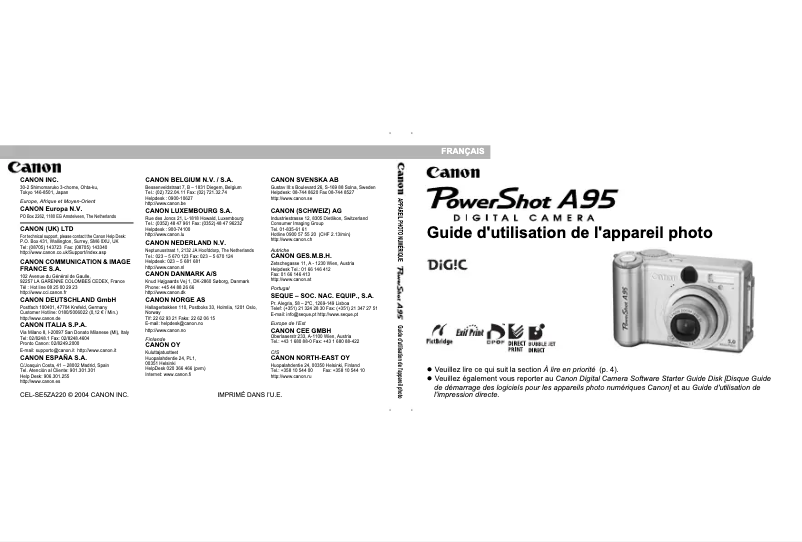
Editorial note
The Canon PowerShot A95 stands out for its exceptional image quality thanks to its 5 MP CCD sensor, allowing for precise detail capture and true-to-life colors. Its compact and lightweight design (235 g) makes it easy to carry, ideal for outdoor photo sessions. Additionally, the various shooting modes (Auto, Manual, Movie) provide some versatility, making the camera suitable for different photographic situations. The battery, which uses AA batteries, ensures a good usage duration, guaranteeing that you will never miss a precious moment. However, some drawbacks are worth noting. The 5 MP resolution may seem insufficient compared to current standards, especially for large prints or significant cropping. The 1.8-inch screen, while functional, is relatively small, which can make composing and viewing images less comfortable. Furthermore, manual focus can complicate usage for beginners, who might prefer autofocus. The 3x optical zoom and 4.1x digital zoom may not be enough for those wishing to capture distant subjects accurately. Finally, reliance on AA batteries and limited compatibility with modern operating systems can pose practicality issues. Overall, the Canon PowerShot A95 offers a positive user experience, but it is important to consider its limitations before making a choice.Score details
User experience
The user experience is generally positive, but manual adjustment can complicate its use for beginners.
Performance
With a 5 MP CCD sensor, the image quality is good for general use, but may be insufficient for large prints.
Battery life
The AA battery offers a good usage duration, ensuring that you never miss a precious moment, although it may pose practicality issues.
Design
Compact and lightweight (235 g), the design makes it easy to transport and handle during photo sessions.
Features
The various shooting modes offer some versatility, but the 3x zoom may not be sufficient for distant subjects.
Value for money
The value for money is fair, but reliance on AA batteries and limited compatibility with modern systems can be drawbacks.
Advantages
5 MP image quality, precise details.
Various shooting modes.
Compact and lightweight, easy to carry.
A/V I/O port for simple transfers.
Long-lasting battery, don't miss anything.
Disadvantages
Insufficient 5 MP resolution
1.8-inch screen too small
Complex manual focus
Limited 3x optical zoom
Inconvenient reliance on AA batteries
Incompatibility with recent systems
Technical Specifications PowerShot A95
General Information
-
ModelPOWERSHOT A95
-
Brand
-
Category
-
Type
-
SKU978483
-
MPN978483
Memory
-
Internal memory256 MB
-
Compatible memory cardsCF
Image quality
-
Megapixel5 MP
-
Sensor typeCCD (charge-coupled device)
-
Image sensor size1/1.8 "
Objective system
-
Digital zoom4.1 x
-
Optical zoom3 x
Other features
-
Data compressionSuperfine
-
Objective systemFine
-
Camera shutter speedNormal
-
Interface6 / 5
-
Dimensions (LxWxH)5 – 1/2000 s
-
Compatible operating systemsUSB (Mini-B, PTP)
-
Measure101.1 x 64.6 x 34.7 mm
-
Windows 98 (including SE) / 2000 / Me / XP
-
OS 9.0 – 9.2, OS X v10.1 - v10.3
-
Evaluative, Centre-weighted Average, Spot
Tuning
-
TuningTTL
Sightfinder
-
Camera viewfinderOptics
Screen
-
ScreenLCD
-
Screen size1.8
Connectivity
-
I/O PortsA/V output (PAL/NTSC)
Weight and dimensions
-
Weight235 g
Camera
-
Automatic delay device10 s
-
Shooting modesAutomatic, Manual, Movie
Design
-
Product colorMoney
Battery
-
Battery type4x Size-AA Alkaline, NiMH
Exposure to light
-
ISO Sensitivity50
-
100
-
200
-
400
-
AUTO
Environmental conditions
-
Operating temperature0 - 40 °C
-
Operating relative humidity (H-H)10 - 90 %
-
Operating temperature0 - 40 °C
Flash
-
Flash modesRed-eye reduction
Frequently Asked Questions
What is the weight of the Canon PowerShot A95?
What is the screen size of the Canon PowerShot A95?
How do I change the exposure settings on my Canon PowerShot A95?
What could be the reasons for blurriness in my photos?
How do I adjust the white balance on my Canon PowerShot A95?
How do I set a timer for group photos with my Canon PowerShot A95?
How do I change the ISO sensitivity on my Canon PowerShot A95?
What is the internal memory capacity of the Canon PowerShot A95?
What is the resolution in megapixels of the Canon PowerShot A95?
What is the digital zoom capacity of the Canon PowerShot A95?
What is the optical zoom power of the Canon PowerShot A95?
What types of memory cards are compatible with the Canon PowerShot A95?
Is the manual for the Canon PowerShot A95 available in French?
Similar products


More product categories from brand Canon
Computers and accessories Canon
Camera and photography Canon
Other Canon
Audio Canon
Software Canon
Interior Canon
More product types from brand Canon





Presentation of product PowerShot A95 specifications from brand Canon
General Information
The Canon PowerShot A95 is a compact camera manufactured by the renowned brand Canon, famous for its commitment to quality and innovation in the photography sector. This model, identified by the number PowerShot A95 | 9459A011AA/KIT, is designed to provide reliable performance and an enhanced user experience.
Memory
With an internal memory of 256 MB, the Canon PowerShot A95 allows for a substantial amount of data and applications to be stored, ensuring smooth usage. It is compatible with CF type memory cards, which optimize the storage of your files.
Image Quality
Equipped with a CCD sensor of 5 MP, this camera ensures images of remarkable quality, capturing details with great precision. The image sensor size, measuring 1/1.8", contributes to the definition of photographs and effective light management.
Lens System
The Canon PowerShot A95 features a 3x optical zoom and a 4.1x digital zoom, allowing you to capture details even from a distance. These features ensure superior image quality during your shots.
Other Features
The data compression system offers Superfine, Fine, and Normal options, facilitating storage optimization. The shutter speed of 5 to 1/2000 s allows for sharp images to be captured, even in low light conditions. The USB interface (Mini-B, PTP) ensures a quick connection with other devices, while its compact dimensions of 101.1 x 64.6 x 34.7 mm make it a convenient companion to carry.
Focusing
The focus is manual, offering personalized control over the lens, ideal for users looking to refine their photographic technique.
Viewfinder
Equipped with an optical viewfinder, the Canon PowerShot A95 facilitates precise composition and optimal framing of your photos.
Screen
Its LCD screen of 1.8" provides satisfactory image quality for immediate viewing of captured shots.
Connectivity
The I/O port offers an A/V output (PAL/NTSC), providing varied connectivity for transferring images to other devices.
Weight and Dimensions
Weighing only 235 g, this device is lightweight, ensuring easy handling and hassle-free transport.
Camera
The Canon PowerShot A95 features a 10 s self-timer, offering more flexibility for remote shots. It offers various shooting modes, including Auto, Manual, and Movie, suitable for every photographic situation.
Design
Its silver finish gives it a modern and elegant look.
Battery
Operating with AA batteries (Alkaline and NiMH), this device ensures lasting performance, allowing you to capture precious memories without interruption.
Light Exposure
The ISO sensitivity of the Canon PowerShot A95 ranges from 50 to 400, with an AUTO option, allowing for effective adjustments based on lighting conditions.
Environmental Conditions
For optimal operation, it is recommended to use the Canon PowerShot A95 within a temperature range of 0 to 40 °C and a relative humidity of 10 to 90 %.
Flash
The product includes several flash modes, including Auto, Fill-in, red-eye reduction, and slow sync, allowing for lighting adjustments based on shooting conditions.


