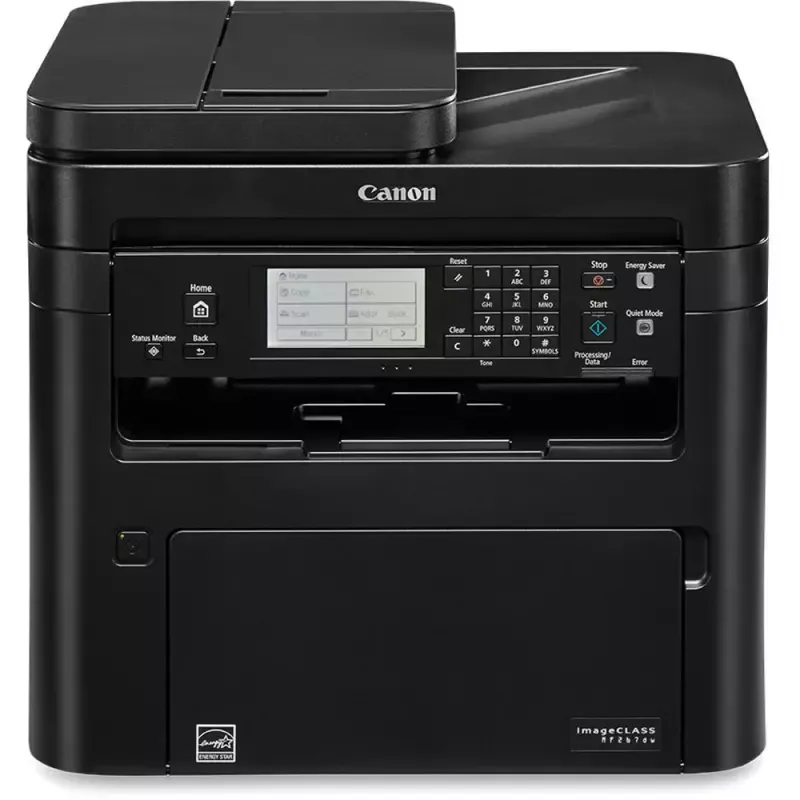

Manual of product ImageCLASS MF267dw

Editorial note
The Canon ImageCLASS MF267dw is a multifunction printer that stands out for its fast printing performance and professional quality, making it an ideal choice for offices and home workspaces. Its ability to perform printing, copying, scanning, and faxing makes it a very convenient all-in-one tool. Additionally, wireless connectivity allows for easy printing from mobile devices, providing flexibility and convenience. However, some drawbacks are worth noting. The printer can be relatively noisy during operation, which may disturb in quiet work environments. Furthermore, its initial cost is higher than that of some competing models, which may deter some users. Although wireless connectivity is an asset, it can sometimes be unstable, leading to frustrations. Moreover, the paper volume in the feed tray is limited, requiring frequent refills, and toner cartridges can be expensive to replace, thus increasing the long-term cost of use. In terms of user experience, the all-in-one features and print quality are generally well received, although connectivity may pose occasional issues. The design of the printer is functional and suitable for work environments, even if the noise can be a drawback for some. In terms of value for money, although the initial cost is high, the print quality and features offered partly justify this investment. The robustness of the device is also a positive point, even if the limited paper volume may require special attention. Finally, Canon's support is generally effective, and the documentation includes a detailed manual, although improving the clarity of the latter would be beneficial. Overall, the Canon ImageCLASS MF267dw is a wise choice for those seeking a high-performing and versatile printer, provided that its few limitations are taken into account.Score details
User experience
The user experience is generally positive thanks to the all-in-one features, although wireless connectivity can sometimes pose issues.
Performance
Print performance is fast and of professional quality, ideal for office use.
Design
The design is functional and suitable for work environments, although the printer can be relatively noisy.
Value for money
The initial cost may be high, but the print quality and features partly justify this investment.
Robustness
The printer is robust and suitable for frequent use, but its limited paper volume may require frequent reloading.
Support
The user manual is comprehensive, and Canon's support is generally effective.
Documentation
The documentation includes an 84-page manual that covers essential features but could be improved in terms of clarity.
Advantages
Fast and efficient printing.
All-in-one features.
Wireless connectivity.
Professional print quality.
Energy saving.
Disadvantages
High printing noise in a quiet environment
High initial cost compared to competitors
Sometimes unstable wireless connectivity
Limited paper capacity for heavy users
Expensive toner replacement in the long run
Technical Specifications ImageCLASS MF267dw
General Information
-
ModelIMAGECLASS MF267DW
-
Brand
-
Category
-
Type
-
SKU1305805
-
MPN1305805
Frequently Asked Questions
What is the recommended method for removing jammed paper from the printer?
Why is my printer not recognizing the original cartridges?
What could be the causes of poor print quality?
What are the differences between a laser printer and an inkjet printer?
Why is my inkjet printer leaving black streaks on prints?
What does the acronym DPI mean?
Is the manual for the Canon ImageCLASS MF267dw available in French?
Similar products


More product categories from brand Canon
Computers and accessories Canon
Camera and photography Canon
Other Canon
Audio Canon
Software Canon
Interior Canon
More product types from brand Canon





Presentation of product ImageCLASS MF267dw specifications from brand Canon
General Information
The Canon ImageCLASS MF267dw is a multifunction device from the renowned brand Canon, known for its expertise and innovation in the printing technology sector. This model, named ImageCLASS MF267dw, is designed to deliver high-level performance, ensuring a smooth and efficient user experience.
Advantages
This printer stands out for its printing speed, allowing documents to be produced in record time, ideal for dynamic work environments. Its all-in-one functionality combines printing, copying, scanning, and faxing, providing a comprehensive solution for offices and home workspaces.
The wireless connectivity is another major advantage, facilitating printing from various mobile devices, which offers great flexibility of use. In terms of print quality, Canon's advanced technology ensures professional results, with clear text and vibrant images.
Moreover, this model is designed to be energy-efficient, helping to reduce operating costs and minimize its environmental impact.
Disadvantages
However, there are a few drawbacks to consider. The Canon ImageCLASS MF267dw can be relatively noisy during printing, which may disrupt a quiet work environment. Its initial cost may also be higher compared to other printers in its category, which could deter some users.
Although wireless connectivity is convenient, it can sometimes present instabilities, leading to frustrations during printing. Additionally, the paper volume in the feed tray is limited, requiring frequent refills for users with high printing needs. Finally, the cost of toner cartridges can be high, thus increasing long-term expenses.


