

Manuals of product imageClass MF4370dn
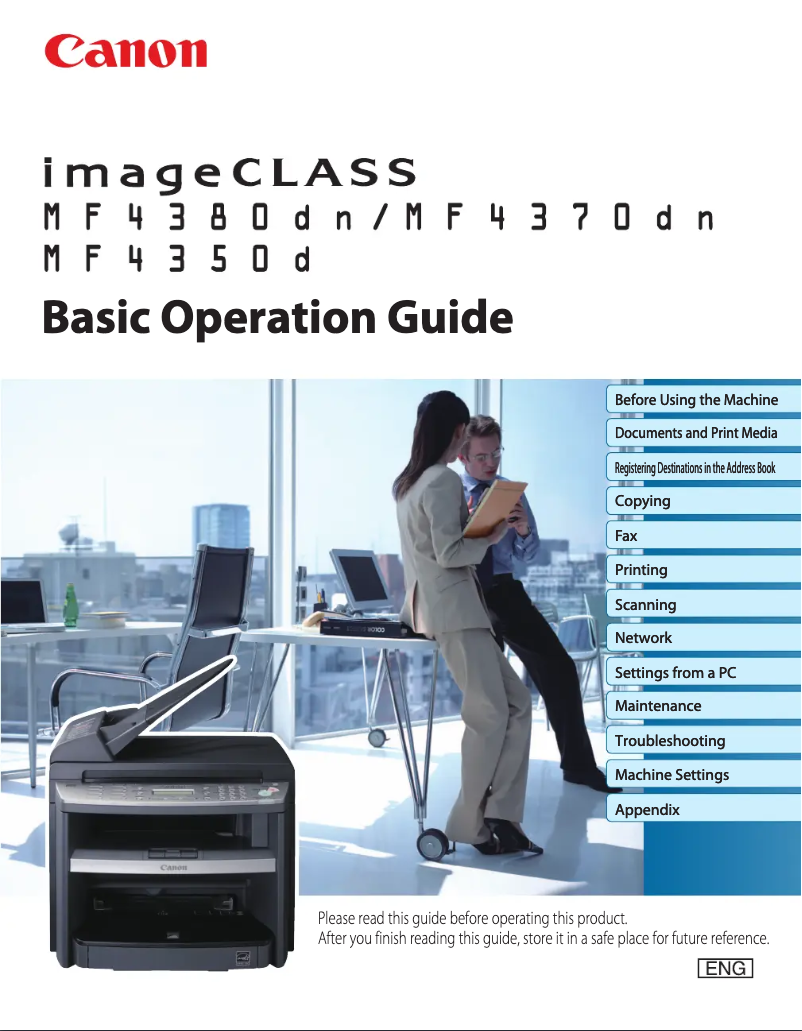

Editorial note
The Canon imageClass MF4370dn printer stands out for its numerous all-in-one features, including printing, scanning, copying, and faxing, making it a versatile choice for professionals. Its print quality is remarkable, with a maximum resolution of 1200 x 600 DPI, ensuring clear and precise documents. Additionally, its print speed of 23 pages per minute is reasonable for daily use, although it may be insufficient in high-volume environments. However, the device's bulkiness can be an issue in small offices, making space management difficult. Connectivity is also limited to a single USB 2.0 port, which restricts the ability to connect multiple devices simultaneously. The lack of a digital sender function can also be a drawback for those looking to optimize their workflow. A positive point to highlight is the low power consumption in economy mode, only 3 W, which helps reduce operating costs and the ecological footprint. Overall, the Canon imageClass MF4370dn offers good value for money, although some limitations, such as compatibility with newer operating systems, should be taken into account.Score details
User experience
The user experience is generally positive, with all-in-one features that meet various needs. However, the product's bulkiness can pose problems in small spaces.
Performance
The printing speed of 23 ppm is reasonable, but may not be sufficient in high-volume environments. The print quality is excellent, but the speed could be a drawback for some users.
Battery life
The energy consumption in economy mode of only 3 W is a major asset, contributing to significant energy savings and a reduced ecological footprint.
Design
The design is suitable for professionals, but the bulkiness can be a disadvantage for some offices.
Value for money
The value for money is good considering the features offered, although the lack of a digital sender function limits its appeal.
connectivity
Connectivity is limited to a single USB 2.0 port, which restricts simultaneous connections to multiple devices, a drawback for modern users.
Advantages
High-quality printing at 1200 x 600 DPI.
All-in-one features: printing, scanning, copying, faxing.
Printing speed of 23 pages per minute.
Automatic document feeder for 35 sheets.
Reduced power consumption to 3 W.
Easy connectivity with USB ports.
Disadvantages
Bulky for small workspaces.
Insufficient printing speed for large volumes.
Lack of digital sender for documents.
Limited connectivity to a single USB port.
Not compatible with Windows 10 and macOS.
High power consumption during operation.
Technical Specifications imageClass MF4370dn
General Information
-
ModelIMAGECLASS MF4370DN
-
Brand
-
Category
-
Type
-
SKU89901
-
MPN89901
Print speed
-
Maximum resolution1200 x 600 DPI
-
Print speed (black, normal quality, A4/US Letter)23 ppm
-
Printing technologyLaser
-
PrintingNo
Digitization
-
Input color display depth24 bit
-
Type of scannerFlatbed scanning
-
Supported image formatsBMP
-
DigitizationMonochrome scanning
Fax
-
Modem speed33.6 Kbit/s
-
Fax memory256 pages
-
FaxSimple fax
Other features
-
Modem typeSuper G3
-
Compatible operating systemsWin Vista, Server 2003, XP, 2000
-
Scale or enlargement change rate of the imageMac OS X 10.2.8
-
All-in-one functions50 - 200
-
All-in-one color functionsCopy, Fax, Scan
-
No
Input and output capacity
-
Total output capacity100 sheets
-
Automatic document feeder capacity35 sheets
-
Automatic Document Feeder (ADF)Yes
Connectivity
-
Standard interfacesUSB 2.0
-
Quantity of USB 2.0 Ports1
-
USB portYes
Power
-
Energy consumption (eco mode)3 W
-
Electricity consumption (average operation)630 W
Copier
-
CopySimple copy
Features
-
Digital senderNo
Design
-
Market positionProfessional
Frequently Asked Questions
What is the appropriate method to remove jammed paper from the printer?
Why is my printer rejecting original cartridges?
What are the reasons if my prints are of poor quality?
What are the distinctions between a laser printer and an inkjet printer?
Why is my inkjet printer producing black streaks?
What does the acronym DPI mean?
Is the manual for the Canon imageClass MF4370dn available in French?
Similar products


More product categories from brand Canon
Computers and accessories Canon
Camera and photography Canon
Other Canon
Audio Canon
Software Canon
Interior Canon
More product types from brand Canon





Presentation of product imageClass MF4370dn specifications from brand Canon
General Information
The Canon imageClass MF4370dn model is a product of the Canon brand, known for its innovation and quality in the printing device field. This model, identified by the code 2711B019, is specifically designed to provide optimal performance and an enhanced user experience. The EAN code 0013803092127 allows for the identification of this product in distribution systems.
Print Speed
With a maximum resolution of 1200 x 600 DPI, the Canon imageClass MF4370dn ensures prints of exceptional clarity, suitable for both professional and personal documents. Its print speed reaches 23 pages per minute in black and white mode, making it an efficient choice for daily use. Equipped with laser printing technology, this device ensures precise and high-quality results, including for color prints, offering vibrant and true-to-life colors.
Scanning
The flatbed scanner of the Canon imageClass MF4370dn offers an input color depth of 24 bits, ensuring faithful color reproduction. It is designed to scan multiple documents quickly and efficiently, supporting the BMP image format. Its color scanning functionality allows for vibrant reproductions of documents and images.
Fax
The built-in modem operates at a speed of 33.6 Kbit/s, ensuring fast data transmission. The fax memory of 256 pages allows for the storage of numerous documents, facilitating the management of sending and receiving. The integrated plain paper fax allows for efficient sending and receiving of documents.
Other Features
This model is equipped with a Super G3 modem, ensuring a fast connection. Compatible with Windows XP, Vista, and 7 operating systems, it is designed for smooth use. The image enlargement rate ranges from 50 to 200, offering flexibility in document sizing. The Canon imageClass MF4370dn offers all-in-one functions: printing, scanning, copying, and faxing, thus meeting various usage needs.
Input and Output Capacity
The output capacity reaches 100 sheets, ensuring adequate performance for printing. The automatic document feeder (ADF) can hold up to 35 sheets, facilitating the processing of multiple pages at once, whether for scanning or copying.
Connectivity
The Canon imageClass MF4370dn is equipped with standard interfaces that ensure optimal connectivity. It has a USB 2.0 port, allowing for a fast connection with other devices.
Power
In energy-saving mode, the power consumption is only 3 W, which helps reduce energy costs. During normal operation, the power consumption is 630 W, ensuring efficient use of the device.
Copier
The copier of the Canon imageClass MF4370dn allows for color printing, providing bright and true-to-original color results.
Features
This model does not have a digital sender function, which may limit certain document sending options.
Design
The Canon imageClass MF4370dn is positioned in the market as a product aimed at professionals, offering features that meet the specific needs of users in a work environment.


