

Manual of product imageClass MF4380dn
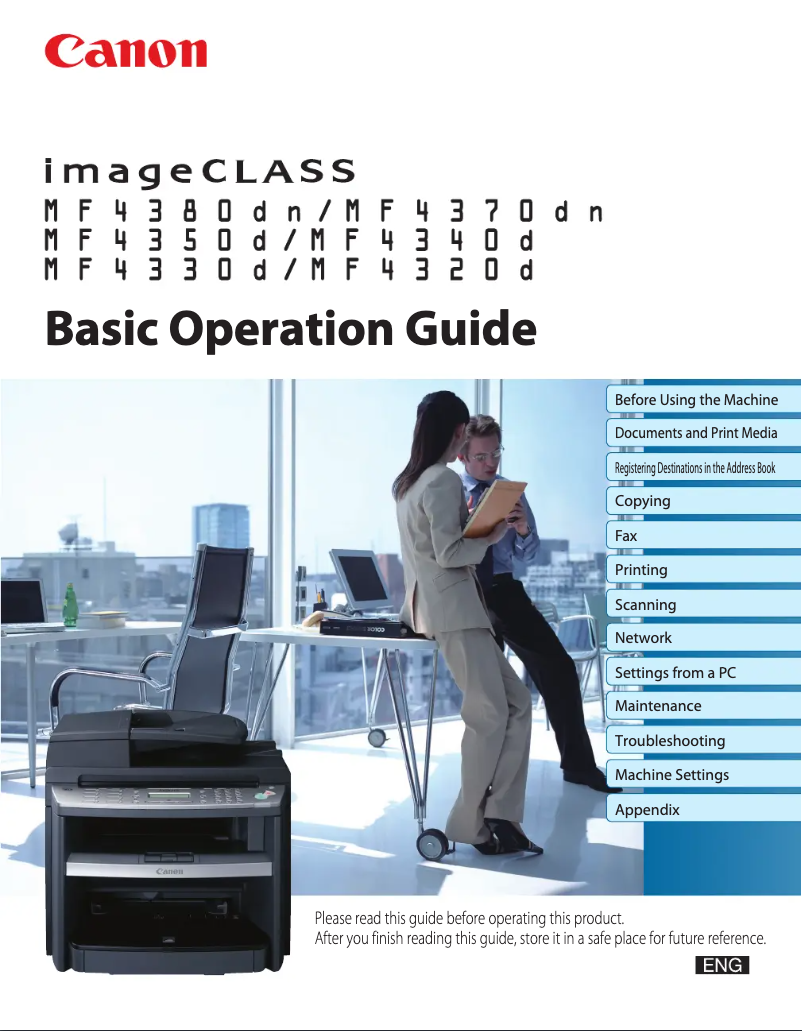
Editorial note
The Canon imageClass MF4380dn is a multifunction printer that stands out for its high print quality, ideal for professional documents and presentations. With all-in-one features, it combines printing, scanning, copying, and faxing, making it a wise choice for optimizing office tasks. Additionally, its technology is designed to reduce energy consumption, thus contributing to savings on electricity bills, and reinforces Canon's reputation for sustainability and performance. However, there are a few drawbacks to consider. The printer can be relatively bulky, which may pose space issues, especially in offices or for individuals with limited space. Furthermore, the cost of toner cartridges is quite high, which can lead to long-term expenses. The print speed, while satisfactory, may not meet the expectations of very high-demand work environments. Finally, the user interface may seem unintuitive to some, and the noise level during printing may be higher than that of some competing models. Overall, the Canon imageClass MF4380dn offers a good combination of features and robustness, but it is important to consider its dimensions and operating costs before making a choice.Score details
User experience
The user interface, while functional, may seem unintuitive to some users, especially those who are not familiar with technology.
Performance
The printing speed, while competitive, may not be sufficient for very high-demand work environments.
Design
The printer can be relatively bulky, which may pose space issues in offices or homes.
Value for money
The cost of toner cartridges for this model can be high, increasing long-term expenses for users.
Features
This device combines printing, scanning, copying, and faxing, thus optimizing office tasks.
Support
Canon is a brand recognized for the durability and performance of its products, ensuring good long-term support.
Robustness
The technology used is designed to reduce energy consumption, thus contributing to savings on electricity bills.
Advantages
High-quality printing for professional documents.
All-in-one function: printing, scanning, copying, faxing.
Energy-saving features to reduce bills.
Versatile connectivity for work environments.
Recognized durability and performance of Canon.
Disadvantages
Bulky, difficult to place in small spaces.
High cost of toner cartridges.
Insufficient printing speed for high demand.
User interface not very intuitive for some.
High noise level during printing.
Technical Specifications imageClass MF4380dn
General Information
-
ModelIMAGECLASS MF4380DN
-
Brand
-
Category
-
Type
-
SKU89898
-
MPN89898
Frequently Asked Questions
What is the best method to remove paper jammed in the printer?
Why is my printer not accepting original cartridges?
What are the possible reasons for poor print quality?
What is the difference between a laser printer and an inkjet printer?
Why does my inkjet printer leave black streaks on prints?
What does the acronym DPI mean?
Is the manual for the Canon imageClass MF4380dn available in French?
Similar products


More product categories from brand Canon
Computers and accessories Canon
Camera and photography Canon
Other Canon
Audio Canon
Software Canon
Interior Canon
More product types from brand Canon





Presentation of product imageClass MF4380dn specifications from brand Canon
General Information
The Canon imageClass MF4380dn model belongs to the renowned brand Canon, known for its innovations and commitment to quality in the office equipment sector. This multifunctional model is designed to deliver optimal performance while ensuring a smooth and efficient user experience. The EAN code for this product, 0013803099607, allows for precise identification within distribution systems.
Advantages
Among the notable strengths of the Canon imageClass MF4380dn, we find:
- High-quality printing: Producing professional documents with remarkable clarity, it is ideal for presentations and other important prints.
- All-in-one features: This device combines printing, scanning, copying, and faxing, thus allowing for simplified management of office tasks while saving space.
- Energy efficiency: Its design aims to minimize energy consumption, contributing to savings on electricity bills.
- Convenient connectivity: It offers various connectivity options, facilitating its integration into different professional environments.
- Brand reliability: Canon is synonymous with durability and performance, ensuring prolonged use without hassle.
Disadvantages
However, a few points may be considered as disadvantages:
- Bulkiness: The Canon imageClass MF4380dn can be relatively large, which may pose space challenges in offices or homes.
- Cost of consumables: The toner cartridges for this model can incur high expenses in the long run.
- Printing speed: Although competitive, its printing speed may not be suitable for very high-demand environments.
- User interface: Some users, particularly those less familiar with technology, may find the interface a bit less intuitive.
- Noise level: During operation, the printer may emit noise higher than that of some competing models, which could be disruptive in shared spaces.


