

Manuals of product imageCLASS MF8080CW
Editorial note
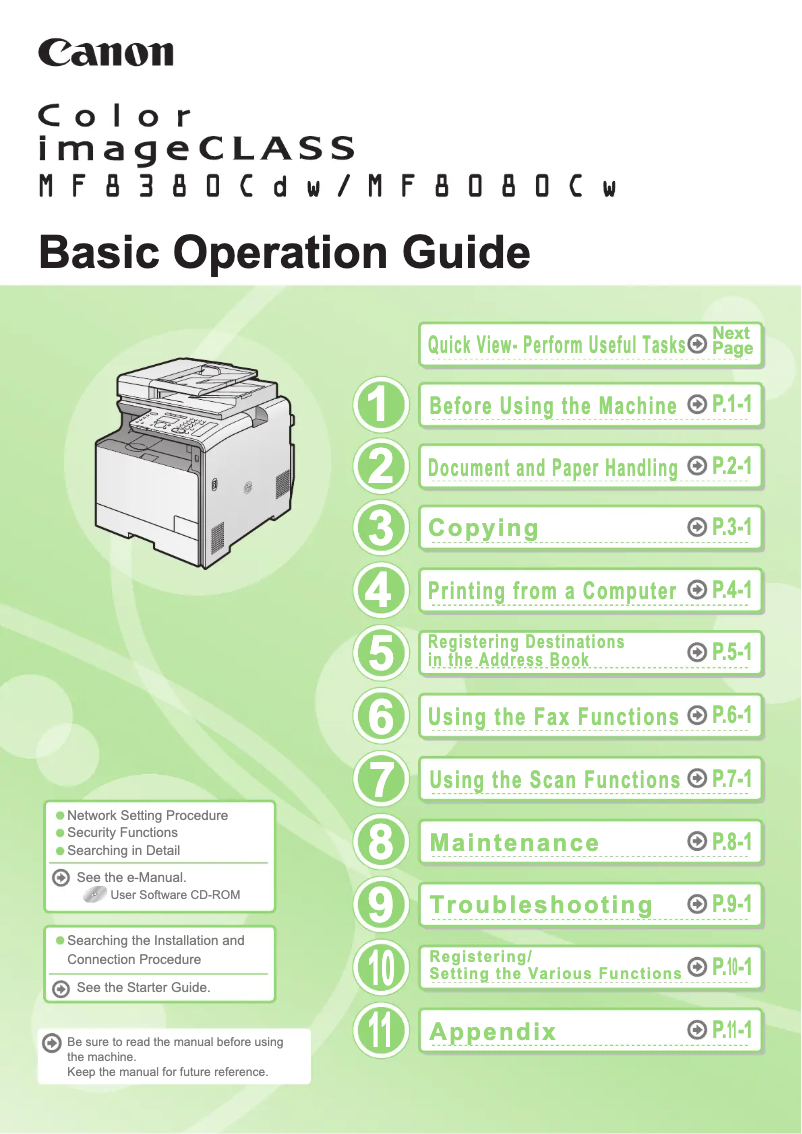
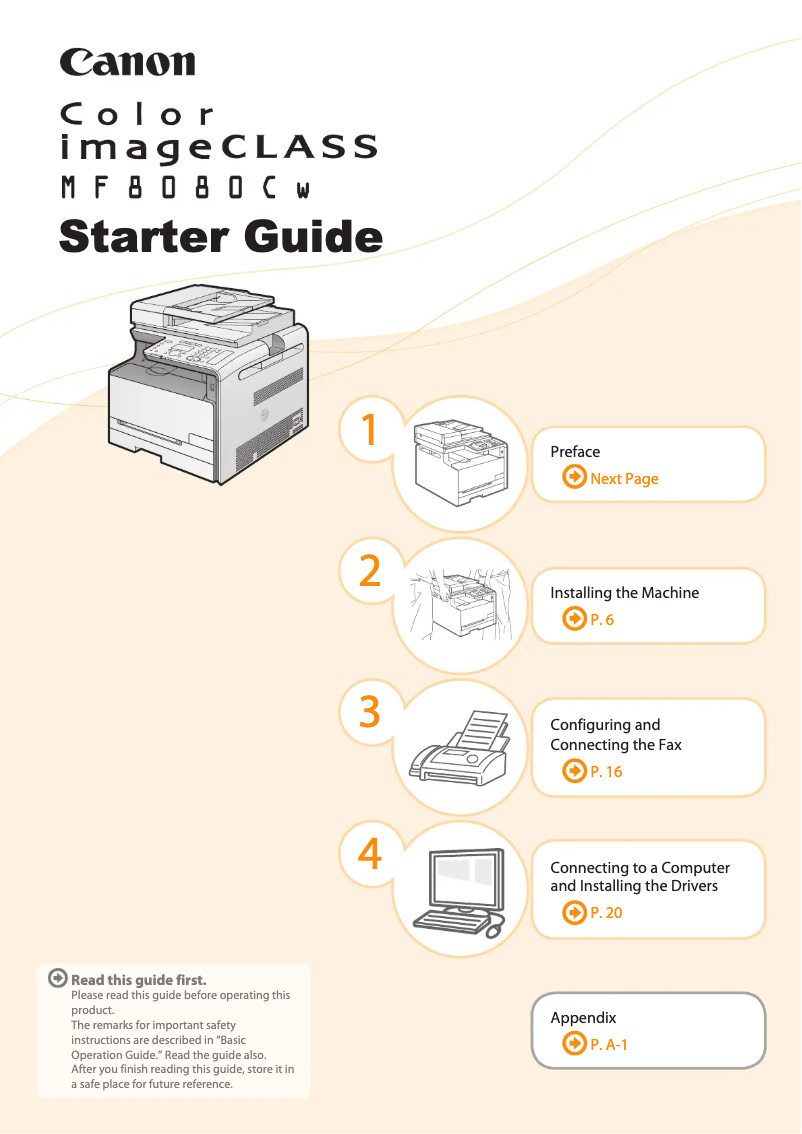
The Canon imageCLASS MF8080CW is a multifunction printer that stands out for its laser print quality, offering a maximum resolution of 2400 x 600 DPI. This ensures clear and precise results for both professional and personal documents. With a print speed of 12 pages per minute in black and 8 pages per minute in color, it effectively meets daily printing needs. This model is distinguished by its versatility thanks to its all-in-one features, including printing, scanning, copying, and faxing. Its maximum monthly duty cycle capacity of 30,000 pages makes it an ideal choice for demanding users, while also offering wireless connectivity via Wi-Fi, facilitating direct printing from various devices. However, the lack of duplex printing may lead to excessive paper use, which is not ideal for environmentally conscious users. Additionally, the color print speed is relatively slow compared to other models on the market, which may slow down certain tasks. The weight of the printer, reaching 26 kg, can also pose mobility issues, especially in tight workspaces. Regarding compatibility, the lack of support for Mac systems limits its appeal to some users. On the other hand, the product comes with comprehensive documentation, including a user manual and a quick start guide, making installation and handling easier. In summary, the Canon imageCLASS MF8080CW offers good value for money, with solid performance and varied features, but there are a few drawbacks to consider for specific users.Score details
User experience
The user experience is generally positive thanks to the all-in-one feature that meets various professional and personal needs.
Performance
The performance is good with high-quality laser printing, but the color printing speed is relatively slow compared to other models.
Design
The weight of the printer (26036 g) can make it difficult to move, which may pose a problem for tight workspaces.
Value for money
The maximum duty cycle capacity of 30,000 pages per month and wireless connectivity offer good value for demanding users.
Features
The printer has various features, but the lack of duplex printing may be a disadvantage for some environmentally conscious users.
Support
The lack of compatibility with Mac systems limits the use of the printer, thus reducing its appeal in the market.
Documentation
The product comes with a user manual and a quick start guide, making installation and setup easier.
Advantages
High-resolution laser printing 2400 x 600 DPI.
All-in-one function: printing, scanning, copying, faxing.
Print speed: 12 ppm black, 8 ppm color.
Duty cycle: 30,000 pages per month.
Wi-Fi connectivity for wireless printing.
Disadvantages
No double-sided printing, paper waste
Slow color printing speed (8 ppm)
Heavy weight, difficult to move
Not compatible with Mac systems
Long first print time (22.5 sec)
Technical Specifications imageCLASS MF8080CW
General Information
-
ModelIMAGECLASS MF8080CW
-
Brand
-
Category
-
Type
-
SKU249973
-
MPN249973
Print speed
-
Printing technologyLaser
-
Maximum resolution2400 x 600 DPI
-
Economic printingYes
-
Print speed (black, normal quality, A4/US Letter)12 ppm
-
Print speed (color, normal quality, A4/US Letter)8 ppm
-
PrintingColor printing
-
Double-sided printingNo
Other features
-
All-in-one functionsCopy
-
All-in-one color functionsFax
-
Dimensions (LxWxH)Print
-
Scan
-
copy
-
print
-
scan
-
431.8 x 487.7 x 429 mm
Features
-
Service cycle (Maximum)30000 pages per month
-
All-in-one multitaskingYes
-
Languages of the page descriptionUFRII-LT
-
Digital senderNo
Copier
-
Max. resolution of copies600 x 600 DPI
-
Copy speed (normal quality, black, A4)12 cpm
-
Copy speed (normal quality, color, A4)8 cpm
-
Resizing copy25 - 400 %
-
All-in-one function (N=)2, 4
-
Release time of the first print (black, normal)22.5 s
-
Release time of the first print (color, concept)28.6 s
-
CopyColor copy
-
Duplex copyNo
Digitization
-
Optical scanning resolution600 x 600 DPI
-
Maximum scan areaLegal (216 x 356) mm
-
Maximum scanning resolution9600 x 9600 DPI
-
Supported image formatsBMP, JPG, PNG, TIF
-
Input color display depth24 bit
-
Gray levels256
-
Scanning technologyCIS
-
Scan driversTWAIN, WIA
-
Type of scannerScanner ADF
-
DigitizationColor scanning
-
Double-sided scanningNo
Fax
-
Fax resolution (black)406 x 391 DPI
-
Fax transmission speed2.6 sec/page
-
Modem speed33.6 Kbit/s
-
Fax memory512 pages
-
Fax with Dual accessYes
-
Fax with Dual accessYes
-
Fax with Dual accessYes
-
Fax coding methodsJBIG
-
FaxSimple fax
-
Duplex faxNo
Input and output capacity
-
Total power capacity- leaves
-
Total output capacity125 leaves
-
Automatic Document Feeder (ADF) production capacity50 leaves
Paper management
-
Maximum print format216 x 356 mm
-
Type of paper tray supportOrdinary paper
-
Maximum ISO A series paper sizeA4
-
Weight of paper tray support (imperial)16 - 43 kg
-
Weight of the versatile tray support16 - 58 kg
-
Maximum ISO A series paper sizeA4
Design
-
ScreenLCD
-
Built-in screenYes
-
Market positionProfessional
Connectivity
-
USB portYes
-
Standard interfacesEthernet, USB 2.0, Wireless LAN
-
Quantity of USB 2.0 Ports1
-
USB portYes
Network
-
WifiYes
-
WifiYes
-
Wifi standards802.11b, 802.11g, Wi-Fi 4 (802.11n)
Representation / realization
-
Internal memory128 MB
-
Built-in memory card readerNo
-
Mac CompatibilityYes
Power
-
Electricity consumption (average operation)900 W
-
Energy consumption (eco mode)4 W
-
Energy consumption (standby mode)15 W
Weight and dimensions
-
Weight26036 g
Environmental conditions
-
Operating relative humidity (H-H)20 - 80 %
-
Operating temperature
-
50 - 86 °F
Minimum system requirements
-
Support for the Windows operating systemWindows 2000
-
Support for the Mac operating systemWindows 2000 Professional
-
Support for the server operating systemWindows 7 Home Premium
-
Windows 7 Professional
-
Windows 7 Starter
-
Windows 7 Ultimate
-
Windows Vista Business
-
Windows Vista Home Basic
-
Windows Vista Home Premium
-
Windows Vista Ultimate
-
Windows XP Home
-
Windows XP Professional
-
Mac OS X 10.4 Tiger
-
Mac OS X 10.5 Leopard
-
Mac OS X 10.6 Snow Leopard
-
Mac OS X 10.7 Lion
-
Windows Server 2003
-
Windows Server 2008
-
Windows Server 2008 R2
Packaging contents
-
Drivers includedYes
Sustainability
-
Sustainability certificatesENERGY STAR
Frequently Asked Questions
What is the weight of the Canon imageCLASS MF8080CW printer?
What is the recommended method for removing jammed paper from the printer?
Why is my printer refusing to accept original cartridges?
What are the possible reasons for poor print quality?
What is the difference between a laser printer and an inkjet printer?
Why is my inkjet printer producing black streaks?
What does the acronym DPI mean?
Is the manual for the Canon imageCLASS MF8080CW available in French?
Similar products


More product categories from brand Canon
Computers and accessories Canon
Camera and photography Canon
Other Canon
Audio Canon
Software Canon
Interior Canon
More product types from brand Canon





Presentation of product imageCLASS MF8080CW specifications from brand Canon
General Information
The Canon imageCLASS MF8080CW is a multifunction printer from Canon, known for its reliability and innovation in the office equipment sector. This model, identified by the reference 5119B035, offers optimal performance, combining printing, scanning, copying, and faxing, thus meeting a wide variety of professional and personal needs.
Print Speed
Equipped with laser printing technology, the Canon imageCLASS MF8080CW ensures high-quality printing with a maximum resolution of 2400 x 600 DPI, guaranteeing remarkably clear results. Its print speed is 12 pages per minute (ppm) in black and 8 ppm in color, allowing for quick execution of common printing tasks. Although it offers economical printing, the lack of duplex printing may lead to higher paper consumption.
Other Features
This all-in-one printer offers various features, including copying, faxing, and color scanning. With dimensions of 431.8 x 487.7 x 429 mm, it easily fits into various workspaces. The maximum service cycle of 30,000 pages per month meets the demands of heavy users.
Copier
The maximum resolution for copies is 600 x 600 DPI, providing professional print quality. The copy speed is 12 copies per minute (cpm) in black and 8 cpm in color. The resizing of copies can vary from 25 to 400%, providing flexibility suited to the user's needs. However, the duplex copy function is not available.
Scanning
The MF8080CW offers an optical scanning resolution of 600 x 600 DPI and a maximum scanning resolution of 9600 x 9600 DPI for exceptionally clear images. The maximum scan area is 216 x 356 mm, and it supports multiple image formats, including BMP, JPG, PNG, and TIF. However, duplex scanning is not supported.
Fax
This printer has a fax function with a resolution of 406 x 391 DPI and a transmission speed of 2.6 seconds per page, ensuring effective communication. Its fax memory can store up to 512 pages, facilitating the management of sending and receiving.
Input and Output Capacity
The Canon imageCLASS MF8080CW can handle an output capacity of 125 sheets and features an automatic document feeder (ADF) capable of processing up to 50 sheets, optimizing efficiency when managing multiple documents.
Paper Management
This model supports paper sizes up to 216 x 356 mm, including A4 size. It is compatible with various types of paper, allowing it to adapt to different printing needs. The paper tray media weight ranges from 16 to 43 kg, providing effective paper management.
Design
The Canon imageCLASS MF8080CW is equipped with a built-in LCD screen, making it user-friendly. Designed primarily for professionals, it combines advanced features with ergonomics.
Connectivity
The printer supports direct printing and connects easily via a USB 2.0 port. Additionally, it offers wireless connectivity via Wi-Fi, allowing for direct printing from mobile devices.
Network
The Canon imageCLASS MF8080CW is compatible with Ethernet/LAN networks and offers Wi-Fi connection options, supporting standards 802.11b, 802.11g, and Wi-Fi 4 (802.11n) for a stable and fast connection.
Representation / Performance
With an internal memory of 128 MB, this device ensures efficient task management. However, it does not support memory card readers or Mac systems, which may limit its use for some users.
Power
The power consumption during normal operation is 900 W, while in economy mode, it consumes only 4 W. In standby mode, the consumption is 15 W, contributing to energy savings.
Weight and Dimensions
The Canon imageCLASS MF8080CW weighs 26,036 g, which may complicate its movement in tight spaces.
Environmental Conditions
This printer operates optimally in a relative humidity of 20 to 80% and an ambient temperature of 10 to 30 °C (50 to 86 °F), thus adapting to various work environments.
Minimum System Requirements
The Canon imageCLASS MF8080CW is compatible with several Windows operating systems, as well as some versions of Mac OS X, although Mac compatibility is limited. It also supports server operating systems such as Windows Server 2003 and 2008.
Package Contents
Drivers are included to facilitate the installation of the printer and ensure quick setup.
Durability
The Canon imageCLASS MF8080CW is ENERGY STAR certified, attesting to its energy efficiency and compliance with environmental standards.


