

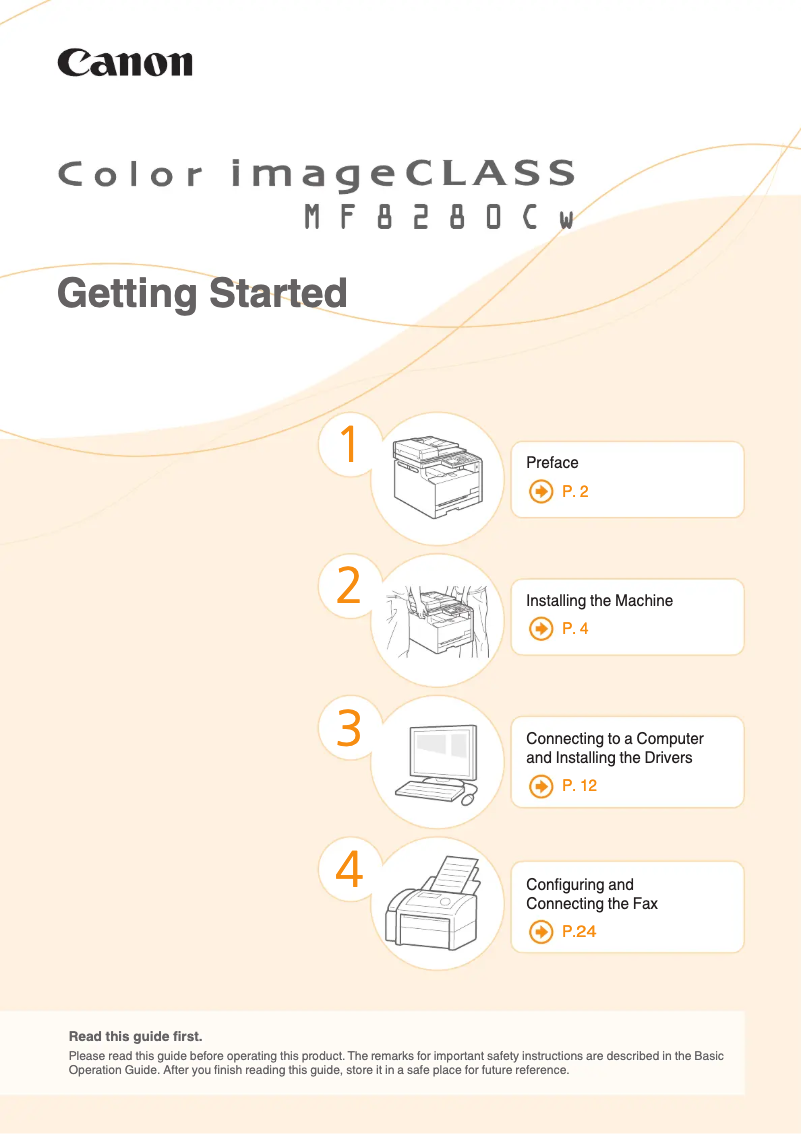
Manual of product imageCLASS MF8280Cw
Editorial note
The Canon imageCLASS MF8280Cw stands out for its ability to deliver high-quality prints thanks to its laser printing technology and a maximum resolution of 600 x 600 DPI. This ensures documents and images with vibrant and accurate colors, which is essential for professional users. Additionally, its all-in-one copying feature helps optimize workspace and improve the efficiency of office tasks, with a copying capacity of up to 99 copies per operation. Color scanning with a maximum resolution of 9600 x 9600 DPI is also a major asset, providing faithful and detailed reproductions of documents. However, the product has some drawbacks. The lack of an automatic duplex printing function can lead to higher paper consumption, which is not ideal for environmentally conscious users. Furthermore, the printing speed of 14 pages per minute may seem slow for high-volume work environments, and the absence of duplex scanning limits efficiency when scanning multiple documents. The weight of 26 kg also makes the printer bulky and difficult to move, which can pose problems in tight workspaces. Finally, the cost of ink cartridges can be quite high, which could strain the operating budget, especially for heavy use. In summary, the Canon imageCLASS MF8280Cw offers solid performance and interesting features for professionals, but it is important to consider its limitations in terms of speed and operating costs before making a purchasing decision.Score details
User experience
The user experience is generally positive thanks to the ergonomic design and the integrated LCD screen, providing intuitive navigation through the various functions of the device.
Performance
The printing performance is satisfactory, but the printing speed of 14 pages per minute may be considered slow for high-volume work environments.
Features
The printer's features, such as color scanning with a maximum resolution of 9600 x 9600 DPI and all-in-one copying capability, are major assets. However, the lack of duplex printing and scanning can be a drawback.
Design
The design is modern and well thought out, although the weight of 26 kg makes the printer bulky and difficult to move, which can pose integration issues in limited workspaces.
Value for money
The cost of ink cartridges can be high, which may strain the operating budget, especially for intensive use. This can limit the perceived value for users.
Advantages
High-quality laser printing, 600 x 600 DPI.
All-in-one copying, up to 99 copies.
Color scanning, resolution 9600 x 9600 DPI.
Built-in Wi-Fi and Ethernet connectivity.
LCD screen for intuitive navigation.
Disadvantages
No automatic duplex printing
Slow printing speed at 14 pages/min
No duplex scanning
Bulky, weighs 26 kg
High cost of ink cartridges
Technical Specifications imageCLASS MF8280Cw
General Information
-
ModelIMAGECLASS MF8280CW
-
Brand
-
Category
-
Type
-
SKU109959
-
MPN109959
Print speed
-
Printing technologyLaser
-
PrintingColor printing
-
Maximum resolution600 x 600 DPI
-
Duplex printing speed (Black, normal quality, A4/US Letter)14 ppm
-
Duplex printing speed (Black, normal quality, A4/US Letter)14 ppm
-
Copy time for the first page (Black, normal)18 s
-
Preheating time23 s
-
Double-sided printingNo
Copier
-
CopyColor copy
-
Max. resolution of copies600 x 600 DPI
-
Resizing copy25 - 400 %
-
All-in-one function (N=)2, 4
-
Release time of the first print (black, normal)19 s
-
Copy speed (US letter, black)14 cpm
-
Maximum number of copies99 copies
-
Copy Function N in 1Yes
-
Duplex copyNo
Digitization
-
DigitizationColor scanning
-
Optical scanning resolution600 x 600 DPI
-
Maximum scanning resolution9600 x 9600 DPI
-
Scan toUSB
-
Supported image formatsJPG, TIF
-
Support for text formatsPDF
-
Scanning technologyCIS
-
Maximum scan areaLegal (216 x 356) mm
-
Type of scannerFlatbed and ADF scanner
-
Scan driversTWAIN, WIA
-
Double-sided scanningNo
Fax
-
FaxColor fax
-
Modem speed33.6 Kbit/s
-
Fax memory512 pages
-
Fax transfer supportedYes
-
Fax coding methodsJBIG
-
Duplex faxNo
Features
-
Digital sender-
-
Service cycle (Maximum)30000 pages per month
-
Number of print cartridges3
-
Languages of the page descriptionUFRII-LT
-
Printing colorsBlack, Cyan, Magenta, Yellow
Input and output capacity
-
Total power capacity150 sheets
-
Paper feed typeCassette, Paper tray
-
Automatic document feeder capacity50 sheets
-
Total output capacity125 sheets
-
Automatic Document Feeder (ADF)Yes
Paper management
-
ISO, Format Series A (A0...A9)A4, A5
-
Maximum print format
-
Type of paper tray support216 x 356 mm
-
Types of multi-purpose bins
-
ISO, Formats Series-B (B0...B9)Envelopes, Heavy paper, Plain paper, Recycled paper, Transparencies
-
Non-ISO print support sizes
-
Envelope sizesLabels
-
Weight of paper tray support (imperial)
-
Maximum ISO A series paper sizeB5, B6
-
ISO Paper Size, Series C Formats (C0…C9)
-
Executive (184 x 267mm), index card, Statement (140 x 216mm)
-
-
10, B5, C5, DL
-
-
16 - 58 kg
-
-
A4
-
-
C5
Design
-
ScreenLCD
-
Number of lines displayed7 lines
-
Product colorWhite
-
Built-in screenYes
-
Built-in screenYes
-
Market positionProfessional
Connectivity
-
Direct printing-
-
Standard interfacesEthernet, USB 2.0
-
Quantity of USB 2.0 Ports1
-
USB portYes
Network
-
WifiYes
-
WifiYes
-
Wifi standards802.11b, 802.11g, Wi-Fi 4 (802.11n)
-
Security-supported algorithm128-bit WEP, 64-bit WEP, TKIP
-
Support for network protocols (IPv4)DHCP, BOOTP, RARP, Auto IP, Bonjour(mDNS), HTTP, HTTPS, POP, SMTP, WINS
-
Support for network protocols (IPv6)DHCPv6, POP, SMTP, SNMPv1, SNMPv3
-
Mobile printing technologiesApple AirPrint, Google Cloud Print
-
LAN Ethernet: data transfer rate10, 100 Mbit/s
-
Wiring technology10/100Base-T(X)
Representation / realization
-
Built-in memory card reader-
-
Internal memory256 MB
Power
-
Energy consumption (eco mode)- W
-
Energy consumption (eco mode)- W
-
Energy consumption (standby mode)23 W
-
Consumption (max)900 W
Weight and dimensions
-
Width431.8 mm
-
Depth485.14 mm
-
Height429.26 mm
-
Weight26000 g
Sustainability
-
Sustainability certificatesENERGY STAR
Minimum system requirements
-
Support for the Windows operating systemWindows 7
-
Support for the Mac operating systemWindows 8
-
Support for the Linux operating systemWindows Vista
-
Support for the server operating systemMac OS X 10.10 Yosemite
-
Mac OS X 10.11 El Capitan
-
Mac OS X 10.12 Sierra
-
Mac OS X 10.5 Leopard
-
Mac OS X 10.6 Snow Leopard
-
Mac OS X 10.7 Lion
-
Mac OS X 10.8 Mountain Lion
-
Mac OS X 10.9 Mavericks
-
Yes
-
Windows Server 2003
-
Windows Server 2008
-
Windows Server 2008 R2
-
Windows Server 2012
-
Windows Server 2012 R2
Packaging contents
-
Drivers includedYes
Frequently Asked Questions
What is the weight of the Canon imageCLASS MF8280Cw printer?
What is the recommended method for removing paper jammed in the printer?
Why is my printer not recognizing the original cartridges?
What could be the reasons for poor print quality?
What is the difference between a laser printer and an inkjet printer?
Why is my inkjet printer producing black streaks?
What does the acronym DPI mean?
How many cartridges can be installed in the Canon imageCLASS MF8280Cw?
What is the height of the Canon imageCLASS MF8280Cw printer?
What is the width of the Canon imageCLASS MF8280Cw printer?
What is the depth of the Canon imageCLASS MF8280Cw printer?
Why won't my printer turn on?
How do I insert paper into the printer?
What should I do if my printer indicates a paper jam error?
How do I connect my printer to a Wi-Fi network?
My prints are of poor quality. How can I fix this?
Does the Canon imageCLASS MF8280Cw use laser printing technology?
Can the Canon imageCLASS MF8280Cw scan in color?
Is the maximum service cycle of the Canon imageCLASS MF8280Cw 30,000 pages per month?
What is the maximum resolution of the Canon imageCLASS MF8280Cw printer?
What is the print speed of the Canon imageCLASS MF8280Cw for black documents in A4/US Letter format?
Is the manual for the Canon imageCLASS MF8280Cw available in French?
Similar products


More product categories from brand Canon
Computers and accessories Canon
Camera and photography Canon
Other Canon
Audio Canon
Software Canon
Interior Canon
More product types from brand Canon





Presentation of product imageCLASS MF8280Cw specifications from brand Canon
General Information
The Canon imageCLASS MF8280Cw is a multifunction printer designed by the Canon brand, known for its innovation and quality in the printing device sector. This model, identified by the code imageCLASS MF8280Cw | 6848B001, ensures reliable performance and an optimized user experience. The associated EAN codes, such as 13803157871 and 21111272315, allow for precise product identification in distribution systems.
Print Speed
Equipped with laser printing technology, the Canon imageCLASS MF8280Cw offers exceptional print quality, whether for text documents or color images. With a maximum resolution of 600 x 600 DPI, it guarantees clear and precise results. Its print speed is 14 pages per minute (ppm) for black and white, which may be considered modest compared to other models, but it remains adequate for daily use. Additionally, although this printer does not have automatic duplex printing, it allows for manual duplex printing, thus extending printing options.
Copier
The built-in copier allows for color copies with a maximum resolution of 600 x 600 DPI, ensuring faithful reproductions. It offers a resizing capability of 25 to 400%, which is practical for adjusting document sizes as needed. With a copy speed of 14 copies per minute, it can handle up to 99 copies in a single operation. However, the lack of automatic duplex copying may be a disadvantage for some users.
Scanning
The color scanning feature is a major asset of the Canon imageCLASS MF8280Cw, with an optical resolution of 600 x 600 DPI and a maximum resolution of 9600 x 9600 DPI. This allows for scanning documents with great precision and rich details. The flatbed scanner and ADF (Automatic Document Feeder) facilitate the scanning of multiple pages. However, it is worth noting that duplex scanning is not supported, limiting speed for certain scanning tasks.
Fax
This printer is also equipped with a color fax function, allowing for the quick sending and receiving of documents with a modem speed of 33.6 Kbit/s. Its fax memory of 512 pages ensures efficient management of send and receive operations. However, it does not support duplex faxing, which may be a drawback for users wishing to send double-sided documents.
Features
The maximum service cycle is 30,000 pages per month, making it suitable for heavy use. The product uses three cartridges for printing, thus ensuring consistent quality. The Canon imageCLASS MF8280Cw supports multiple languages for page description, facilitating its use in various linguistic contexts.
Input and Output Capacity
With a paper feed capacity of 150 sheets and a 50-sheet automatic document feeder, this printer can handle large volumes of work without interruption. The output capacity is 125 sheets, ensuring good performance when printing documents.
Paper Management
The Canon imageCLASS MF8280Cw is compatible with several paper formats, including A4 and A5, and supports various media types, such as plain paper, envelopes, and transparencies. Its multi-purpose tray offers flexibility for different printing and document management needs.
Design
Its built-in LCD screen makes it easy to navigate through the various functions of the device. With an elegant white design, the Canon imageCLASS MF8280Cw easily integrates into professional environments.
Connectivity
This printer offers varied connectivity, including USB ports for quick connection and standard interfaces to facilitate integration with other devices. Additionally, it supports Wi-Fi and Ethernet, allowing for wireless printing and integration into various networks.
Network
Compatibility with IPv4 and IPv6 network protocols, as well as support for mobile printing technologies, ensures efficient print management in modern work environments. The data transfer rate is 10/100 Mbit/s, ensuring a responsive connection.
Power
In terms of energy consumption, the Canon imageCLASS MF8280Cw is designed to be efficient. Its consumption in standby mode is 23 W, and it can reach up to 900 W in maximum operation, allowing for optimal use while being environmentally friendly.
Weight and Dimensions
With dimensions of 431.8 mm in width, 485.14 mm in depth, and 429.26 mm in height, this printer weighs approximately 26 kg, which may make it a bit cumbersome in tight spaces.
Durability
Certified ENERGY STAR, the Canon imageCLASS MF8280Cw meets high standards for energy efficiency, thus contributing to a reduced ecological footprint.
Minimum System Requirements
This printer is compatible with various operating systems, including several versions of Windows, Mac OS, and Linux, allowing for easy integration into different computing environments.
Package Contents
The product comes with included drivers to ensure a quick and hassle-free installation.


