

Manual of product imagePROGRAF GP-200
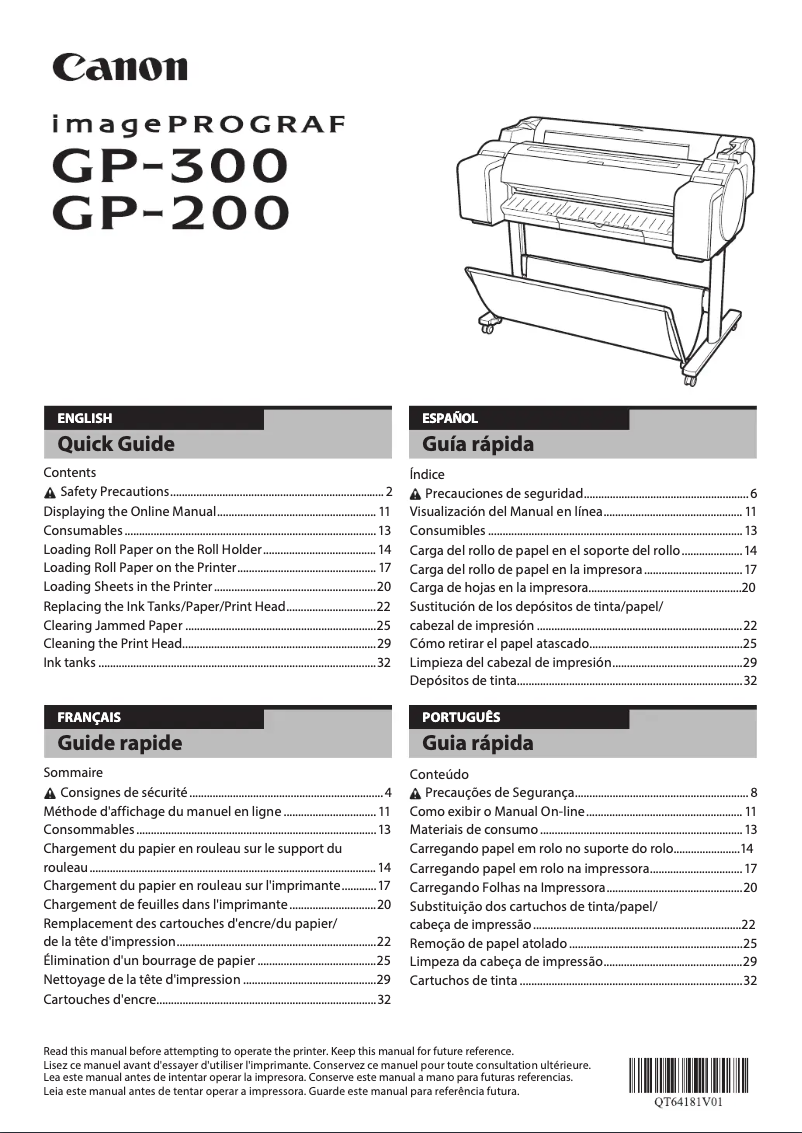
Editorial note
The Canon imagePROGRAF GP-200 stands out for its exceptional printing performance, offering a maximum resolution of 2400 x 1200 DPI that ensures clear and precise results, suitable for both professional needs and personal projects. Its versatile connectivity, including USB, Ethernet, and Wi-Fi, facilitates integration into various work environments. Additionally, the printer allows for borderless printing, which is ideal for producing documents in the exact format with a professional finish. However, several drawbacks must be considered. The printer's heavy weight, at 50 kg, makes installation and relocation difficult, potentially requiring the assistance of several people. Furthermore, the cost of ink cartridges is relatively high, which could represent a significant expense for users who print frequently. Although the printer is compatible with a wide range of operating systems, the initial setup can be complex for those who are not familiar with technology. Finally, its bulky size may pose space issues in confined offices. In terms of user experience, the Canon imagePROGRAF GP-200 generally offers a positive usage thanks to its compatibility and practical features, such as borderless printing and color scanning. Nevertheless, the power consumption, while reasonable, could be a drawback for those looking to reduce their energy footprint. Overall, this printer is an excellent option for those seeking superior print quality, but it requires consideration of certain practical aspects related to its weight and operating costs.Score details
User experience
The user experience is generally positive due to versatile connectivity and compatibility with various operating systems, but the initial setup can be complex for some users.
Performance
Print performance is excellent, with a maximum resolution of 2400 x 1200 DPI, ensuring clear and precise prints for professional needs.
Battery life
Power consumption, while acceptable, could be a drawback for those looking to reduce their energy footprint.
Design
The design is functional, but the bulky size and heavy weight of the printer can pose space and handling issues.
Value for money
The cost of ink cartridges is relatively high, which can represent a significant expense for users who print frequently.
Usability
The printer offers practical features like borderless printing and color scanning, but may require multiple people for installation due to its weight.
Advantages
High-quality printing up to 2400 x 1200 DPI.
USB, Ethernet, and Wi-Fi connectivity.
Borderless printing for professional documents.
Compatible with Windows and Mac.
Color scanning and copying features.
Disadvantages
Heavy, difficult to move.
High cost of ink cartridges.
Complex initial setup for some.
Bulkiness in tight spaces.
Moderate power consumption.
Technical Specifications imagePROGRAF GP-200
General Information
-
ModelIMAGEPROGRAF GP-200
-
Brand
-
Category
-
Type
-
SKU1663194
-
MPN1663194
Print speed
-
Borderless printingYes
-
Maximum resolution2400 x 1200 DPI
-
Printing colorsBlack, Cyan, Magenta, Matte black, Yellow
-
Number of print cartridges6
-
Languages of the page descriptionJPEG, PDF
-
Borderless printingYes
-
Print headPF-07
-
Printing technologyBubblejet
Representation / realization
-
Product colorBlack
-
Color displayYes
-
Internal memory2048 MB
-
Internal storage capacity500 GB
-
Sound pressure level (impression)49 dB
-
Sound pressure level (standby)35 dB
-
CertificationTUV, CB
-
Color displayYes
-
Order typeButtons
Minimum system requirements
-
Support for the Windows operating systemWindows 10
-
Support for the Mac operating systemWindows 7
-
Windows 8
-
Windows 8.1
-
Mac OS X 10.13 High Sierra
-
Mac OS X 10.14 Mojave
-
Mac OS X 10.15 Catalina
-
Mac OS X 10.15.3 Catalina
-
Mac OS X 10.2 Jaguar
-
Mac OS X 10.3 Panther
-
Mac OS X 10.4 Tiger
-
Mac OS X 10.5 Leopard
-
Mac OS X 10.6 Snow Leopard
-
Mac OS X 10.7 Lion
-
Mac OS X 10.8 Mountain Lion
-
Mac OS X 10.9 Mavericks
-
Mac OS X 11.0 Big Sur
Connectivity
-
WifiYes
-
USB connectorUSB Type-A / USB Type-B
-
WifiYes
-
LAN Ethernet: data transfer rate10,100,1000 Mbit/s
-
WifiYes
Paper management
-
Type of paper tray supportCut sheet
-
ISO, Format Series A (A0...A9)Glossy paper
-
Maximum print formatHeavy paper
-
Thickness of the supportPlain paper
-
Max. width of the rollRoll
-
Leaves (separated)A1
-
Max. diameter of the rollA2
-
Non-printable area (metric sheet)A3
-
Non-printable area (roll media)A3+
-
Borderless print sizeA1 (594 x 841 mm)
-
ISO, Formats Series-B (B0...B9)0.8 mm
-
610 mm
-
Yes
-
150 mm
-
20, 20, 3 mm
-
20 mm
-
B2, A1
-
B2, B4
Weight and dimensions
-
Width982 mm
-
Depth870 mm
-
Height1060 mm
-
Weight50000 g
Packaging information
-
Package width1152 mm
-
Package depth913 mm
-
Package height705 mm
-
Package weight69000 g
Power
-
AC input voltage100 - 240 V
-
AC input frequency50 - 60 Hz
-
Typical electricity consumption71 W
-
Electricity consumption (stop)0.3 W
Environmental conditions
-
Operating temperature15 - 30 °C
-
Operating relative humidity (H-H)10 - 80 %
Sustainability
-
Compliance with sustainabilityYes
-
Sustainability certificatesCE
Copier
-
CopyNo
Digitization
-
DigitizationNo
Logistics data
-
Harmonized System Code84433210
Frequently Asked Questions
What is the weight of the Canon imagePROGRAF GP-200?
What is the best method to remove paper jammed in the printer?
Why is my printer not recognizing the original cartridges?
What are the possible reasons for poor print quality?
What is the difference between a laser printer and an inkjet printer?
Why is my inkjet printer leaving black streaks on prints?
What does the acronym DPI mean?
What certifications does the Canon imagePROGRAF GP-200 have?
How many cartridges can the Canon imagePROGRAF GP-200 hold?
What is the height of the Canon imagePROGRAF GP-200?
What is the width of the Canon imagePROGRAF GP-200?
What is the depth of the Canon imagePROGRAF GP-200?
What is the storage capacity of the Canon imagePROGRAF GP-200?
Is the manual for the Canon imagePROGRAF GP-200 available in French?
Similar products


More product categories from brand Canon
Computers and accessories Canon
Camera and photography Canon
Other Canon
Audio Canon
Software Canon
Interior Canon
More product types from brand Canon





Presentation of product imagePROGRAF GP-200 specifications from brand Canon
General Information
The Canon imagePROGRAF GP-200 printer is a model from the Canon brand, known for its innovation and quality in the printing device field. This specific model, referenced under the code 5249C003, is designed to deliver exceptional performance while enhancing the user experience. The associated EAN code, 4549292187854, allows for the identification of this product within distribution systems.
Print Speed
The Canon imagePROGRAF GP-200 is capable of printing in color, allowing the output to be tailored to your visual preferences. With a maximum resolution of 2400 x 1200 DPI, it ensures prints of remarkable clarity, suitable for both professional needs and personal projects. This model uses six ink cartridges (Black, Cyan, Magenta, Matte Black, Yellow) to ensure optimal print quality. Additionally, the borderless printing function allows for the production of documents in the exact format, avoiding white borders. The Bubblejet printing technology and the PF-07 print head also contribute to the precision of the results obtained.
Design / Build
Featuring an elegant black finish, the Canon imagePROGRAF GP-200 includes a screen that facilitates its use through a practical visual interface. Its internal memory of 2048 MB and storage capacity of 500 GB allow for efficient data management. In terms of sound performance, it generates a sound pressure level of 49 dB during printing and 35 dB in standby, ensuring discreet operation. This printer is certified TUV and CB, confirming its compliance with safety standards. The control interface, composed of buttons, makes accessing various features easy.
Minimum System Requirements
The Canon imagePROGRAF GP-200 is compatible with several operating systems, including Windows 10, 8, 7 and Mac OS X in its various versions, ensuring smooth integration into different work environments.
Connectivity
This printer offers versatile connectivity with USB Type-A and Type-B ports, as well as Ethernet/LAN connectivity. It also supports Wi-Fi, allowing for efficient wireless connections. The data transfer rate reaches 10, 100, 1000 Mbit/s, ensuring fast and reliable exchanges.
Paper Management
The Canon imagePROGRAF GP-200 is designed to accept various types of media, including paper cut sheet, glossy, heavy, plain and rolls. It is compatible with ISO paper sizes, including A1, A2, A3 and others, allowing for flexibility in printing projects. The maximum print size is A1 (594 x 841 mm), with a media thickness of 0.8 mm. The maximum roll width is 610 mm, providing great versatility. Additionally, the printer is capable of handling borderless prints in sizes such as B2 and A1.
Weight and Dimensions
The dimensions of the Canon imagePROGRAF GP-200 are 982 mm in width, 870 mm in depth, and 1060 mm in height, with a total weight of 50 kg. These characteristics should be considered for optimal integration into your workspace.
Packaging Information
The package dimensions of the Canon imagePROGRAF GP-200 are 1152 mm in width, 913 mm in depth, and 705 mm in height, with a weight of 69 kg, ensuring adequate protection during delivery.
Power
This printer operates on an AC input voltage of 100 - 240 V and a frequency of 50 - 60 Hz. Its typical power consumption is 71 W, with a standby consumption of only 0.3 W, contributing to better energy efficiency.
Environmental Conditions
The Canon imagePROGRAF GP-200 is designed to operate within a temperature range of 15 to 30 °C and a relative humidity of 10 to 80 %, ensuring optimal operation in various environments.
Durability
This printer meets sustainability standards, reflecting its reduced environmental impact. It is also certified CE, ensuring that it meets high standards for energy efficiency and environmental compliance.
Copier
The Canon imagePROGRAF GP-200 includes a color copying feature, allowing for vibrant prints that are true to the originals.
Scanning
It also offers a color scanning function, enabling accurate reproduction of your documents and images while preserving color vibrancy.
Logistics Data
Finally, the harmonized system code for the Canon imagePROGRAF GP-200 is 84433210, facilitating its identification in international trade.


