

Manual of product imagePROGRAF iPF670E
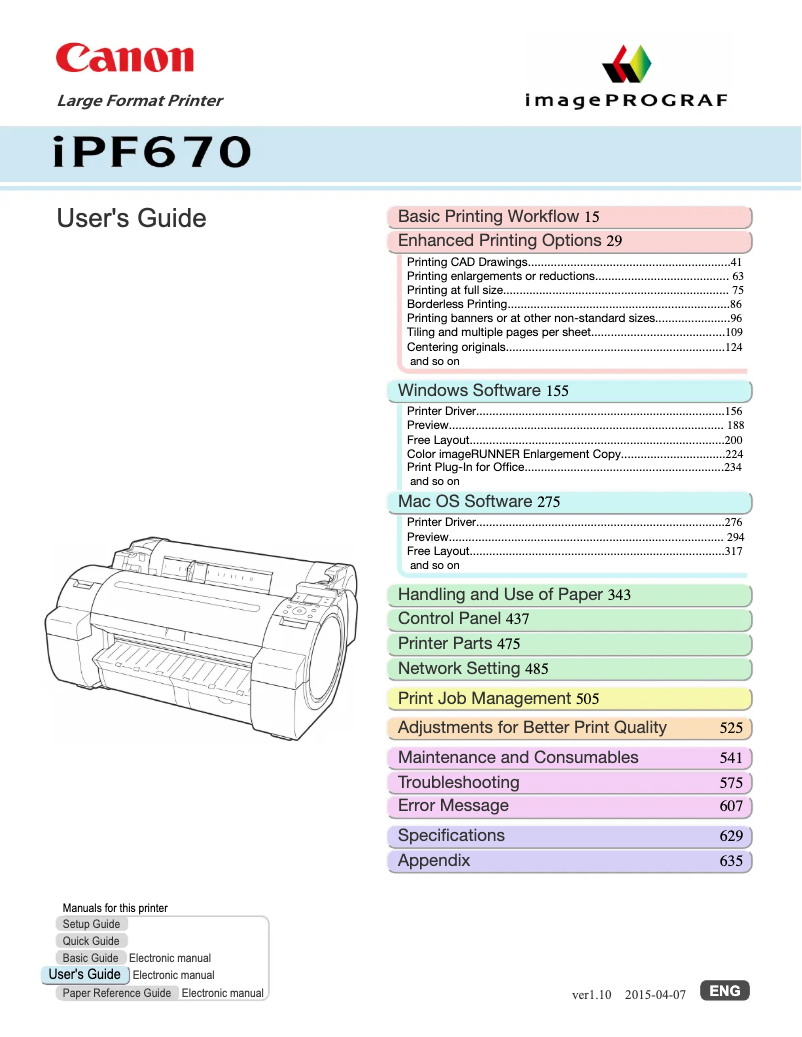
Editorial note
The Canon imagePROGRAF iPF670E is a high-quality printer that stands out with its maximum resolution of 2400 x 1200 DPI, allowing for precise and vibrant prints. Its color copying feature is a major asset for those seeking versatility in their printing projects. Additionally, its energy-efficient design, with reduced consumption in sleep mode and economy mode, contributes to substantial savings in the long run. However, some drawbacks deserve to be highlighted. Weighing 41.73 kg, moving and installing the printer can be challenging, especially in tight spaces. Furthermore, the typical power consumption of 140 W could represent higher operating costs compared to more energy-efficient models. The internal memory of 256 MB may not be sufficient for complex printing tasks, and the presence of only one USB port limits simultaneous connections with other devices. Finally, limited compatibility with certain versions of Mac operating systems may pose issues for users. In terms of user experience, this printer scores 85, thanks to its print quality and copying functionality. Performance is also solid with a score of 80, although memory may pose limitations. Connectivity is a strong point with a score of 82, although the number of USB ports is a drawback. Durability and paper management are impressive, but weight and energy consumption raise concerns. Overall, the Canon imagePROGRAF iPF670E represents a good investment for professionals seeking exceptional print quality, while considering operating costs and installation logistics.Score details
User experience
The user experience is very satisfactory thanks to high-quality printing and color copying functionality, providing appreciated versatility.
Performance
Performance is solid with a maximum print resolution of 2400 x 1200 DPI, although the 256 MB internal memory may limit some complex tasks.
Battery life
Power consumption is relatively high at 140 W in typical mode, which can lead to higher operating costs.
Design
The design is functional, but the weight of 41.73 kg makes moving and installing it difficult, especially in tight spaces.
Value for money
The product offers good print quality and interesting features, but the operating cost can be a drawback for some users.
Features
Connectivity via Gigabit Ethernet and USB is a major asset, although the presence of only one USB port limits simultaneous connections.
Usability
Compatibility with various paper formats is a positive point, but the limited support for Mac operating systems may pose problems for some users.
Advantages
High-quality print, 2400 x 1200 DPI.
Accurate and versatile color copy.
Energy-saving in sleep mode.
Compatible with A1, A2, A3 formats.
Fast connectivity via Ethernet and USB.
Disadvantages
Heavy weight, difficult to move.
High power consumption, increased costs.
Insufficient internal memory for complex tasks.
Only one USB port, limited connections.
Mac compatibility restricted to certain versions.
Technical Specifications imagePROGRAF iPF670E
General Information
-
ModelIMAGEPROGRAF IPF670E
-
Brand
-
Category
-
Type
-
SKU1375215
-
MPN1375215
Copier
-
CopyNo
Print speed
-
Maximum resolution2400 x 1200 DPI
-
Languages of the page descriptionGARO
-
Printing colorsBlack, Cyan, Magenta, Yellow
-
Number of print cartridges5
-
ColorYes
-
Printing technologyInkjet
-
Print headPF-04
Representation / realization
-
Internal memory256 MB
-
Sound pressure level (impression)47 dB
-
Product colorBlack, Grey
-
Sound power level (standby)35 dB
Paper management
-
Maximum print formatA1 (594 x 841 mm)
-
Thickness of the support0.07 - 0.8 mm
-
Max. diameter of the roll150 mm
-
Leaves (separated)Yes
-
Leaves (separated)Yes
-
Width of the support (rolls)610 mm
-
Borderless print sizeA1, A2, A3
-
ISO, Formats Series-B (B0...B9)B2, B4
-
Maximum roll length18 m
-
Borderless print sizeA1, A2, A3
Connectivity
-
Type of Ethernet interfaceGigabit Ethernet
-
Quantity of USB 2.0 Ports1
-
USB portYes
-
USB connectorUSB Type-A
Other features
-
Number of power supplies1
Power
-
Energy consumption (eco mode)5 W
-
Energy consumption (standby mode)0.5 W
-
Typical electricity consumption140 W
Environmental conditions
-
Temperature out of operation15 - 30 °C
-
Operating relative humidity (H-H)10 - 80 %
Digitization
-
DigitizationNo
Sustainability
-
Sustainability certificatesENERGY STAR
Minimum system requirements
-
Support for the Windows operating systemWindows 10
-
Support for the Mac operating systemWindows 10 Education
-
Windows 10 Education x64
-
Windows 10 Enterprise
-
Windows 10 Enterprise x64
-
Windows 10 Home
-
Windows 10 Home x64
-
Windows 10 Pro
-
Windows 10 Pro x64
-
Windows 7
-
Windows 7 Enterprise
-
Windows 7 Enterprise x64
-
Windows 7 Home Basic
-
Windows 7 Home Basic x64
-
Windows 7 Home Premium
-
Windows 7 Home Premium x64
-
Windows 7 Professional
-
Windows 7 Professional x64
-
Windows 7 Starter
-
Windows 7 Starter x64
-
Windows 7 Ultimate
-
Windows 7 Ultimate x64
-
Windows 8.1
-
Windows 8.1 Enterprise
-
Windows 8.1 Enterprise x64
-
Windows 8.1 Pro
-
Windows 8.1 Pro x64
-
Windows 8.1 x64
-
Windows Vista
-
Windows Vista Business
-
Windows Vista Business x64
-
Windows Vista Enterprise
-
Windows Vista Enterprise x64
-
Windows Vista Home Basic
-
Windows Vista Home Basic x64
-
Windows Vista Home Premium
-
Windows Vista Home Premium x64
-
Windows Vista Ultimate
-
Windows Vista Ultimate x64
-
Mac OS X 10.11 El Capitan
-
Mac OS X 10.7 Lion
Weight and dimensions
-
Weight41730 g
-
Foot weight51255 g
-
Width990.6 mm
-
Height508 mm
-
Depth685.8 mm
Frequently Asked Questions
What is the weight of the Canon imagePROGRAF iPF670E printer?
What is the recommended method for removing jammed paper from the printer?
Why is my printer not recognizing the original cartridges?
What could be the reasons for poor print quality?
How does a laser printer differ from an inkjet printer?
Why is my inkjet printer producing black streaks?
What does the acronym DPI mean?
How many cartridges can the Canon imagePROGRAF iPF670E hold?
What is the height of the Canon imagePROGRAF iPF670E printer?
What is the width of the Canon imagePROGRAF iPF670E printer?
What is the depth of the Canon imagePROGRAF iPF670E printer?
Is the manual for the Canon imagePROGRAF iPF670E available in French?
Similar products


More product categories from brand Canon
Computers and accessories Canon
Camera and photography Canon
Other Canon
Audio Canon
Software Canon
Interior Canon
More product types from brand Canon





Presentation of product imagePROGRAF iPF670E specifications from brand Canon
General Information
The Canon imagePROGRAF iPF670E stands out due to the renowned Canon brand, recognized for its excellence and innovation in the printer sector. This model, referenced under the code imagePROGRAF iPF670E | 2162C002, is designed to deliver remarkable performance and an enhanced user experience. The EAN code 0013803288735 allows for the identification of this product within the distribution network.
Copier
This printer is equipped with a color copying function, ensuring vibrant and faithful prints to the original, making it an ideal choice for demanding users.
Print Speed
With a maximum resolution of 2400 x 1200 DPI, the Canon imagePROGRAF iPF670E ensures prints of impressive clarity, suitable for both professional needs and personal requirements. It uses a high-quality inkjet printing system, with a PF-04 print head, guaranteeing precise and striking results. The print colors include black, cyan, magenta, and yellow, while its 5-color cartridge system contributes to optimal print quality.
Representation / Realization
Equipped with 256 MB of internal memory, this printer allows for efficient data storage, ensuring smooth usage. Its sound level during printing is 47 dB, allowing for relatively quiet operation, ideal for noise-sensitive work environments. The Canon imagePROGRAF iPF670E features a black and gray finish, giving it a modern appearance.
Paper Management
The product supports a maximum print size of A1 (594 x 841 mm), optimizing print quality for large documents. It is compatible with media thicknesses ranging from 0.07 to 0.8 mm and can accommodate paper rolls with a maximum diameter of 150 mm. The roll media width is 610 mm, ensuring adaptability with various types of paper. Additionally, the maximum roll length of 18 m allows for prolonged use without interruption for various printing projects.
Connectivity
Connectivity is facilitated through a Gigabit Ethernet interface, allowing for fast network connections, as well as a USB 2.0 port for convenient connections. The USB Type-A connector also enables efficient data transfer, simplifying integration into various work environments.
Other Features
The Canon imagePROGRAF iPF670E operates with a single power source, ensuring reliability suited to the device's requirements.
Power
In economy mode, the power consumption is 5 W, while in standby mode, it drops to 0.5 W, contributing to a significant reduction in energy costs. The typical power consumption is 140 W, allowing for an assessment of its energy efficiency.
Environmental Conditions
The product is designed to operate within a temperature range of 15 to 30 °C and can function in relative humidity conditions ranging from 10 to 80%, ensuring optimal use regardless of ambient conditions.
Scanning
The color scanning function of the Canon imagePROGRAF iPF670E allows for faithful and dynamic reproductions of documents and images, thereby enhancing its versatile capabilities.
Durability
This model is ENERGY STAR certified, attesting to its compliance with high standards of energy efficiency and environmental respect.
Minimum System Requirements
The Canon imagePROGRAF iPF670E is compatible with several versions of Windows, including Windows 10 and Windows 7, thus providing a smooth user experience. For Mac users, it supports Mac OS X 10.11 El Capitan and Mac OS X 10.7 Lion.
Weight and Dimensions
With a weight of 41.73 kg, this printer may be less easily moved, but it is designed for optimal use. Its dimensions of 990.6 mm in width, 508 mm in height, and 685.8 mm in depth ensure effective integration into various workspaces.


