

Manual of product imageRUNNER 1435i+
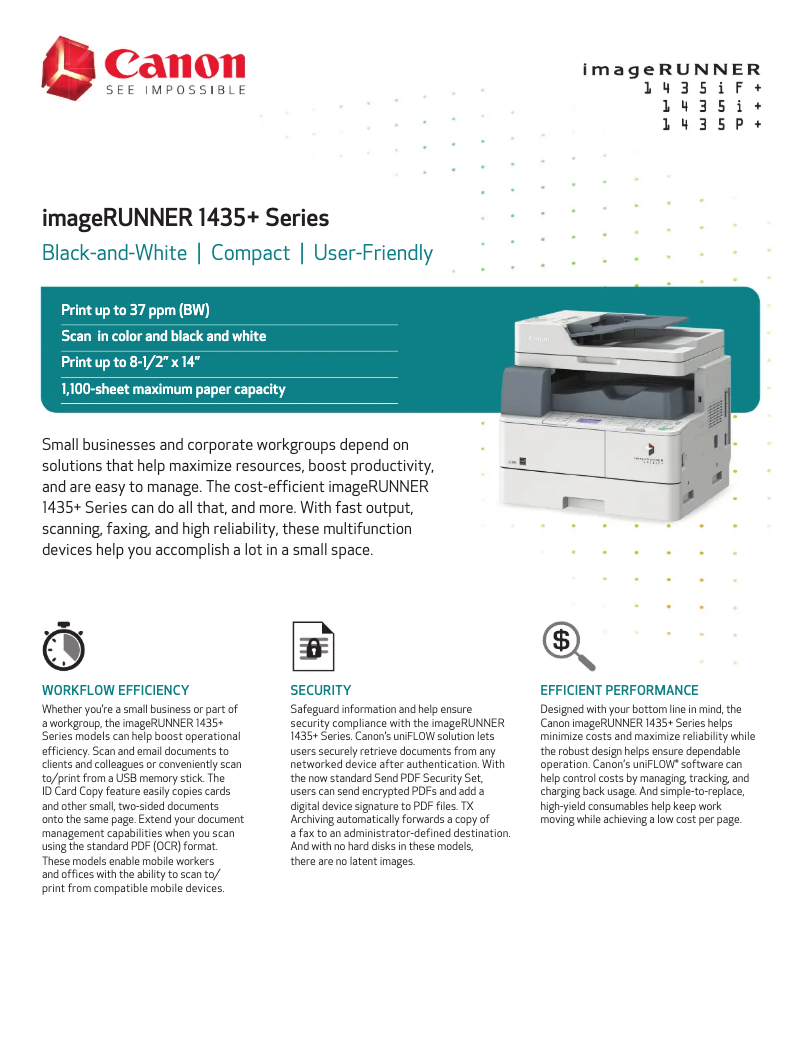
Editorial note
The Canon imageRUNNER 1435i+ stands out with its impressive printing speed of 37 pages per minute, making it an ideal choice for demanding work environments. Additionally, its duplex printing feature optimizes paper usage, helping to reduce printing costs. The laser printing technology ensures exceptional quality with a maximum resolution of 1200 x 600 DPI, guaranteeing clear and precise results. Sustainability certifications, such as EPEAT Silver and ENERGY STAR, attest to its energy efficiency and environmental friendliness. However, a few drawbacks are worth mentioning. The lack of duplex scanning may limit its effectiveness when handling large documents. Furthermore, its weight of 23.74 kg can complicate its movement and installation in tight spaces. Wireless connectivity is also absent, which can be a disadvantage for users seeking easy mobile printing. Finally, although the printing cost is justified by its features, the price of toner cartridges and maintenance can be high for frequent users. In terms of performance, the product scores 78, highlighting its good printing capabilities, although its speed in duplex mode is less competitive at 18 ppm. The modern design of the printer is appreciated, with a score of 75, but its weight poses a challenge for mobility. Lastly, while the value for money is rated at 70, it remains to be considered that operating costs may affect users' budgets. In summary, the Canon imageRUNNER 1435i+ is a robust and high-performing printer, suited to the needs of professionals, but it has certain aspects to consider before purchase.Score details
User experience
The built-in LCD screen offers intuitive use, making it easy to navigate menus and view information clearly.
Performance
The printing speed of 37 pages per minute is excellent for a demanding work environment, but the speed in duplex mode is less efficient at 18 ppm.
Design
The product has a modern design, but its weight of 23.74 kg can make it difficult to move, especially in tight spaces.
Value for money
Although the printing cost can be high due to the cartridges, the features and paper capacity partly justify the price.
Features
Features like duplex printing and laser printing technology ensure exceptional print quality, although the lack of duplex scanning is a drawback.
Advantages
Fast printing: 37 pages per minute.
Double-sided printing to save paper.
Laser quality: 1200 x 600 DPI.
EPEAT Silver and ENERGY STAR certified.
Paper capacity: up to 1100 sheets.
LCD screen for intuitive use.
Disadvantages
No duplex scanning
Weight of 23.74 kg difficult to move
No Wi-Fi connectivity
Limited duplex printing speed
High cost of cartridges and maintenance
Technical Specifications imageRUNNER 1435i+
General Information
-
ModelIMAGERUNNER 1435I+
-
Brand
-
Category
-
Type
-
SKU1181308
-
MPN1181308
Representation / realization
-
Built-in memory card reader-
-
Internal memory512 MB
Design
-
Built-in screenYes
-
Product colorGrey, White
-
ScreenLCD
-
Number of lines displayed5 lines
-
Market positionProfessional
Sustainability
-
Sustainability certificatesEPEAT Silver
-
ENERGY STAR
Print speed
-
Printing technologyLaser
-
PrintingMonochrome printing
-
Print speed (black, normal quality, A4/US Letter)37 ppm
-
Maximum resolution1200 x 600 DPI
-
Preheating time20 s
-
Double-sided printingYes
-
Preheating time (from standby mode)7.8 s
-
Copy time for the first page (Black, normal)5 s
-
Double-sided printingYes
-
Double-sided printingYes
-
Double-sided printingYes
-
Duplex printing speed (Black, normal quality, A4/US Letter)18 ppm
Copier
-
CopySimple copy
-
Max. resolution of copies600 x 600 DPI
-
Copy speed (US letter, black)7.9 cpm
-
Maximum number of copies999 copies
-
Resizing copy25 - 400 %
Digitization
-
DigitizationColor scanning
-
Duplex scanning modeAuto
-
Optical scanning resolution300 x 600 DPI
-
Type of scannerADF scanner
-
Scan toE-mail, FTP, File, SMB, USB
-
Scan driversTWAIN
-
Double-sided scanningYes
Fax
-
FaxNo
Features
-
Number of print cartridges-
-
Service cycle (Maximum)- pages per month
-
Digital senderYes
-
Languages of the page descriptionPCL 5th, PCL 6, UFRII-LT
Connectivity
-
USB portYes
-
USB portYes
Network
-
Mobile printing technologies-
-
WifiNo
-
Ethernet/LANYes
-
LAN Ethernet: data transfer rate10,100,1000 Mbit/s
-
Wiring technology10/100/1000Base-T(X)
Weight and dimensions
-
Weight23740 g
-
Width475.3 mm
-
Depth545 mm
-
Height457 mm
Input and output capacity
-
Total output capacity100 sheets
-
Total power capacity500 sheets
-
Paper feed typeCassette
-
Maximum input capacity1100 sheets
Paper management
-
Maximum ISO A series paper sizeA4
-
ISO, Format Series A (A0...A9)A4, A5
-
Non-ISO print support sizesExecutive (184 x 267mm), Legal (media size), Letter (media size), Statement (140 x 216mm)
-
Envelope sizesC5, Com-10, DL, Monarch
-
Type of paper tray supportbond paper
-
Weight of paper tray support64 - 90 g/m²
-
Weight of the scanning support50 - 105 g/m²
-
JIS series B format (B0...B9)B5, B6
Power
-
Consumption (max)1500 W
-
Energy consumption (in standby mode)2 W
-
Electricity consumption (average operation)- W
-
AC input frequency60 Hz
-
AC input voltage120 - 127 V
Frequently Asked Questions
What is the weight of the Canon imageRUNNER 1435i+?
What is the best method to remove paper jammed in the printer?
Why is my printer rejecting original cartridges?
What could be the causes of poor print quality?
What is the difference between a laser printer and an inkjet printer?
Why is my inkjet printer producing black streaks on prints?
What does the acronym DPI mean?
How many cartridges can the Canon imageRUNNER 1435i+ hold?
What is the height of the Canon imageRUNNER 1435i+?
What is the width of the Canon imageRUNNER 1435i+?
What is the depth of the Canon imageRUNNER 1435i+?
Is the manual for the Canon imageRUNNER 1435i+ available in French?
Similar products


More product categories from brand Canon
Computers and accessories Canon
Camera and photography Canon
Other Canon
Audio Canon
Software Canon
Interior Canon
More product types from brand Canon





Presentation of product imageRUNNER 1435i+ specifications from brand Canon
General Information
The Canon imageRUNNER 1435i+ is a renowned model from the Canon brand, known for its innovative and high-quality products. This model, identified by the code 3269C001, is designed to deliver remarkable performance and an optimized user experience.
Representation / Realization
Equipped with 512 MB of internal memory, the Canon imageRUNNER 1435i+ allows for the storage of a vast amount of data and applications, ensuring smooth and efficient operation. Although it does not have a built-in memory card reader, its other features compensate for this omission.
Design
The model features a built-in LCD screen that facilitates user interaction, providing a clear and intuitive display of information. Its gray and white finish gives it a modern and elegant aesthetic, perfectly suited for professional environments. With a display capacity of 5 lines, it is designed to meet the specific needs of professional users.
Durability
The Canon imageRUNNER 1435i+ is EPEAT Silver and ENERGY STAR certified, attesting to its energy efficiency and environmental respect, making it a responsible choice for companies concerned about their ecological impact.
Print Speed
This printer uses laser printing technology, ensuring superior print quality with a maximum resolution of 1200 x 600 DPI. With a print speed of 37 pages per minute in black and high-quality color printing, it is ideal for demanding work environments. The warm-up time of only 7.8 seconds allows for quick startup, while the duplex printing function helps save paper. The print speed in duplex mode reaches 18 ppm.
Copier
The Canon imageRUNNER 1435i+ offers color copying capabilities with a maximum resolution of 600 x 600 DPI, ensuring high-quality copies. Its copying speed reaches 7.9 copies per minute, and it can produce up to 999 copies in a single operation, making it ideal for large printing tasks.
Scanning
This model offers color scanning with an optical resolution of 300 x 600 DPI. Although it does not have duplex scanning capability, its ADF (Automatic Document Feeder) allows for the rapid scanning of multiple documents at once, providing flexibility of use with various scanning protocols such as E-mail and USB.
Fax
The Canon imageRUNNER 1435i+ does not have a fax function, focusing on printing, copying, and scanning.
Features
This model is designed for a high service cycle, suitable for users with intensive printing needs. It also includes a digital sender, facilitating the management of outgoing documents. Supported page description languages include PCL 5e, PCL 6, and UFRII-LT.
Connectivity
The Canon imageRUNNER 1435i+ allows for direct printing from various devices via a USB port, although it is not equipped with Wi-Fi connectivity.
Network
This model is compatible with Ethernet/LAN, ensuring a reliable network connection with a data transfer rate of 10/100/1000 Mbit/s. Although it does not offer Wi-Fi connectivity, it supports several mobile printing technologies.
Weight and Dimensions
Weighing 23.74 kg, this model is designed for stable use, although it may pose challenges in terms of transport and installation. Its dimensions are 475.3 mm in width, 545 mm in depth, and 457 mm in height, making it suitable for effective integration into various workspaces.
Input and Output Capacity
The output capacity is 100 sheets, and the input capacity can reach 1100 sheets, allowing for uninterrupted processing of large volumes of documents. The type of feed is based on a cassette, optimizing paper management.
Paper Management
The Canon imageRUNNER 1435i+ is compatible with various paper sizes, including A4 and A5, as well as non-ISO sizes like Legal and Letter, offering flexibility of use. It can also handle standard-sized envelopes.
Power
The maximum power consumption is 1500 W, with a standby consumption of only 2 W, which helps reduce energy impact when the device is not in use. Its input voltage is 120-127 V, ensuring compatibility with common electrical systems.


