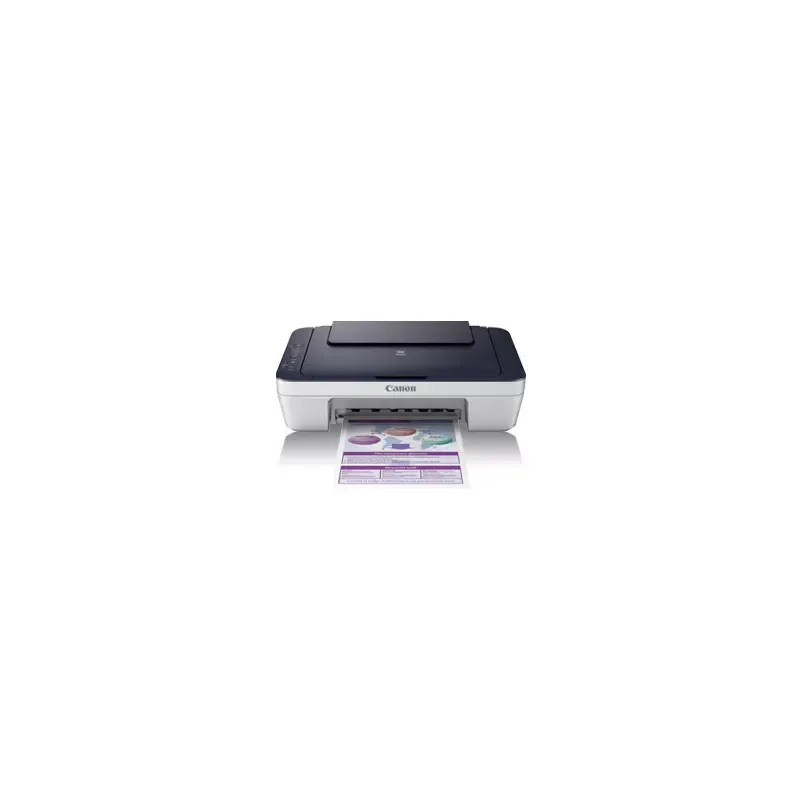

Manual of product PIXMA E401
Editorial note
The Canon PIXMA E401 is a printer that stands out for its exceptional print quality, delivering sharp and precise results for both professional documents and photos. Its compact design allows for easy integration into various work environments, whether at home or in the office. Additionally, the user experience is enhanced by a clear user manual, making installation and handling accessible to everyone. However, this printer has some drawbacks. Its print speed can be slow, which may frustrate users with frequent or urgent printing needs. Furthermore, the high cost of ink cartridges can impact the long-term budget for those who print regularly. The connectivity features, while sufficient for basic use, are limited, as the printer does not offer modern options such as direct Wi-Fi or Bluetooth. Finally, while the photo print quality is acceptable, it may not satisfy demanding professionals or photographers. In summary, the Canon PIXMA E401 is a solid option for users looking for a reliable and quality printer, but those with high printing needs or seeking advanced features may find limitations.Score details
User experience
The user experience is positive thanks to a clear user manual that facilitates installation and getting started.
Performance
The performance is adequate for document printing, but the speed can be slow, which may frustrate hurried users.
Design
The compact design of the Canon PIXMA E401 allows for easy integration into different workspaces.
Value for money
The high cost of ink cartridges can impact the budget in the long term, especially for users who print frequently.
Features
The connectivity features are limited, not including modern options like direct Wi-Fi or Bluetooth.
Robustness
Canon is recognized for the durability of its products, which ensures a satisfactory user experience in the long run.
Advantages
Clear and precise prints
Printing on various types of media
Compact design for space saving
Easy installation and use
Renowned brand for its reliability
Disadvantages
Slow printing for urgent needs.
High cost of ink cartridges.
Limited connectivity, no direct Wi-Fi.
Insufficient photo quality for professionals.
Bulky size for small spaces.
Technical Specifications PIXMA E401
General Information
-
ModelPIXMA E401
-
Brand
-
Category
-
Type
-
SKU1610994
-
MPN1610994
Frequently Asked Questions
What is the recommended method for removing a jammed paper from the printer?
Why does my printer not recognize original cartridges?
What are the possible reasons for poor print quality?
How does a laser printer differ from an inkjet printer?
Why does my inkjet printer leave black streaks on prints?
What does the acronym DPI mean?
Is the manual for the Canon PIXMA E401 available in French?
Similar products


More product categories from brand Canon
Computers and accessories Canon
Camera and photography Canon
Other Canon
Audio Canon
Software Canon
Interior Canon
More product types from brand Canon





Presentation of product PIXMA E401 specifications from brand Canon
General Information
The Canon PIXMA E401 is a printer from the Canon brand, known for its excellence and innovation in the printing device sector. This model, the PIXMA E401, stands out for its reliable performance and its ability to meet the diverse needs of users, whether at home or in the office.
Advantages
This printer is characterized by its exceptional print quality, delivering sharp and precise results, whether for professional documents or high-resolution photos. Its versatility allows it to handle different types of media, ranging from standard documents to custom labels. Its compact design makes it easy to integrate into various workspaces, thus optimizing space usage. Additionally, the ease of use of the Canon PIXMA E401 is enhanced by a clear user manual, making its setup and handling accessible to everyone. Finally, the reliability of the Canon brand ensures a satisfying long-term user experience.
Disadvantages
However, the Canon PIXMA E401 has some disadvantages to consider. Its printing speed may be perceived as slow, which could frustrate users with frequent or urgent printing needs. Moreover, the cost of ink cartridges can quickly add up, impacting the budget of users who print a lot. The connectivity options are also limited, lacking certain modern features like direct Wi-Fi or Bluetooth, which could restrict accessibility for some. Although the print quality of photos is acceptable, it may not meet the demands of professional photographers. Finally, the size of the device could be a drawback for those with limited office space, as it may seem bulky.


