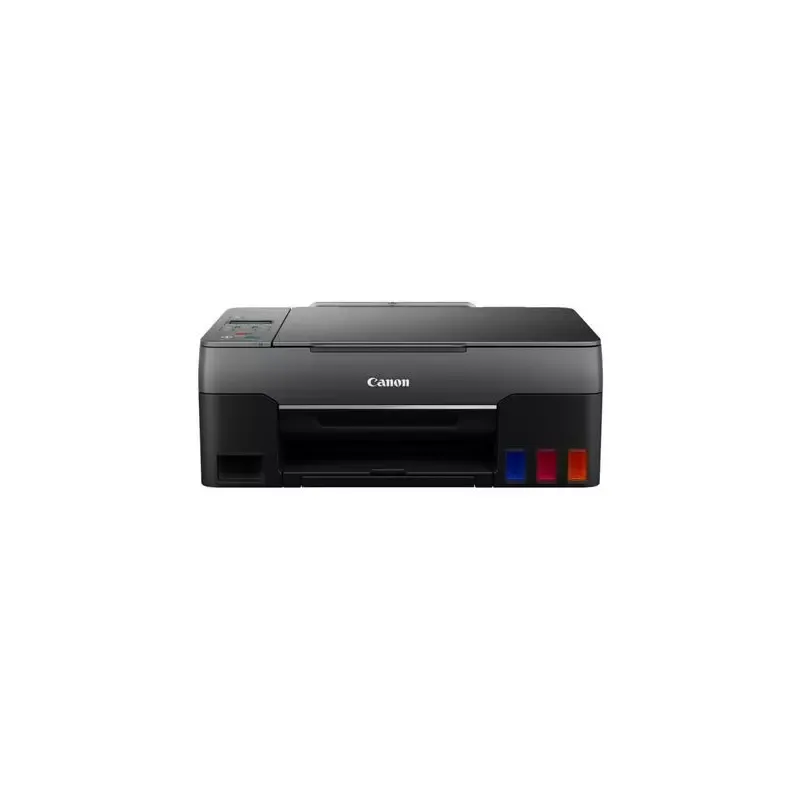

Manual of product PIXMA G2560

Editorial note
The Canon PIXMA G2560 is a multifunction printer that stands out for its print quality. With a resolution of up to 4800 x 1200 DPI, it ensures precise prints and vibrant colors, ideal for professional documents and creative projects. The manual duplex printing feature also helps save paper, contributing to responsible resource use. However, some drawbacks are worth mentioning. The lack of fax functionality may pose a problem for users needing to send or receive documents by fax. Additionally, double-sided scanning is not available, which can slow down the process for those who need to scan documents efficiently. The duplex printing mode being manual requires user intervention, which can extend printing time. In terms of performance, the color printing speed of 6 pages per minute may seem slow compared to other competing models. Furthermore, the 100-sheet paper capacity may be insufficient for users with high printing needs, leading to frequent reloads. On the energy consumption front, the Canon PIXMA G2560 is efficient, with low power consumption in standby mode, contributing to savings on electricity bills. Its modern and functional design, along with compatibility with various types of printing media, makes it a practical choice for home or professional use. In summary, the Canon PIXMA G2560 offers good value for money thanks to its interesting features. However, limitations in wireless connectivity and color printing speed may reduce its appeal for some users.Score details
User experience
The user experience is positive, although the manual duplex printing mode may slow down the process.
Performance
The printing performance is good for standard documents, but the color printing speed of 6 ppm may seem slow.
Battery life
The energy consumption is low in standby mode, contributing to energy savings on electricity bills.
Design
The design is modern and functional, with compatibility for various types of printing media.
Value for money
The product offers good value for money considering its features, although the lack of fax and Wi-Fi limits its appeal.
Features
The features include high-quality printing and impressive copying capability, but the absence of duplex scanning can be a drawback.
Usability
The ease of use is satisfactory, but the 100-sheet paper capacity may require frequent refills for heavy users.
Advantages
High-quality printing up to 4800 x 1200 DPI.
Manual duplex printing for paper savings.
23 copies per minute for time savings.
Compatible with various types of printing media.
Low power consumption in standby mode.
Disadvantages
No fax function
No duplex scanning
Manual duplex printing
Limited paper capacity of 100 sheets
Slow color printing speed
No Wi-Fi connectivity
Technical Specifications PIXMA G2560
General Information
-
ModelPIXMA G2560
-
Brand
-
Category
-
Type
-
SKU1308347
-
MPN1308347
Print speed
-
Printing technologyInkjet
-
PrintingColor printing
-
Double-sided printingYes
-
Duplex printing modeManual
-
Maximum resolution- DPI
-
Color resolution4800 x 1200 DPI
-
Print speed (black, normal quality, A4/US Letter)10.8 ppm
-
Print speed (color, normal quality, A4/US Letter)6 ppm
Copier
-
Duplex copy-
-
CopyColor copy
-
Max. resolution of copies- DPI
-
Copy speed (normal quality, black, A4)23 cpm
-
Maximum number of copies99 copies
-
Resizing copy25 - 4000 %
-
Function ID-Card CopyYes
-
All-in-one function (N=)2, 4
-
Function ID-Card CopyYes
Digitization
-
Double-sided scanning-
-
DigitizationColor scanning
-
Optical scanning resolution600 x 1200 DPI
-
Type of scannerFlatbed scanning
-
Scanning technologyCIS
-
Input grayscale depth16 bit
-
Output grayscale resolution8 bit
-
Input grayscale depth16 bit
-
Output grayscale resolution8 bit
Fax
-
FaxNo
Input and output capacity
-
Total number of power supply units1
-
Total power capacity100 sheets
-
Total output capacity- sheets
Paper management
-
Maximum ISO A series paper sizeA4
-
Type of paper tray supportCard stock
-
ISO, Format Series A (A0...A9)Envelopes
-
ISO, Formats Series-B (B0...B9)Glossy paper
-
Non-ISO print support sizesHeavy paper
-
Envelope sizesHigh resolution paper
-
Photo paper formatsIron-On Transfers
-
Borderless print sizeMatte paper
-
Weight of paper tray supportPhoto paper
-
Plain paper
-
Semi-glossy paper
-
A4
-
A5
-
A6
-
B5
-
Executive (184 x 267mm)
-
Legal (media size)
-
C5
-
10x15 cm
-
10x15
-
13x18
-
17.5x25
-
20x25
-
A4
-
65 - 105 g/m²
Connectivity
-
Direct printing-
-
USB portYes
-
USB connectorUSB Type-B
Network
-
Wifi-
-
Ethernet/LAN-
Representation / realization
-
Built-in memory card reader-
-
Internal memory- Mo
-
Sound power level (impression)51 dB
Design
-
Product colorBlack
-
Market positionDomestic and professional
-
Built-in screenYes
-
ScreenLCD
Power
-
Electricity consumption (average operation)15 W
-
Energy consumption (standby mode)0.6 W
-
Electricity consumption (stop)0.2 W
-
AC input voltage100 - 240 V
-
AC input frequency50 - 60 Hz
-
Energy Star, typical electrical consumption (TEC)0.1 kWh/week
Minimum system requirements
-
Support for the Windows operating systemWindows 10
-
Support for the Mac operating systemWindows 7
-
Support for the server operating systemWindows 8.1
-
Support for other operating systemsMac OS X 10.12 Sierra
-
Mac OS X 10.15 Catalina
-
Windows Server 2008
-
Windows Server 2012
-
Windows Server 2016
-
Windows Server 2019
-
ChromeOS
Environmental conditions
-
Operating relative humidity (H-H)10 - 90 %
-
Temperature out of operation5 - 35 °C
Weight and dimensions
-
Width445 mm
-
Depth330 mm
-
Height167 mm
-
Weight6400 g
Packaging contents
-
Cartridge(s) includedYes
Logistics data
-
Harmonized System Code84433100
Frequently Asked Questions
What is the weight of the Canon PIXMA G2560 printer?
What is the recommended method for removing a jammed paper from the printer?
Why is my printer not recognizing the original cartridges?
What are the reasons for poor print quality?
What is the difference between a laser printer and an inkjet printer?
Why is my inkjet printer printing black streaks?
What does the acronym DPI mean?
How many cartridges can be installed in the Canon PIXMA G2560?
What is the height of the Canon PIXMA G2560 printer?
What is the width of the Canon PIXMA G2560?
What is the depth of the Canon PIXMA G2560?
Is the manual for the Canon PIXMA G2560 available in French?
Similar products


More product categories from brand Canon
Computers and accessories Canon
Camera and photography Canon
Other Canon
Audio Canon
Software Canon
Interior Canon
More product types from brand Canon





Presentation of product PIXMA G2560 specifications from brand Canon
General Information
The Canon PIXMA G2560 is a multifunction printer designed to meet the varied needs of users, whether they are professionals or individuals. Known for its reliability and innovations, the Canon brand offers optimal performance with this model (reference PIXMA G2560 | 4466C006). The EAN code, 4549292167931, allows for unique identification of the product in the distribution network.
Print Speed
Equipped with inkjet printing technology, the Canon PIXMA G2560 guarantees superior print quality with a resolution of up to 4800 x 1200 DPI, ensuring documents and images with vibrant colors and precise details. The printer offers a print speed of 10.8 ppm for black prints and 6 ppm for color prints. It also allows for manual duplex printing, contributing to paper savings and reducing environmental impact.
Copier
The integrated copier of the Canon PIXMA G2560 excels with a speed of 23 cpm for black copies, thus facilitating office tasks. Although it does not have automatic duplex functionality, it allows for up to 99 copies per operation, with resizing from 25 to 4000 %, providing appreciable flexibility for various printing needs.
Scanning
The color scanning function allows for faithful reproductions of documents, with an optical resolution of 600 x 1200 DPI. Although duplex scanning is not available, the flatbed scanner facilitates quick scanning of multiple documents. CIS technology ensures optimal image quality while maintaining speed of execution.
Fax
This printer does not have fax functionality, which may be a disadvantage for users needing to send documents by fax.
Input and Output Capacity
The Canon PIXMA G2560 is equipped with a paper tray that can hold up to 100 sheets, which is sufficient for home or light office use, but may require frequent refills for larger volumes.
Paper Management
Compatible with various types of paper, including photo paper and envelopes, this printer supports standard formats such as A4, A5, and B5, as well as non-ISO media for additional flexibility. The borderless printing size allows for professional results suitable for different projects.
Connectivity
The Canon PIXMA G2560 features a USB Type-B port for simple and quick connection to other devices. However, it does not offer wireless connectivity, which may limit its use in certain environments.
Design
With its modern black design, the Canon PIXMA G2560 easily fits into any workspace. Its LCD screen facilitates user interaction, making task management more intuitive.
Power
Consuming 15 W during operation, and only 0.6 W in standby mode, this printer is designed to be energy-efficient, helping to reduce electricity costs.
Minimum System Requirements
The Canon PIXMA G2560 is compatible with several operating systems, including Windows (10, 7, 8.1), Mac OS (10.12 Sierra, 10.15 Catalina), and ChromeOS, thus offering great flexibility of use.
Environmental Conditions
It operates effectively in a relative humidity of 10 to 90% and can be stored in temperatures ranging from 5 to 35 °C, ensuring its durability in various conditions.
Weight and Dimensions
With dimensions of 445 mm wide, 330 mm deep, and 167 mm high, as well as a weight of 6400 g, the Canon PIXMA G2560 is designed for practical use without compromising space.
Package Contents
The cartridges are included, allowing you to start printing immediately without additional purchases.
Logistics Data
The harmonized system code for the Canon PIXMA G2560 is 84433100, facilitating its identification in international trade.


