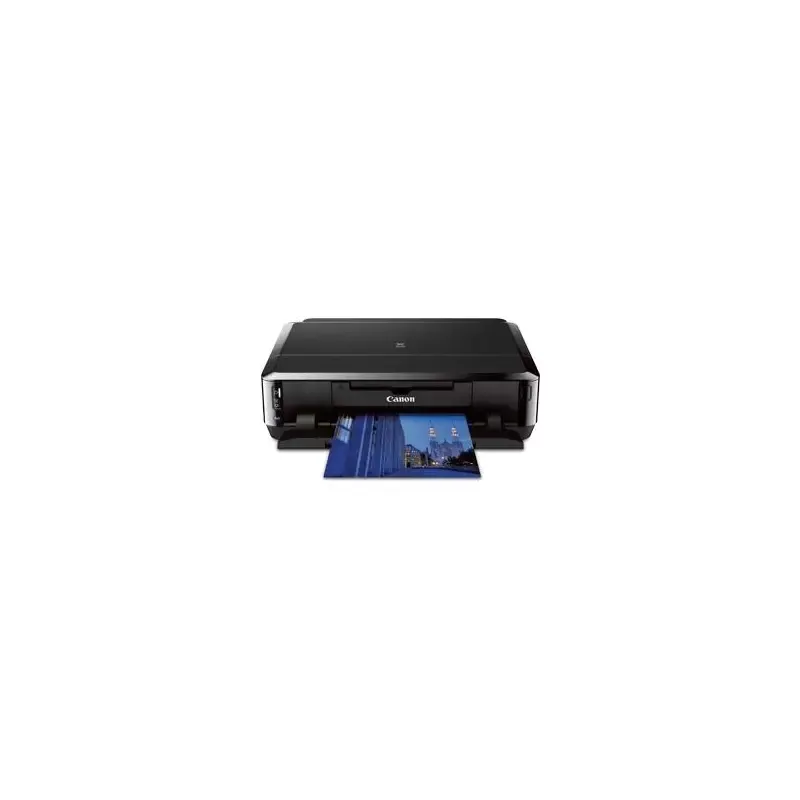

Manual of product Pixma iP7220

Editorial note
The Canon Pixma iP7220 stands out for its ability to produce high-quality prints with a maximum resolution of 9600 x 2400 DPI, ideal for professional documents and photos. Its duplex printing feature optimizes paper usage, contributing to savings and waste reduction. Additionally, wireless connectivity allows for convenient printing from various devices, which is a major advantage for modern users. However, some drawbacks are worth mentioning. The Canon Pixma iP7220 is not compatible with Mac systems, limiting its use for some users. Although its printing speed is reasonable, it remains lower than that of some competing models, which could be an issue for those needing fast prints in large volumes. The lack of an integrated memory card reader may also be a disadvantage for those wishing to print directly from their cards. The weight of the printer, at 6532 g, can make it less easy to move. In terms of performance, energy consumption in standby mode is low, contributing to a reduced ecological footprint, which is a positive point. However, the cost of ink cartridges can be high, increasing the long-term operating cost of the device. Overall, the Canon Pixma iP7220 offers interesting features and remarkable print quality, but its limitations in terms of compatibility and printing speed should be considered before purchase.Score details
User experience
The user experience is generally positive due to the simple interface and wireless connectivity that makes printing from various devices easy.
Performance
The printing performance is good, but the printing speed is lower than that of some competitors, which can be a disadvantage for high-volume printing.
Battery life
The power consumption in sleep mode is low, contributing to energy savings and a reduced ecological footprint.
Design
The design is modern and sleek, although its weight of 6532 g may make the printer less portable.
Value for money
The cost of ink cartridges can be high, which could increase the long-term operating cost of the printer.
Features
The printer offers many useful features, such as double-sided and borderless printing, ideal for professional projects.
Support
Although user documentation is available, the lack of compatibility with Mac systems limits its use for some users.
Usability
The absence of a built-in memory card reader could be a disadvantage for those who want to print directly from their cards.
Advantages
High-resolution printing up to 9600 x 2400 DPI.
Double-sided printing for less waste.
Wireless connectivity for convenient use.
Borderless printing for a professional finish.
Energy-saving sleep mode.
Disadvantages
Not compatible with Mac systems
Print speed lower than competitors
No built-in memory card reader
Heavy weight, difficult to move
Expensive ink cartridges
Perceived noise level of 44 dB is high
Technical Specifications Pixma iP7220
General Information
-
ModelPIXMA IP7220
-
Brand
-
Category
-
Type
-
SKU62543
-
MPN62543
Print speed
-
Maximum resolution9600 x 2400 DPI
-
Printing technologyInkjet
-
Double-sided printingYes
-
Print speed (black, draft quality, A4/US Letter)15 ppm
-
Print speed (color, draft quality, A4/US Letter)10 ppm
-
Double-sided printingYes
-
Print head nozzles5120
Paper management
-
Maximum print formatA4 (210 x 297 mm)
-
Envelope sizes10
-
Borderless print size4x6, 5x7, 8x10, Legal, Letter
Features
-
Built-in screenNo
-
Product colorBlack
-
Market positionDomestic and professional
Connectivity
-
PictBridge-
-
USB portYes
-
USB portYes
-
Quantity of USB 2.0 Ports1
Representation / realization
-
Built-in memory card readerNo
-
Sound pressure level (impression)44 dB
Weight and dimensions
-
Width452.1 mm
-
Depth368.3 mm
-
Height129.5 mm
-
Weight6532 g
Other features
-
CD/DVD PrintingYes
-
Compatible ink types
-
CD/DVD PrintingPGI-250PGBK XL, CLI-251CXL, CLI-251MXL, CLI-251YXL, CLI-251BKXL, PGI-250PGBK, CLI-251C, CLI-251M, CLI-251Y, CLI-251BK
-
-
Yes
Minimum system requirements
-
Support for the Windows operating systemWindows 7 Home Basic
-
Support for the Mac operating systemWindows 7 Home Basic x64
-
Windows 7 Home Premium
-
Windows 7 Home Premium x64
-
Windows 7 Professional
-
Windows 7 Professional x64
-
Windows 7 Starter
-
Windows 7 Starter x64
-
Windows 7 Ultimate
-
Windows 7 Ultimate x64
-
Windows 8
-
Windows 8 Enterprise
-
Windows 8 Enterprise x64
-
Windows 8 Pro
-
Windows 8 Pro x64
-
Windows 8 x64
-
Windows RT
-
Windows Vista Business
-
Windows Vista Business x64
-
Windows Vista Enterprise
-
Windows Vista Enterprise x64
-
Windows Vista Home Basic
-
Windows Vista Home Basic x64
-
Windows Vista Home Premium
-
Windows Vista Home Premium x64
-
Windows Vista Ultimate
-
Windows Vista Ultimate x64
-
Windows XP Home
-
Windows XP Home x64
-
Windows XP Professional
-
Windows XP Professional x64
-
Mac OS X 10.5 Leopard
-
Mac OS X 10.6 Snow Leopard
-
Mac OS X 10.7 Lion
Power
-
Average power consumption in Print mode24 W
-
Energy consumption (standby mode)2.1 W
Sustainability
-
Sustainability certificatesENERGY STAR
Network
-
WifiYes
Frequently Asked Questions
What is the weight of the Canon Pixma iP7220?
What is the best method to remove a paper jam from the printer?
Why is my printer not recognizing the original cartridges?
What could be the reasons for poor print quality?
What is the difference between a laser printer and an inkjet printer?
Why is my inkjet printer leaving black streaks on prints?
What does the acronym DPI mean?
What is the height of the Canon Pixma iP7220?
What is the width of the Canon Pixma iP7220?
What is the depth of the Canon Pixma iP7220?
Is the manual for the Canon Pixma iP7220 available in French?
Similar products


More product categories from brand Canon
Computers and accessories Canon
Camera and photography Canon
Other Canon
Audio Canon
Software Canon
Interior Canon
More product types from brand Canon





Presentation of product Pixma iP7220 specifications from brand Canon
General Information
The Canon Pixma iP7220, the flagship product of the Canon brand, is designed to deliver exceptional print quality. This model, referenced as Pixma iP7220 | 6219B002, stands out for its optimal performance and user-friendliness. The associated EAN code, which allows for unique identification, is 13803148374, 76092009061, 0076092009061, 0138031483742, 0803982796332, 0013803148374.
Print Speed
With a maximum resolution of 9600 x 2400 DPI, the Canon Pixma iP7220 ensures prints of remarkable clarity, suitable for both professional needs and personal projects. Its inkjet printing technology allows for precise, high-quality results. Additionally, the printer offers a borderless printing feature, ensuring professional outputs without white borders. The print speed is 15 ppm in black (draft quality, A4/US Letter) and 10 ppm in color, promoting efficiency when printing documents. The printer is also capable of duplex printing, thereby reducing paper waste.
Paper Management
The Canon Pixma iP7220 supports a maximum print size of A4 (210 x 297 mm), making it an ideal choice for large documents. It also offers 10 envelope sizes suitable for various shipping needs. Borderless print sizes include 4x6, 5x7, 8x10, Legal, and Letter, allowing for optimal quality prints.
Features
Equipped with a built-in display, the Canon Pixma iP7220 makes it easy to use with an intuitive interface. Its black design gives it a modern and elegant look, making it suitable for both home and professional use.
Connectivity
The printer features direct printing functionality, allowing for easy printing from various devices. It also includes a USB port for quick and easy connection. The product has a single USB 2.0 port, ensuring an efficient link with your devices.
Representation / Performance
Although the Canon Pixma iP7220 does not come with a built-in memory card reader, it guarantees a noise level of 44 dB during printing, making it a relatively quiet device, suitable for noise-sensitive work environments.
Weight and Dimensions
The dimensions of the printer are as follows: a width of 452.1 mm, a depth of 368.3 mm, and a height of 129.5 mm. With a weight of 6532 g, it is designed for stable use, although its weight may complicate frequent relocation.
Other Features
The Canon Pixma iP7220 is not compatible with Mac systems, which may limit its use for some users. It uses ink cartridges of type PGI-250PGBK XL, CLI-251CXL, CLI-251MXL, CLI-251YXL, CLI-251BKXL, and others, ensuring high-quality printing. The printer also allows for direct printing on CD/DVD, providing a convenient customization option for your projects.
Minimum System Requirements
The Canon Pixma iP7220 is compatible with several Windows operating systems, including Windows 7, Windows 8, and Windows Vista, allowing for smooth use across a wide range of computers. For Mac users, it supports Mac OS X 10.5 Leopard up to 10.7 Lion.
Power
In print mode, the Canon Pixma iP7220 consumes an average of 24 W, which helps assess its energy efficiency. In standby mode, its consumption is reduced to 2.1 W, contributing to energy savings when the device is not in use.
Durability
This printer is ENERGY STAR certified, ensuring that it meets high standards for energy efficiency and environmental respect.
Network
The Canon Pixma iP7220 is equipped with Wi-Fi connectivity, allowing for fast and reliable wireless connection for all your devices.


