

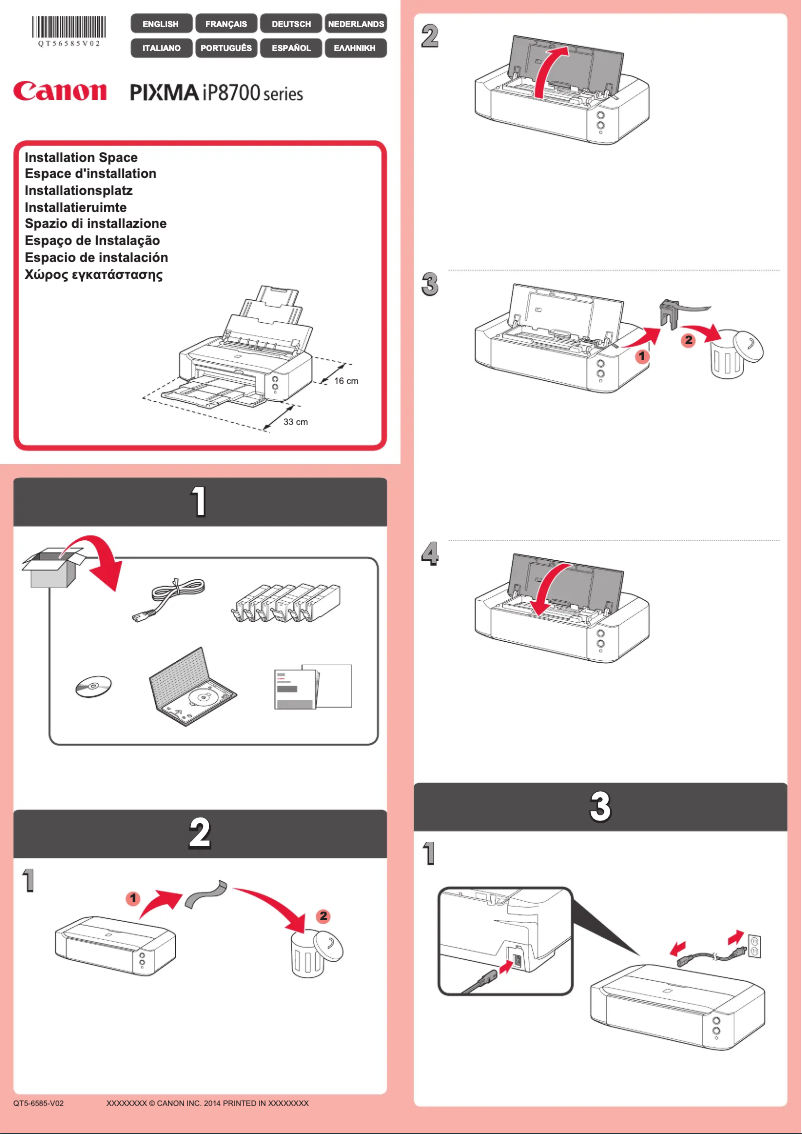
Manual of product PIXMA iP8710
Editorial note
The Canon PIXMA iP8710 stands out for the print quality it offers, especially for photos and documents, thanks to its high definition that ensures vibrant colors and precise details. Its ability to print up to A3+ size adds appreciated flexibility for various creative projects. Additionally, the built-in Wi-Fi connectivity allows for easy printing from mobile devices, enhancing the user experience. The clear user manual and intuitive controls also make it easy to use. However, some drawbacks must be considered. The cost of ink cartridges can be high, making frequent printing uneconomical. Furthermore, the printer can be relatively slow when printing high-resolution documents, which may frustrate hurried users. The lack of scanning and copying features limits its use for those looking for a multifunction printer. The size of the printer may pose a problem for tight workspaces, and the initial warm-up time can delay the start of prints. In summary, the Canon PIXMA iP8710 is an excellent option for those who prioritize print quality and versatility while being aware of operating costs and limitations in terms of features.Score details
User experience
The user experience is generally positive thanks to a clear user manual and intuitive controls.
Performance
The printing performance is excellent for photos, but the printer can be relatively slow when printing high-resolution documents.
Features
The printer offers interesting features like high-definition printing and a versatile print format, although the lack of scanning and copying features is a drawback.
Value for money
The cost of ink cartridges can be high, making frequent printing uneconomical.
Design
The design is reasonably compact, but the size of the printer can be a disadvantage for those with limited workspace.
Advantages
High-quality high-definition prints.
Printing up to A3+ size.
Wi-Fi connectivity for remote printing.
Intuitive and easy to use.
Ink savings with individual cartridges.
Disadvantages
High cost of ink cartridges.
Slow printing in high resolution.
No scanning or copying functions.
Bulky size for small spaces.
Long initial warm-up time.
Technical Specifications PIXMA iP8710
General Information
-
ModelPIXMA IP8710
-
Brand
-
Category
-
Type
-
SKU1611014
-
MPN1611014
Frequently Asked Questions
What is the method to follow to remove paper jammed in the printer?
Why does my printer not recognize the original cartridges?
What are the possible reasons for poor print quality?
How does a laser printer differ from an inkjet printer?
Why does my inkjet printer produce black streaks?
What does the acronym DPI mean?
Is the manual for the Canon PIXMA iP8710 available in French?
Similar products


More product categories from brand Canon
Computers and accessories Canon
Camera and photography Canon
Other Canon
Audio Canon
Software Canon
Interior Canon
More product types from brand Canon





Presentation of product PIXMA iP8710 specifications from brand Canon
General Information
The Canon PIXMA iP8710 is a high-end printer from the Canon brand, known for its excellence and innovation in the printing device sector. This model, PIXMA iP8710, is designed to deliver superior performance, ensuring an enhanced user experience.
Advantages
This printer stands out for its ability to produce high-quality prints, with a high resolution that highlights vibrant colors and precise details, making it particularly suitable for photos and documents.
Its print format versatility is a major asset, allowing printing up to A3+ size, which meets various creative needs, whether for photos, posters, or professional presentations.
The built-in wireless connectivity makes it easy to access the printer from multiple devices, including smartphones and tablets, thus enabling convenient and efficient remote printing.
Designed for ease of use, the PIXMA iP8710 offers a clear user manual and intuitive controls, simplifying the setup for all users.
Finally, thanks to its individual ink cartridges, this printer allows for replacing only the exhausted color, which helps reduce long-term printing costs.
Disadvantages
However, some aspects may pose problems. First, the cost of ink cartridges can be relatively high, making frequent printing less economical.
Additionally, the printer can be relatively slow when printing high-resolution documents, which can be frustrating for users in a hurry.
Another disadvantage is the lack of scanning and copying features, which limits its use for those looking for a multifunction printer.
Moreover, its size can be a drawback for users with limited workspace, and the initial warm-up time can be long, delaying the start of printing.


