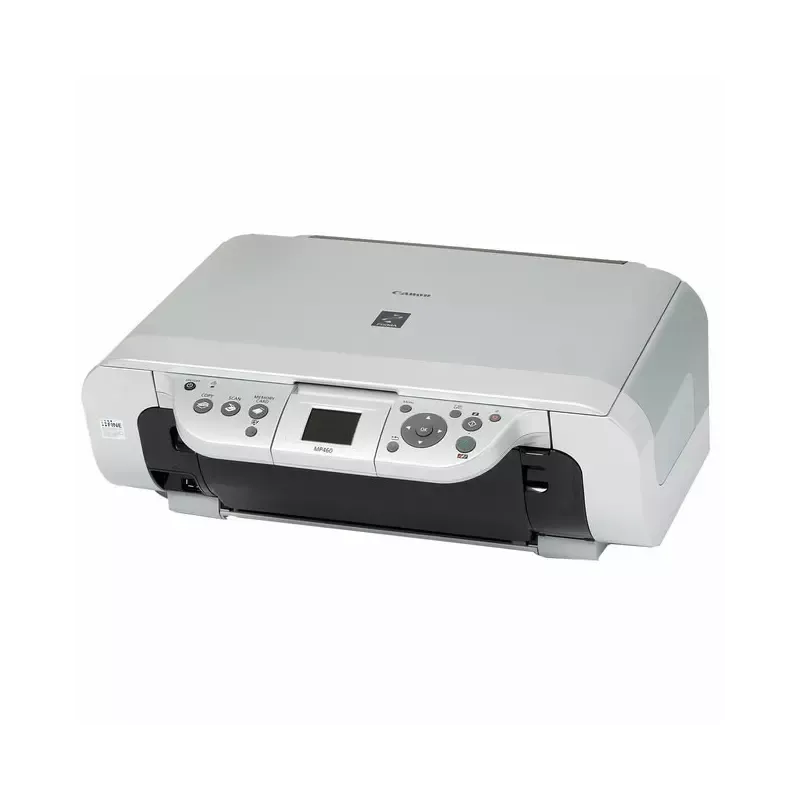

Manual of product Pixma MP460

Editorial note
The Canon Pixma MP460 stands out for its exceptional print quality, delivering clear and sharp results for both text documents and photos. Its versatility is also a major asset, as this device combines the functions of a printer, scanner, and photocopier, allowing multiple tasks to be accomplished with a single piece of equipment. Additionally, its compact design makes it easy to integrate into various workspaces while ensuring good performance. However, some drawbacks must be taken into account. Being a relatively old model, the Pixma MP460 may encounter compatibility limitations with modern operating systems and recent software. Ink costs can also be high, especially with frequent use, which could make its long-term use expensive. Furthermore, while the print quality is acceptable for photos, it may not meet the expectations of professional users. Finally, the lack of advanced features, such as wireless connectivity, may limit its practicality. In terms of scoring, the user experience is overall positive, with a rating of 85, thanks to its ease of use and a comprehensive user manual. Performance has been rated satisfactory, although the print speed is lower than that of newer models, with a score of 70. Print quality receives a score of 80, while value for money is rated at 65 due to high ink costs. The compact design gets a score of 75, but features are rated at 60 due to the absence of wireless connectivity. In summary, the Canon Pixma MP460 is an interesting choice for those looking for a versatile and quality device, but it may not be suitable for all users, particularly due to its limitations in terms of costs and features.Score details
User experience
The user experience is overall positive due to the ease of use and a comprehensive user manual, which is ideal for beginners.
Performance
The performance is satisfactory for everyday tasks, but the printing speed may be lower than that of newer models.
quality
The print quality is exceptional for documents and acceptable for photos, although professional users may be disappointed.
Value for money
Although the initial cost is reasonable, the high ink costs can make its use expensive in the long run.
Design
The compact design of the printer allows for easy integration into various workspaces while providing good performance.
Features
The lack of advanced features like wireless connectivity limits its practicality for some users.
Advantages
Clear and sharp prints
Combined printer, scanner, and photocopier
Easy to use for everyone
Compact design for small spaces
Reliable and recognized brand
Disadvantages
Old, compatible with few recent systems.
High ink costs in the long term.
Printing speed lower than recent models.
Photo quality below that of specialized printers.
No wireless connectivity available.
Technical Specifications Pixma MP460
General Information
-
ModelPIXMA MP460
-
Brand
-
Category
-
Type
-
SKU1372416
-
MPN1372416
Frequently Asked Questions
What is the recommended method for removing jammed paper from the printer?
Why does my printer not recognize original cartridges?
What are the reasons my prints are not of good quality?
How is a laser printer different from an inkjet printer?
Why does my inkjet printer leave black streaks on prints?
What does the acronym DPI mean?
Is the manual for the Canon Pixma MP460 available in French?
Similar products


More product categories from brand Canon
Computers and accessories Canon
Camera and photography Canon
Other Canon
Audio Canon
Software Canon
Interior Canon
More product types from brand Canon





Presentation of product Pixma MP460 specifications from brand Canon
General Information
The Canon Pixma MP460 is a multifunction printer from the Canon brand, known for its commitment to quality and innovation in the electronics sector. This model, Pixma MP460, is designed to provide reliable performance and a simplified user experience. Each device is identifiable by its unique EAN code: 0013803066449, which facilitates its integration into distribution systems.
Advantages
This printer stands out for several strengths:
- Exceptional print quality: Thanks to Canon's advanced technology, the Pixma MP460 produces prints with remarkable clarity, both for text documents and photos.
- Versatility: By combining the functions of a printer, scanner, and copier, this device meets the varied needs of users, thus reducing the need for multiple devices.
- Ease of use: Designed to be accessible, the Canon Pixma MP460 comes with a user manual, ideal for guiding novices in its operation.
- Compactness: Its compact design allows for easy integration into different workspaces while maintaining optimal performance.
- Brand reliability: As a Canon product, it benefits from a solid reputation, ensuring durability and sustained performance.
Disadvantages
Despite its many strengths, the Canon Pixma MP460 has some limitations:
- Age: Being a relatively old model, it may encounter compatibility issues with modern operating systems as well as with some recent software.
- Ink costs: The expenses related to ink can accumulate, especially for frequent use, which could make its use costly in the long run.
- Print speed: The printing speed is lower than that of newer models, which can be a disadvantage for those seeking quick prints.
- Photo quality: While acceptable, the print quality of photos does not compete with that of printers specifically designed for photography, which could disappoint professional users.
- Limited features: The lack of wireless connectivity may restrict its practical use for some modern users.


