

Manual of product Selphy CP600
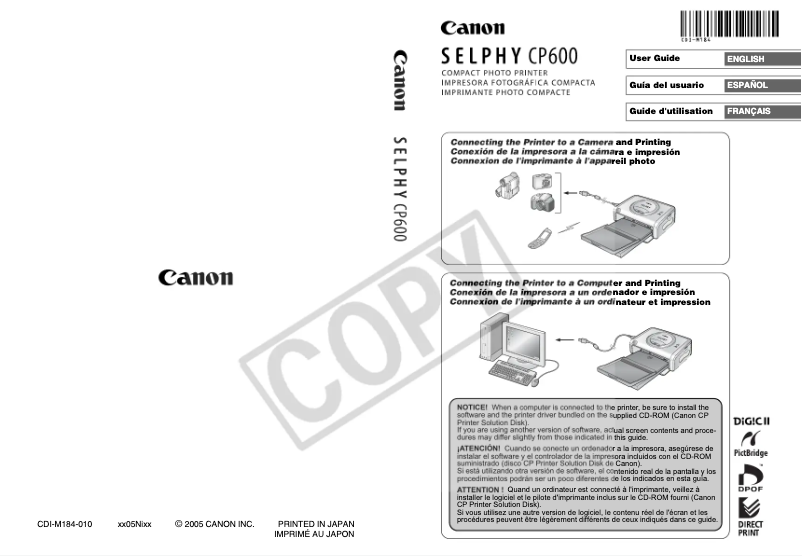
Editorial note
The Canon Selphy CP600 is a printer that stands out for its print quality, offering a resolution of 300 x 300 DPI that ensures clear and sharp results, both for professional and personal use. Its direct printing feature from various devices, including cameras and phones, allows for a convenient and quick user experience. Additionally, compatibility with multiple types of inks ensures great durability and diversity in prints. However, several drawbacks deserve to be highlighted. First of all, the Canon Selphy CP600 is not compatible with Mac operating systems, which may limit its use for some users. Furthermore, the printing speed may seem slow compared to modern expectations, which could pose a problem for those with fast printing needs. The power consumption of 60 W in print mode is also relatively high compared to other more energy-efficient models on the market. In terms of design, the printer is functional and suitable for both home and professional use, with effective management of different paper formats. Features like USB and infrared connectivity add to its versatility, although the limited number of USB ports is a drawback to consider. Overall, the Canon Selphy CP600 represents good value for money, especially when considering the print quality. However, the limitations in compatibility and printing speed could influence the purchasing decision for some users. The user manual is well-designed and provides clear instructions, making it easier to get accustomed to the device.Score details
User experience
The user experience is satisfactory thanks to the direct printing feature from various devices, although limited compatibility with Mac systems may pose a problem for some users.
Performance
The printing performance is acceptable with a resolution of 300 x 300 DPI, but may seem slow compared to modern standards, which can be a disadvantage for users with fast printing needs.
Design
The design is functional and suitable for both home and professional use, with effective management of different paper formats.
Value for money
The price-to-quality ratio is reasonable considering the print quality, but power consumption and limited compatibility may affect the perception of value.
Features
Features such as USB and infrared connectivity, as well as compatibility with different types of inks, add to the printer's versatility, although the limited number of USB ports is a drawback.
Support
The 68-page user manual provides clear instructions, making it easy to get started with the device.
Documentation
The documentation is comprehensive and well-structured, allowing users to fully take advantage of the printer's features.
Advantages
High-quality printing at 300 x 300 DPI.
Direct printing from cameras and phones.
Compatibility with various types of inks.
Convenient USB and infrared connectivity.
Suitable for home and professional use.
Disadvantages
Not compatible with Mac systems
Slow printing speed for large quantities
Insufficient resolution for professional quality
Only one USB port available
High power consumption of 60 W
Technical Specifications Selphy CP600
General Information
-
ModelSELPHY CP600
-
Brand
-
Category
-
Type
-
SKU1267286
-
MPN1267286
Print speed
-
Maximum resolution300 x 300 DPI
Other features
-
Mac CompatibilityYes
-
Compatible operating systemsWindows 98SE/Me/2000 SP4/XP/XP SP1-SP2
-
CompatibilityOS X v10.1.5 - 10.3
-
Compatible ink typesPC, MAC
-
FeaturesKP-36IP, KP-108IP, KW-24IP, KL-36IP, KC-36IP, KC-18IF, KC-18IL
-
Auto feed from paper cassette
-
Direct Printing from a Camera
-
Direct from a Camera Phone
Connectivity
-
USB portYes
-
USB portYes
-
USB portYes
-
Quantity of USB 2.0 Ports1
Power
-
Average power consumption in Print mode60 W
Paper management
-
Standard average formats148 x 100mm
-
Type of paper tray support100 x 200mm
-
Credit card119 x 89mm
-
86 x 54mm
-
86 x 54mm
-
22.0 x 17.3mm
-
Card stock
-
Postcard
-
Yes
Features
-
Market positionDomestic and professional
Frequently Asked Questions
What is the recommended method for removing a jammed paper from the printer?
Why does my printer not recognize the original cartridges?
What are the possible causes of poor print quality?
What is the distinction between a laser printer and an inkjet printer?
Why does my inkjet printer leave black streaks on the paper?
What does the abbreviation DPI mean?
Is the manual for the Canon Selphy CP600 available in French?
Similar products


More product categories from brand Canon
Computers and accessories Canon
Camera and photography Canon
Other Canon
Audio Canon
Software Canon
Interior Canon
More product types from brand Canon





Presentation of product Selphy CP600 specifications from brand Canon
General Information
The Canon Selphy CP600 is a printer from the renowned brand Canon, known for its innovation and reliability in the printing field. Model Selphy CP600 | 9905A002, it is designed to deliver high-quality performance, meeting the diverse needs of users, whether they are professionals or individuals.
Print Speed
With a maximum resolution of 300 x 300 DPI, the Canon Selphy CP600 ensures prints of remarkable clarity. This image quality makes it an ideal choice for personal and professional projects, guaranteeing sharp and precise results.
Other Features
It is important to note that the Selphy CP600 is not compatible with Mac operating systems, which may limit its use for some users. However, it works perfectly with Windows XP, Vista, and 7, ensuring a smooth experience. This printer is compatible with various types of inks, including KP-36IP, KP-108IP, KW-24IP, KL-36IP, KC-36IP, KC-18IF, and KC-18IL, ensuring durable and quality printing. Additionally, it offers features such as automatic feeding from the paper cassette and direct printing from a camera or phone, simplifying its daily use.
Connectivity
The Canon Selphy CP600 offers direct printing, allowing users to quickly print from their devices. It is equipped with an infrared port for wireless communication with other compatible devices. A USB 2.0 port is also present, facilitating connection to various devices, although it is limited to a single port.
Power
In terms of energy consumption, the Selphy CP600 uses an average of 60 W during printing. This consumption may be considered relatively high compared to some more energy-efficient models, but it reflects the printer's performance.
Paper Management
This printer supports several standard formats such as 148 x 100 mm, 100 x 200 mm, 119 x 89 mm, 86 x 54 mm, and 22.0 x 17.3 mm, offering flexibility for different types of printing. It is compatible with various media, including cardboard and postcards, making it suitable for diverse printing needs. Additionally, it allows for the printing of credit cards, adding a practical feature for specific transactions.
Features
The Canon Selphy CP600 is positioned in the market as a printer for both home and professional use. It primarily targets users looking for a reliable and quality printing solution, suitable for varied needs.


