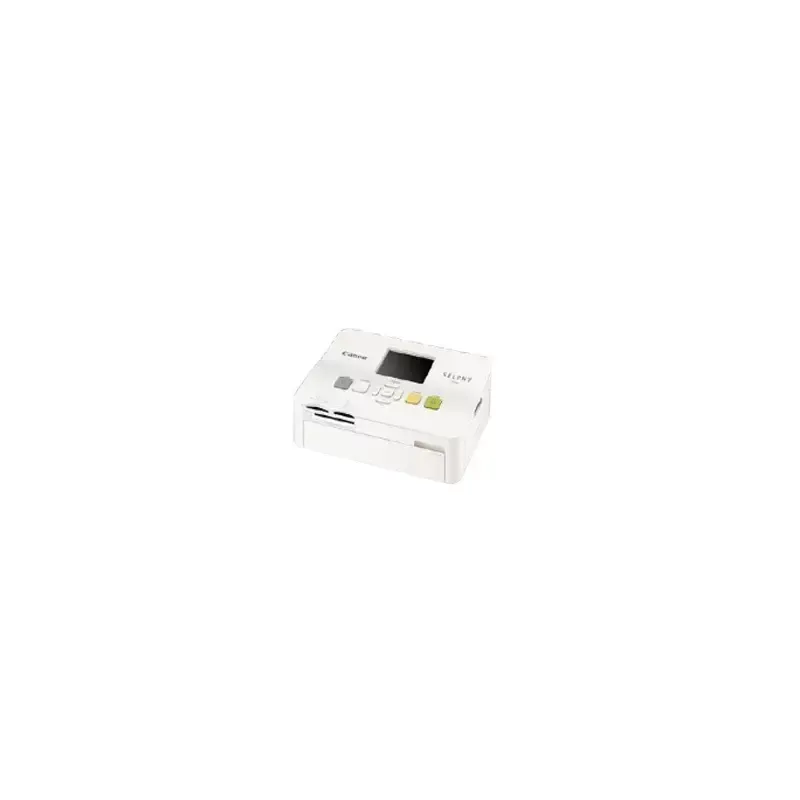

Manual of product Selphy CP780

Editorial note
The Canon Selphy CP780 is a compact printer that stands out for its exceptional print quality, with a maximum resolution of 300 x 300 DPI, ideal for sharp and precise photos. Its convenient connectivity, thanks to the PictBridge feature, allows for direct printing from a camera, which is a considerable advantage for users seeking a simplified experience. Additionally, its compact dimensions (176 x 132.6 x 75.6 mm) and lightweight (940 g) make it easy to transport and store the printer, making it suitable for both home and professional use. However, the Canon Selphy CP780 has some limitations. Compatibility with Mac operating systems is absent, which may frustrate users of these devices. Furthermore, although the print quality is good, the resolution of 300 x 300 DPI may seem insufficient for applications requiring higher image quality. The 2.5-inch screen size could also make navigation less intuitive, and the power consumption of 60 W in print mode is relatively high compared to other compact models. In terms of value for money, the printer offers a good balance, but the limitations regarding paper size and compatibility with Macs may disappoint some users. Overall, the Canon Selphy CP780 is a solid choice for those looking for a portable and efficient printer, while being aware of its few restrictions.Score details
User experience
The user experience is generally good, although the 2.5-inch screen size may make navigation less intuitive.
Performance
The print quality is exceptional with a resolution of 300 x 300 DPI, but this resolution may not be sufficient for applications requiring higher image quality.
Battery life
Power consumption is optimized with only 60 W in print mode and 4 W in standby, contributing to energy savings.
Design
The compact dimensions (176 x 132.6 x 75.6 mm) and lightweight (940 g) make it easy to transport and store the printer.
Features
PictBridge connectivity is a major advantage, allowing direct printing from a camera, but the lack of compatibility with Mac systems limits its use.
Value for money
The price-to-quality ratio is reasonable, but the limitations regarding paper size and compatibility with Macs may disappoint some users.
Advantages
Quality printing with 300 x 300 DPI.
Direct printing via PictBridge.
Compact and lightweight for easy transport.
Compatible with various memory cards.
Reduced energy consumption in printing and standby.
Disadvantages
Not compatible with Mac systems.
Print resolution of 300 x 300 DPI.
2.5-inch screen too small.
High power consumption of 60 W.
Limited available paper formats.
Technical Specifications Selphy CP780
General Information
-
ModelSELPHY CP780
-
Brand
-
Category
-
Type
-
SKU894004
-
MPN894004
Print speed
-
Maximum resolution300 x 300 DPI
-
Printing technologyInkjet
Paper management
-
Standard average formats148 x 100mm
-
100 x 200mm
-
119 x 89mm
-
86 x 54mm
-
86 x 54mm
-
22.0 x 17.3mm
Connectivity
-
PictBridgeYes
Representation / realization
-
Compatible memory cardsMicrodrive
-
microSDHC
-
miniSD
-
MMC
-
SD
-
SDHC
Other features
-
Compatible operating systemsWindows XP SP2-3 / Vista
-
Dimensions (LxWxH)Mac OS X v10.4 - v10.5
-
Mac Compatibility176 x 132.6 x 75.6 mm
-
Yes
Weight and dimensions
-
Weight940 g
Features
-
Screen size2.5 "
-
Market position
-
Domestic and professional
Power
-
Average power consumption in Print mode60 W
-
Energy consumption (standby mode)4 W
Environmental conditions
-
Operating temperature5 - 40 °C
-
Operating relative humidity (H-H)20 - 80 %
Frequently Asked Questions
What is the weight of the Canon Selphy CP780?
What is the best method to remove a paper jam from the printer?
Why is my printer not accepting original cartridges?
Why is the quality of my prints poor?
What is the difference between a laser printer and an inkjet printer?
Why is my inkjet printer producing black streaks?
What does the acronym DPI mean?
What is the size of the screen on the Canon Selphy CP780?
Why won't my printer turn on?
How should I load the paper correctly?
Why do my prints appear blurry or distorted?
How can I connect my printer to a wireless network?
Why does the printer display the message 'No ink'?
Does the Canon Selphy CP780 have a maximum resolution of 300 x 300 DPI?
Is the Canon Selphy CP780 an inkjet printer?
Does the Canon Selphy CP780 support PictBridge?
Can the Canon Selphy CP780 use different paper sizes?
Is the Canon Selphy CP780 compatible with Mac computers?
Is the manual for the Canon Selphy CP780 available in French?
Similar products


More product categories from brand Canon
Computers and accessories Canon
Camera and photography Canon
Other Canon
Audio Canon
Software Canon
Interior Canon
More product types from brand Canon





Presentation of product Selphy CP780 specifications from brand Canon
General Information
The Canon Selphy CP780 is a compact printer manufactured by Canon, a brand renowned for its innovation and quality in the field of photography and printing. This model, referenced under the code Selphy CP780 | 3499B009, offers reliable performance and an enhanced user experience. Its EAN code, which allows for precise identification in the distribution system, is 4960999634753, 8714574534916, 8714574546551.
Print Speed
With a maximum resolution of 300 x 300 DPI, the Canon Selphy CP780 ensures prints of remarkable clarity, suitable for both professional uses and personal projects. It uses inkjet printing technology that guarantees precise and high-quality results.
Paper Management
This printer supports several paper formats, including 148 x 100 mm, 100 x 200 mm, 119 x 89 mm, 86 x 54 mm, and 22.0 x 17.3 mm. These varied dimensions facilitate versatile use, meeting various printing needs.
Connectivity
The Canon Selphy CP780 is equipped with PictBridge functionality, allowing users to print their photos directly from a compatible camera without the need for a computer, making the process simple and quick.
Representation / Realization
It is compatible with several types of memory cards, such as Microdrive, microSDHC, miniSD, MMC, SD, and SDHC, offering flexible options for storing your data.
Other Features
The Canon Selphy CP780 works with Windows XP, Vista, and 7 operating systems, ensuring smooth use with these platforms. Its dimensions of 176 x 132.6 x 75.6 mm make it easy to integrate into any space. However, it is not compatible with Mac systems, which may limit its use for some users.
Weight and Dimensions
Weighing only 940 g, this printer is designed to be easily portable and manageable, facilitating its storage and use at home or on the go.
Features
Equipped with a 2.5-inch screen, the Canon Selphy CP780 offers adequate viewing for navigating printing options and reviewing images. This model is aimed at both domestic and professional audiences, with features tailored to the specific needs of each user.
Power
In terms of energy efficiency, the Canon Selphy CP780 consumes an average of 60 W in print mode and only 4 W in standby mode, contributing to appreciable energy savings.
Environmental Conditions
For optimal operation, this printer operates within a temperature range of 5 to 40 °C and supports a relative humidity of 20 to 80 %, thus ensuring reliable performance in various environments.


