

Manual of product MEP-U10
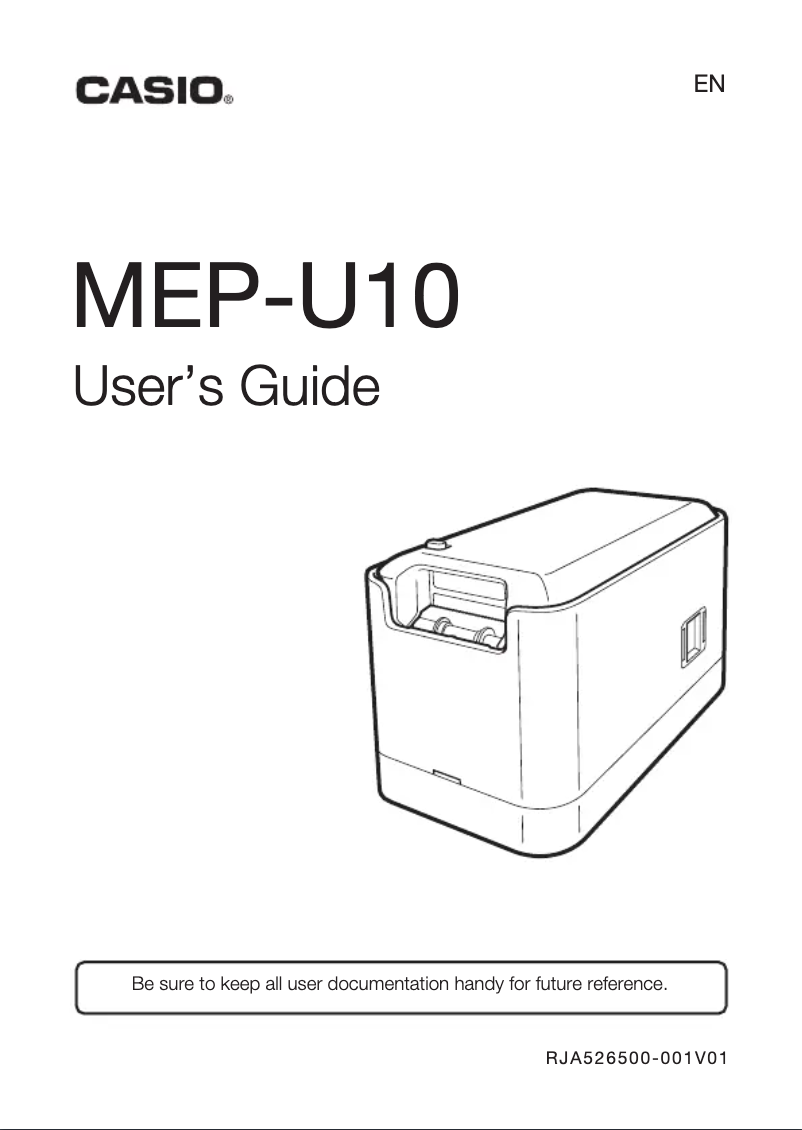
Technical Specifications MEP-U10
General Information
-
ModelMEP-U10
-
Brand
-
Category
-
Type
-
SKU877857
-
MPN877857
Print speed
-
Color-
-
Printing technologyDirect thermal
-
Maximum resolution200 x 200 DPI
-
Print speed (metric measurement)10 mm/sec
-
Maximum print height12 mm
-
Maximum print width- mm
Design
-
Screen-
-
Product colorBlack
-
Grey
Connectivity
-
WifiNo
-
WifiNo
-
Connectivity technologyWired
-
Quantity of USB 2.0 Ports1
-
USB portYes
Power
-
Average power consumption in Print mode9 W
Weight and dimensions
-
Width118 mm
-
Depth68 mm
-
Height61 mm
-
Weight235 g
Minimum system requirements
-
Minimal disk space120 MB
-
Minimum RAM128 MB
-
Support for the Windows operating systemWindows 7 Home Basic
-
Windows 7 Home Basic x64
-
Windows 7 Home Premium
-
Windows 7 Home Premium x64
-
Windows 7 Professional
-
Windows 7 Professional x64
-
Windows 7 Starter
-
Windows 7 Starter x64
-
Windows 7 Ultimate
-
Windows 7 Ultimate x64
-
Windows 8
-
Windows 8 Enterprise
-
Windows 8 Enterprise x64
-
Windows 8 Pro
-
Windows 8 Pro x64
-
Windows 8 x64
-
Windows 8.1
-
Windows 8.1 Enterprise
-
Windows 8.1 Enterprise x64
-
Windows 8.1 Pro
-
Windows 8.1 Pro x64
-
Windows 8.1 x64
-
Windows Vista Business
-
Windows Vista Business x64
-
Windows Vista Enterprise
-
Windows Vista Enterprise x64
-
Windows Vista Home Basic
-
Windows Vista Home Basic x64
-
Windows Vista Home Premium
-
Windows Vista Home Premium x64
-
Windows Vista Ultimate
-
Windows Vista Ultimate x64
-
Windows XP Home
-
Windows XP Professional
Packaging contents
-
Power adapter includedYes
-
Cables includedUSB
-
Power adapter includedYes
-
Power adapter includedYes
Similar products


More product categories from brand Casio
Personal care Casio
Audio Casio
Phones Casio
Other Casio
Interior Casio
Software Casio
More product types from brand Casio


Presentation of product MEP-U10 specifications from brand Casio
Generalities
The product model Casio MEP-U10 is MEP-U10 | 488309. This model ensures optimal performance and an enhanced user experience. The EAN code of the product Casio MEP-U10 is 4971850488309. This code allows for the unique identification of the product in the distribution system. The brand of the product Casio MEP-U10 is Casio. This brand is known for its quality and innovation in the field of household appliances.
Design
The Casio MEP-U10 screen contains -. This screen offers exceptional image quality for an immersive visual experience. The color of the product Casio MEP-U10 is Black, Grey. This shade gives it a modern and elegant look.
Connectivity
Does the product Casio MEP-U10 have Ethernet/LAN? Non. This specification determines the network connectivity of the product. The number of USB 2.0 ports on the Casio MEP-U10 is 1. These ports allow for a fast and efficient connection for your devices. The product Casio MEP-U10 features a Avec fil connectivity technology. This functionality allows for practical and flexible use without the constraints of cables. The Wifi of the product Casio MEP-U10 contains Non. This Wifi allows for a fast and reliable wireless connection for all your devices. Does the Casio MEP-U10 have a USB Port? Oui. This feature allows for easy and quick connection to various devices.
Print speed
The printing system of the product Casio MEP-U10 features a Thermique directe printing technology. This technology ensures optimal print quality and precise results. The product Casio MEP-U10 has a printing speed of 10 mm/sec. This feature ensures optimal efficiency during your prints. The maximum resolution of the product Casio MEP-U10 is 200 x 200 DPI. This resolution ensures prints of exceptional clarity, ideal for all your professional and personal needs. Does the product Casio MEP-U10 have a Color? -. This feature allows you to choose a product that matches your aesthetic preferences. The maximum print height of the product Casio MEP-U10 is 12 mm. This specification allows for high-quality prints while adhering to the required dimensions. The maximum print width of the product Casio MEP-U10 is - mm. This specification ensures optimal print quality for your documents.
Power
The average power consumption in print mode of the product Casio MEP-U10 is 9 W. This specification allows for the assessment of the energy efficiency of the device during its use.
Minimum system requirements
The minimum disk space for the product Casio MEP-U10 is 120 Mo. This space is essential to ensure optimal operation and adequate data storage. The minimum RAM of the product Casio MEP-U10 is 128 Mo. This specification is essential to ensure smooth and optimal operation of your applications. Does the product Casio MEP-U10 support the Windows operating system? Windows 7 Home Basic, Windows 7 Home Basic x64, Windows 7 Home Premium, Windows 7 Home Premium x64, Windows 7 Professional, Windows 7 Professional x64, Windows 7 Starter, Windows 7 Starter x64, Windows 7 Ultimate, Windows 7 Ultimate x64, Windows 8, Windows 8 Enterprise, Windows 8 Enterprise x64, Windows 8 Pro, Windows 8 Pro x64, Windows 8 x64, Windows 8.1, Windows 8.1 Enterprise, Windows 8.1 Enterprise x64, Windows 8.1 Pro, Windows 8.1 Pro x64, Windows 8.1 x64, Windows Vista Business, Windows Vista Business x64, Windows Vista Enterprise, Windows Vista Enterprise x64, Windows Vista Home Basic, Windows Vista Home Basic x64, Windows Vista Home Premium, Windows Vista Home Premium x64, Windows Vista Ultimate, Windows Vista Ultimate x64, Windows XP Home, Windows XP Professional. This feature ensures optimal compatibility with Windows systems, providing a smooth and uninterrupted user experience.
Weight and dimensions
The depth of the product Casio MEP-U10 is 68 mm. This dimension allows for optimal integration into your space. The width of the product Casio MEP-U10 is 118 mm. This dimension is essential to ensure optimal integration into your space. The height of the product Casio MEP-U10 is 61 mm. This dimension is essential to ensure that the product fits perfectly in your space. The weight of the product Casio MEP-U10 is 235 g. This weight is ideal for ensuring optimal use and easy handling.
Packaging contents
Does the product Casio MEP-U10 come with included Drivers? Oui. This ensures an easy and quick installation. Does the product Casio MEP-U10 have a Quick Start Guide? Yes. This guide allows you to quickly and easily start using the product. The included cable of the product Casio MEP-U10 contains a power plug. This cable is essential for ensuring an optimal electrical connection. Does the product Casio MEP-U10 come with a power adapter? Oui. This allows you to use it immediately without having to purchase a separate adapter.


