

Manual of product EA4500

Technical Specifications EA4500
General Information
-
ModelEA4500
-
Brand
-
Category
-
Type
-
SKU1436525
-
MPN1436525
Network
-
Ethernet/LANYes
-
LAN Ethernet: data transfer rate10,100,1000 Mbit/s
-
Wiring technology10/100/1000Base-T(X)
-
Network standardsIEEE 802.11n, IEEE 802.3, IEEE 802.3ab, IEEE 802.3u
-
Type of Ethernet LAN interfaceGigabit Ethernet
Wireless LAN Features
-
Wi-Fi standardWi-Fi 4 (802.11n)
-
Wi-Fi standardWi-Fi 4 (802.11n)
-
Maximum WLAN data transfer rate450 Mbit/s
Other features
-
WLAN data transfer speed450 Mbit/s
-
Bandwidth2.4 GHz
-
Number of USB ports1
-
xDSL ConnectionNo
-
USB connectorUSB Type-A
-
Minimum system requirementsInternet Explorer 7
-
Network featuresSafari 4
-
Dimensions (LxWxH)Firefox 3
-
Package dimensions (LxWxH)Gigabit Ethernet
-
Compliance with industry standards225 x 160 x 25 mm
-
Input voltage282 x 69 x 244 mm
-
xDSL ConnectionIEEE 802.3, IEEE 802.3u, IEEE 802.3ab
-
12 V
-
No
Connectivity
-
Number of Ethernet LAN ports (RJ-45)4
-
DC InputYes
Protocols
-
DHCP Client-
-
DHCP server-
-
Supported network protocolsIPv6
Antenna
-
Antenna designInternal
-
Antenna quantity6
Management features
-
Web-based management-
-
Quality of Service (QoS)Yes
-
Quality of Service (QoS)Yes
Security
-
MAC address filtering-
-
Security-supported algorithmWPA2
Weight and dimensions
-
Width225 mm
-
Depth160 mm
-
Height25 mm
-
Weight360 g
Packaging information
-
Package width282 mm
-
Package depth69 mm
-
Package height244 mm
Features
-
Plug and PlayYes
Packaging contents
-
Quick Start GuideYes
-
Cables includedLAN (RJ-45)
-
Quick Start GuideYes
-
Quick Start GuideYes
Design
-
Indicator lightYes
-
Product colorBlack, Grey
-
Indicator lightYes
Minimum system requirements
-
Support for the Windows operating systemWindows 7 Home Premium
-
Support for the Mac operating systemWindows 7 Home Premium x64
-
Windows 7 Professional
-
Windows 7 Professional x64
-
Windows 7 Starter
-
Windows 7 Starter x64
-
Windows 7 Ultimate
-
Windows 7 Ultimate x64
-
Windows Vista Business
-
Windows Vista Business x64
-
Windows Vista Home Basic
-
Windows Vista Home Basic x64
-
Windows Vista Home Premium
-
Windows Vista Home Premium x64
-
Windows Vista Ultimate
-
Windows Vista Ultimate x64
-
Windows XP Home
-
Windows XP Home x64
-
Windows XP Professional
-
Windows XP Professional x64
-
Mac OS X 10.5 Leopard
-
Mac OS X 10.6 Snow Leopard
WAN Connection
-
Ethernet WANYes
Similar products


More product categories from brand Cisco
More product types from brand Cisco


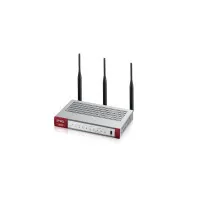






Presentation of product EA4500 specifications from brand Cisco
Wireless LAN Features
The Wi-Fi standard of the product Cisco EA4500 is Wi-Fi 4 (802.11n). This standard ensures a fast and reliable wireless connection for your devices. The wifi standard of the product Cisco EA4500 contains Wi-Fi 4 (802.11n). This wifi standard ensures a fast and reliable connection for all your devices. The WLAN data transfer rate (max) of the product Cisco EA4500 is 450 Mbit/s. This high rate ensures a fast and smooth connection for all your wireless devices.
Generalities
The brand of the product Cisco EA4500 is Cisco. This brand is known for its quality and innovation in the field of household appliances. The EAN code of the product Cisco EA4500 is 0654367480694, 0745883595334, 7887117160345. This code allows for the unique identification of the product in the distribution system. The product model Cisco EA4500 is EA4500 | EA4500. This model ensures optimal performance and an enhanced user experience.
Network
Does the product Cisco EA4500 have Ethernet/LAN? Oui. This specification determines the network connectivity of the product. The network standards of the product Cisco EA4500 are IEEE 802.11n, IEEE 802.3, IEEE 802.3ab, IEEE 802.3u. These standards ensure optimal compatibility with various equipment and protocols. The data transfer rate of the product Cisco EA4500 is 10,100,1000 Mbit/s. This rate ensures a fast and efficient connection for your networking needs. The wiring technology of the product Cisco EA4500 contains 10/100/1000Base-T(X). This technology ensures a fast and reliable connection for your networking needs. The Ethernet LAN interface type of the product Cisco EA4500 is Gigabit Ethernet. This specification ensures a fast and reliable network connection.
Protocols
The DHCP client of the product Cisco EA4500 is -. This client allows for dynamic management of IP addresses, thus facilitating the connection of devices to the network. The supported network protocols of the product Cisco EA4500 are IPv6. These protocols ensure efficient and reliable communication for your networking needs. The DHCP server of the product Cisco EA4500 is -. This server allows for the dynamic assignment of IP addresses to devices on a network, thus facilitating the management of connections.
Connectivity
The number of Ethernet LAN (RJ-45) ports of the product Cisco EA4500 is 4. These ports provide a stable and fast network connection for your devices. Does the product Cisco EA4500 have a DC Input? Oui. This specification ensures compatibility with DC power supplies.
Other features
The data transfer speed of the WLAN product Cisco EA4500 is 450 Mbit/s. This specification ensures a fast and efficient connection for all your wireless networking needs. Does the product Cisco EA4500 have a mounting bracket? Non. This feature determines the compatibility and ease of installation of the product. The bandwidth of the product Cisco EA4500 is 2.4 GHz. This feature ensures a stable and fast connection for optimal use. The number of USB ports of the product Cisco EA4500 is 1. This product allows you to easily connect multiple devices. The USB connector of the product Cisco EA4500 is USB Type-A. This connector allows for a fast and efficient connection for data transfer and device charging. The dimensions of the Cisco EA4500 package are 282 x 69 x 244 mm. These dimensions ensure suitable and secure packaging for transport. The Cisco EA4500 network has Gigabit Ethernet network features. These features ensure a fast and reliable connection for all your digital needs. The dimensions (LxWxH) of the product Cisco EA4500 are 225 x 160 x 25 mm. These dimensions ensure an optimal fit in your space. The minimum system requirements for the product Cisco EA4500 are Internet Explorer 7\nSafari 4\nFirefox 3. This specification is essential to ensure the proper functioning of the product. The product Cisco EA4500 has compliance with industrial standards IEEE 802.3, IEEE 802.3u, IEEE 802.3ab. This compliance ensures that the product meets the established standards to ensure its quality and safety. The input voltage of the product Cisco EA4500 is 12 V. This feature ensures compatibility with standard electrical systems. Does the product Cisco EA4500 have an xDSL connection? Non. This feature indicates that the product does not support this type of connection.
Antenna
The design of the antenna of the product Cisco EA4500 is internal. This design allows for a discreet and efficient integration, thus optimizing performance while preserving the product's aesthetics. The number of antennas of the product Cisco EA4500 is 6. This product thus offers improved connectivity and better reception.
Weight and dimensions
The width of the product Cisco EA4500 is 225 mm. This dimension is essential to ensure optimal integration into your space. The height of the product Cisco EA4500 is 25 mm. This dimension is essential to ensure that the product fits perfectly in your space. The weight of the product Cisco EA4500 is 360 g. This weight is ideal for ensuring optimal use and easy handling. The depth of the product Cisco EA4500 is 160 mm. This dimension allows for optimal integration into your space.
Management features
The Cisco EA4500 product has web-based management. This feature allows for easy and accessible administration of your data from any device connected to the Internet. Does the product Cisco EA4500 have Quality of Service (QoS)? Oui. This feature ensures optimal management of network resources, thus providing a smooth and uninterrupted user experience. Does the product Cisco EA4500 have a Reset Button? Oui. This button allows you to easily reset the product settings.
Security
The supported security algorithm of the product Cisco EA4500 contains WPA2. This algorithm ensures optimal protection of your data. Does the product Cisco EA4500 have MAC Address Filtering? -. This feature allows you to control network access by only allowing devices with specified MAC addresses.
Packaging information
The width of the package of the product Cisco EA4500 is 282 mm. This dimension is essential to ensure optimal transport and storage. The depth of the product package Cisco EA4500 is 69 mm. This dimension is essential to ensure proper packaging and secure transport. The height of the package of the product Cisco EA4500 is 244 mm. This dimension is essential to ensure optimal transport and storage.
Features
Does the product Cisco EA4500 have Plug and Play? Oui. This feature allows for quick and hassle-free installation, making the use of the product even more enjoyable.
Design
Does the product Cisco EA4500 have indicators? Oui. These indicators allow you to visualize the operating status of the device. The color of the product Cisco EA4500 is Black, Grey. This shade gives it a modern and elegant look. Does the product Cisco EA4500 have an indicator light? Oui. This feature allows for a visual indication of the product's status, thus providing a better user experience.
WAN Connection
Does the product Cisco EA4500 have Ethernet WAN? Oui. This feature allows for a fast and reliable network connection, ideal for professional environments.
Packaging contents
Does the product Cisco EA4500 have a User Manual? Oui. This document provides clear instructions for optimal use of the product. Does the product Cisco EA4500 come with a power adapter? Oui. This allows you to use it immediately without having to purchase a separate adapter. The included cable of the product Cisco EA4500 contains a power plug. This cable is essential for ensuring an optimal electrical connection. Does the product Cisco EA4500 have a Quick Start Guide? Yes. This guide allows you to quickly and easily start using the product.
Minimum system requirements
Does the product Cisco EA4500 support the Mac operating system? Mac OS X 10.5 Leopard, Mac OS X 10.6 Snow Leopard. This feature ensures optimal compatibility for Mac users. Does the product Cisco EA4500 support the Windows operating system? Windows 7 Home Premium, Windows 7 Home Premium x64, Windows 7 Professional, Windows 7 Professional x64, Windows 7 Starter, Windows 7 Starter x64, Windows 7 Ultimate, Windows 7 Ultimate x64, Windows Vista Business, Windows Vista Business x64, Windows Vista Home Basic, Windows Vista Home Basic x64, Windows Vista Home Premium, Windows Vista Home Premium x64, Windows Vista Ultimate, Windows Vista Ultimate x64, Windows XP Home, Windows XP Home x64, Windows XP Professional, Windows XP Professional x64. This feature ensures optimal compatibility with Windows systems, providing a smooth and uninterrupted user experience.


