
Manual of product DPC3010

Editorial note
The Cisco DPC3010 is a device that stands out due to the reputation of the Cisco brand, synonymous with quality and innovation. This model guarantees reliable and durable performance, thus providing an enhanced user experience. The availability of a user manual is an undeniable asset, allowing users to better understand and utilize all the features of the device. However, some aspects may pose challenges. The configuration of the DPC3010 can be complicated for novice users, requiring some technical expertise. Additionally, the lack of advanced features, such as built-in Wi-Fi, limits its use in wireless environments. Compatibility issues with certain Internet service providers can also lead to disruptions in the connection, which is a drawback to consider. Regarding the design, it is quite basic and may not appeal to those looking for a more aesthetically pleasing device. Finally, the limited number of Ethernet ports may be insufficient for households or offices with multiple connected devices, which could affect overall user satisfaction. Overall, the Cisco DPC3010 is a product that meets expectations in terms of performance and reliability, but it has limitations that are important to evaluate based on the specific needs of each user.Score details
User experience
The DPC3010 model offers an enhanced user experience but can be difficult to set up for novice users, requiring some technical expertise.
Performance
The performance is reliable and durable, ensuring optimal use, but the product may encounter compatibility issues with certain Internet service providers.
Design
The design is quite basic and may not suit those looking for an aesthetically pleasing device.
Features
The Cisco DPC3010 lacks advanced features like built-in Wi-Fi, which limits its use in wireless environments.
Value for money
Although the product benefits from the Cisco brand reputation, the limited number of Ethernet ports may be insufficient for households or offices with multiple connected devices.
Documentation
The availability of a user manual allows users to make the most of their device by understanding all its features.
Advantages
Reliable and durable performance
Enhanced user experience
User manual available
Trusted brand Cisco
Optimized design for modern users
Disadvantages
Complex configuration for novice users
No built-in Wi-Fi
Compatibility issues with certain ISPs
Basic and unappealing design
Limited Ethernet ports for multiple devices
Technical Specifications DPC3010
General Information
-
ModelDPC3010
-
Brand
-
Category
-
Type
-
SKU1032201
-
MPN1032201
Frequently Asked Questions
Can the user guide for the Cisco DPC3010 be accessed in French?
Similar products


More product categories from brand Cisco
More product types from brand Cisco


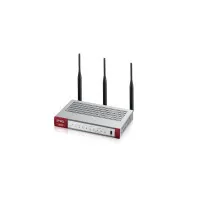






Presentation of product DPC3010 specifications from brand Cisco
General Information
The Cisco DPC3010 is a device from the renowned brand Cisco, known for its expertise and innovation in the communication technology sector. This model, DPC3010, stands out for its ability to provide reliable performance and an optimized user experience, making daily use smoother and more enjoyable.
Advantages
Among the strengths of the Cisco DPC3010, its reputation for superior quality ensures durable and consistent performance. Its design is thoughtfully crafted to meet the needs of modern users, thus facilitating navigation and daily tasks. Additionally, a user manual is provided, allowing users to maximize the device's features. The trust associated with the Cisco brand enhances the appeal of this model, which positions itself as a wise choice for those seeking a reliable device.
Disadvantages
However, the Cisco DPC3010 has some limitations. Its setup can be complex for less experienced users, requiring a certain level of technical understanding. Furthermore, this model does not offer advanced features such as built-in Wi-Fi, which may limit its use in wireless environments. Some users may also encounter compatibility issues with certain Internet service providers, leading to potential connection disruptions. Finally, its rather basic design and the limited number of Ethernet ports may not meet the expectations of those who prioritize aesthetics or have multiple devices to connect.


