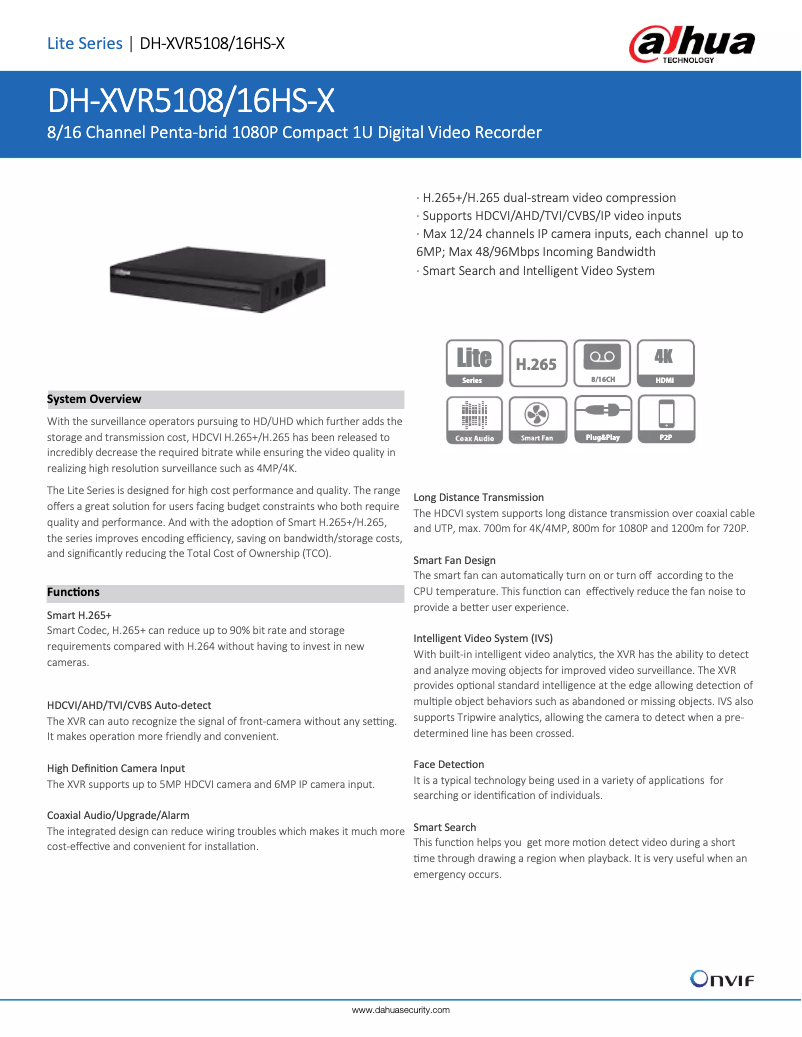
Thumbnail of product XVR5108/16HS-X from brand Dahua Technology
Logo of brand Dahua Technology

Uncategorized Dahua Technology XVR5108/16HS-X

The Dahua Technology XVR5108/16HS-X is a digital video recorder from the brand Dahua Technology, known for its innovation and quality in the surveillance device sector. This model is designed to deliver optimal performance, ensuring an enhanced user experience.

With the ability to manage up to 16 channels, this recorder allows for comprehensive monitoring of your spaces, whether for commercial or residential use. It is compatible with multiple camera formats, providing great flexibility in the choice of security devices.

The Dahua Technology XVR5108/16HS-X also comes with useful resources such as the user manual, a quick start guide, and a technical sheet, making its installation and use easier.

In summary, the Dahua Technology XVR5108/16HS-X is an effective choice for those looking for a reliable video recorder that combines performance and functionality.

8 10

Editorial note

The Dahua Technology XVR5108/16HS-X stands out for its solid reputation and innovation in the field of security. This model offers optimal performance, perfectly meeting modern surveillance requirements, which contributes to an enhanced user experience. Its robust design makes it ideal for continuous use in various security environments. The documentation provided with the product is particularly comprehensive, including a user manual, a quick start guide, and a technical sheet, thus facilitating installation and use for users. This is a major asset, especially for those who are not familiar with this type of technology. However, it is worth noting that the product can be complex to configure for novice users, which may lead to considerable learning time. Additionally, the user interface may seem unintuitive, making navigation difficult for some. The lack of technical support in French could also pose problems for those who are not proficient in English. Finally, although the initial investment cost is relatively high compared to other solutions on the market, the quality and performance of the Dahua Technology XVR5108/16HS-X more than justify this price for serious users. In summary, this product is recommended for those looking for a reliable and high-performing security system, provided they are willing to overcome some initial challenges.

Score details

User experience

The user experience can be improved, as the user interface may seem unintuitive and complex for novice users.

Performance

The product guarantees optimal performance, tailored to modern monitoring needs, providing an enhanced user experience.

Documentation

The documentation is comprehensive, including a user manual, a quick start guide, and a technical sheet, facilitating installation and use.

Robustness

The product's robust and reliable design is ideal for continuous use in various security environments.

Value for money

Although the initial investment cost is high, the quality and performance more than justify the price for serious users.


Advantages

Renowned brand for quality and innovation

Optimal performance for modern monitoring

Comprehensive documentation for easy installation

Sturdy design for continuous use

Compatibility with various security systems

Disadvantages

Complex configuration for beginners

Unintuitive interface

Technical support only in English

Compatibility limitations with certain cameras

High initial cost

Technical Specifications XVR5108/16HS-X

General Information

Frequently Asked Questions

What could be the reasons why the DVR does not start properly?
The reasons why the Dahua Technology XVR5108/16HS-X DVR may encounter startup issues include inadequate power supply, poorly established electrical connections, a defective power button, incorrect software update, hard drive (HDD) malfunction, jumper configuration issues, incompatibilities with certain HDD models, an error on the front panel, or a damaged motherboard. To identify the problem, check the power supply, connections, and power button. Ensure that the software update is correct and that the HDD is functioning with the appropriate jumper settings. Also, check compatibility with HDD models and inspect the front panel and motherboard for any damage.
Why does the DVR often shut down or stop working?
1. Ensure that the input voltage is stable and sufficient. 2. Check the status of the hard drive (HDD) and its jumper configuration. 3. Confirm that the power button provides enough power. 4. Ensure that the incoming video signal is stable. 5. Evaluate the operating environment for harsh conditions, such as excessive dust presence. 6. Check for any hardware issues that may cause the DVR to shut down or freeze.
What are the possible reasons why the hard drive is not detected by the DVR?
To determine why the hard drive is not recognized by the Dahua Technology XVR5108/16HS-X DVR, follow these steps: 1. Check the hard drive by performing a key area detection or a full check to identify any defective tracks that may require formatting. 2. Use the manual check function in the Main Menu > STORAGE > Disk Check > Manual Check to select the type of detection (key area or full check) and the hard drive to check. 3. Start the check by clicking "Start Check" and follow the detection process. 4. Pause, resume, or stop the detection if necessary. 5. Once the detection is complete, consult the reports in the Main Menu > STORAGE > Disk Check > Check Report to identify issues and replace the faulty hard drive to avoid data loss.
Why is there no video output on the DVR, regardless of the number of channels?
Check if the program is compatible with the DVR and update it to the latest version if necessary. Ensure that the brightness setting is not at 0. Restore factory settings if needed. Check for the presence of an incoming video signal and its strength. Examine the privacy mask configuration and screensaver settings. Also, inspect the DVR for any hardware issues that could be causing this malfunction.
What could be the causes of color distortion in real-time video on the DVR?
To correct distorted colors in real-time video on the Dahua Technology XVR5108/16HS-X DVR, proceed as follows: 1. Adjust the video color settings, such as sharpness, brightness, and contrast, according to the type of connected camera, for example, for analog channels. 2. Right-click on the analog channel in the live viewing screen to access the context menu, then select 'Image' to open the image interface. 3. Modify image settings such as sharpness, hue, brightness, contrast, and saturation in the dedicated interface. 4. Customize color modes by selecting 'Custom' from the mode list and adjusting sharpness, hue, brightness, contrast, and saturation settings. 5. Also configure display settings for live viewing, including time title, channel title, image transparency, and resolution, under Main Menu > DISPLAY > Display.
Is the manual for the Dahua Technology XVR5108/16HS-X available in French?
Unfortunately, the manual for the Dahua Technology XVR5108/16HS-X is not available in French. It is only offered in English.

Similar products


Discover the technical sheet of ISC-M6040 from Dahua Technology and its manuals...
Available manuals:
Discover the technical sheet of Beach from Sunny and its manuals...
Available manuals:
Discover the technical sheet of ISC-M100100 from Dahua Technology and its manuals...
Available manuals:
Discover the technical sheet of ISC-M5030A from Dahua Technology and its manuals...
Available manuals:
Discover the technical sheet of ISC-M6550A from Dahua Technology and its manuals...
Available manuals:
Discover the technical sheet of A030.139.01 from Sunny and its manuals...
Available manuals:
Discover the technical sheet of ISC-M6550 from Dahua Technology and its manuals...
Available manuals:
Discover the technical sheet of NV Goggles from Yukon and its manuals...
Available manuals:
Discover the technical sheet of ISC-M5030 from Dahua Technology and its manuals...
Available manuals:
Discover the technical sheet of Sandy from Sunny and its manuals...
Available manuals:
Discover the technical sheet of SZ-JB02 from Zojirushi and its manuals...
Available manuals:
Discover the technical sheet of A030.139.00 from Sunny and its manuals...
Available manuals:

Presentation of product XVR5108/16HS-X specifications from brand Dahua Technology

General Information

The Dahua Technology XVR5108/16HS-X is a high-quality security device designed by the renowned brand Dahua Technology, known for its innovation and reliability in the surveillance equipment sector. This model, the XVR5108/16HS-X, is specifically developed to provide optimal performance, thus ensuring an enhanced user experience tailored to modern surveillance requirements.

Advantages

This product has an excellent reputation, recognized for its robustness and efficiency in the field of security devices. It ensures optimal performance, meeting the varied needs of users in terms of surveillance. Additionally, comprehensive documentation is provided, including a user manual and a quick start guide, facilitating installation and use.

Its robust design makes it an ideal choice for prolonged use in various security environments. The XVR5108/16HS-X is also compatible with a wide range of cameras and security systems, thus offering valuable flexibility for users looking to upgrade their setup.

Disadvantages

However, this model can be complex to configure for those without prior experience, requiring some learning time. The user interface, while functional, may seem unintuitive and make navigation difficult for some users. Furthermore, the lack of technical support in French could pose challenges for those who are not proficient in English.

It is also worth noting that this product may have limitations regarding compatibility with certain surveillance accessories. Finally, the initial investment cost may be perceived as high compared to other solutions available on the market, which could deter some buyers.