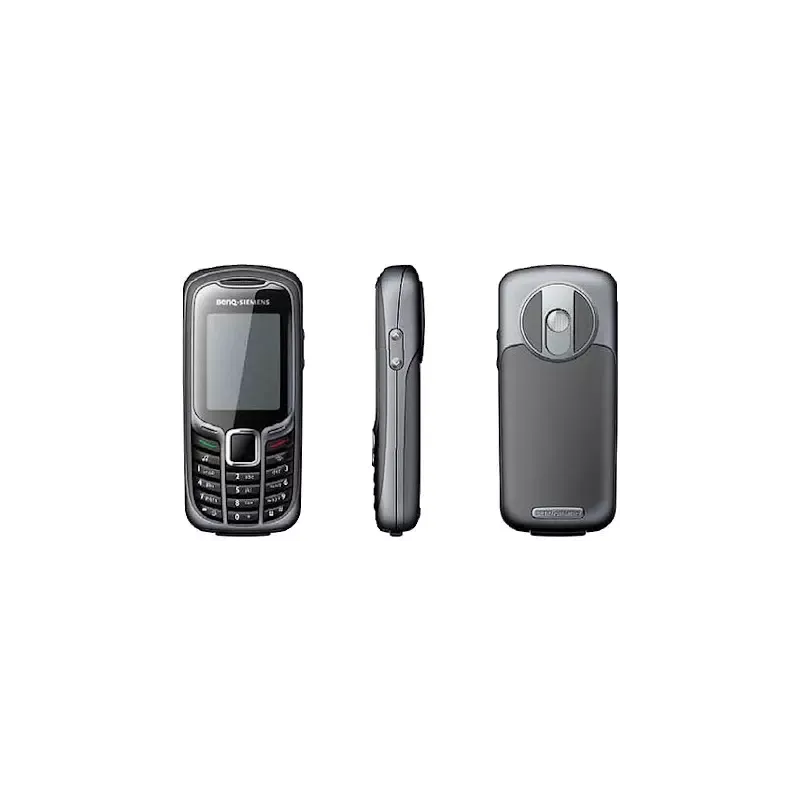
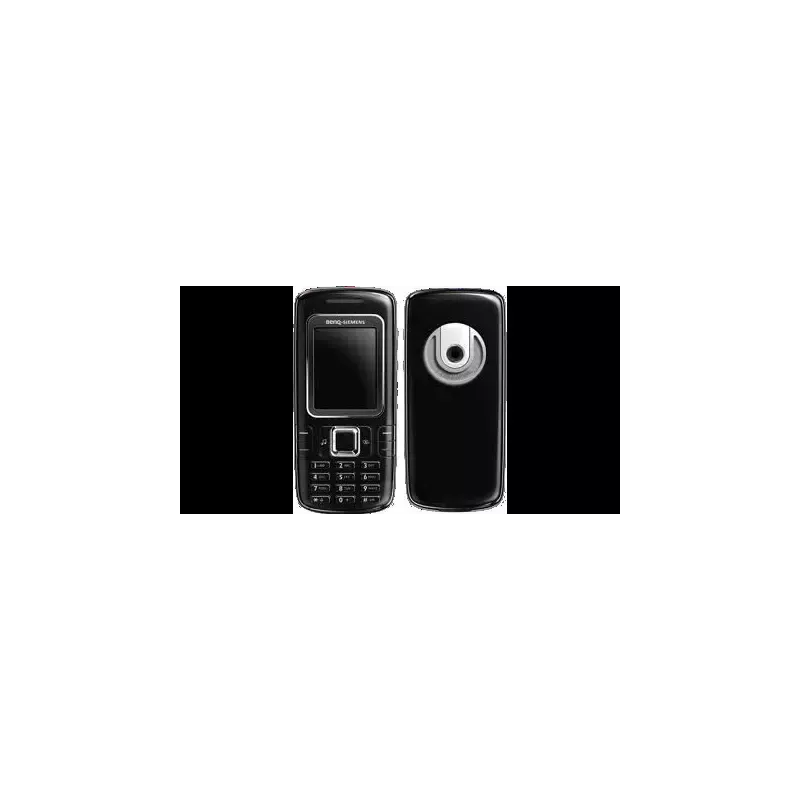
Thumbnail of product Konnect 202 from brand Danew
Logo of brand Danew

Mobile phone Danew Konnect 202

The Danew Konnect 202 is a mobile phone designed by the Danew brand, known for its quality and innovation in the home appliance sector. This model, the Konnect 202, offers optimal performance and aims to enhance the user experience.

With its ergonomic design and practical features, the Danew Konnect 202 meets the daily communication needs. It is ideal for those looking for a reliable and efficient device for their everyday tasks.
The phone comes with a user manual to facilitate its handling and use.

In summary, the Danew Konnect 202 is a wise choice for users seeking a high-performing and accessible mobile phone.

Manual of product Konnect 202

7 10

Editorial note

The Danew Konnect 202 presents itself as a mobile phone with a modern and attractive design, which adapts well to various lifestyles. Its build quality is a major asset, reflecting the brand's commitment to innovation and sustainability. The user-friendly and intuitive interface allows users to easily navigate essential features, enhancing the overall user experience. Additionally, the provided user manual is accessible, offering clear instructions for quick onboarding. However, the Konnect 202 has some limitations. Its performance, while satisfactory for everyday use, may seem limited compared to high-end smartphones, particularly in terms of processor and RAM. The user interface may also appear less fluid than that of some competitors, which could impact the user experience. Furthermore, the battery life may prove insufficient for intensive use, leading to frequent recharges. Users looking to capture high-quality photos may also be disappointed by the camera's performance, especially in low-light conditions. In terms of value for money, the Danew Konnect 202 remains a favorable option, offering a good balance between performance and design at an affordable price.

Score details

User experience

The user experience is generally positive thanks to a user-friendly interface, but it may seem less fluid than that of some competitors.

Performance

The performance is satisfactory for everyday use, but may be limited compared to high-end smartphones.

Battery life

The battery life may be insufficient for intensive use, requiring frequent recharges.

Design

The modern design of the Konnect 202 is attractive and fits well with various lifestyles.

Documentation

The user manual is accessible and provides clear instructions for a quick grasp of the phone.

Value for money

The value for money is good, offering decent performance and design at an affordable price.


Advantages

Recognized manufacturing quality

Smooth and optimal performance

Intuitive and user-friendly interface

Clear and accessible user manual

Modern and attractive design

Disadvantages

Limited performance compared to high-end smartphones

Less intuitive and fluid user interface

Restricted choice of applications on the platform

Insufficient battery life for heavy use

Disappointing photo quality in low light

Technical Specifications Konnect 202

General Information

Frequently Asked Questions

How can I check if the battery of my Danew Konnect 202 is fully charged?
To know if the battery of your Danew Konnect 202 is fully charged, follow these steps: 1. Use only the battery designed by Danew for the Konnect 202 to avoid any damage. 2. For the first use, it is recommended to charge and discharge the battery completely three times. The total charging time is about 6 hours. 3. Plug the charger into a socket and connect the USB end to the USB port of your phone. 4. Once the connection is established, a message "Charger connected" will appear on the screen. 5. During charging, a battery icon will appear. When the battery is fully charged, this icon will indicate a full battery. By following these steps, you can check if the battery of your Danew Konnect 202 is fully charged.
What should I do if my Danew Konnect 202 does not turn on?
If your Danew Konnect 202 does not turn on, here are some steps to follow: 1. Check the battery: make sure it is properly inserted and charged. Use the specific battery from Danew designed for the Konnect 202 to avoid any issues. 2. Charge the phone: connect the charger to a socket and link the USB end to the phone's USB port. Check that the message "Charger connected" appears. Let the phone charge for a while. 3. Turn on the phone: press and hold the "Power ON/OFF" button for a few seconds. This button is located on the side or top of the phone. If the battery has enough charge, the phone should turn on. If your Danew Konnect 202 still does not turn on after these steps, it may indicate a more serious problem. In this case, it is advisable to contact Danew customer service for assistance.
How do I insert the SIM card into my Danew Konnect 202?
To insert the SIM card into your Danew Konnect 202, follow these steps: 1. Turn off your phone: press and hold the "Power ON/OFF" button until the power options appear and select "Turn off." 2. Find the SIM card slot: remove the back cover of the phone by gently sliding it down. The SIM card slot is usually located near the battery compartment. 3. Insert the SIM card: align your SIM card with the designated slot, ensuring that the gold contacts are facing down. Gently slide the SIM card in until it is fully inserted. 4. Replace the back cover: align it with the phone and slide it up until it clicks into place. Make sure it is securely attached. 5. Turn on your phone: press and hold the "Power ON/OFF" button until the phone vibrates or the Danew logo appears. Your phone should now be operational with the SIM card inserted. By following these steps, you can correctly insert the SIM card into your Danew Konnect 202.
How do I add an SD card to my Danew Konnect 202?
To insert an SD card into your Danew Konnect 202, follow these steps: 1. Turn off your phone: press and hold the "Power ON/OFF" button until the power options appear, then select "Turn off." 2. Remove the back cover: gently slide it down to detach it from the phone, revealing the battery compartment as well as the slots for the SIM card and SD card. 3. Locate the SD card slot: it is usually located near the SIM card slot and can be identified by a small icon. 4. Insert the SD card: take your SD card and align it with the corresponding slot, ensuring that the gold contacts are facing down. Gently slide the SD card in until it is fully inserted. 5. Replace the back cover: align it with the phone and slide it up to click into place. Make sure it is securely attached. By following these steps, you can insert the SD card into your Danew Konnect 202 without any issues.
Why does the back cover of my Danew Konnect 202 not fit properly?
If the back cover of your Danew Konnect 202 does not fit properly, you can try these steps to resolve the issue: 1. Check for debris: examine the back cover and the body of the phone for any dirt or obstruction that may hinder the fit. Clean the surfaces if necessary. 2. Ensure the cover is properly aligned: check that all edges and corners of the back cover align correctly with the slots of the phone. 3. Apply gentle pressure: hold the phone firmly and apply gentle pressure on the cover starting from one corner and progressing along the edges. Be careful not to apply excessive force. 4. Remove and reinstall the cover: if the cover still does not fit, remove it completely and then try to put it back in place, ensuring it is well aligned. By following these steps, you can resolve the fitting issue of the back cover of your Danew Konnect 202.
Is the user manual for the Danew Konnect 202 available in French?
Yes, the user manual for the Danew Konnect 202 is available in French.

Similar products


Discover the technical sheet of BM 45 from Danew and its manuals...
Available manuals:
Discover the technical sheet of M81 from BenQ-Siemens and its manuals...
Available manuals:
Discover the technical sheet of S68 from BenQ-Siemens and its manuals...
Available manuals:
Discover the technical sheet of Surnaturel R500 from Danew and its manuals...
Available manuals:
Discover the technical sheet of Konnect 501 from Danew and its manuals...
Available manuals:
Discover the technical sheet of C81 from BenQ-Siemens and its manuals...
Available manuals:
Discover the technical sheet of Konnect 504 from Danew and its manuals...
Available manuals:
Discover the technical sheet of Konnect 201 from Danew and its manuals...
Available manuals:
Discover the technical sheet of EL71 from BenQ-Siemens and its manuals...
Available manuals:
Discover the technical sheet of K509 from Danew and its manuals...
Available manuals:
Discover the technical sheet of E61 from BenQ-Siemens and its manuals...
Available manuals:
Discover the technical sheet of S81 from BenQ-Siemens and its manuals...
Available manuals:

More product categories from brand Danew

Presentation of product Konnect 202 specifications from brand Danew

General Information

The Danew Konnect 202 is a mobile phone from the brand Danew, known for its commitment to quality and innovation in the electronics sector. This model stands out for its optimized performance, providing a pleasant and smooth user experience.

Designed to meet daily needs, the Konnect 202 features a modern design that fits various lifestyles. Its quality construction ensures increased durability and reliability, key elements for users seeking a solid and high-performing device.

Advantages

  • Build quality: Danew's reputation guarantees a robust and reliable product.
  • Smooth performance: Optimized for daily use without slowdowns.
  • User-friendly interface: Easy access to essential features for intuitive use.
  • Accessible documentation: Clear user manual to assist with quick onboarding.
  • Modern aesthetics: A contemporary look that catches the eye.

Disadvantages

  • Limited performance: Compared to high-end smartphones, the Konnect 202 may exhibit lower performance, particularly in terms of processor and RAM.
  • User interface: May seem less intuitive and smooth compared to some competitors, which can impact the user experience.
  • Restricted app selection: The platform may limit access to certain applications, thus reducing available features.
  • Battery life: May be insufficient for heavy users, leading to frequent recharges.
  • Camera quality: May not meet photography expectations, especially in low-light conditions.