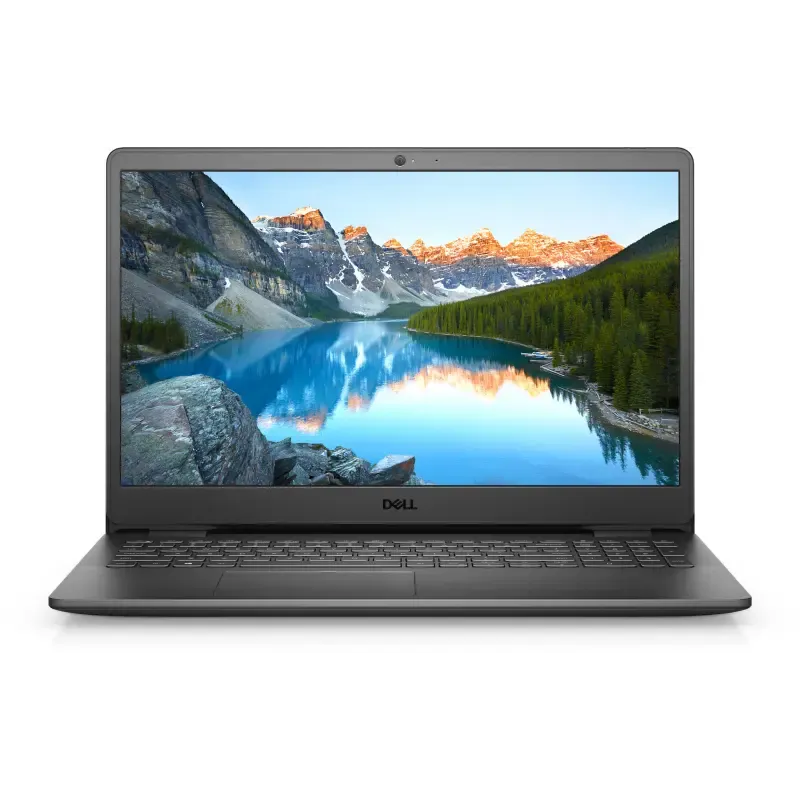

Manuals of product Inspiron 3502


Editorial note
The Dell Inspiron 3502 is a laptop that stands out for its optimal performance for everyday tasks, providing a smooth user experience thanks to a user-friendly interface and intuitive features. Its sleek and compact design makes it ideal for home or on-the-go use. Additionally, it comes with helpful documents, such as the user manual and installation guide, making for a quick setup. However, there are some drawbacks to consider. Performance may be limited for demanding applications, such as video editing or gaming. Furthermore, the build quality, while adequate, may not meet the durability expectations of all users. Battery life may also be insufficient for extended use without access to a power source. Finally, the screen quality and connectivity options are weak points, with average resolution and a limited number of ports. In summary, the Dell Inspiron 3502 is a good choice for users looking for a high-performing laptop for common tasks, but it may not be suitable for those with more intensive needs.Score details
User experience
The user experience is enhanced by a user-friendly interface and intuitive features, making it easy to use for all types of users.
Performance
Performance is optimal for everyday tasks, but limited for more demanding applications like video editing or resource-intensive games.
Battery life
Battery life may be insufficient for prolonged use without access to a power source, which is a drawback for people on the go.
Design
The design is sleek and practical, combining modernity and compactness, making it ideal for home or on-the-go use.
Robustness
The build quality is acceptable, but some users may find that the materials used do not meet expectations for durability.
Features
The product comes with several useful documents, facilitating quick and effective onboarding.
connectivity
Connectivity is limited, with a restricted number of ports, which could be an issue for users needing to connect multiple devices simultaneously.
display
The screen quality is average, with a resolution and viewing angles that do not always satisfy users looking for a superior visual experience.
Advantages
Smooth performance for all tasks
Proven robustness and durability
User-friendly interface for all users
Practical accompanying documents included
Modern and easily portable design
Disadvantages
Limited performance for heavy tasks
Poor build quality
Insufficient battery life
Low-quality screen
Restricted connectivity
Technical Specifications Inspiron 3502
General Information
-
ModelINSPIRON 3502
-
Brand
-
Category
-
Type
-
SKU1817831
-
MPN1817831
Frequently Asked Questions
What factors influence download speed on the Internet?
What are the dimensions of my laptop screen?
What does the acronym HDMI stand for?
What is the best method to clean my laptop?
How can I clean my keyboard?
What is Bluetooth?
Is the manual for the Dell Inspiron 3502 available in French?
Similar products


More product categories from brand Dell
Computers and accessories Dell
Other Dell
Audio Dell
Phones Dell
Software Dell
Interior Dell
More product types from brand Dell


Presentation of product Inspiron 3502 specifications from brand Dell
General Information
The Dell Inspiron 3502 is a laptop from the Dell brand, known for its commitment to quality and innovation in the technology sector. This model, the Inspiron 3502, is designed to provide a satisfying user experience thanks to its balanced performance, suitable for a wide variety of applications.
Advantages
The Dell Inspiron 3502 stands out for several strengths:
- Smooth performance: It is capable of efficiently handling daily tasks as well as moderate applications.
- Durability: The brand's reputation for robustness translates into a product designed to withstand the test of time.
- User-friendly interface: With intuitive features, it caters to everyone from novice users to the more experienced.
- Comprehensive documentation: The product comes with manuals and installation guides, making it easier for new users to get started.
- Modern design: Its sleek aesthetics and compactness make it a practical choice for home or on-the-go use.
Disadvantages
However, the Dell Inspiron 3502 also has some limitations:
- Performance for intensive tasks: It may not be suitable for users requiring high power for heavy applications such as video editing or gaming.
- Build quality: While functional, some users may feel that the materials could be improved for increased durability.
- Battery life: Its lifespan may prove insufficient for extended sessions without recharging, making it less suitable for frequent travel.
- Screen quality: The resolution and viewing angles of the screen may not meet the expectations of users seeking a high-end visual experience.
- Limited connectivity: The number of available ports may restrict the ability to connect multiple devices simultaneously.


