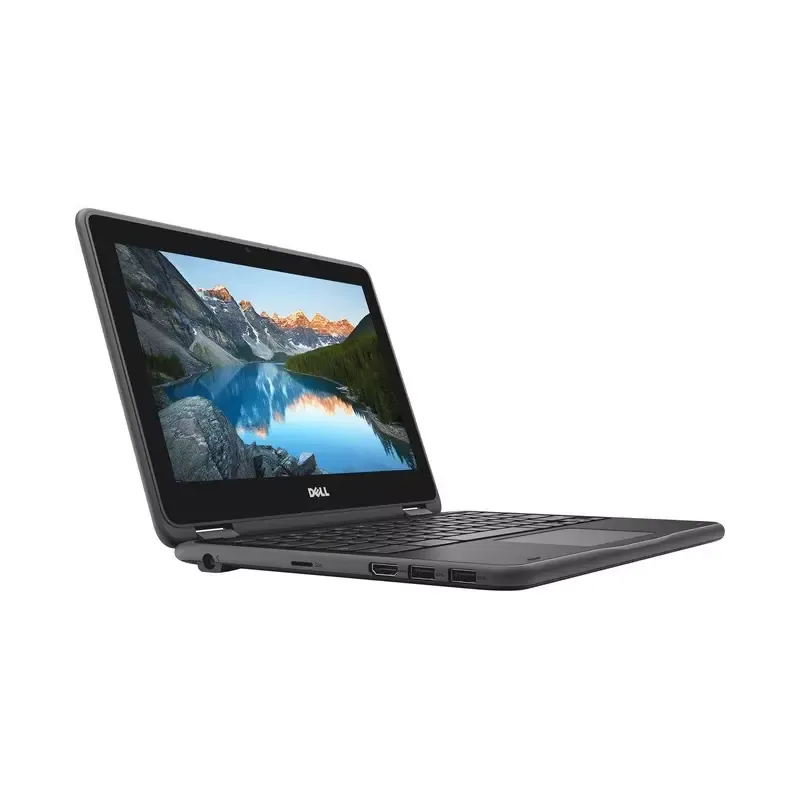

Manual of product Inspiron Chromebook 11

Editorial note
The Dell Inspiron Chromebook 11 stands out for its lightness and compactness, making this laptop ideal for users on the go, such as students. Its practical design is accompanied by a Chrome OS operating system that facilitates handling and access to online applications. In terms of performance, this device is optimized for everyday tasks like web browsing and word processing. However, it may show limitations when running heavier applications, which can disappoint some users with specific computing needs. Additionally, the storage capacity is limited, often requiring the use of cloud storage solutions, which can pose connectivity challenges for some. The battery life is reasonable, but it may not be sufficient for extended use without access to a power outlet, especially when traveling. The keyboard and touchpad, while functional, may lack responsiveness and comfort, affecting the user experience during prolonged sessions. On the other hand, the value for money is excellent, especially for basic use. The reliability of the Dell brand reinforces confidence in the durability and performance of this product. In summary, the Dell Inspiron Chromebook 11 is a wise choice for those looking for an affordable laptop suitable for simple tasks, while keeping in mind its potential limitations.Score details
User experience
The ease of use thanks to Chrome OS makes it user-friendly, but the keyboard and touchpad may lack responsiveness, affecting the experience over long periods.
Performance
Performance is optimized for everyday tasks, but may be limited for heavy applications, which could disappoint some users.
Battery life
Battery life is reasonable, but may not be sufficient for prolonged use without access to a power outlet, especially when on the go.
Design
The design is lightweight and compact, making it very portable, ideal for users on the move or students.
Value for money
The value for money is excellent, especially for basic use like browsing and word processing, reinforced by the reliability of the Dell brand.
Features
The features are suitable for daily use, but the limited storage capacity and the screen resolution below current standards may pose a problem.
Advantages
Smooth performance for daily tasks
Ease of use with Chrome OS
Lightweight and portable for travel
Recognized reliability of the Dell brand
Good battery life
Disadvantages
Limited performance for demanding applications
Restricted storage requiring the cloud
Screen resolution below current standards
Insufficient battery life on the go
Unresponsive keyboard and touchpad
Technical Specifications Inspiron Chromebook 11
General Information
-
ModelINSPIRON CHROMEBOOK 11
-
Brand
-
Category
-
Type
-
SKU1399482
-
MPN1399482
Frequently Asked Questions
What elements influence download speed on the Internet?
What are the dimensions of my laptop screen?
What does the acronym HDMI mean?
What is the best method to clean my laptop?
What is an effective method to clean my keyboard?
What is Bluetooth?
Is the manual for the Dell Inspiron Chromebook 11 available in French?
Similar products


More product categories from brand Dell
Computers and accessories Dell
Other Dell
Audio Dell
Phones Dell
Software Dell
Interior Dell
More product types from brand Dell


Presentation of product Inspiron Chromebook 11 specifications from brand Dell
General Information
The Dell Inspiron Chromebook 11 is a laptop manufactured by Dell, a brand recognized for its commitment to quality and innovation in the IT sector. This model, specifically designed for everyday use, offers a smooth and intuitive user experience.
Equipped with the Chrome OS operating system, the Dell Inspiron Chromebook 11 makes it easy to access a multitude of applications and online services, making its use simple and quick. Its lightweight and compact design makes it an ideal choice for students and professionals on the go, allowing for effortless portability.
In terms of performance, this computer is optimized for common tasks such as web browsing, word processing, and video watching. Additionally, it offers reasonable battery life, allowing for extended use without frequent recharging.
Advantages
- Optimized performance: Ideal for daily activities thanks to smooth performance.
- Ease of use: The intuitive interface of Chrome OS allows for quick onboarding.
- Portability: Lightweight and easy to carry, perfect for travel.
- Brand reliability: Dell is synonymous with quality and durability.
- Extended battery life: Designed for prolonged use without frequent recharges.
Disadvantages
- Limited performance: May not be suitable for applications requiring heavy resources.
- Restricted storage capacity: Often requires the use of cloud storage solutions.
- Low resolution screen: May affect the visual experience for multimedia.
- Battery life: May not be sufficient for extended sessions without a power outlet.
- Keyboard and touchpad comfort: May lack responsiveness for some users over long periods.


