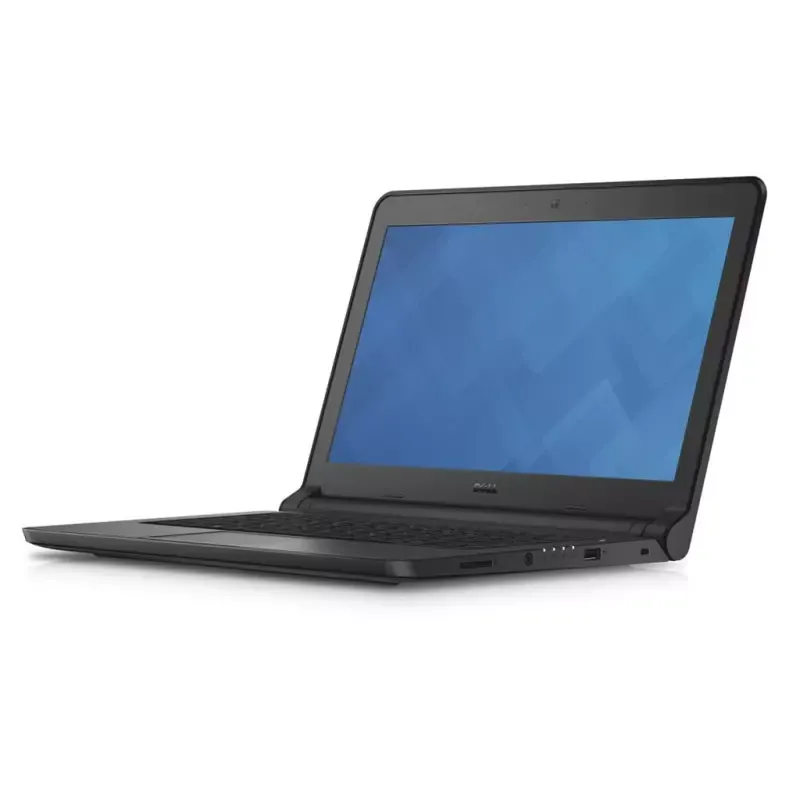

Manuals of product Latitude 3340


Editorial note
The Dell Latitude 3340 is a laptop that stands out for its robustness and performance suited for everyday tasks. With a performance score of 70, it offers a smooth experience for professionals and students, although it may show limitations for demanding applications. The build quality, rated at 85, reflects the durability of the Dell brand, making it a reliable choice for intensive use. User experience is also a strong point, with a score of 80, thanks to a user-friendly interface and ergonomic features that facilitate daily use. Additionally, the Dell Latitude 3340 comes with helpful documents such as a user manual and an installation guide, which is a definite asset for new users, as indicated by the support score of 75. However, this model has some drawbacks. Its relatively high weight, rated at 60, can make transport less convenient compared to other laptops in its category. Furthermore, the battery life, rated at 65, may prove insufficient for prolonged use without recharging, which can be problematic for users on the go. The screen, with a score of 60, has average quality and could benefit from improvements in brightness and viewing angles. Finally, upgrade options are limited, with a score of 55, which could make it difficult to adapt the hardware to future technological advancements. In summary, the Dell Latitude 3340 is a solid laptop, ideal for everyday tasks, but it may not satisfy users looking for top performance or maximum portability.Score details
Performance
The Dell Latitude 3340 offers smooth performance for everyday tasks but may be limited for resource-intensive applications.
Robustness
The build quality is solid, reflecting Dell's reputation for durability, making it a reliable choice for heavy use.
User experience
The user experience is enhanced by a user-friendly interface and ergonomic features, making it easy to use on a daily basis.
Support
The product comes with helpful documents such as a user manual and an installation guide, which is an asset for new users.
weight
The relatively high weight may make transport less convenient compared to other models in the same category.
Battery life
The battery life is sometimes insufficient for prolonged use without recharging, which can be a drawback for mobile users.
display
The screen has average quality with limited viewing angles and brightness that could be improved.
upgradeability
Upgrade options are limited, which can be an issue for users wanting to adapt their hardware to technological advancements.
Advantages
Fluid and responsive performance
Robust and durable construction
Optimal user comfort
Documentation and support included
Varied and extensive connectivity
Disadvantages
Limited performance for heavy tasks
High weight for complicated transport
Insufficient battery life
Average quality screen and low brightness
Restricted upgrade options
Technical Specifications Latitude 3340
General Information
-
ModelLATITUDE 3340
-
Brand
-
Category
-
Type
-
SKU112075
-
MPN112075
Frequently Asked Questions
What influences the download speed on the Internet?
What are the dimensions of my laptop screen?
What does the acronym HDMI stand for?
What is the best method to clean my laptop?
How should I clean my keyboard?
What is Bluetooth?
Is the manual for the Dell Latitude 3340 available in French?
Similar products


More product categories from brand Dell
Computers and accessories Dell
Other Dell
Audio Dell
Phones Dell
Software Dell
Interior Dell
More product types from brand Dell


Presentation of product Latitude 3340 specifications from brand Dell
General Information
The Dell Latitude 3340 is a laptop from the Dell brand, known for its commitment to quality and innovation. This model, designated as Latitude 3340 | 3340-4014, is designed to deliver optimal performance, ensuring a satisfying user experience. Its EAN code, which allows for precise identification in distribution systems, includes several references, ensuring effective product traceability.
Advantages
The Dell Latitude 3340 stands out for several strengths:
- Optimal performance: This model is designed to provide smooth and responsive performance, making it ideal for professionals and students looking for a reliable computer for their daily tasks.
- Build quality: The robustness of Dell products is well established, and the Latitude 3340 is no exception, offering durability that withstands intensive use.
- Enhanced user experience: With a user-friendly interface and ergonomic features, this laptop ensures comfort for both work and leisure.
- Available support and documentation: The Dell Latitude 3340 comes with practical documents, including a user manual and an installation guide, making it easier for new users to get started.
- Extensive connectivity options: This model offers a variety of ports and connections, allowing for easy integration with other devices and accessories.
Disadvantages
Despite its many advantages, the Dell Latitude 3340 also has some drawbacks:
- Limited performance for heavy tasks: This model may not be suitable for users with high computing power needs.
- Relatively high weight: Compared to other laptops in its category, the Latitude 3340 is heavier, which may make it less convenient to transport.
- Battery life: The battery life may be insufficient for prolonged use without recharging, which can be a disadvantage for users on the go.
- Average screen quality: The screen quality, with limited viewing angles and brightness that could be improved, may not meet the expectations of all users.
- Limited upgrade options: The possibilities for adapting the hardware to future technological developments are restricted.


