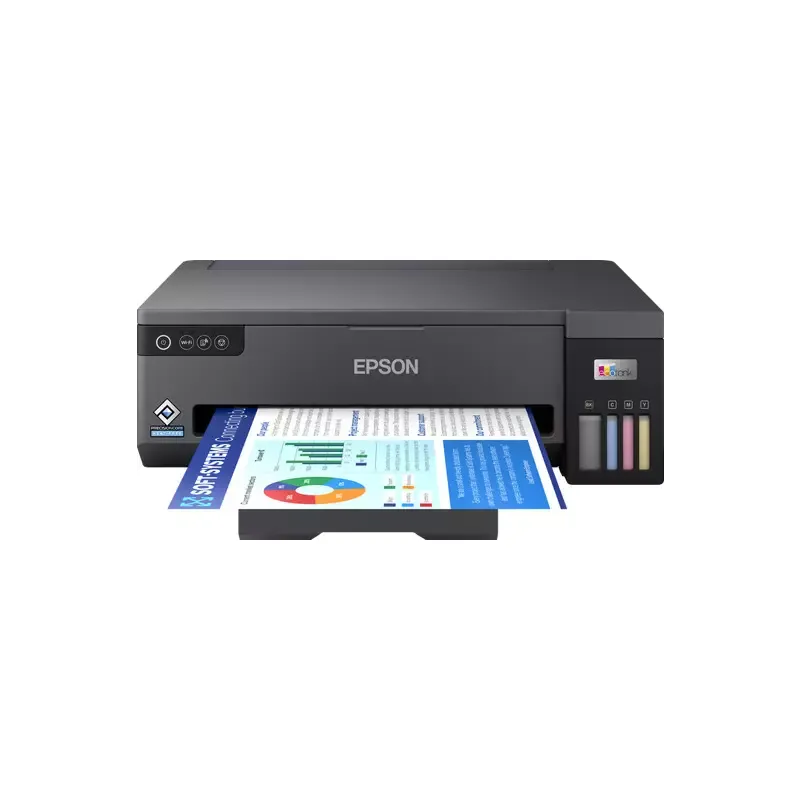

Manuals of product EcoTank ET-14100


Editorial note
The Epson EcoTank ET-14100 stands out for its many advantages, particularly its EcoTank system that allows for economical printing, significantly reducing the cost per page. Its print quality is superior, ensuring sharp results for documents and photos, making it an ideal choice for demanding users. Additionally, its ability to handle large volumes of printing makes it an excellent choice for offices or users with frequent needs. However, there are a few drawbacks to consider. The initial purchase cost may be high compared to other inkjet printers, which could deter some potential buyers. Furthermore, the printer can be bulky, which is a disadvantage for those with limited workspace. Refilling the ink tanks, while more economical in the long run, may also be perceived as less convenient than replacing traditional cartridges. Finally, the printing speed, while acceptable, may not satisfy users with very high printing needs, and connectivity issues may arise with the Wi-Fi function. Overall, the Epson EcoTank ET-14100 offers a positive user experience with a clear installation guide and a comprehensive user manual. The features are excellent, and the technical support is well-structured, although concerns about connectivity remain. Despite its few drawbacks, this printer represents a good long-term investment for those seeking a sustainable and economical printing solution.Score details
User experience
The user experience is very positive thanks to a clear installation guide and a comprehensive manual, allowing for quick commissioning.
Performance
The printing performance is good, but the speed may be lower than that of some laser printers, which can be a disadvantage for users with high printing needs.
Value for money
Despite a high initial cost, the Epson EcoTank ET-14100 offers long-term savings thanks to its EcoTank system, significantly reducing the cost per page.
Design
The design is eco-friendly, although the printer is bulky, which can be an issue for those with limited workspace.
Features
The features are excellent, including superior print quality and the ability to handle large print volumes, making it ideal for offices.
Support
Support is bolstered by a comprehensive user manual and installation guide, but connectivity issues may arise with the Wi-Fi function.
Advantages
Economic printing with rechargeable tanks
Sharp and precise print quality
Ideal for high print volumes
Quick and easy setup
Eco-friendly design reducing waste
Disadvantages
High initial cost compared to other models
Bulky printer for small spaces
Less convenient tank refilling
Slower printing speed than laser printers
Frequent Wi-Fi connectivity issues
Technical Specifications EcoTank ET-14100
General Information
-
ModelECOTANK ET-14100
-
Brand
-
Category
-
Type
-
SKU1850488
-
MPN1850488
Frequently Asked Questions
What is the recommended method for removing jammed paper from the printer?
Why is my printer not recognizing the original cartridges?
What are the possible reasons for poor print quality?
What is the difference between a laser printer and an inkjet printer?
Why is my inkjet printer printing black lines?
What does the acronym DPI mean?
Is the manual for the Epson EcoTank ET-14100 available in French?
Similar products


More product categories from brand Epson
More product types from brand Epson




Presentation of product EcoTank ET-14100 specifications from brand Epson
General Information
The Epson EcoTank ET-14100 printer represents Epson's commitment to innovation and quality in the printing field. Designed to provide an enriching user experience, this model stands out for its ability to deliver remarkable performance while meeting the varied needs of users.
Advantages
This printer is distinguished by an EcoTank system that allows for economical printing, significantly reducing the cost per page thanks to refillable ink tanks. Its superior print quality ensures sharp and precise results, both for documents and photos. The EcoTank ET-14100 is also capable of handling large print volumes, making it an ideal choice for offices or for those with frequent printing needs. Its simplified setup with a clear guide allows for quick commissioning, and its eco-friendly design contributes to reducing ink waste, thereby decreasing the carbon footprint.
Disadvantages
However, it is worth noting that the initial purchase cost of the Epson EcoTank ET-14100 may be higher than that of some other inkjet printers, which could be a barrier for some users. Additionally, its size may be bulky, which can pose a challenge for those with limited workspace. Although the EcoTank technology is designed to optimize printing costs in the long term, the refilling of ink tanks can be longer and less convenient than the traditional cartridge replacement. Finally, the printing speed, while satisfactory, may be lower than that of some laser printers, and connectivity issues may arise, particularly when using the Wi-Fi function, which could frustrate some users who are less familiar with these technologies.


