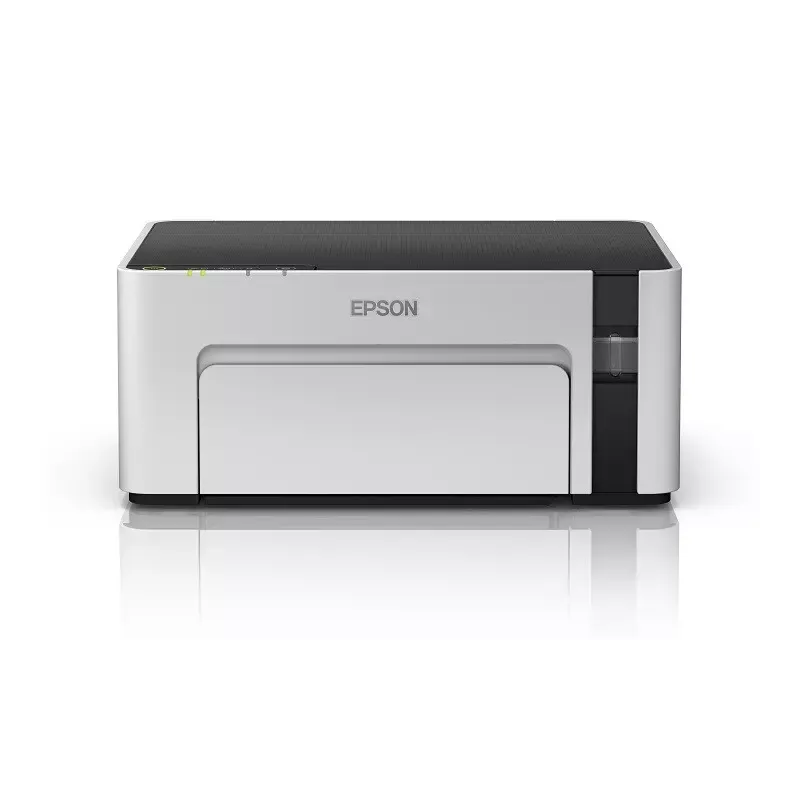

Manual of product EcoTank M1129

Editorial note
The Epson EcoTank M1129 stands out for its numerous advantages that make it a wise choice for users looking for a high-performance and economical printer. Thanks to its rechargeable ink tank system, this printer allows for significant savings on printing costs. Its print quality is also remarkable, offering clear and detailed documents suitable for both professional and personal use. Moreover, its user-friendly design makes setup and use easy, making it an accessible device for everyone, regardless of experience level. However, the EcoTank M1129 has some drawbacks. The initial purchase cost is relatively high compared to traditional inkjet printers, which may be a deterrent for some users. Its size, although compact, can be cumbersome in tight workspaces. Additionally, while the printer is designed for economical use, replacing the ink bottles can represent a significant long-term cost. Finally, connectivity issues may arise, particularly during wireless printing, and the startup time may be longer than that of competing models. In summary, the Epson EcoTank M1129 is a printer that combines performance and ink savings, ideal for those who print frequently. Despite some drawbacks, its value for money, ease of use, and durability make it an interesting choice for both professionals and individuals.Score details
User experience
The user experience is very positive due to the printer's user-friendliness and its simple setup process.
Performance
The printing performance is excellent, with clear and detailed print quality, although the speed may vary.
Design
The compact design allows for easy integration into various workspaces, although the size may be cumbersome for some.
Value for money
Despite a high initial cost, the ink savings achieved over the long term offset this investment.
Support
The user manual is available, but wireless connectivity issues may require additional support.
Usability
The printer is very easy to use, suitable for all user levels, making it an ideal choice for offices.
Advantages
Ink savings with refillable tanks
High-quality and precise printing
Ease of use for all levels
Compact design for small spaces
Proven durability and reliability
Disadvantages
High initial cost compared to others.
Bulky size for small spaces.
Expensive ink replacement in the long run.
Frequent wireless connectivity issues.
Longer startup time than usual.
Technical Specifications EcoTank M1129
General Information
-
ModelECOTANK M1129
-
Brand
-
Category
-
Type
-
SKU1874056
-
MPN1874056
Frequently Asked Questions
What is the recommended method for removing jammed paper from the printer?
Why is my printer refusing to accept original cartridges?
What are the possible causes of poor print quality?
What is the difference between a laser printer and an inkjet printer?
Why is my inkjet printer leaving black streaks on prints?
What does the acronym DPI mean?
Is the manual for the Epson EcoTank M1129 available in French?
Similar products


More product categories from brand Epson
More product types from brand Epson




Presentation of product EcoTank M1129 specifications from brand Epson
General Information
The Epson EcoTank M1129 is a printer from the renowned brand Epson, known for its commitment to quality and innovation in the printing device sector. This model offers exceptional performance, ensuring a smooth and enjoyable user experience. The EcoTank M1129 is specifically designed to meet the needs of users, whether they are professionals or individuals.
Advantages
Ink savings: Thanks to its EcoTank system, this printer significantly reduces printing costs by using refillable ink tanks instead of traditional cartridges.
High-quality printing: The EcoTank M1129 guarantees sharp and detailed prints, ideal for professional documents as well as personal prints.
Ease of use: Designed to be user-friendly, this printer offers a simple setup process and easy access to its various functions, making it accessible to everyone.
Compact and efficient: With its compact design, the EcoTank M1129 easily fits into any workspace while providing fast and efficient printing performance.
Durability and reliability: Epson's reputation for quality is reflected in the robust construction of the EcoTank M1129, ensuring reliable long-term use.
Disadvantages
Initial cost: The purchase price of the EcoTank M1129 may be higher than that of other inkjet printers due to its integrated ink tank system.
Bulky size: Its size may pose a problem in restricted workspaces, limiting its integration into certain environments.
Replacement costs: Although designed for savings, replacing the ink bottles can still incur significant costs over the long term.
Connectivity issues: The printer may sometimes encounter difficulties with connectivity, especially during wireless printing, which can be frustrating for the user.
Startup time: Starting up the EcoTank M1129 may take longer than traditional models, which can delay urgent prints.


