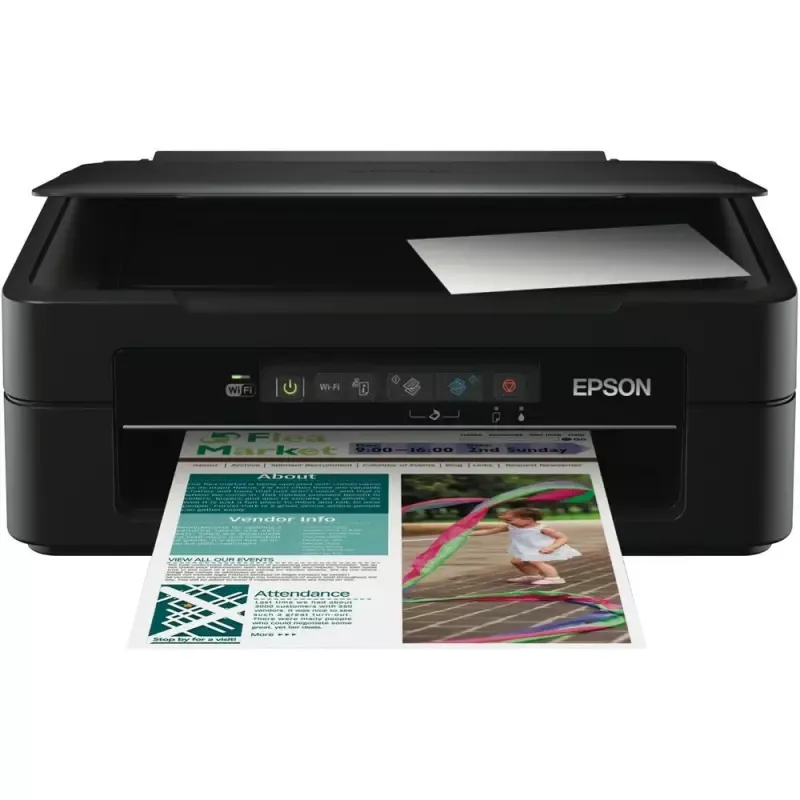

Manual of product Expression Home XP-220

Editorial note
The Epson Expression Home XP-220 stands out for its compact and lightweight design, ideal for small workspaces. With an intuitive LCD screen, its use is simplified, enhancing the user experience on a daily basis. The print quality is satisfactory for documents and images, but may not meet the expectations of demanding users in terms of photography. However, this device has some drawbacks. The print speed is relatively slow, which can be a hindrance for those who need to print large volumes quickly. Additionally, the cost of ink cartridges can add up quickly, increasing the long-term cost of use. Wireless connectivity, while offering appreciated flexibility, can sometimes be unstable, complicating printing from mobile devices. Finally, the printer can be noisy during operation, which could be disruptive in a quiet environment. Overall, the Epson Expression Home XP-220 is a printer suitable for home use, combining practicality and quality, despite some limitations that deserve consideration.Score details
User experience
The user experience is enhanced by the intuitive LCD screen, making navigation and daily use easier.
Performance
The printing performance is good for home use, but the printing speed can be slow for high volumes.
Design
The compact and lightweight design of the Epson XP-220 is ideal for small workspaces.
Value for money
The cost of ink cartridges is high, which can increase the long-term cost of use.
Features
The wireless connectivity features offer flexibility, although the connection can sometimes be unstable.
Robustness
The printer can be noisy during operation, which may disturb the user in a quiet environment.
Usability
The installation and use of the printer are simple, making it accessible for all users.
Support
The 105-page user manual is available, but technical support could be improved.
Documentation
The provided documentation is comprehensive, but some users may find additional information necessary.
Advantages
Compact and lightweight, ideal for small spaces.
High print quality, sharp documents.
Wireless connectivity for mobile printing.
Energy-efficient, reduces environmental impact.
Intuitive LCD screen for easy navigation.
Disadvantages
Slow printing speed for large volumes
High cost of ink cartridges
Sometimes unstable wireless connectivity
Noise during operation
Insufficient photo quality for the demanding
Technical Specifications Expression Home XP-220
General Information
-
ModelEXPRESSION HOME XP-220
-
Brand
-
Category
-
Type
-
SKU1399646
-
MPN1399646
Frequently Asked Questions
What is the recommended method for removing a paper jam in the printer?
Why is my printer refusing to accept original cartridges?
What are the possible reasons for poor print quality?
What is the difference between a laser printer and an inkjet printer?
Why is my inkjet printer leaving black streaks on prints?
What does the acronym DPI mean?
Is the manual for the Epson Expression Home XP-220 available in French?
Similar products


More product categories from brand Epson
More product types from brand Epson




Presentation of product Expression Home XP-220 specifications from brand Epson
General Information
The model Epson Expression Home XP-220 is a printer from the brand Epson, known for its commitment to quality and innovation in the printing device sector. This model is designed to deliver optimal performance, thus ensuring an enriching user experience.
Advantages
With its compact and lightweight design, the Epson Expression Home XP-220 is perfectly suited for small workspaces, making it easy to install at home. This printer is capable of producing high-quality prints, offering documents and images with remarkable clarity, making it ideal for everyday tasks.
It features wireless connectivity, allowing users to easily print from their mobile devices, which increases usability flexibility. Additionally, its energy-efficient design helps reduce energy consumption, thereby minimizing its environmental impact.
For simplified use, the XP-220 is equipped with an intuitive LCD screen that makes navigating through the various menus and printing options easier.
Disadvantages
However, it is important to note some disadvantages associated with this model. The printing speed can be relatively slow, which may pose a problem for those who require quick prints in large volumes. Furthermore, the cost of ink cartridges can be high, thus increasing long-term usage costs.
The wireless connectivity may also experience instabilities, causing difficulties when connecting or printing from mobile devices. Additionally, the printer may emit some noise during operation, which can disrupt a quiet environment. Finally, the print quality of photos may not meet the expectations of the most demanding users, especially in comparison to higher-end models.


