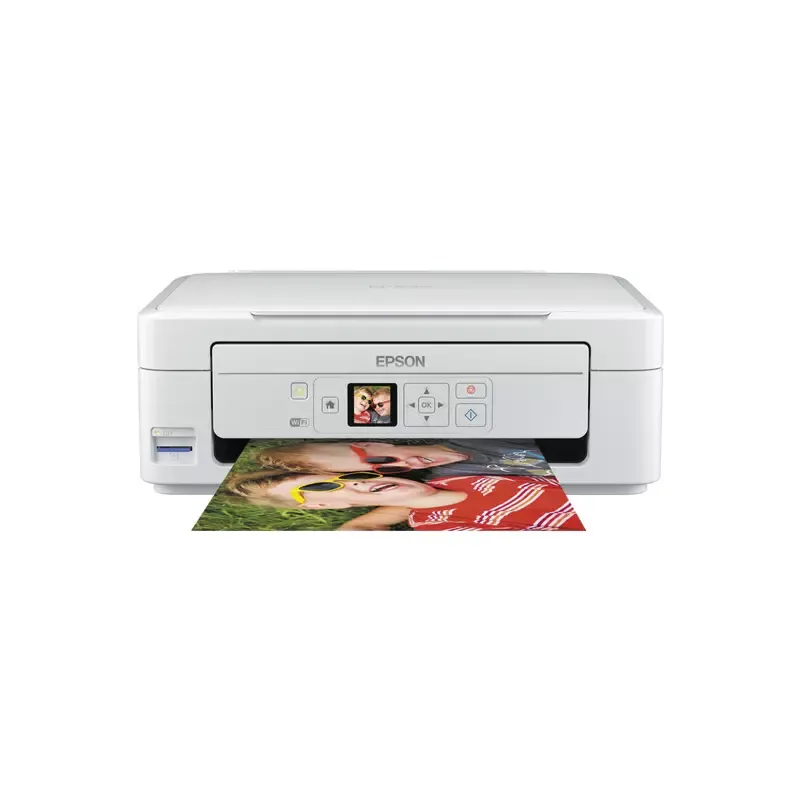

Manuals of product Expression Home XP-335


Editorial note
The Epson Expression Home XP-335 printer stands out for its high print quality, delivering sharp and precise results for documents and photos. Its compact and modern design allows it to easily fit into various environments, whether at home or in the office. Additionally, its intuitive control panel ensures ease of use, even for novice users, which is a major advantage. However, some drawbacks are worth mentioning. The cost of ink cartridges can quickly become high, impacting the long-term budget for frequent users. Moreover, the print speed is relatively slow, which can be an issue for those with significant printing needs. Wireless connectivity issues may also arise, leading to frustrations when using it from mobile devices. In terms of features, the wireless connectivity options offer great flexibility, although it is important to note that connection problems can sometimes occur. The provided documentation, including the user manual and installation guide, is comprehensive and helpful, although it could have included more information on managing wireless connections. Overall, the Epson Expression Home XP-335 is a capable printer, ideal for light home or office use, but it may not be suitable for users looking for a fast and cost-effective long-term printing solution.Score details
User experience
The user experience is overall positive thanks to an intuitive control panel that makes setup and use easy, even for novices.
Performance
Performance is satisfactory for document printing, but the printing speed is relatively slow, which can be a disadvantage for users needing high volumes.
Design
The compact and modern design of the printer allows for easy integration into various workspaces or home environments.
Value for money
The cost of ink cartridges can be high, which may strain the budget in the long term, despite optimized ink savings.
Features
The wireless connectivity options offer great flexibility, although connection issues may arise.
Usability
The ease of use of the printer is a major asset, allowing even inexperienced users to operate it without difficulty.
Support
The available documents, such as the user manual and installation guide, are comprehensive and helpful for users.
Documentation
The provided documentation is adequate, but could have included more information on wireless connection issues.
Advantages
Clear and precise prints.
Compact and modern design.
Simple and intuitive use.
Wireless printing from all devices.
Ink consumption optimization.
Disadvantages
High cost of ink cartridges.
Slow printing speed.
Frequent wireless connection issues.
Insufficient photo quality for professionals.
Limited to A4 size.
Technical Specifications Expression Home XP-335
General Information
-
ModelEXPRESSION HOME XP-335
-
Brand
-
Category
-
Type
-
SKU859665
-
MPN859665
Frequently Asked Questions
How can I remove jammed paper from the printer?
Why is my printer rejecting original cartridges?
What are the possible reasons for poor print quality?
What is the difference between a laser printer and an inkjet printer?
Why is my inkjet printer leaving black streaks on my prints?
What does the abbreviation DPI mean?
Why won't my printer turn on?
How do I add paper to my printer?
Why do my printed documents have smudges or lines?
How do I connect my printer to a Wi-Fi network?
How do I scan a document or photo with my Epson Expression Home XP-335 printer?
Is the manual for the Epson Expression Home XP-335 available in French?
Similar products


More product categories from brand Epson
More product types from brand Epson




Presentation of product Expression Home XP-335 specifications from brand Epson
General Information
The Epson Expression Home XP-335 printer is a product of the Epson brand, known for its innovation and quality in the field of printing devices. This model, compact and modern, is designed to deliver high performance, making home printing both efficient and enjoyable.
Advantages
This printer stands out for its ability to produce high-quality prints, thanks to advanced printing technology that ensures the clarity of documents and photos. Its compact format allows for easy integration into various work or home environments while adding a contemporary touch.
The ease of use is another major advantage of the Epson XP-335, thanks to its intuitive control panel that simplifies setup and operation, even for novice users. Additionally, with its wireless connectivity options, it is possible to print directly from smartphones, tablets, and computers, providing appreciated flexibility.
Finally, this model is designed to optimize ink consumption, which can help to reduce long-term costs for regular users.
Disadvantages
However, the Epson XP-335 also has some limitations. The cost of ink cartridges can be relatively high, which could impact the budget of frequent users. Moreover, the printing speed is moderate, which may be inconvenient for those who need to print large volumes quickly.
Issues with wireless connectivity can also occur, leading to inconveniences when printing from mobile devices. Furthermore, the print quality of photos may not meet the standards of professional users or experienced photographers. Lastly, it is important to note that this printer is limited to paper sizes up to A4, which may restrict its use for certain specific projects.


