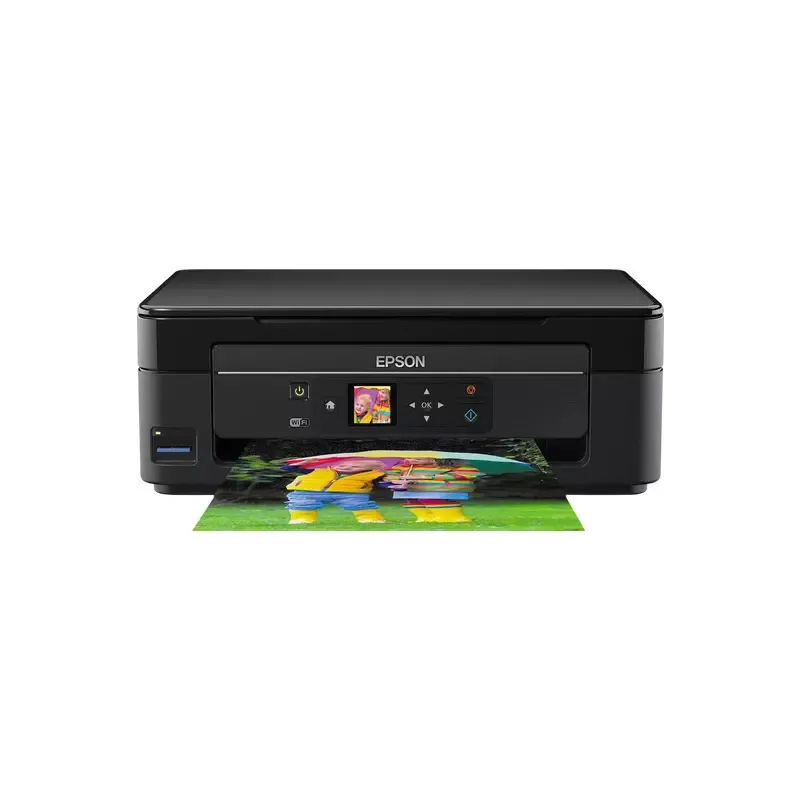

Manual of product Expression Home XP-342

Editorial note
The Epson Expression Home XP-342 stands out for its ability to produce high-quality prints, making this device ideal for both professional documents and photos. Its compact design allows it to be easily integrated into small workspaces while ensuring good build quality. Additionally, its user-friendly interface and detailed user manual make this printer an accessible choice, even for users less familiar with technology. However, some drawbacks deserve to be highlighted. The cost of ink cartridges can be high, which could increase printing expenses in the long run. The printing speed is also a weak point, which may not suit users with frequent needs. Furthermore, wireless connectivity can sometimes be unstable, and the printer can be noisy during operation, which can be disruptive in a quiet environment. The scanning and copying features are quite basic, lacking some advanced options that one might expect from other models. Overall, the Epson Expression Home XP-342 offers a satisfactory user experience thanks to its ease of use and print quality, but operating costs and certain performance limitations should be considered before purchase.Score details
User experience
The user experience is very satisfactory thanks to a user-friendly interface and a detailed manual, making the printer accessible even to novices.
Performance
The performance is generally good with high-quality prints, but the printing speed can be a drawback for those with frequent needs.
Design
The compact design of the printer allows for easy integration into tight workspaces while maintaining good build quality.
Value for money
The cost of ink cartridges is relatively high, which can increase long-term printing expenses, despite the ink savings provided by the device.
Features
The printer offers interesting features, such as Wi-Fi connectivity, but the scanning and copying options remain basic compared to other models.
Support
The user manual is comprehensive and helpful, providing good support for users during setup and use.
Usability
The printer is very easy to use thanks to its intuitive interface, making it accessible to all users.
Robustness
The printer is generally robust, but it can be noisy during operation, which can be disruptive in a quiet environment.
Advantages
Clear and precise prints
Compact design for small spaces
User-friendly and easy-to-use interface
Wireless printing from various devices
Ink optimization for savings
Disadvantages
High cost of ink cartridges
Slow printing speed
Unstable wireless connectivity
Noisy in operation
Basic scanning features
Technical Specifications Expression Home XP-342
General Information
-
ModelEXPRESSION HOME XP-342
-
Brand
-
Category
-
Type
-
SKU859666
-
MPN859666
Frequently Asked Questions
What is the recommended method for removing paper jammed in the printer?
Why does my printer not recognize original cartridges?
What could be the reasons for poor print quality?
What is the difference between a laser printer and an inkjet printer?
Why does my inkjet printer produce black streaks on prints?
What does the acronym DPI mean?
Why is my printer not printing correctly?
How can I connect my printer to a Wi-Fi network?
What should I do if the print quality is not satisfactory?
How do I scan a document or photo with my printer?
What should I do if my printer displays an error code?
Is the manual for the Epson Expression Home XP-342 available in French?
Similar products


More product categories from brand Epson
More product types from brand Epson




Presentation of product Expression Home XP-342 specifications from brand Epson
General Information
The Epson Expression Home XP-342 is a printer from the Epson brand, known for its commitment to quality and innovation in the electronics sector. This model, compact and efficient, is designed to meet the varied needs of users, providing an optimal printing experience.
Advantages
- High-quality printing: Thanks to its advanced printing technology, the Epson XP-342 produces documents and photos with remarkable clarity, making it suitable for both professional and personal use.
- Compactness: With its compact design, this printer easily fits into small workspaces without sacrificing performance.
- Ease of use: Its user-friendly interface and clear user manual make this printer accessible even to less experienced users.
- Wireless connectivity: The Epson XP-342 allows for wireless printing, providing the ability to print directly from mobile devices or computers, simplifying the printing process.
- Ink savings: This model is designed to optimize ink consumption, which can help reduce printing costs over the long term.
Disadvantages
- Cost of ink cartridges: The cartridges can be relatively expensive, which may increase printing expenses over time.
- Printing speed: The printing speed is sometimes considered slow, which may not be suitable for users with frequent or urgent printing needs.
- Wireless connectivity: Although convenient, the Wi-Fi connectivity can sometimes be unstable, leading to complications when printing from remote devices.
- Noise level: The printer can produce noise during operation, which may be disruptive in quiet environments.
- Scanning and copying features: These functions are basic and do not offer the advanced options found in more sophisticated models.


