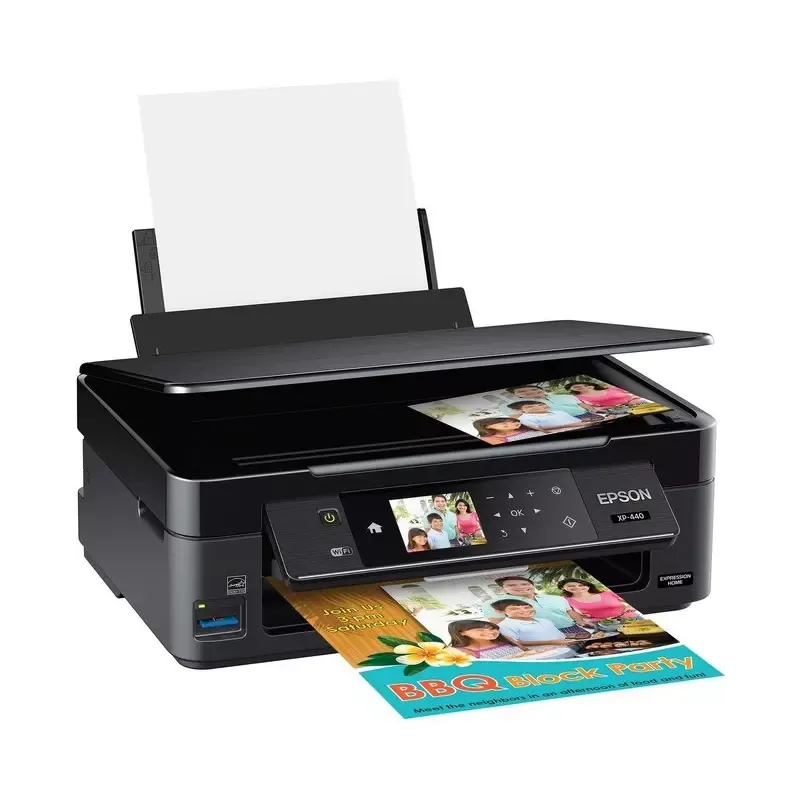

Manual of product Expression Home XP-440

Editorial note
The Epson Expression Home XP-440 stands out with its built-in Wi-Fi connectivity, allowing for wireless printing from various devices such as smartphones and computers. This feature ensures great flexibility of use, although connectivity issues may occasionally arise. In terms of performance, the print quality is high, thanks to Epson's advanced technology, but the printing speed is relatively slow, which can be a drawback for users with frequent needs. Its compact and sleek design easily fits into various spaces, adding a modern touch to your work environment. However, it is important to note that the costs of ink cartridges can be high, thus increasing the long-term usage price, even though the printer allows for ink savings. The Epson XP-440 also offers versatile features such as printing, scanning, and copying, thus meeting varied needs. However, it may be prone to paper jams, which requires regular maintenance and can disrupt workflow. Overall, the Epson Expression Home XP-440 is an interesting choice for those looking for a versatile and quality printer, provided that its drawbacks are taken into account.Score details
User experience
The user experience is generally positive thanks to the built-in Wi-Fi connectivity, offering great flexibility of use. However, connectivity issues may arise.
Performance
The printing performance is good in terms of quality, but the printing speed is relatively slow compared to other models, which can be a disadvantage for frequent users.
Design
The compact and sleek design of the Epson Expression Home XP-440 allows for easy integration into various spaces while adding a modern touch.
Value for money
The costs of ink cartridges can be high, which increases the long-term usage price, despite ink savings achieved through printing technology.
Features
The printer offers versatile features such as printing, scanning, and copying, thus meeting various user needs.
Robustness
Although the printer generally works well, it can be prone to paper jams, which requires regular maintenance and can disrupt workflow.
Advantages
Wireless printing from various devices
Exceptional print quality and vibrant colors
Compact and modern design
Printing, scanning, and copying features
Long-term ink savings
Disadvantages
High long-term ink costs
Slow printing speed
Unstable wireless connectivity
Prone to paper jams
Poor print quality in draft mode
Technical Specifications Expression Home XP-440
General Information
-
ModelEXPRESSION HOME XP-440
-
Brand
-
Category
-
Type
-
SKU1367268
-
MPN1367268
Frequently Asked Questions
What is the recommended method for removing paper jammed in the printer?
Why is my printer rejecting original cartridges?
What are the possible reasons for poor print quality?
How does a laser printer differ from an inkjet printer?
Why is my inkjet printer leaving black streaks on prints?
What does the acronym DPI mean?
Is the manual for the Epson Expression Home XP-440 available in French?
Similar products


More product categories from brand Epson
More product types from brand Epson




Presentation of product Expression Home XP-440 specifications from brand Epson
General Information
The Epson Expression Home XP-440 is a printer from the renowned brand Epson, known for its commitment to innovation and quality in the home appliance sector. This model, the Expression Home XP-440, is designed to deliver optimal performance while enhancing the user experience on a daily basis. The product is identifiable by its EAN code, which includes several references: 0010343929753, 4943793138931, 4943793139006, 4963273109169, 4963273109176, 4963273136844, 4983943124155, and 4983943128733.
Advantages
The Epson Expression Home XP-440 stands out with several notable advantages:
- Wireless printing: With its built-in Wi-Fi connectivity, you can easily print from various devices such as computers, smartphones, and tablets, providing appreciated flexibility of use.
- Superior print quality: This printer uses advanced printing technology, ensuring documents and photos of exceptional quality, with precise details and vibrant colors.
- Compact design: Its sleek and space-saving design allows the Epson XP-440 to fit harmoniously into any work or living environment.
- Versatile features: In addition to printing, this device also allows for scanning and copying, thus meeting the varied needs of users.
- Ink savings: The technology used by the Epson XP-440 helps reduce ink consumption, allowing you to save money in the long run.
Disadvantages
Although the Epson Expression Home XP-440 has many advantages, there are some disadvantages to consider:
- Cost of cartridges: Ink cartridges can be relatively expensive, which could increase the long-term usage cost.
- Print speed: The print speed is slower compared to other models in the same range, which can be a disadvantage for users with frequent printing needs.
- Wireless connectivity: The wireless connection can sometimes be unstable, leading to difficulties in printing from mobile devices or computers.
- Paper jams: The printer may be prone to paper jams, which can disrupt workflow and require regular maintenance.
- Print quality in draft mode: The print quality in draft mode may not be satisfactory, especially for professional or high-quality documents.


