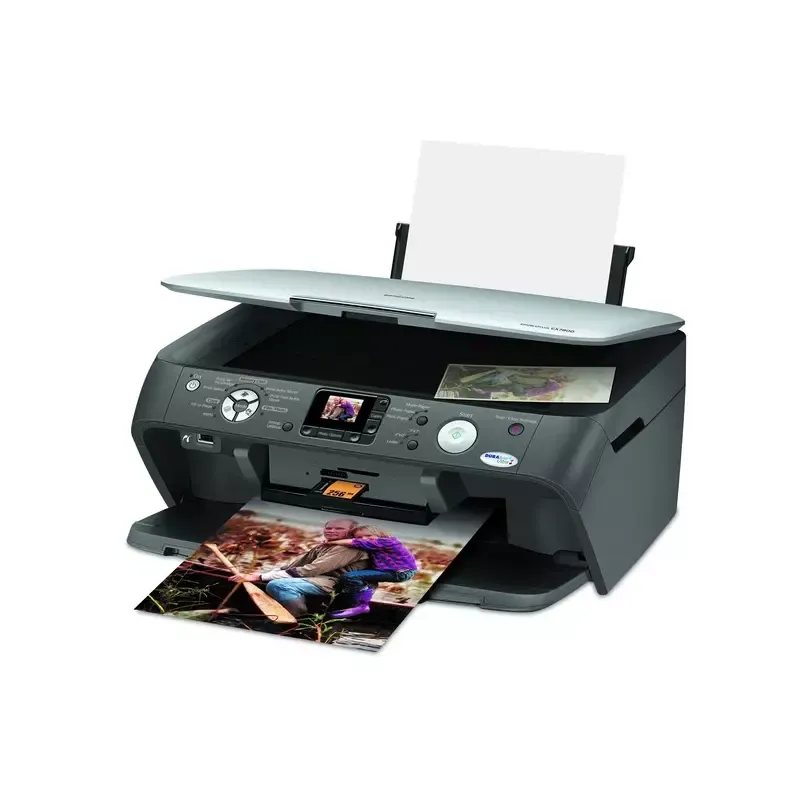

Manual of product Stylus CX7800

Editorial note
The Epson Stylus CX7800 stands out for its superior print quality, offering vibrant colors and precise details, making it an excellent choice for professional documents and photos. Its user-friendly interface and the included user manual greatly facilitate handling, even for novice users. As an all-in-one printer, it also allows for scanning and copying, providing a comprehensive solution for various printing needs. Moreover, the Epson brand is known for its reliability and the durability of its products, which reassures when purchasing. However, there are a few drawbacks to consider. The high ink consumption can lead to additional costs in the long run, which may deter some users. Additionally, the print speed is relatively slow, especially for color prints. The lack of advanced features such as wireless connectivity also limits usage flexibility. Finally, the restricted compatibility with certain recent operating systems and the operating noise can pose issues during use. In summary, the Epson Stylus CX7800 is a versatile and high-performing printer for those who prioritize print quality, but it is essential to consider its limitations regarding ink costs and print speed.Score details
User experience
The handling of the Epson Stylus CX7800 is quick and intuitive thanks to its user-friendly interface and the included user manual.
Performance
Although the print quality is excellent, the print speed is relatively slow, especially for color prints.
Design
The design is functional, but the lack of advanced features like wireless connectivity limits usability flexibility.
Value for money
Although the print quality is excellent, the high ink consumption can lead to additional costs for the user.
Support
Epson is a reliable brand, known for the durability of its products, ensuring peace of mind when purchasing.
Usability
The printer is easy to use, but limited compatibility with some recent operating systems can cause issues.
Advantages
High-quality prints
Printing, scanning, and copying functions
Simple and intuitive use
Reputable and reliable brand
Efficient ink savings
Disadvantages
High ink consumption.
Slow printing speed.
Limited compatibility with recent systems.
Disturbing noise during printing.
No wireless connectivity.
Technical Specifications Stylus CX7800
General Information
-
ModelSTYLUS CX7800
-
Brand
-
Category
-
Type
-
SKU1370391
-
MPN1370391
Frequently Asked Questions
What is the recommended method for removing paper jammed in the printer?
Why is my printer refusing to accept original cartridges?
What are the possible reasons for poor print quality?
What is the difference between a laser printer and an inkjet printer?
Why is my inkjet printer leaving black streaks on prints?
What does the acronym DPI mean?
Is the manual for the Epson Stylus CX7800 available in French?
Similar products


More product categories from brand Epson
More product types from brand Epson




Presentation of product Stylus CX7800 specifications from brand Epson
General Information
The Epson Stylus CX7800 is a multifunction printer from the Epson brand, known for its expertise and innovation in the printing device sector. This model, the Stylus CX7800, is designed to deliver high-quality performance and a pleasant user experience. The EAN code 0010343855687 allows for easy and accurate identification of this product in the distribution network.
Advantages
Among the strengths of the Epson Stylus CX7800, we note:
- Superior print quality: This printer produces prints with exceptional clarity, vibrant colors, and precise details, making it ideal for professional documents and photos.
- Versatility: As an all-in-one printer, it offers printing, scanning, and copying features, thus meeting various printing needs.
- Ease of use: Its user-friendly interface and included user manual allow for quick handling, even for novice users.
- Brand reliability: Epson is known for the durability and reliability of its products, providing peace of mind when purchasing.
- Ink savings: The CX7800 is designed to optimize ink consumption, thus reducing printing costs in the long term.
Disadvantages
However, the model also has some drawbacks:
- High ink consumption: This can lead to additional costs for the user.
- Relatively slow printing speed: This slowness can be particularly noticeable during color prints.
- Limited compatibility: It may pose installation issues with some recent operating systems.
- Operating noise: The noise level can be disturbing, especially during high-volume prints.
- Lack of advanced features: Wireless connectivity is not available, which limits usage flexibility.


