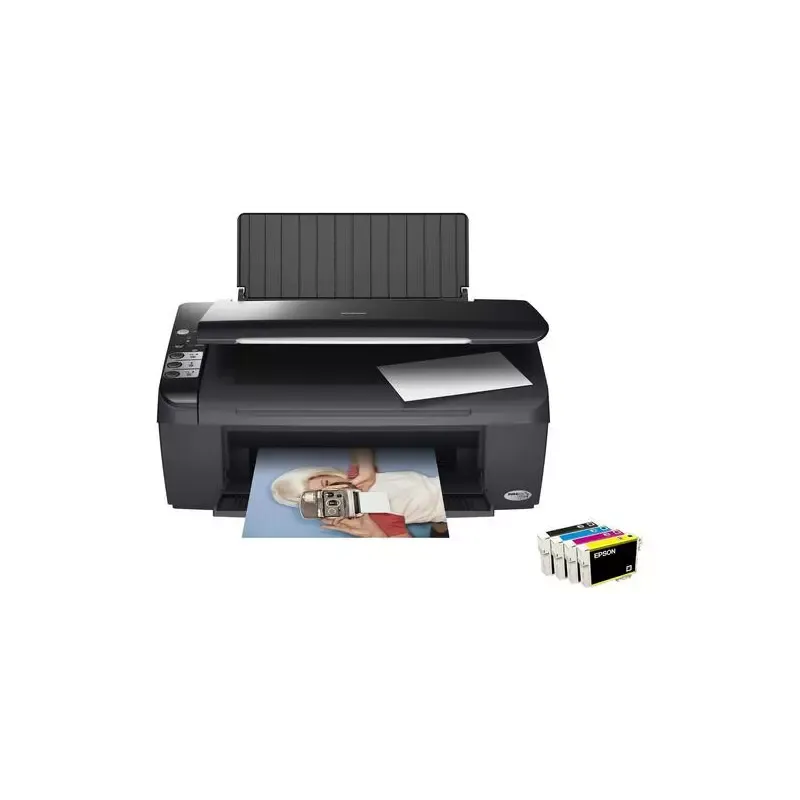

Manual of product Stylus DX4450

Editorial note
The Epson Stylus DX4450 stands out for its remarkable print quality, offering vibrant colors and precise details thanks to its advanced technology. This all-in-one model allows for printing, scanning, and copying, making it versatile and suitable for various needs. Additionally, ease of use is a major asset, with a manual provided that simplifies the learning curve, even for novice users. Epson's reputation for reliability and durability ensures users a high-performing product in the long term, while also providing appreciable cost savings due to its efficient printing technology. However, this model also has some drawbacks. The print speed is relatively slow, which may disappoint users with high printing demands. The costs of ink cartridges can quickly add up, making frequent printing less economical than hoped. Furthermore, the lack of wireless connectivity limits printing options from mobile devices or home networks, which may be a drawback for some users. The printer's design may also pose issues in tight workspaces, and the scanning and photocopying features might be less effective than those of other high-end models. In summary, the Epson Stylus DX4450 is a solid option for those seeking a quality printer with versatile features, but users should be aware of its limitations in terms of speed and connectivity.Score details
User experience
The user experience is overall positive due to the ease of use and the provided manual, allowing for a quick start even for novices.
Performance
The printing performance is remarkable in terms of quality, but the speed can be relatively slow, which may disappoint users with high printing needs.
Value for money
The Epson Stylus DX4450 offers good cost savings thanks to its efficient printing technology, although the costs of ink cartridges can add up quickly.
Design
The model can be bulky, which poses a problem in tight workspaces, even though it is designed with quality materials.
Features
The versatility of the device is an asset, offering printing, scanning, and copying functions, but the scanning features may be less effective than those of other high-end models.
connectivity
The lack of wireless connectivity limits printing options, which can be a disadvantage for users wanting to print from mobile devices or home networks.
Advantages
High-quality prints and precise details.
All-in-one printer, scanner, and copier.
Ease of use for all levels.
Reliable and durable brand recognized.
Reduced and economical cost per page.
Disadvantages
Relatively slow print speed.
High ink costs.
No wireless connectivity.
Bulky model for small spaces.
Limited scanning features.
Technical Specifications Stylus DX4450
General Information
-
ModelSTYLUS DX4450
-
Brand
-
Category
-
Type
-
SKU859735
-
MPN859735
Frequently Asked Questions
What is the recommended method for removing jammed paper from the printer?
Why does my printer not recognize original cartridges?
What could be the reasons for poor print quality?
How does a laser printer differ from an inkjet printer?
Why does my inkjet printer leave black streaks on prints?
What does the acronym DPI mean?
What are the reasons my printer won't turn on?
How can I troubleshoot paper jam issues in my Epson Stylus DX4450?
How can I align the print heads of my Epson Stylus DX4450?
What should I do if my printer produces blurry or spotted prints?
How can I resolve connection issues with my Epson Stylus DX4450?
Is the manual for the Epson Stylus DX4450 available in French?
Similar products


More product categories from brand Epson
More product types from brand Epson




Presentation of product Stylus DX4450 specifications from brand Epson
General Information
The Epson Stylus DX4450 printer is a model from the renowned brand Epson, known for its commitment to quality and innovation in the electronics sector. Designed to meet the diverse needs of users, this printer combines efficiency and performance, ensuring an optimal user experience.
Advantages
Among the main strengths of the Epson Stylus DX4450, we note:
- Exceptional print quality: Thanks to its advanced technology, this printer produces prints with impressive sharpness, vibrant colors, and precise details.
- Versatility: The Epson Stylus DX4450 offers printing, scanning, and copying features, making it an all-in-one device suitable for various uses.
- Ease of use: The printer comes with a clear user manual, allowing for quick and intuitive handling, even for novice users.
- Reliability: Epson's reputation is built on durability and innovation, ensuring a trustworthy product that meets long-term expectations.
- Cost savings: With efficient printing technology, the Epson Stylus DX4450 helps reduce the cost per page, making printing more economical.
Disadvantages
However, a few points may be considered disadvantages:
- Print speed: The print speed of the Epson Stylus DX4450 may seem relatively slow compared to other models available on the market, which can be problematic for users with high printing needs.
- Cartridge costs: Expenses related to ink cartridges can quickly add up, making frequent prints less economical.
- Lack of wireless connectivity: This model does not offer wireless connectivity features, limiting printing options from mobile devices or home networks.
- Bulkiness: Its size can be relatively bulky, which may pose challenges in restricted workspaces.
- Performance of scanning and copying functions: The scanning and copying features may not be as effective as those of other high-end models, thus disappointing users looking for advanced multifunctionality.


