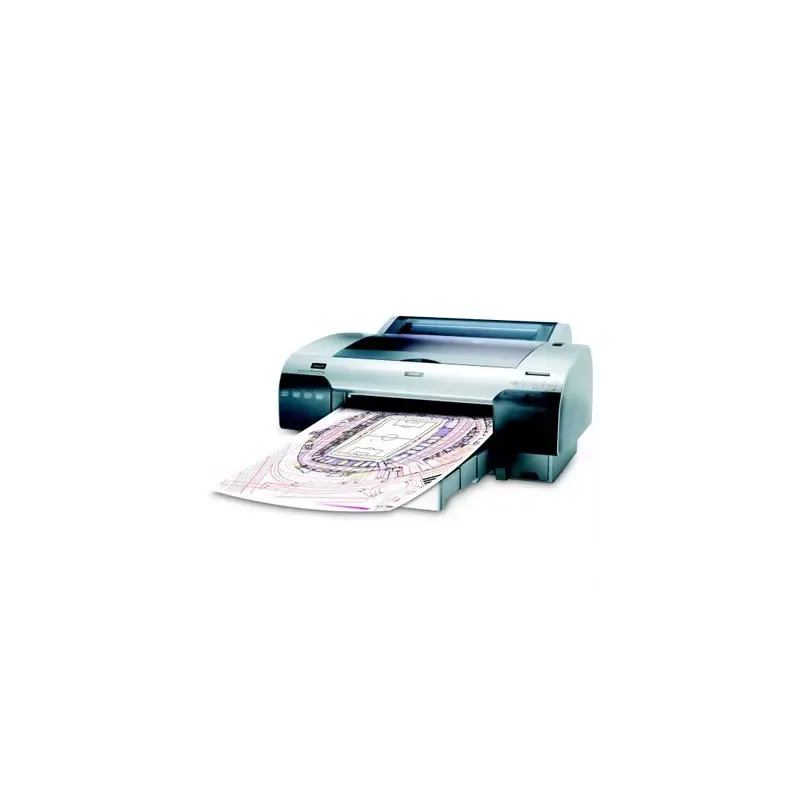

Manuals of product Stylus Pro 4450


Editorial note
nullScore details
User experience
The user experience is overall positive with a high-quality impression and flexibility in paper management.
Performance
The printing speed of 18.7 m²/h may be considered insufficient for high-demand work environments, despite excellent print quality.
Battery life
The energy-efficient design with low consumption in standby mode helps reduce operating costs and is environmentally friendly.
Design
The weight of 39 kg can make moving and installation difficult, especially in tight workspaces.
Value for money
The cost of ink cartridges, although provided initially, can add up quickly, making long-term use potentially expensive.
Features
Versatile connectivity with multiple USB 2.0 ports and an Ethernet port facilitates integration into various work environments.
Support
Available documents such as the user manual and installation guide provide good support for the user.
Advantages
High-quality printing up to 1440 x 720 DPI.
Supports multiple paper sizes, including A2.
Versatile USB 2.0 and Ethernet connectivity.
Color scanning of documents and images.
Energy-efficient design in sleep mode.
Disadvantages
Heavy weight, difficult to move.
No Wi-Fi connectivity.
Slow printing speed.
Limited internal memory.
High cost of ink cartridges.
Technical Specifications Stylus Pro 4450
General Information
-
ModelSTYLUS PRO 4450
-
Brand
-
Category
-
Type
-
SKU859841
-
MPN859841
Print speed
-
Printing technology-
-
Languages of the page description-
-
Maximum resolution1440 x 720 DPI
-
Number of print cartridges4
-
ColorYes
-
Print speed (normal quality)18.7 m2/Hr
-
Printing colorsCyan, Magenta, Matte black, Yellow
Paper management
-
Maximum print formatA2 (420 x 594 mm)
-
Thickness of the support0.08 - 1.50 mm
-
Leaves (separated)Yes
-
Leaves (separated)Yes
-
Maximum roll length279mm m
-
Non-printable area (metric sheet)3 x 3 x 3 x 14 mm
-
ISO, Format Series A (A0...A9)A2, A3, A3+, A4
-
Max. width of the roll432 mm
-
Top margin (roll)3 mm
-
ISO, Formats Series-B (B0...B9)B3, B4
Representation / realization
-
Internal memory64 MB
-
Sound pressure level (impression)50 dB
-
Product colorGrey, Silver
-
Built-in screenYes
-
Country of originChina
Connectivity
-
Type of Ethernet interfaceFast Ethernet
-
Quantity of USB 2.0 Ports2
-
RJ-45 Number of ports1
-
USB portYes
-
LAN Ethernet: data transfer rate10, 100 Mbit/s
-
WifiNo
-
USB portYes
-
USB connectorUSB Type-B
Sustainability
-
Sustainability certificatesENERGY STAR
Power
-
Energy consumption (standby mode)5 W
-
Typical electricity consumption55 W
-
Electricity consumption (stop)1 W
Weight and dimensions
-
Weight39000 g
-
Width848 mm
-
Depth765 mm
-
Height354 mm
Copier
-
Copy-
Digitization
-
Digitization-
Minimum system requirements
-
Support for the Windows operating systemWindows 2000
-
Support for the Mac operating systemWindows 7
-
Support for the Linux operating systemWindows 7 x64
-
Windows Vista
-
Windows Vista x64
-
Windows XP
-
Mac OS X 10.3 Panther
-
Yes
Packaging information
-
Cartridge(s) includedYes
-
Cartridge(s) includedYes
-
Package weight59.4 g
-
Package depth990 mm
-
Package height800 mm
-
Package width580 mm
Logistics data
-
Products by pallet3 piece(s)
-
Products by pallet layer1 piece(s)
-
Products by pallet layer1 piece(s)
Frequently Asked Questions
What is the weight of the Epson Stylus Pro 4450?
What is the recommended method for removing a paper jam from the printer?
Why is my printer not recognizing the original cartridges?
What could be the reasons for poor print quality?
What is the difference between a laser printer and an inkjet printer?
Why is my inkjet printer leaving black streaks on prints?
What does the acronym DPI mean?
How many cartridges can be installed in the Epson Stylus Pro 4450?
What is the height of the Epson Stylus Pro 4450?
What is the width of the Epson Stylus Pro 4450?
What is the depth of the Epson Stylus Pro 4450?
Is the manual for the Epson Stylus Pro 4450 available in French?
Similar products


More product categories from brand Epson
More product types from brand Epson




Presentation of product Stylus Pro 4450 specifications from brand Epson
General Information
The Epson Stylus Pro 4450 is a printer from the renowned brand Epson, known for its commitment to quality and technological innovation in the printing device sector. This model, identified by the code Stylus Pro 4450 | C11CA00011A0, is designed to deliver superior performance and an optimized user experience. The EAN codes, 4710859464439, 5051749530384, and 8715946391830, allow for precise product identification in the distribution circuit.
Print Speed
With an impressive resolution of 1440 x 720 DPI, the Epson Stylus Pro 4450 ensures prints of exceptional clarity, suitable for both professional uses and personal projects. Equipped with 4 ink cartridges, this printer offers a rich color palette, including Cyan, Magenta, Matte Black, and Yellow, thus guaranteeing striking visual results. Its print speed in normal quality reaches 18.7 m²/h, effectively meeting daily printing demands, although this may be limited in high-demand environments.
Paper Management
This printer supports a variety of formats, with the maximum size being A2 (420 x 594 mm), perfect for large documents. It accepts media with a thickness ranging from 0.08 to 1.50 mm and is compatible with both roll paper and separate sheets, providing flexibility in use. The maximum roll width is 432 mm, and the top margin for the roll is 3 mm, ensuring precise alignment during printing. Additionally, it supports various standard formats from series A and B, making it a versatile choice.
Representation / Realization
With an internal memory of 64 MB, the Epson Stylus Pro 4450 allows for efficient management of printing tasks. Its noise level in print mode is 50 dB, making it a relatively quiet device, suitable for noise-sensitive work environments. Its modern design, available in Grey and Silver, along with its built-in display, facilitates daily use. Manufactured in China, this product benefits from a perception of quality associated with its origin.
Connectivity
For optimal connectivity, the Epson Stylus Pro 4450 is equipped with a Fast Ethernet interface and two USB 2.0 ports, as well as an RJ-45 port, offering various options for connecting to different devices. Although the lack of Wi-Fi connectivity limits its flexibility, the data transfer rate of 10/100 Mbit/s ensures fast and reliable connections.
Durability
This model is ENERGY STAR certified, attesting to its energy efficiency and environmental respect, a significant advantage for users concerned about sustainability.
Power
Regarding energy consumption, the Epson Stylus Pro 4450 uses 5 W in standby mode, 55 W in normal use, and only 1 W when turned off. These specifications help reduce energy costs and minimize environmental impact.
Weight and Dimensions
Weighing 39 kg, this printer can be difficult to move, although its dimensions (848 mm wide, 765 mm deep, and 354 mm high) allow for integration into most workspaces. Its robust design is intended for prolonged use.
Copier
The built-in copier of the Epson Stylus Pro 4450 offers the ability to make color copies, ensuring faithful and vibrant prints.
Scanning
This printer also includes a color scanning feature, allowing for the reproduction of documents and images with great precision and vibrant colors.
Minimum System Requirements
In terms of compatibility, the Epson Stylus Pro 4450 supports several operating systems: Windows (2000, 7, 7 x64, Vista, Vista x64, XP), Mac OS X 10.3 Panther, as well as Linux environments, thus ensuring a smooth user experience regardless of the system used.
Packaging Information
The product comes with a detailed user manual and includes ink cartridges, allowing for immediate printing without additional costs. The packaging dimensions (990 mm deep, 800 mm high, and 580 mm wide) ensure optimal protection during transport, with a total weight of 59.4 g.
Logistical Data
Regarding logistics, the Epson Stylus Pro 4450 is packaged by pallet with 3 units per pallet, thus facilitating stock management. Each package contains a single unit, which is ideal for individual use.


