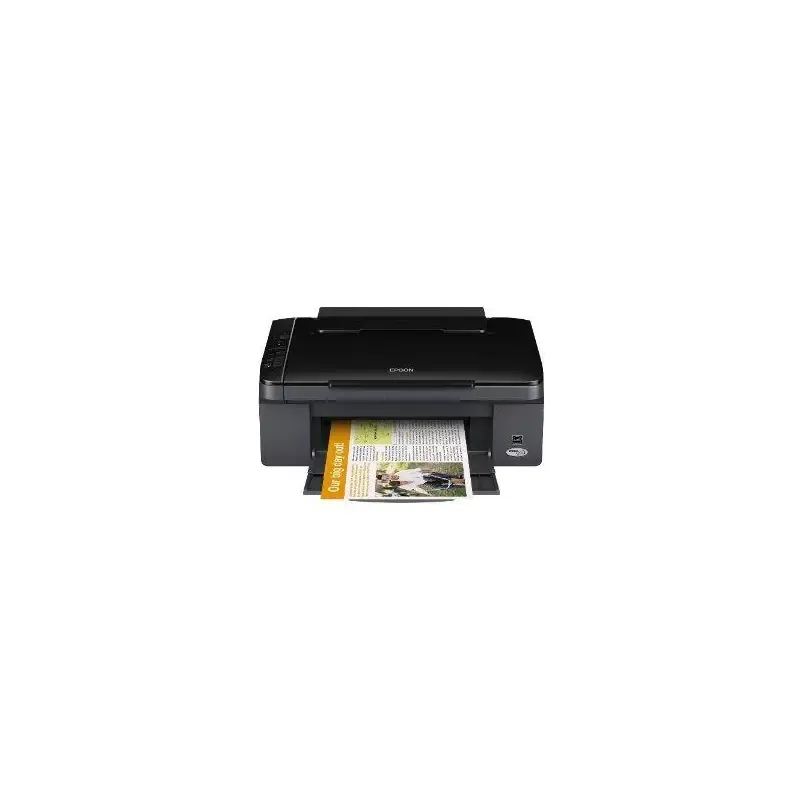

Manuals of product Stylus SX125


Editorial note
The Epson Stylus SX125 printer stands out with its maximum resolution of 5760 x 1440 DPI, providing high-quality prints for both professional documents and colorful images. Its printing speed is also an asset, with 28 pages per minute in black and 15 pages in color, effectively meeting daily printing needs. Additionally, its all-in-one features, including scanning and copying, add real value for home or professional use. Its compact design makes it easy to integrate into various workspaces, which is a significant advantage. However, several drawbacks must be considered. The lack of compatibility with Mac systems limits its use for some users. Furthermore, the absence of Wi-Fi and Ethernet connectivity makes this printer less convenient in modern environments where wireless connectivity is often preferred. Its 100-sheet paper capacity may also require frequent reloading for those with high printing needs. Finally, its weight of 3900 g may make it more difficult to move compared to lighter models, and the color printing speed may seem slow for users with fast-paced requirements. In summary, the Epson Stylus SX125 offers good performance and an overall positive user experience, but it has limitations that may not suit all users, especially in modern work environments.Score details
User experience
The user experience is generally positive, with all-in-one features that offer versatility and practicality for home or professional use.
Performance
The performance is good with a printing speed of 28 ppm in black and 15 ppm in color, but the color speed may seem slow for users with high demands.
Design
The design is compact with dimensions of 436 x 304 x 150 mm, making it easy to integrate into various workspaces.
Value for money
The value for money is fair, although the lack of Wi-Fi and Ethernet connectivity limits its use in modern environments.
Features
The features are interesting, but the lack of compatibility with Mac systems and a paper capacity of only 100 sheets can be major drawbacks.
Robustness
The product is designed with ENERGY STAR sustainability certifications, but its weight of 3900 g can make it more difficult to move.
Advantages
High-quality prints up to 5760 x 1440 DPI
Fast printing speed: 28 ppm black
All-in-one function: print, scan, copy
Compact design for small spaces
ENERGY STAR certified for energy efficiency
Disadvantages
Not compatible with Mac systems
No Wi-Fi or Ethernet connectivity
Power capacity of only 100 sheets
Relatively heavy to move
Slow color printing speed
Technical Specifications Stylus SX125
General Information
-
ModelSTYLUS SX125
-
Brand
-
Category
-
Type
-
SKU133468
-
MPN133468
Print speed
-
Maximum resolution5760 x 1440 DPI
-
Print speed (black, normal quality, A4/US Letter)28 ppm
-
Print speed (color, normal quality, A4/US Letter)15 ppm
-
Printing technologyInkjet
-
PrintingColor printing
Features
-
Number of print cartridges4
-
Digital senderNo
Digitization
-
Type of scannerFlatbed scanning
-
Scanning technologyCIS
-
DigitizationColor scanning
Copier
-
Resizing copy- %
-
CopyColor copy
Input and output capacity
-
Total output capacity- leaves
-
Total power capacity100 leaves
-
Total number of power supply units1
Design
-
Screen-
-
Market positionDomestic and professional
Representation / realization
-
Internal memory- Mo
-
Mac CompatibilityYes
-
Built-in memory card readerNo
-
Sound pressure level (impression)42 dB
Paper management
-
Maximum print format-
-
Type of paper tray supportEnvelopes
-
ISO, Format Series A (A0...A9)Photo paper
-
ISO, Formats Series-B (B0...B9)A4
-
Non-ISO print support sizesA5
-
Maximum ISO A series paper sizeA6
-
B5
-
Legal
-
A4
Other features
-
Compatible operating systemsWindows XP/XP-x64/Vista/7
-
Dimensions (LxWxH)Mac OS 10.4.11/+
-
All-in-one functions436 x 304 x 150 mm
-
All-in-one color functionsCopy, Scan
-
copy, print, scan
Network
-
WifiNo
-
WifiNo
Connectivity
-
Direct printing-
-
Standard interfacesUSB 2.0
-
USB portYes
Power
-
Electricity consumption (average operation)9.9 W
Weight and dimensions
-
Weight3900 g
Packaging contents
-
Drivers includedYes
Sustainability
-
Sustainability certificatesENERGY STAR
Fax
-
FaxNo
Frequently Asked Questions
What is the weight of the Epson Stylus SX125?
What is the recommended method for removing paper jammed in the printer?
Why is my printer not accepting original cartridges?
Why is the quality of my prints poor?
What is the difference between a laser printer and an inkjet printer?
Why is my inkjet printer producing black streaks?
What does the abbreviation DPI mean?
How many cartridges can the Epson Stylus SX125 hold?
How should I load paper into my Epson Stylus SX125 printer?
What is the procedure for replacing an ink cartridge in my Epson Stylus SX125?
What should I do if my Epson Stylus SX125 printer is not working properly?
How do I scan a document with my Epson Stylus SX125 printer?
What should I do in case of a paper jam in my Epson Stylus SX125 printer?
Does the Epson Stylus SX125 come with a flatbed scanner?
What is the maximum resolution of the Epson Stylus SX125 printer?
What is the capacity of the paper tray of the Epson Stylus SX125 printer?
Is the Epson Stylus SX125 printer compatible with Mac computers?
Does the Epson Stylus SX125 have Wi-Fi or Ethernet connectivity?
Is the manual for the Epson Stylus SX125 available in French?
Similar products


More product categories from brand Epson
More product types from brand Epson




Presentation of product Stylus SX125 specifications from brand Epson
General Information
The Epson Stylus SX125 is a multifunction printer from the Epson brand, known for its innovation and quality in the electronics sector. This model, identified by the code Stylus SX125 | C11CA82301, offers optimal performance for both home and professional use. The EAN code 8715946464893 allows for unique identification in the distribution system.
Print Speed
With a maximum resolution of 5760 x 1440 DPI, the Epson Stylus SX125 delivers prints of remarkable clarity, perfectly suitable for professional documents and colorful images. Its print speed reaches 28 pages per minute in black and 15 pages per minute in color, allowing for quick and efficient printing on a daily basis. Thanks to inkjet printing technology, it ensures precise and high-quality results.
Features
This printer uses four ink cartridges, optimizing print quality while facilitating the management of consumables. However, it does not have a digital sender, which may limit certain functionalities.
Scanning
The Epson Stylus SX125 is equipped with a flatbed scanner, allowing for efficient scanning of multiple documents. Its CIS scanning technology ensures high image quality and speed of execution. Additionally, it allows for color scanning, guaranteeing faithful reproductions of your documents and images.
Copier
The copier of the Epson Stylus SX125 offers a color copy function, allowing for vibrant prints while adjusting the size of copies according to the user's needs.
Input and Output Capacity
The paper capacity is 100 sheets, which allows for managing a reasonable volume of documents without frequent interruptions. However, the total output capacity is not specified.
Design
With dimensions of 436 x 304 x 150 mm, the Epson Stylus SX125 features a compact design, facilitating its integration into various workspaces. This model is primarily intended for home and professional use, meeting the varied needs of users.
Representation / Performance
The internal memory of the Epson Stylus SX125 is not specified, but it is designed for smooth operation. It is worth noting that this model is not compatible with Mac systems and does not have a built-in memory card reader. With a noise level of 42 dB during printing, this model operates relatively quietly, which is ideal for noise-sensitive environments.
Paper Management
The paper tray of the Epson Stylus SX125 is compatible with various types of media, including envelopes and photo paper. It supports ISO formats from the A series (A4, A5, A6) as well as the B5 format. This model also allows printing on non-ISO formats such as Legal size, providing great flexibility of use.
Other Features
Compatible with Windows XP, Vista, and 7 operating systems, the Epson Stylus SX125 offers smooth usage. Its compact dimensions ensure optimal fitting in workspaces. It has all-in-one functions, including copying and scanning, making it a versatile choice for all your needs.
Network
It is important to note that the Epson Stylus SX125 does not have Ethernet/LAN connectivity or Wi-Fi, which may limit its use in modern environments where wireless connectivity is common.
Connectivity
This printer is equipped with standard interfaces, allowing for easy integration with various devices. It also has a USB port for quick and efficient connection.
Power
In terms of power consumption, the Epson Stylus SX125 uses 9.9 W in average operation, ensuring efficient use while maintaining good performance.
Weight and Dimensions
Weighing 3900 g, this model is relatively heavy, which may make transportation more difficult compared to lighter models.
Packaging Contents
The Epson Stylus SX125 comes with included drivers, facilitating a quick and hassle-free installation.
Durability
Certified ENERGY STAR, the Epson Stylus SX125 meets high standards for energy efficiency and environmental respect.
Fax
Finally, it should be noted that this model does not have a fax function, which may be a disadvantage for some users.


