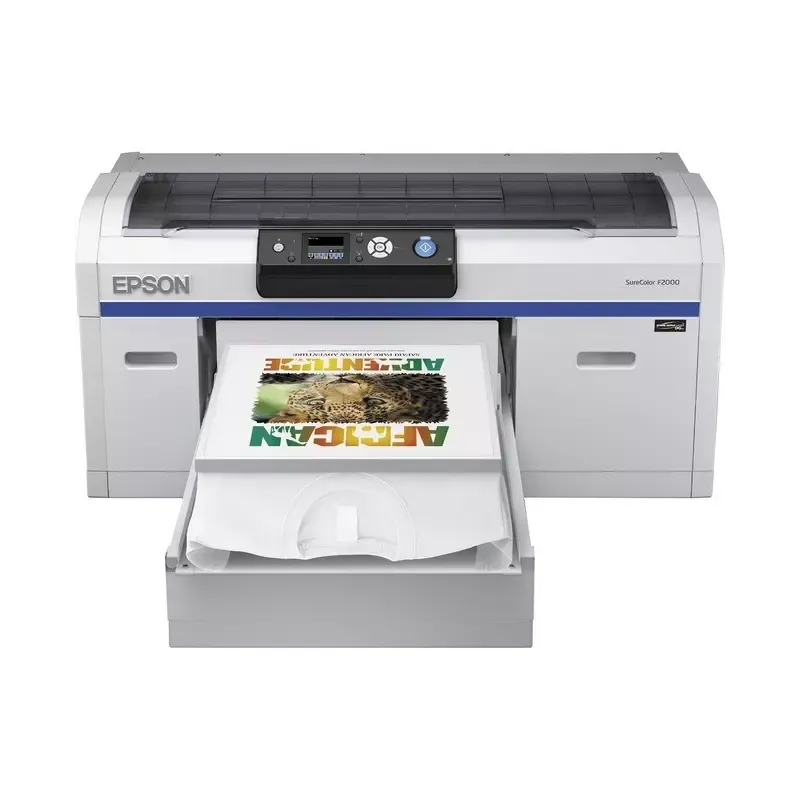

Manual of product SureColor F2000

Editorial note
The Epson SureColor F2000 stands out for its exceptional print quality, offering vibrant and precise details, particularly suited for textiles and complex patterns. Its robustness is a major asset, ensuring optimal performance even during intensive use. Additionally, the printer is designed to be easy to use, thanks to a clear manual that allows for quick handling, even for novice users. However, the initial acquisition cost of the Epson SureColor F2000 may be a barrier for some small businesses or occasional users. Maintenance costs, particularly those related to ink cartridges and spare parts, can also be high. Furthermore, its size and weight can make installation and relocation difficult, especially in tight workspaces. The print speed, while satisfactory for complex patterns, may be lower than that of some competing models, which may not suit users with high printing needs. Overall, the user experience is largely positive, supported by good access to documentation and support resources. However, the learning curve to master all the printer's features can be a challenge for some. The Epson SureColor F2000 is therefore primarily aimed at professional users seeking a high-quality printing solution, while being willing to invest in reliable and durable equipment.Score details
User experience
The user experience is overall positive thanks to a clear user manual and intuitive handling, even for novices.
Performance
The printing performance is excellent for complex patterns, although the printing speed may be lower than that of some competitors.
Value for money
The initial purchase cost is high, which can be a barrier for small businesses, despite the exceptional print quality.
Robustness
The Epson SureColor F2000 is built to withstand intensive use, maintaining optimal performance over the long term.
Support
Access to a user manual and other support resources is an asset to maximize the printer's capabilities.
Usability
Although the printer is easy to use, the learning curve to master all its features can be quite steep.
Advantages
Detailed and vibrant impressions
Robust and reliable for heavy use
Quick and intuitive handling
Bright colors and precision of details
Access to comprehensive technical support
Disadvantages
High purchase cost for small businesses.
Regular maintenance and high operating costs.
Weight and size making transportation difficult.
Printing speed lower than the competition.
Steep learning curve for beginners.
Technical Specifications SureColor F2000
General Information
-
ModelSURECOLOR F2000
-
Brand
-
Category
-
Type
-
SKU92409
-
MPN92409
Frequently Asked Questions
What is the recommended method for removing paper jammed in the printer?
Why is my printer rejecting original cartridges?
What are the reasons if my prints are of poor quality?
What is the difference between a laser printer and an inkjet printer?
Why does my inkjet printer leave black streaks on prints?
What does the acronym DPI mean?
Is the manual for the Epson SureColor F2000 available in French?
Similar products


More product categories from brand Epson
More product types from brand Epson




Presentation of product SureColor F2000 specifications from brand Epson
General Information
The Epson SureColor F2000 printer is a flagship model from the Epson brand, known for its expertise in printing technology and innovation. Designed to deliver high-quality printing results, this device is particularly suited for professionals in textiles and graphic arts. The associated EAN code, 0010343910959, allows for precise product identification in distribution systems.
Advantages
The Epson SureColor F2000 stands out for several advantages:
- Exceptional print quality: It produces detailed and vibrant prints, ideal for complex patterns.
- Reliability and durability: Thanks to Epson's reputation, this device is designed for intensive use while maintaining stable performance.
- Ease of use: The model comes with a clear user manual, facilitating quick handling, even for beginners.
- Advanced technology: The printer uses innovative technologies that ensure vibrant colors and precision in details.
- Technical support: Users have access to support resources, maximizing the printer's capabilities.
Disadvantages
However, the Epson SureColor F2000 also has some disadvantages:
- High initial cost: The initial investment can be a barrier for small businesses or occasional users.
- Regular maintenance: The printer requires frequent maintenance and can incur significant operating costs, especially for ink cartridges.
- Weight and size: Its dimensions can complicate installation and movement, particularly in restricted work environments.
- Print speed: It may be slower than other competing models, which can be a disadvantage for users with high printing needs.
- Learning curve: Mastering all the printer's features can be complex for inexperienced users.


