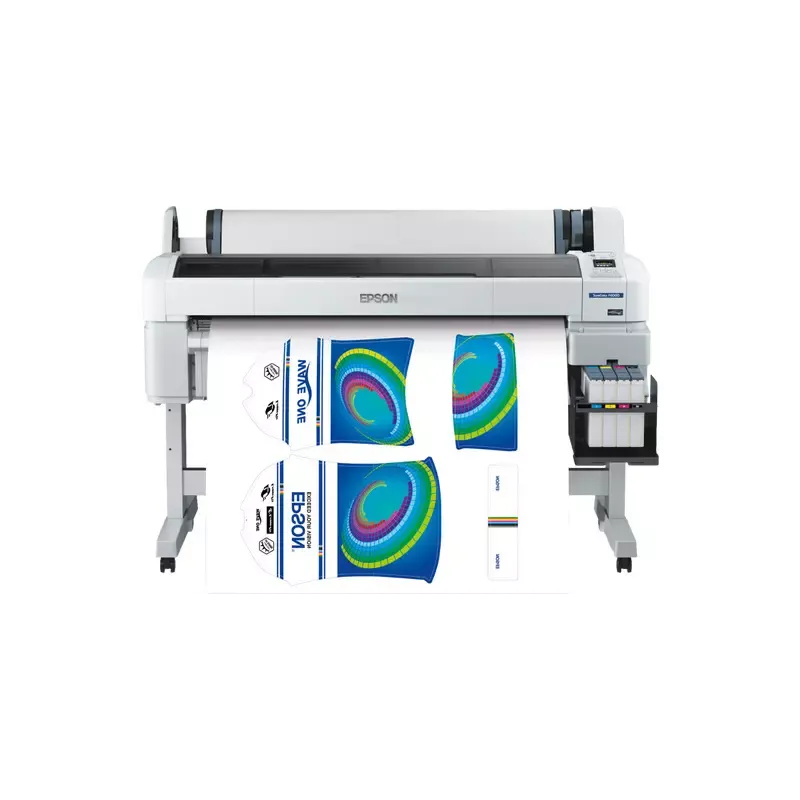

Manual of product SureColor SC-F6000

Editorial note
The Epson SureColor SC-F6000 is a printer that stands out for its exceptional print quality, offering precise details and vibrant colors, making it a preferred choice for design and creative professionals. With its advanced printing technology, it ensures optimal performance and increased durability, allowing for efficient and reliable use. The user experience is facilitated by a user-friendly interface and a detailed user manual, making installation and handling accessible even for novices. Additionally, its versatility in textile printing allows businesses to expand their service offerings and explore new markets. However, it is important to note that the initial acquisition cost of the Epson SureColor SC-F6000 can be a barrier for small businesses or occasional users. Furthermore, the printer requires regular maintenance and software updates, which can incur additional costs and time. Its size and weight can also pose space issues, making installation difficult in restricted environments. Finally, although high-performing, ink consumption can be relatively high, thus increasing long-term operating costs. In summary, the Epson SureColor SC-F6000 is a high-quality printer ideal for professionals, but its cost and maintenance requirements should be considered before any investment.Score details
User experience
The user experience is very good thanks to a user-friendly interface and a detailed user manual, making installation and getting started easier.
Performance
The Epson SureColor SC-F6000 offers excellent print quality with precise details and vibrant colors, ideal for design professionals.
Value for money
The initial purchase cost is high, which can represent a significant investment for small businesses or occasional users.
Features
This printer has advanced features, including versatility in textile printing, allowing users to diversify their offerings.
Support
The need for regular maintenance and software updates can incur additional costs, but support is generally accessible via the manual.
Robustness
Its size and weight can pose space issues in restricted work environments, thus limiting its robustness in terms of installation flexibility.
Advantages
High-quality prints and vibrant colors.
Advanced printing technology for optimal performance.
User-friendly interface and easy installation.
Versatile for various printing applications.
Energy-efficient and environmentally friendly.
Disadvantages
High initial purchase cost.
Regular maintenance and updates required.
Bulky size and weight.
High ink consumption.
Limited to textile printing.
Technical Specifications SureColor SC-F6000
General Information
-
ModelSURECOLOR SC-F6000
-
Brand
-
Category
-
Type
-
SKU859774
-
MPN859774
Frequently Asked Questions
What is the recommended method for removing jammed paper from the printer?
Why is my printer not accepting original cartridges?
What are the possible reasons for poor print quality?
What are the distinctions between a laser printer and an inkjet printer?
Why is my inkjet printer producing black streaks on prints?
What does the acronym DPI mean?
Is the manual for the Epson SureColor SC-F6000 available in French?
Similar products


More product categories from brand Epson
More product types from brand Epson




Presentation of product SureColor SC-F6000 specifications from brand Epson
General Information
The Epson SureColor SC-F6000 printer is a model from the renowned Epson brand, known for its commitment to quality and innovation in the printing device sector. This model is specifically designed to meet the needs of design and textile printing professionals, ensuring exceptional printing performance and an optimized user experience.
Advantages
This printer stands out for its remarkable print quality, offering precise details and vibrant colors, making it a preferred choice for artists and creators. Thanks to its advanced printing technology, the Epson SC-F6000 ensures reliable and durable results, allowing for efficient production. Additionally, its user-friendly interface and detailed user manual make installation and handling easy, even for novice users.
The versatility of this printer allows for the exploration of various applications, including textile printing, which opens up new business opportunities. Furthermore, the Epson SureColor SC-F6000 is designed to be energy-efficient, contributing to reduced operating costs while being environmentally friendly.
Disadvantages
However, it is important to consider some disadvantages. The initial acquisition cost of the Epson SureColor SC-F6000 can be high, representing a significant investment for small businesses or occasional users. Additionally, the printer may require regular maintenance and software updates, incurring additional costs and time. Its size and weight can also pose space challenges, making installation difficult in restricted environments.
Finally, the ink consumption can be relatively high, thus increasing long-term operating costs. It is worth noting that the Epson SureColor SC-F6000 is primarily designed for textile printing, limiting its use to other types of printing applications.


