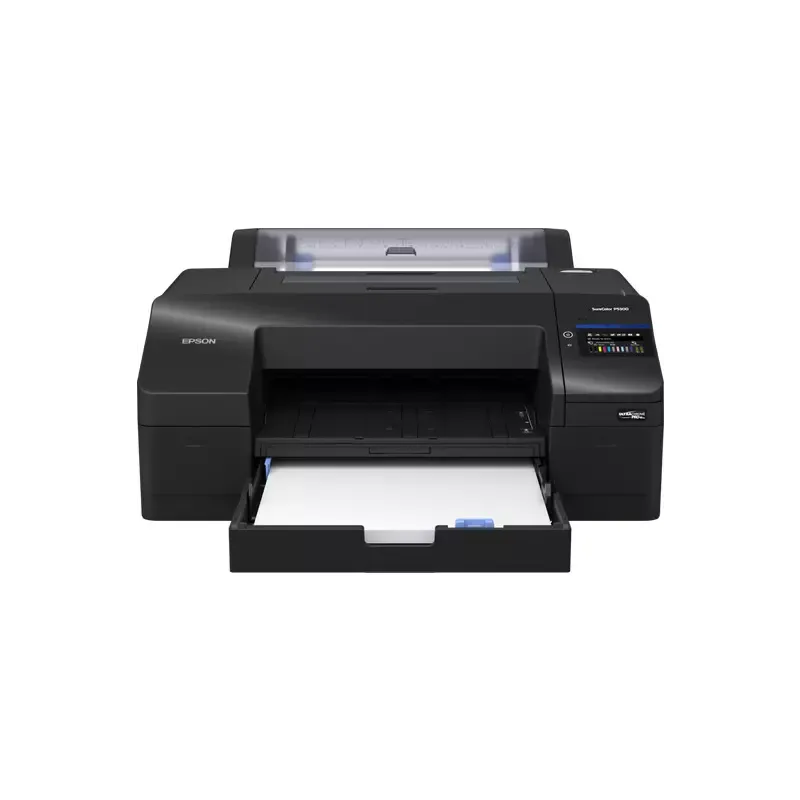

Manuals of product SureColor SC-P5300


Editorial note
The Epson SureColor SC-P5300 stands out for its exceptional print quality, ideal for art and photography professionals. Thanks to Epson's advanced technology, this printer delivers vibrant colors and precise details, ensuring optimal performance for demanding work. Its robust design also ensures long-term reliability, making it a suitable choice for professional work environments. However, the Epson SureColor SC-P5300 has some drawbacks. Its initial cost may be a barrier for users with a limited budget, although the print quality may justify this investment. Additionally, its weight and dimensions can complicate installation and movement, especially in tight spaces. Ink consumption can also lead to additional costs for users who print frequently. In terms of ergonomics, the printer comes with manuals and guides that facilitate handling, although the setup time may be lengthy for less experienced users. Its compatibility with various types of media offers appreciated flexibility, but it is important to note that the availability of spare parts and consumables can sometimes be an issue. In summary, the Epson SureColor SC-P5300 is a high-quality printer that meets the needs of professionals, but it is essential to consider its costs and installation requirements before making a choice.Score details
User experience
Ease of use is a major asset, with supporting documents available. However, the setup time can be long for less experienced users.
Performance
The print quality is exceptional thanks to Epson's advanced technology, offering vibrant colors and precise details, ideal for art and photography professionals.
Robustness
The robust and reliable design ensures optimal performance over the long term, suitable for demanding work environments.
Value for money
The initial purchase cost can be high, which may pose a barrier for budget-limited users. However, the print quality partly justifies this investment.
Support
The availability of manuals and guides makes it easier to get started, but the availability of spare parts and consumables can vary, sometimes making their supply difficult.
Usability
The printer is compatible with various types of media, offering some flexibility. However, its weight and dimensions can make installation and movement difficult.
Advantages
Exceptional and precise print quality
Sturdy design for increased durability
Easy to use with available guides
Compatibility with various print media
Energy efficiency reducing environmental impact
Disadvantages
High purchase cost for small budgets
Weight and dimensions difficult to maneuver
High ink consumption, additional costs
Long and complicated setup and learning
Variable availability of parts and consumables
Technical Specifications SureColor SC-P5300
General Information
-
ModelSURECOLOR SC-P5300
-
Brand
-
Category
-
Type
-
SKU1884040
-
MPN1884040
Frequently Asked Questions
What is the recommended method for removing a jammed paper from the printer?
Why is my printer not recognizing the original cartridges?
What could be the reasons for poor print quality?
What are the main differences between a laser printer and an inkjet printer?
Why is my inkjet printer leaving black streaks on prints?
What does the acronym DPI mean?
Is the manual for the Epson SureColor SC-P5300 available in French?
Similar products


More product categories from brand Epson
More product types from brand Epson




Presentation of product SureColor SC-P5300 specifications from brand Epson
General Information
The Epson SureColor SC-P5300 printer is a high-end model offered by the renowned brand Epson, famous for its commitment to quality and innovation in the printing device sector. This model, identified by the reference SureColor SC-P5300 | C11CL14301A0, is designed to deliver optimal performance, thus ensuring an enriching user experience.
Advantages
Among the notable strengths of the Epson SureColor SC-P5300, we find:
- Remarkable print quality: Thanks to advanced technology, this printer produces vibrant colors and precise details, making it an ideal tool for art and photography professionals.
- Robust design: Its solid construction ensures long-term reliability, even in demanding work environments.
- Ease of use: The printer comes with support documents, such as the user manual and installation guide, facilitating quick handling.
- Extensive compatibility: It supports various types of media, thus offering flexibility for printing on different formats, including specialized media.
- Energy efficiency: The Epson SureColor SC-P5300 helps reduce energy consumption, which decreases its environmental impact while maintaining superior print quality.
Disadvantages
However, some aspects deserve consideration:
- High initial cost: The purchase price of the Epson SureColor SC-P5300 may be a barrier for users with a limited budget.
- Weight and dimensions: Its weight and dimensions can complicate installation and movement, particularly in tight spaces.
- Ink consumption: The printer may have significant ink consumption, leading to additional costs for users who print frequently.
- Setup time: Getting started and familiarizing oneself may require a relatively long learning time, which can frustrate less experienced users.
- Availability of parts: The supply of spare parts and consumables may vary, sometimes making access difficult.


