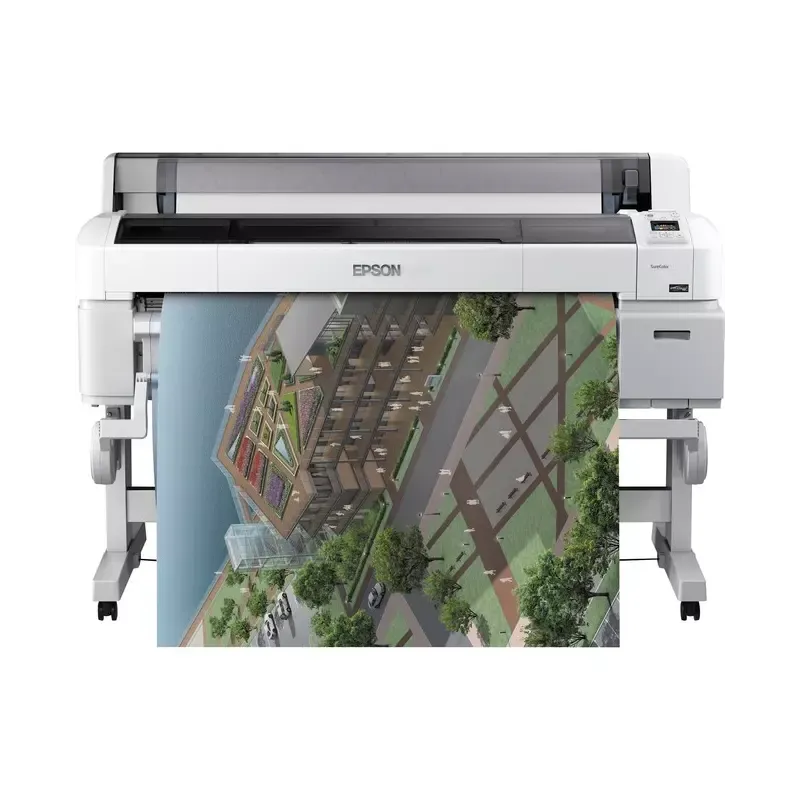

Manual of product SureColor T7000

Editorial note
The Epson SureColor T7000 printer stands out for its exceptional print quality, offering vibrant colors and precise details, making it a preferred choice for graphic design and architecture professionals. With its advanced printing technologies, it ensures optimal performance, even for large print jobs. Additionally, its versatility allows for handling various types of media, from posters to technical plans, making it a tool adaptable to many applications. However, there are some drawbacks to consider. Its price can be high, representing a significant investment for users with a limited budget. Furthermore, the bulky size of the printer requires sufficient workspace for installation. The specific ink cartridges can also be expensive and may require frequent replacement, thus increasing operating costs. Finally, although the print performance is excellent, the print speed may be slower than some competitors, which could slow down workflow in demanding environments. In terms of user experience, the Epson SureColor T7000 benefits from an intuitive interface and an accessible user manual, making it easy to use even for beginners. Nevertheless, the installation and setup of the printer can be complex for those who are not familiar with new technologies. In summary, while the printer offers advanced features and remarkable print quality, it is essential to weigh these advantages against its disadvantages before making a purchasing decision.Score details
User experience
The user experience is generally positive, thanks to intuitive features and an accessible user manual, making the printing process easier.
Performance
The printing performance is excellent with vibrant colors and precise details, although the printing speed may be lower than that of some competitors.
Value for money
The price of the Epson SureColor T7000 can be high for some users, representing a significant investment, especially for small budgets.
Design
The design is functional, but the bulky size of the printer may require sufficient workspace for installation.
Features
The advanced features and versatility of the printer allow for handling various types of media, which is a major asset for professionals.
Support
Epson is a reputable brand for its reliability, offering a good level of support to users, although installation can be complex for the less experienced.
Advantages
High-quality printing, vibrant colors
Advanced and efficient printing technology
Easy to use with an intuitive interface
Versatile for various types of media
Reliable and recognized brand, durable
Disadvantages
High price for small budgets.
Bulky, requires a lot of space.
Expensive and frequent ink cartridges.
Relatively slow printing speed.
Complex installation for novice users.
Technical Specifications SureColor T7000
General Information
-
ModelSURECOLOR T7000
-
Brand
-
Category
-
Type
-
SKU92420
-
MPN92420
Frequently Asked Questions
What is the recommended method for removing paper jammed in the printer?
Why is my printer not recognizing the original cartridges?
What could be the reasons for poor print quality?
How does a laser printer differ from an inkjet printer?
Why is my inkjet printer leaving black streaks on prints?
What does the acronym DPI mean?
Is the manual for the Epson SureColor T7000 available in French?
Similar products


More product categories from brand Epson
More product types from brand Epson




Presentation of product SureColor T7000 specifications from brand Epson
General Information
The Epson SureColor T7000 is a printer from the renowned brand Epson, known for its reliability and innovation in the printing device sector. This model, designed to deliver superior print quality, stands out for its ability to produce images with vibrant colors and intricate details, making it particularly suitable for professionals in graphic design, architecture, and other creative fields.
Identified by the EAN code 0010343904002, the Epson SureColor T7000 is a strategic choice for those seeking high-level printing performance. Its intuitive design makes it easy to use, allowing users to navigate effortlessly between the various functions and options available.
Technical Specifications
This printer is equipped with advanced printing technologies that optimize its efficiency, especially when handling large print jobs. Its versatility allows it to manage various types of media, ranging from large-format posters to technical plans, thus adapting to a multitude of professional applications.
However, it is worth noting that the price of the Epson SureColor T7000 can be relatively high, which could represent a significant investment for small businesses or users with a limited budget. Additionally, its large size requires adequate workspace for installation. The specific ink cartridges for this model may incur high operating costs due to their frequency of replacement. Finally, the printing speed may be lower than that of some competitors, which can slow down workflow in high-demand environments. The installation and setup of the product may also prove complex for users less familiar with technology.


