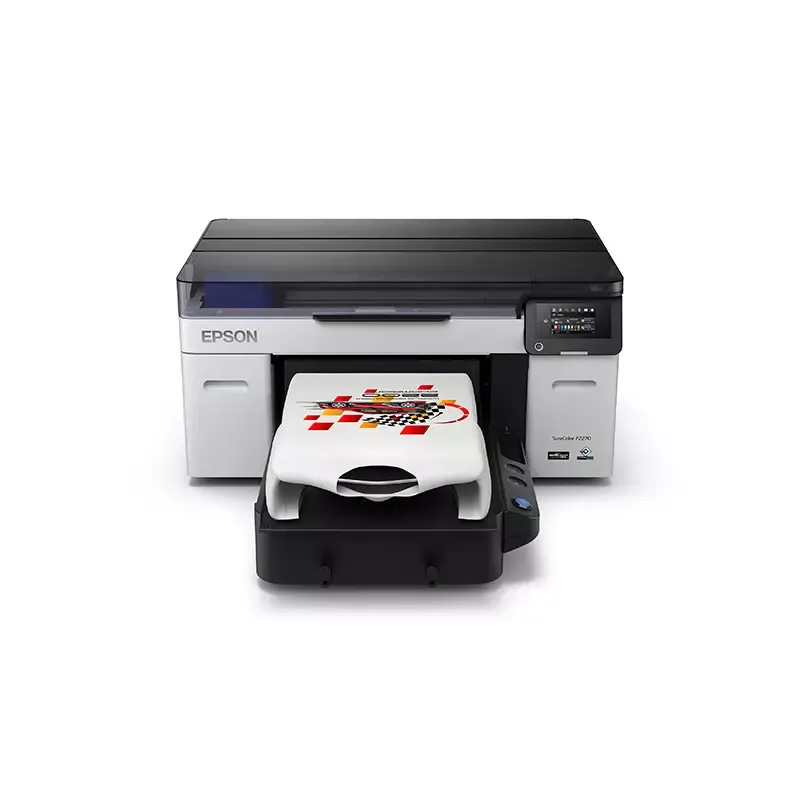

Manual of product SureColorF2270

Editorial note
The Epson SureColorF2270 stands out for its exceptional print quality, with a maximum resolution of 1200 x 1200 DPI, ideal for professional documents and image reproductions. Its varied connectivity, including USB Type-A and Ethernet ports, facilitates integration into various work environments. Additionally, its quiet operation at 37 dB makes it a wise choice for noise-sensitive spaces. Compatibility with Windows and Mac operating systems ensures a smooth user experience, while its optimized energy consumption contributes to long-term savings. However, the weight of 95 kg may pose challenges during installation and handling, potentially requiring assistance. The high cost of ink cartridges and maintenance could also deter some small businesses. Furthermore, its large format may not be suitable for smaller workspaces, limiting its accessibility. The lack of advanced scanning and copying features may disappoint those seeking a complete multifunction printer. In summary, the Epson SureColorF2270 is an excellent choice for those who prioritize print quality and connectivity, but its weight and operating costs could be barriers for some users.Score details
User experience
The user experience is very positive due to exceptional print quality and varied connectivity, but the weight can complicate installation.
Performance
Print performance is excellent with a maximum resolution of 1200 x 1200 DPI, ideal for professional documents.
Battery life
Energy consumption is optimized through sleep modes, contributing to energy savings.
Design
The design is robust, but its weight of 95 kg and imposing size may not be suitable for all workspaces.
Value for money
Although the print quality is remarkable, the high cost of ink cartridges and maintenance can be a barrier for some users.
Usability
Compatibility with Windows and Mac ensures smooth use, but the lack of advanced scanning features may disappoint some.
Robustness
The product is solid and certified, but it remains heavy, which can make transport and installation difficult.
Advantages
High-quality printing at 1200 DPI
Varied USB and Ethernet connectivity
Quiet operation at 37 dB
Compatible with Windows and Mac
Energy-saving in sleep mode
Disadvantages
Heavy weight, difficult to move
High cost of cartridges and maintenance
Bulky format, not suitable for small spaces
No advanced scanning features
Can be noisy in a quiet environment
Technical Specifications SureColorF2270
General Information
-
ModelSURECOLORF2270
-
Brand
-
Category
-
Type
-
SKU1872113
-
MPN1872113
Print speed
-
Printing technology-
-
Number of print cartridges-
-
Languages of the page description-
-
ColorYes
-
Maximum resolution1200 x 1200 DPI
-
Printing colorsBlack, Cyan, Magenta, White, Yellow
Connectivity
-
Wifi-
-
Ethernet/LANYes
-
USB connectorUSB Type-A
-
Quantity of USB 2.0 Ports2
-
Ethernet/LANYes
-
LAN Ethernet: data transfer rate10,100,1000 Mbit/s
Minimum system requirements
-
Support for the Mac operating systemYes
-
Support for the Mac operating systemYes
Weight and dimensions
-
Width981 mm
-
Depth1361 mm
-
Height499 mm
-
Weight95000 g
Representation / realization
-
Built-in screen-
-
Sound pressure level (impression)37 dB
-
Product colorBlack, Grey
-
CertificationUL (MET), FCC (Class A), CSA, CE, EMC
-
Country of originIndonesia
Environmental conditions
-
Operating temperature10 - 35 °C
-
Operating relative humidity (H-H)20 - 80 %
Power
-
AC input voltage100 - 120 V
-
AC input frequency50/60 Hz
-
Power supply46 W
-
Energy consumption (standby mode)30 W
-
Energy consumption (in standby mode)7 W
-
Electricity consumption (stop)0.3 W
Sustainability
-
Sustainability certificatesRoHS
Paper management
-
Maximum print format-
-
Type of paper tray support-
-
Leaves (separated)-
Digitization
-
DigitizationNo
Copier
-
CopyNo
Frequently Asked Questions
What is the weight of the Epson SureColor F2270?
What is the recommended method for removing paper jammed in the printer?
Why is my printer not accepting original cartridges?
Why is the quality of my prints poor?
What is the difference between a laser printer and an inkjet printer?
Why does my inkjet printer leave black streaks on prints?
What does the term DPI mean?
What certifications does the Epson SureColor F2270 have?
How many cartridges can be installed in the Epson SureColor F2270?
What is the height of the Epson SureColor F2270?
What is the width of the Epson SureColor F2270?
What is the depth of the Epson SureColor F2270?
Is the manual for the Epson SureColor F2270 available in French?
Similar products


More product categories from brand Epson
More product types from brand Epson




Presentation of product SureColorF2270 specifications from brand Epson
General Information
The Epson SureColor F2270 printer is a model from the Epson brand, known for its innovation and quality in the field of printing devices. The SureColor F2270 | SCF2270SE model is designed to deliver high-level performance and an enhanced user experience.
Print Speed
This printer uses advanced printing technology that ensures exceptional print quality. With a maximum resolution of 1200 x 1200 DPI, it provides prints with remarkable clarity, suitable for both professional needs and image reproductions. The ink cartridge system is optimized to deliver stunning visual output with colors Black, Cyan, Magenta, White, and Yellow.
Connectivity
The Epson SureColor F2270 is equipped with several connectivity options, including two USB Type-A ports for quick connections to various devices, as well as an Ethernet/LAN interface for efficient network integration. The data transfer rate reaches 10/100/1000 Mbit/s, ensuring a smooth and fast connection.
Minimum System Requirements
This printer is compatible with Windows and Mac operating systems, ensuring easy and uninterrupted use for a wide range of users.
Weight and Dimensions
With dimensions of 981 mm in width, 1361 mm in depth, and 499 mm in height, the Epson SureColor F2270 is designed to fit into various work environments. Its weight of 95 kg may require assistance for installation and handling.
Representation / Performance
The noise level during printing is 37 dB, ensuring relatively quiet operation, ideal for noise-sensitive workspaces. Available in Black and Gray colors, it features a modern appearance. The built-in screen facilitates navigation and use of the device. This printer is certified UL, FCC, CSA, CE, and EMC, ensuring compliance with safety standards.
Environmental Conditions
For optimal operation, the operating temperature should be between 10 and 35 °C, with a relative humidity of 20 to 80 %, allowing for use in various environments.
Power
The Epson SureColor F2270 operates with an AC input voltage of 100 - 120 V and a frequency of 50/60 Hz. Its power consumption is 46 W in active mode, while it reduces consumption to 30 W in standby. In off mode, the consumption is very low, at 0.3 W.
Durability
This printer meets durability standards, with RoHS certificates, ensuring an environmentally friendly design.
Paper Management
The maximum print format and the type of media for the paper tray have been designed to meet various printing needs, although specific details are not provided.
Scanning
The Epson SureColor F2270 offers color scanning functionality, allowing for faithful reproductions of documents and images.
Copier
It also integrates a color copying function, ensuring vibrant prints that are true to the original colors.


