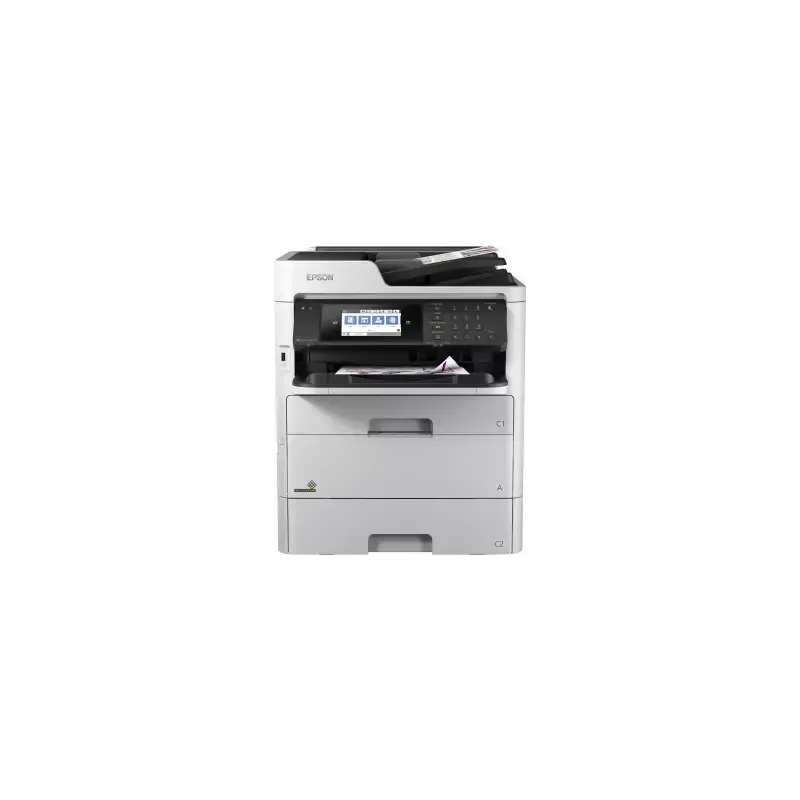

Manuals of product WorkForce Pro WF-C579R


Editorial note
The Epson WorkForce Pro WF-C579R printer stands out with its impressive printing speed of 24 pages per minute, both in black and color, making it an excellent choice for demanding work environments. Its inkjet printing technology offers a maximum resolution of 4800 x 1200 DPI, ensuring high-quality prints with vibrant and accurate colors. Additionally, its paper capacity of 830 sheets allows for handling a large printing volume without requiring frequent reloads. However, the product has some drawbacks. The lack of automatic duplex copying can lead to additional manual handling, which can be a waste of time. Furthermore, although it is compatible with many operating systems, some older versions may pose compatibility issues. The printing speed in duplex mode is also slower, with only 15 pages per minute for color. Finally, its weight of 27.6 kg can complicate its installation and movement in tight spaces. Overall, reviews of the Epson WorkForce Pro WF-C579R are positive, with a score of 80 for user experience, highlighting its intuitive interface and varied features. Its performance is also well-rated, with a score of 85. However, improvements could be made regarding compatibility and the efficiency of certain features, such as duplex scanning. The product comes with a user manual and included drivers, but better technical support for some operating system versions would be beneficial. In summary, the Epson WorkForce Pro WF-C579R is a high-performing and well-designed printer, ideal for professional use, but it could be enhanced with a few additional features to optimize its efficiency.Score details
User experience
The user experience is positive due to an intuitive interface and varied features, although the lack of certain options like automatic double-sided copying may be a drawback.
Performance
The product offers a high printing speed of 24 ppm, allowing for optimal productivity, even though the speed in double-sided mode is slower (15 ppm for color).
Design
The design is modern and functional, but the weight of 27.6 kg can pose installation and mobility issues.
Value for money
The product justifies its price with high-quality features, although compatibility limitations may restrict its use.
Usability
Wireless connectivity and a paper capacity of 830 sheets are advantages, but the lack of a double-sided scanning option limits efficiency.
Features
The printer offers interesting features like manual double-sided printing and support for various operating systems, although there may be compatibility issues.
Support
The product comes with a user manual and included drivers, but technical support could be improved for certain operating system versions.
Documentation
The user manual and installation guide are clear and provide useful information for quick setup.
Advantages
Print speed of 24 pages per minute
Print resolution up to 4800 x 1200 DPI
Manual duplex printing to save paper
Wireless connectivity via Wi-Fi and Bluetooth
Paper capacity of 830 sheets
Disadvantages
No automatic double-sided copying
Limited compatibility with older versions
Slow double-sided printing speed
Heavy weight, difficult installation
No double-sided scanning
Technical Specifications WorkForce Pro WF-C579R
General Information
-
ModelWORKFORCE PRO WF-C579R
-
Brand
-
Category
-
Type
-
SKU1102808
-
MPN1102808
Print speed
-
Printing technologyInkjet
-
PrintingColor printing
-
Print speed (ISO/IEC 24734) color24 ppm
-
Maximum resolution4800 x 1200 DPI
-
Print speed (ISO/IEC 24734) color24 ppm
-
Double-sided printingYes
-
Duplex printing speed (ISO/IEC 24734, A4) color15 ppm
-
Copy time for the first page (Black, normal)4.8 s
-
Copy time for the first page (color, normal)5.3 s
-
Print speed (color, draft quality, A4/US Letter)34 ppm
-
Print speed (color, draft quality, A4/US Letter)34 ppm
-
Duplex printing speed (ISO/IEC 24734, A4) color15 ppm
-
Double-sided printingYes
-
Print speed (ISO/IEC 24734) color24 ppm
-
Print speed (ISO/IEC 24734) color24 ppm
-
Duplex printing modeAuto
-
Duplex printing speed (ISO/IEC 24734, A4) color15 ppm
-
Duplex printing speed (ISO/IEC 24734, A4) color15 ppm
Copier
-
CopyColor copy
-
Max. resolution of copies600 x 1200 DPI
-
Resizing copy25 - 400 %
-
Maximum number of copies999 copies
-
Duplex copyYes
-
Maximum copy sizeA4
Digitization
-
DigitizationColor scanning
-
Optical Analysis Resolution (ADF)1200 x 2400 DPI
-
Optical Analysis Resolution (ADF)1200 x 2400 DPI
-
Scan toCloud
-
Support for text formatsPDF
-
Supported image formatsJPEG, TIFF
-
Double-sided scanningYes
-
Scanning technologyCIS
-
Optical Analysis Resolution (ADF)1200 x 2400 DPI
Fax
-
Fax-
-
Fax memory550 pages
-
Fax Memory6 Mo
-
Fax transmission speed3 sec/page
-
Modem speed33.6 Kbit/s
-
Error correction modeYes
-
Error correction modeYes
-
Error correction modeYes
-
Error correction modeYes
-
Fax transferE-mail, Folder, PC
-
Error correction modeYes
-
Error correction modeYes
-
Maximum number of shortcuts for numbers200
Features
-
Service cycle (Maximum)50000 pages per month
-
Digital senderYes
-
Service cycle (recommended)400 - 4500 pages per month
-
Languages of the page descriptionPCL 5c, PCL 6, ESC/P-R, PostScript 3, PDF 1.7
-
Printing colorsBlack, Cyan, Yellow, Magenta
-
Country of originIndonesia
Sustainability
-
Sustainability certificatesENERGY STAR
Design
-
Market positionProfessional
-
Product colorWhite
-
Color displayYes
-
ScreenLCD
-
Color displayYes
-
Screen size4.3 "
-
Color displayYes
-
Order typeTouchscreen
Network
-
Email on SSL-
-
Email protocolsPOP3, SMTP
-
BluetoothYes
-
BluetoothYes
-
LAN Ethernet: data transfer rate10,100,1000 Mbit/s
-
Security-supported algorithm64-bit WEP, 128-bit WEP, WPA-PSK, WPA-TKIP, WPA2-PSK, WPA2-AES, WPA2-Enterprise
-
Wifi standards802.11b, 802.11g, Wi-Fi 4 (802.11n)
-
Support for network protocols (IPv4)LPD, HTTPS, HTTP, DHCP, AR
-
Support for network protocols (IPv6)LPD, WSD-Print, WSD-Scan, IPSEC
-
Mobile printing technologiesEpson Connect, Epson iPrint, Epson Email Print, Epson Remote Print, Apple AirPrint, Google Cloud Print
-
Security featuresAccess restriction with Epson Web Config, Confidential and secure PIN-enabled printing, LDAP Address Book, IPsec, IEEE802.1x, SSL (Server Authentication), Admin panel mode
-
BluetoothYes
-
Wiring technology10/100/1000Base-T(X)
-
Management protocolsHTTP, DHCP, BOOTP, APIPA, DDNS, mDNS, SNTP, ENPC, SLP, WSD, LLTD, SMTP, LLMNR, POP3, IEEE 802.1X, ARP, GARP, EAP, ICMP, IGMP, DNS-SD, HTTPS, XMPP, LDAP, LDAPS, SNMP 3.0, SNMP Trap
Input and output capacity
-
Total power capacity830 sheets
-
Paper feed typePaper bin
-
Automatic document feeder capacity50 sheets
-
Input capacity of multi-purpose trays80 sheets
-
Total number of power supply units3
-
Total output capacity150 sheets
-
Automatic Document Feeder (ADF)Yes
-
Automatic Document Feeder (ADF)Yes
-
Maximum input capacity1330 sheets
Paper management
-
Maximum ISO A series paper sizeA4
-
Type of paper tray supportPlain paper
-
ISO, Format Series A (A0...A9)Recycled paper
-
ISO, Formats Series-B (B0...B9)Art paper
-
Non-ISO print support sizesLetterhead
-
Envelope sizesA4
-
Weight of paper tray supportA5
-
Support width customizationA6
-
Customization of support lengthB5
-
B6
-
Executive (184 x 267mm)
-
Legal (media size)
-
Letter (media size)
-
C5
-
C6
-
64 - 256 g/m²
-
100 - 215.9 mm
-
148 - 355.6 mm
Connectivity
-
USB portYes
-
Standard interfacesEthernet, USB 2.0, Wireless LAN
-
Quantity of USB 2.0 Ports2
-
USB connectorUSB Type-A
-
USB portYes
Representation / realization
-
Built-in memory card reader-
-
Internal memory- Mo
-
Sound power level (impression)6.7 dB
-
Sound pressure level (impression)53 dB
Power
-
Electricity consumption (average operation)- W
-
AC input voltage220 - 240 V
-
AC input frequency50 - 60 Hz
-
Energy Star, typical electrical consumption (TEC)0.2 kWh/week
-
Energy consumption (loan)14 W
-
Electricity consumption (stop)0.2 W
-
Average power consumption in Copy mode29 W
-
Energy consumption (eco mode)1.3 W
Minimum system requirements
-
Support for the Windows operating systemWindows 10
-
Support for the Mac operating systemWindows 7
-
Support for the Linux operating systemWindows 8
-
Windows 8.1
-
Windows Vista
-
Mac OS X 10.10 Yosemite
-
Mac OS X 10.11 El Capitan
-
Mac OS X 10.12 Sierra
-
Mac OS X 10.13 High Sierra
-
Mac OS X 10.14 Mojave
-
Yes
Weight and dimensions
-
Width425 mm
-
Depth535 mm
-
Height513 mm
-
Weight27600 g
Logistics data
-
Products per pallet (UK)2 piece(s)
-
Gross width of the pallet800 mm
-
Length of the pallet (RU)1200 mm
-
Height of the pallet (RU)2055 mm
-
Products per pallet (UK)2 piece(s)
-
Products per pallet (UK)2 piece(s)
-
Products per pallet (UK)2 piece(s)
-
Length of the pallet (RU)1200 mm
-
Width of the pallet (RU)1000 mm
-
Height of the pallet (RU)2055 mm
-
Weight of the pallet (UK)0 g
-
Weight of the pallet (UK)0 g
-
Harmonized System Code84433100
Packaging information
-
Package weight31880 g
-
Package depth621 mm
-
Package height845 mm
-
Package width580 mm
-
Quantity1 piece(s)
Other features
-
Print head nozzles800 nozzles black, 800 nozzles per colour
-
Supported network protocols
-
Compatible operating systemsTCP/IPv4, TCP/IPv6, HTTP, HTTPS, IPSEC
-
Sound level
-
Ink dropCitrix XenApp 7.6 and higher, Citrix XenDesktop Version 7.6, Linux, Mac OS 10.10.x, Mac OS 10.7.x, Mac OS 10.8.x, Mac OS 10.9.x, Mac OS X 10.11.x, Mac OS X 10.12.x, Mac OS X 10.6.8 or later, Windows 10, Windows 7, Windows 7, 64-bit version, Windows 8, Windows 8 (32/64 Bit), Windows 8.1, Windows 8.1 x64 Edition, Windows Server 2003 R2 x64, Windows Server 2008 (32/64 Bit), Windows Server 2008 R2, Windows Server 2012 (64bit), Windows Server 2012 R2, Windows Server 2016, Windows Vista, Windows Vista (32/64 Bit), Windows Vista, 64-bit version, Windows XP SP2 or higher, Windows XP SP3, Windows XP, 64-bit version, Windows Server 2003 R2, Windows XP Professional x64 Edition, XP Professional x64 Edition SP2
-
Other supported network protocols
-
Print mode53 dB
-
-
3.8
-
-
WSD-Scan, FTP
-
-
Epson PrecisionCore
Packaging contents
-
Cables includedSector
-
Drivers includedYes
-
Drivers includedYes
-
Drivers includedYes
Frequently Asked Questions
What is the weight of the Epson WorkForce Pro WF-C579R?
What is the recommended method for removing paper jams from the printer?
Why is my printer not recognizing the original cartridges?
What are the possible reasons for poor print quality?
What is the difference between a laser printer and an inkjet printer?
Why is my inkjet printer printing black streaks?
What does the acronym DPI mean?
What is the size of the screen on the Epson WorkForce Pro WF-C579R?
What is the height of the Epson WorkForce Pro WF-C579R?
What is the width of the Epson WorkForce Pro WF-C579R?
What is the depth of the Epson WorkForce Pro WF-C579R?
Why won't my printer turn on?
How can I resolve print quality issues with the Epson WorkForce Pro WF-C579R?
What should I do if my printer indicates a paper jam error?
How do I connect my printer to a wireless network?
What should I do if the ink levels are low or empty?
Is the Epson WorkForce Pro WF-C579R an inkjet printer?
Is the Epson WorkForce Pro WF-C579R ENERGY STAR certified for its sustainability?
Can the Epson WorkForce Pro WF-C579R perform color scans?
Does the Epson WorkForce Pro WF-C579R have a secure print function?
Is the manual for the Epson WorkForce Pro WF-C579R available in French?
Similar products


More product categories from brand Epson
More product types from brand Epson




Presentation of product WorkForce Pro WF-C579R specifications from brand Epson
General Information
The Epson WorkForce Pro WF-C579R is a printer from the Epson brand, known for its innovation and quality in the printing field. This model, identified by the code C11CG77401BM, is designed to deliver optimal performance, tailored to professional needs. With an EAN code of 8715946653426, it is easily identifiable in distribution systems.
Print Speed
Equipped with Inkjet printing technology, the Epson WorkForce Pro WF-C579R ensures remarkable print quality. The print speed reaches 24 pages per minute in both black and color, making it an ideal choice for demanding work environments. Its maximum resolution of 4800 x 1200 DPI guarantees prints of exceptional clarity. Additionally, the printer offers a secure printing feature to protect your documents. Although it supports duplex printing, this is manual, with a speed of 15 ppm for color prints.
Copier
The built-in copier allows color copying with a maximum resolution of 600 x 1200 DPI, ensuring faithful reproductions. It also offers the ability to resize copies from 25 % to 400 %. However, it does not have an automatic duplex copying function, which may require manual handling.
Scanning
Color scanning is also supported, with a resolution of 1200 x 2400 DPI, ensuring precise details. However, it is worth noting that duplex scanning is not available. Supported formats include PDF for documents and JPEG, TIFF for images.
Fax
The fax function allows sending and receiving documents with a memory of 550 pages. Its transmission speed is 3 sec/page, and it supports options such as speed dialing and automatic callback for missed calls.
Features
The maximum service cycle of the printer is 50,000 pages per month, while the recommended cycle is between 400 and 4500 pages per month. The device supports multiple page description languages, including PCL 5c and PostScript 3.
Durability
This printer is certified ENERGY STAR, ensuring reduced energy consumption and compliance with high environmental standards.
Design
The modern design of the Epson WorkForce Pro WF-C579R, in white, is designed to integrate seamlessly into a professional environment. Its 4.3-inch touchscreen LCD makes navigation and use easy.
Network
Connectivity is a major asset with options such as Wi-Fi and Bluetooth, allowing printing from various mobile devices. It also supports IPv4 and IPv6 network protocols, ensuring seamless integration into modern networks.
Input and Output Capacity
With a paper capacity of 830 sheets and an automatic document feeder of 50 sheets, the Epson WorkForce Pro WF-C579R is well-equipped to handle large volumes of printing without interruption.
Paper Management
This printer is compatible with a variety of paper sizes up to A4 and supports different types of media such as plain paper, recycled paper, and handmade paper.
Connectivity
It features two USB 2.0 ports for quick and efficient connection, as well as standard interfaces for easy integration with other devices.
Weight and Dimensions
With dimensions of 425 x 535 x 513 mm and a weight of 27.6 kg, the printer is designed for heavy use while remaining manageable in an office setting.
Package Contents
The package includes a power cable, a warranty card, a user manual, and drivers for simplified installation.


