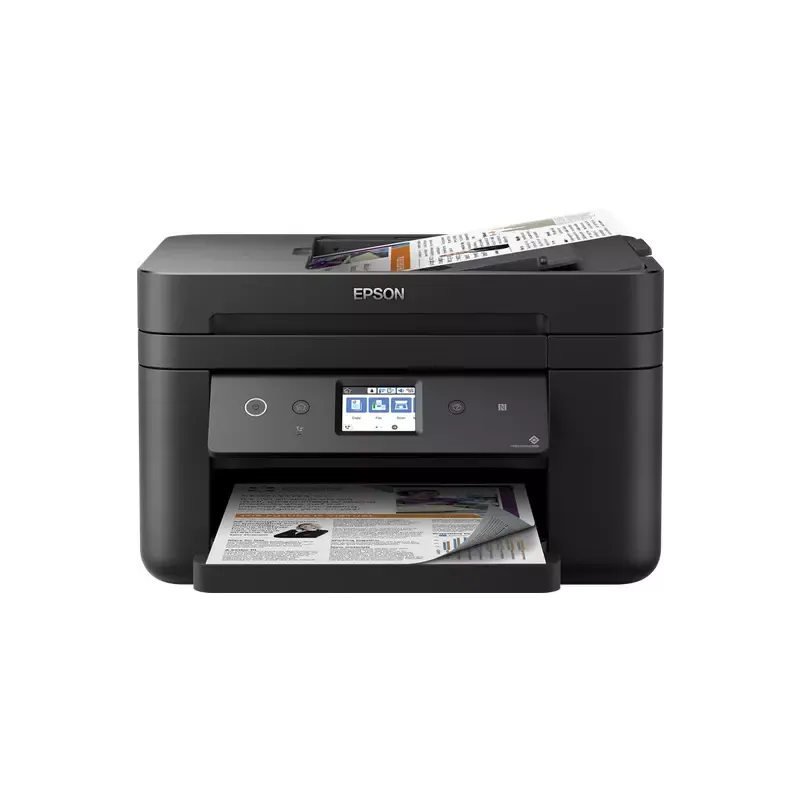

Manuals of product WorkForce WF-2865DWF


Editorial note
The Epson WorkForce WF-2865DWF positions itself as a versatile printer, ideal for small offices or home users with regular printing needs. Its major strengths include fast and high-quality printing, as well as printing, scanning, copying, and faxing features, allowing multiple tasks to be centralized on a single device. Additionally, wireless connectivity makes direct printing from mobile devices or laptops particularly convenient. The user experience is generally positive thanks to a user-friendly interface, making the device accessible even for less experienced users. However, some aspects deserve to be highlighted. The cost of ink cartridges can be high, increasing long-term operating costs, which can be a drawback for some users. Furthermore, the printing speed may be relatively slow compared to other models, and connectivity issues with wireless networks have been reported, which can hinder ease of use. Finally, the size of the printer can be cumbersome for small workspaces. Although it offers good functionality, advanced scanning and copying options may be lacking compared to other models on the market. In summary, the Epson WorkForce WF-2865DWF is a solid choice for those looking for a multifunction printer with good performance, but it is essential to consider operating costs and available space before making a purchase.Score details
User experience
The user experience is generally positive thanks to a user-friendly and easy-to-use interface, making the printer accessible even for less experienced users.
Performance
Print performance is generally good, with high print quality, but the printing speed can be relatively slow compared to other models.
Features
The printer offers good versatility with printing, scanning, copying, and faxing features, allowing multiple tasks to be centralized on a single device.
connectivity
Wireless connectivity is facilitated, but some users report issues with wireless networks, which can impact ease of use.
Value for money
The cost of ink cartridges can be high, increasing long-term usage costs, which can be a disadvantage for some users.
Design
The size of the printer can be bulky for small workspaces, which can pose a problem in certain environments.
Advantages
Fast and high-quality printing
Multifunction: printing, scanning, copying, faxing
Convenient and simplified wireless connectivity
Energy savings and reduced costs
User-friendly interface for all levels
Disadvantages
High cost of ink cartridges
Relatively slow printing time
Bulky size for small spaces
Wireless connectivity issues
Limited scanning features
Technical Specifications WorkForce WF-2865DWF
General Information
-
ModelWORKFORCE WF-2865DWF
-
Brand
-
Category
-
Type
-
SKU1246013
-
MPN1246013
Frequently Asked Questions
What is the recommended method for removing paper jammed in the printer?
Why does my printer not recognize the original cartridges?
What are the possible reasons for poor print quality?
What are the differences between a laser printer and an inkjet printer?
Why does my inkjet printer leave black streaks on prints?
What does the acronym DPI mean?
What should I do if my printer does not turn on?
What is the procedure for inserting paper into the printer?
Why do my prints appear blurry or dull?
How can I connect my printer to the Wi-Fi network?
What should I do if my printer indicates a 'Paper Jam'?
Is the manual for the Epson WorkForce WF-2865DWF available in French?
Similar products


More product categories from brand Epson
More product types from brand Epson




Presentation of product WorkForce WF-2865DWF specifications from brand Epson
General Information
The Epson WorkForce WF-2865DWF printer is a versatile model designed to meet the needs of small offices as well as home users with frequent printing requirements. Known for its innovation and reliability, the Epson brand offers this device that combines several features, including printing, scanning, copying, and faxing, thus allowing various tasks to be centralized on a single piece of equipment.
This model stands out for its ability to produce fast, high-quality prints, making document management easier on a daily basis. Additionally, its user-friendly interface makes the device accessible even for those who are not very tech-savvy.
Advantages
- Fast and high-quality printing, ideal for dynamic work environments.
- Multiple features (printing, scanning, copying, and faxing), centralizing several tasks on one device.
- Simplified wireless connectivity, allowing printing from mobile devices and laptops without the need for cables.
- Energy-saving sleep mode and efficient ink cartridges, helping to reduce operating costs.
Disadvantages
- The cost of ink cartridges can be high, which may increase the long-term usage cost.
- Printing speed may be relatively slow compared to other models available on the market.
- The size of the printer can be bulky, making integration difficult in tight workspaces.
- Connectivity issues with wireless networks have been reported, which can impact the user experience.
- Scanning and copying features may lack some advanced options found in other models.


