Thumbnail of product LH7-M22BB from brand Funai
Logo of brand Funai

Television Funai LH7-M22BB

Discover the Funai LH7-M22BB television, a model that combines quality and innovation for an optimal viewing experience. Manufactured by the Funai brand, known for its reliable performance, this television is designed to meet the expectations of modern users.

The Funai LH7-M22BB stands out for its ability to deliver sharp images and vibrant colors, making your favorite movies and shows even more immersive. This model is ideal for home cinema sessions or for following your favorite sporting events.

Easy to install and use, it also comes with a user manual to guide you through its features. Whether you are a movie buff or simply looking for a good television for your daily life, the Funai LH7-M22BB is a wise choice that will meet your entertainment needs.

Manual of product LH7-M22BB
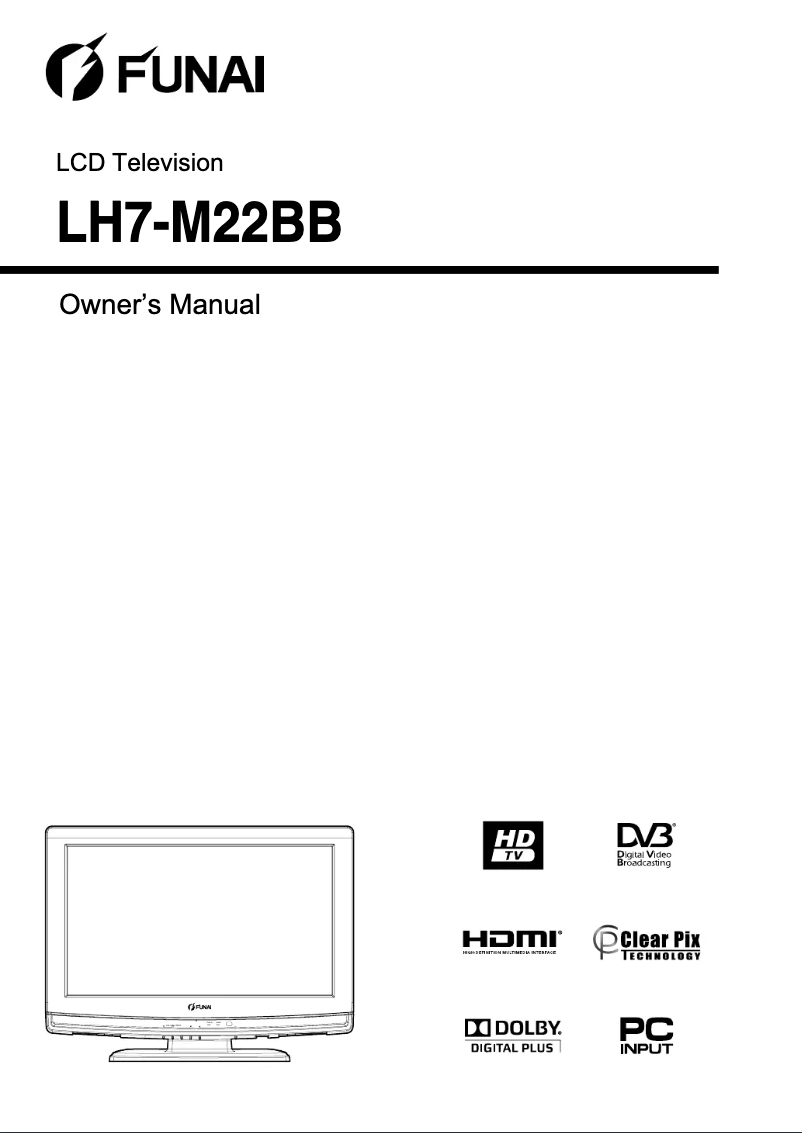
8 10

Editorial note

The Funai LH7-M22BB television stands out for the recognized quality of its brand, offering optimal performance suited for daily use. Its modern design allows for a harmonious integration into various interiors, although some users may find it slightly dated compared to more recent models. This model ensures an enhanced user experience thanks to its advanced technical features, despite an interface that may be deemed not very intuitive, especially for those who are not familiar with technology. The provided documentation, including a detailed user manual, facilitates the installation and handling of the product. However, it is important to note that the Funai LH7-M22BB lacks certain advanced features such as 4K technology or HDR, which could disappoint users looking for a high-end visual experience. Additionally, the sound quality may require the use of an external audio system for satisfactory cinematic immersion. Connectivity is also limited, with a restricted number of HDMI or USB ports, which may pose issues for those wishing to connect multiple devices simultaneously. In terms of value for money, the LH7-M22BB model is interesting, supported by Funai's reputation for reliability and durability. Customer support, while generally adequate, could benefit from improvements according to some user feedback. Overall, this television represents a viable choice for consumers seeking a reliable and affordable product, while keeping in mind its limitations in terms of advanced features.

Score details

User experience

The user experience is enhanced by advanced technical features, but the interface may be considered unintuitive for some users.

Performance

The performance of the LH7-M22BB model is optimal for everyday use, but it lacks some advanced features like 4K technology or HDR.

Design

The design is modern and easily fits into various interiors, although it may seem dated compared to other more recent models.

Value for money

The value for money is interesting, especially with Funai's reputation for reliability and durability.

Documentation

The documentation includes a 32-page user manual, making the installation and handling of the television easier.

Robustness

The build quality is solid, reflecting Funai's commitment to durable products.

Support

Funai's customer support is generally perceived as adequate, but user feedback indicates a need for improvement in certain situations.


Advantages

Recognized brand for quality and innovation

Superior performance for a better experience

Smooth and intuitive navigation

User manual included for easy installation

Modern design that fits all interiors

Disadvantages

Lack of advanced features

Unintuitive user interface

Below-average sound quality

Outdated and unappealing design

Limited connectivity in ports

Technical Specifications LH7-M22BB

General Information

Frequently Asked Questions

What is the recommended viewing distance for my Funai television?
The optimal viewing distance for your Funai television depends on the screen size. Generally, it is advised to sit about 2.4 times the diagonal of the screen.
What should I do if my television is no longer receiving a signal?
If your television is not picking up a signal, check the following: - Make sure your television is set to the correct source. - Check that the connections via HDMI or SCART are correct.
What are the dimensions of my television screen?
The size of your television is usually indicated in inches, with 1 inch equivalent to 2.54 centimeters. The size corresponds to the diagonal of the screen, measured from the bottom left corner to the top right corner.
What does the acronym HDMI stand for?
HDMI stands for High-Definition Multimedia Interface. An HDMI cable allows for the transmission of audio and video signals between different devices.
Is it possible to connect Bluetooth devices from different brands?
Yes, Bluetooth technology is universal and allows for connection between various Bluetooth-compatible devices.
How do I insert batteries into the remote control of the Funai LH7-M22BB television?
To install the batteries in the remote control of the Funai LH7-M22BB television, follow these steps: 1. Open the battery compartment cover on the back of the remote. 2. Insert two R6/AA batteries, ensuring the correct polarity (+/-). Incorrectly installed batteries may damage the remote. 3. Close the compartment cover. 4. Push the cover until it locks. By following these steps, you will successfully install the batteries.
How do I connect an antenna to the Funai LH7-M22BB television?
To connect your antenna to the Funai LH7-M22BB television, follow these steps: 1. Locate the 'Antenna' socket on the back of the television. 2. Plug an RF cable (not provided) into this socket. 3. Connect the other end to the antenna output or wall socket. 4. Ensure all connections are secure. 5. Plug the television into a power outlet. 6. Turn on the television using the power button. 7. Wait for the television to search for available channels, which may take a few minutes. 8. Once the search is complete, you will be able to access the available channels.
How do I connect external devices like HDMI and SCART to the Funai LH7-M22BB television?
To connect external devices such as HDMI and SCART to the Funai LH7-M22BB television, follow these steps: 1. For HDMI connection: a. Find the HDMI socket on the back of the television. b. Plug one end of an HDMI cable (not provided) into the HDMI output of the external device. c. Connect the other end to the HDMI socket of the television. d. Ensure the cable is securely connected. 2. For SCART connection: a. Locate the SCART socket on the back of the television. b. Connect one end of a SCART cable (not provided) to the SCART output of the external device. c. Connect the other end to the SCART socket of the television. d. Make sure the cable is properly in place. These steps will allow you to enjoy content from external devices on your television.
What are the input and output options on the Funai LH7-M22BB television?
The input and output options of the Funai LH7-M22BB television may vary depending on the model and configuration. However, the manual does not provide specific details on this. It is advisable to consult the product specifications or contact Funai customer service for additional information.
How do I connect an antenna to my Funai LH7-M22BB television?
To connect the antenna to the Funai LH7-M22BB television, follow these instructions: 1. Identify the 'Antenna' socket on the back of the television. 2. Plug an RF cable (not provided) into this socket. 3. Connect the other end to an antenna or wall socket. 4. Ensure everything is properly connected. 5. Plug the television into a power outlet. 6. Turn on the television. 7. Wait for the television to search for channels, which may take a few minutes. 8. Once the search is complete, you can watch the available channels.
How do I connect external devices like HDMI and SCART to the Funai LH7-M22BB television?
To connect external devices such as HDMI and SCART to the Funai LH7-M22BB television, follow these steps: 1. For HDMI connection: a. Find the HDMI socket on the back of the television. b. Plug one end of an HDMI cable (not provided) into the HDMI output of the external device. c. Connect the other end to the HDMI socket of the television. d. Ensure the cable is securely connected. 2. For SCART connection: a. Locate the SCART socket on the back of the television. b. Connect one end of a SCART cable (not provided) to the SCART output of the external device. c. Connect the other end to the SCART socket of the television. d. Make sure everything is properly connected. Follow these steps to enjoy content from external devices on your television.
What input and output options are available on the Funai LH7-M22BB television?
The input and output options of the Funai LH7-M22BB television may vary depending on the model and configuration. However, the manual does not provide specific details on this. It is recommended to refer to the product specifications or contact Funai customer support for more information.
Is the manual for the Funai LH7-M22BB available in French?
Unfortunately, the manual for the Funai LH7-M22BB is not available in French. It is only offered in English.
Comment connecter l'antenne à la télévision Funai LH7-M22BB ?
Pour établir la connexion de l'antenne à la télévision Funai LH7-M22BB, procédez comme suit : 1. Localisez la prise 'Aerial' à l'arrière du téléviseur. 2. Branchez un câble RF (non fourni) à cette prise. 3. Connectez l'autre extrémité à une prise d'antenne ou murale. 4. Vérifiez que le câble est bien branché. 5. Branchez le téléviseur à une prise électrique. 6. Allumez le téléviseur. 7. Attendez que le téléviseur recherche les chaînes disponibles, ce qui peut prendre quelques minutes. 8. Une fois la recherche terminée, vous pourrez accéder aux chaînes disponibles.
Comment établir la connexion de dispositifs externes comme HDMI et SCART à la télévision Funai LH7-M22BB ?
Pour relier des appareils externes tels que HDMI et SCART à la télévision Funai LH7-M22BB, suivez ces étapes : 1. Pour la connexion HDMI : a. Trouvez la prise HDMI à l'arrière de la télévision. b. Branchez une extrémité d'un câble HDMI (non fourni) à la sortie HDMI de l'appareil externe. c. Connectez l'autre extrémité à la prise HDMI de la télévision. d. Assurez-vous que la connexion est solide. 2. Pour la connexion SCART : a. Localisez la prise SCART à l'arrière de la télévision. b. Branchez une extrémité d'un câble SCART (non fourni) à la sortie SCART de l'appareil externe. c. Connectez l'autre extrémité à la prise SCART de la télévision. d. Vérifiez que tout est bien connecté. En suivant ces étapes, vous pourrez profiter du contenu des appareils externes sur votre télévision.
Quelles sont les options d'entrée et de sortie disponibles sur le téléviseur Funai LH7-M22BB ?
Les options d'entrée et de sortie du téléviseur Funai LH7-M22BB peuvent varier selon le modèle et la configuration. Toutefois, le manuel ne fournit pas de détails spécifiques à ce sujet. Il est conseillé de se référer aux spécifications du produit ou de contacter le support client de Funai pour obtenir des informations complémentaires.
Le manuel du Funai LH7-M22BB est-il disponible en français ?
Malheureusement, le manuel du Funai LH7-M22BB n'est pas disponible en français. Il est uniquement proposé en anglais.

Similar products


Discover the technical sheet of 55LED1600 from Salora and its manuals...
Available manuals:
Discover the technical sheet of 29FL553P from Funai and its manuals...
Available manuals:
Discover the technical sheet of 32FL553P from Funai and its manuals...
Available manuals:
Discover the technical sheet of 28LED1600 from Salora and its manuals...
Available manuals:
Discover the technical sheet of 43LED1600 from Salora and its manuals...
Available manuals:
Discover the technical sheet of 24FL553P from Funai and its manuals...
Available manuals:
Discover the technical sheet of 20LED1600 from Salora and its manuals...
Available manuals:
Discover the technical sheet of 22LED1600 from Salora and its manuals...
Available manuals:
Discover the technical sheet of 32FL553 from Funai and its manuals...
Available manuals:
Discover the technical sheet of 29FL553 from Funai and its manuals...
Available manuals:
Discover the technical sheet of 24FL553 from Funai and its manuals...
Available manuals:
Discover the technical sheet of 32LED1600 from Salora and its manuals...
Available manuals:

More product categories from brand Funai

Presentation of product LH7-M22BB specifications from brand Funai

General Information

The Funai LH7-M22BB television, from the renowned brand Funai, is a device that stands out for its build quality and innovation in the multimedia device sector. Designed to deliver reliable performance, this model aims to enhance the viewing experience for users with its well-thought-out technical features.

Advantages

Recognized quality: Funai is synonymous with reliability and durability, thus ensuring a trustworthy product.

Optimal performance: The LH7-M22BB is designed to provide a smooth viewing experience, allowing you to fully enjoy your favorite content.

Enhanced user experience: With its advanced features, this television facilitates intuitive navigation, making its use enjoyable.

Available documentation: A user manual is included, assisting with the installation and handling of the television.

Modern design: With its contemporary aesthetic, the Funai LH7-M22BB integrates harmoniously into various interiors.

Disadvantages

Limited features: This model may not include certain advanced technologies, such as 4K or HDR, which could restrict the visual experience for the most demanding users.

User interface: The interface may be perceived as not very intuitive, complicating navigation through the menus, especially for those less familiar with technology.

Sound quality: The sound may fall short of expectations, potentially requiring an external audio system for adequate cinematic immersion.

Aesthetics: Some users might find the design of the LH7-M22BB less appealing compared to newer and more modern models.

Limited connectivity: The limited number of HDMI and USB ports may pose difficulties for those wishing to connect multiple devices simultaneously.